
The custom software development process is really just a structured way of designing, building, and launching software that’s built specifically for your business. Think of it like getting a bespoke suit made instead of grabbing one off the rack—it’s crafted to perfectly fit your team's workflows, your customers' needs, and your company's future plans. This guide will walk you through the entire journey, from that first spark of an idea to a finished application that actually makes a difference.
Why Custom Software Is a Game Changer
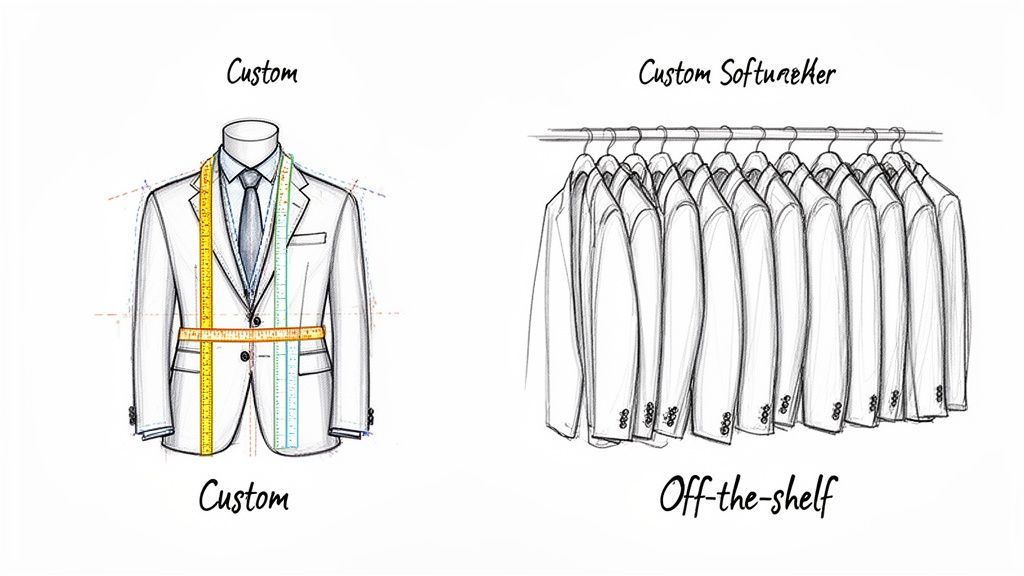
Ever find yourself fighting with generic software that just doesn't quite do what you need? You’re not the only one. So many businesses discover that pre-packaged solutions force them into clumsy workarounds that kill productivity and slow down growth. This is where building your own software becomes a real strategic advantage, turning your unique challenges into powerful, purpose-built digital tools.
Instead of twisting your business processes to fit the software, you’re building software that fits your business. That simple shift delivers a solution that’s perfectly aligned with your goals, giving you a serious leg up on the competition.
The Core Value Proposition
The biggest win with a custom build is that it’s a perfect match for your specific needs. Off-the-shelf software is made for the masses, which means it’s often bloated with features you’ll never touch while missing the ones you desperately need. For a deeper dive, you can learn more about the differences between custom software vs. off-the-shelf solutions in our detailed guide.
A custom solution, on the other hand, is built with one thing in mind: your objectives. This leads to some pretty clear advantages:
- Enhanced Efficiency: You can automate your unique workflows and get rid of tedious manual tasks, freeing up your team to focus on work that actually matters.
- Greater Scalability: Custom apps are designed to grow right alongside your business, easily handling more users, data, and features as you expand.
- Superior Integration: Seamlessly connect your new software with the systems you already use (like your CRM or ERP) to create a single, unified tech stack that just works.
- Increased Security: You’re in the driver's seat when it comes to security protocols. This ensures your application meets specific compliance standards and keeps your sensitive data locked down.
When you invest in custom software, you're not just buying a tool. You're investing in a long-term asset that provides a real, measurable return. It gives you the power to innovate faster, serve your customers better, and just flat-out operate more effectively.
From Idea to Impactful Solution
The journey from a concept to a finished product might seem intimidating, but a well-defined process makes it surprisingly manageable and transparent. This guide breaks down every single stage, from the initial discovery and planning sessions to development, testing, and the ongoing support that keeps it running smoothly.
Getting a handle on this lifecycle is the first step toward building a digital product that doesn’t just solve a problem—it creates brand-new opportunities for your business. We'll explore the core phases, the key roles on the team, and the strategic decisions that pave the way for a successful launch and a solid return on your investment.
The Seven Core Phases of Software Creation
Getting custom software built is a lot like commissioning a custom home. You wouldn't expect a builder to just start hammering away without a blueprint, right? The same logic applies here. The entire journey follows a structured path called the Software Development Lifecycle (SDLC), which breaks the project down into seven distinct phases.
This process turns a big idea into a real, working product. Each phase has its own goals and deliverables, giving you clarity and control from start to finish. Think of it as a roadmap—skipping a step is a surefire way to get lost. To keep things moving smoothly, it's smart to follow essential SDLC best practices that top-tier teams rely on.
Let's walk through what this actually looks like.
The Custom Software Development Process at a Glance
To get a quick overview, here’s a simple table that breaks down each of the seven phases. It outlines what we’re trying to achieve at each step and what you can expect to have in your hands by the end of it.
| Phase | Primary Goal | Key Deliverables |
|---|---|---|
| 1. Discovery & Analysis | Understand the core business problem and project goals. | Project Requirements Document, Feasibility Study |
| 2. Planning & Strategy | Create a detailed project roadmap, timeline, and budget. | Project Plan, Technical Specification, Resource Plan |
| 3. UI/UX Design | Craft the user interface and overall user experience. | Wireframes, Mockups, Interactive Prototypes |
| 4. Development & Coding | Write the code to build the actual software application. | Functional Software (Front-end & Back-end) |
| 5. QA Testing | Find and fix bugs, ensuring the software works as intended. | Test Cases, Bug Reports, QA Sign-off |
| 6. Deployment & Launch | Release the software to the live environment for users. | Deployed Application, Server Configuration |
| 7. Maintenance & Support | Keep the software running smoothly and make improvements. | Updates, Patches, Performance Reports, New Features |
This table gives you the 30,000-foot view. Now, let’s zoom in and look at what really happens in each of these critical stages.
Phase 1: Discovery and Analysis
This is where it all begins—the "why" behind the project. Before a single line of code gets written, we need to do a deep dive into your business. The goal is to get a crystal-clear picture of your operational headaches, who your users are, and what you’re ultimately trying to achieve.
Key activities here usually involve:
- Stakeholder Interviews: We’ll talk to everyone from decision-makers to the end-users who will interact with the software every day. This helps us gather different perspectives and make sure we’re not missing anything.
- Market Research: Sizing up the competition is crucial. We look at what others are doing to find gaps and opportunities for your software to really stand out.
- Feasibility Study: We’ll kick the tires on the idea to make sure it's technically possible, operationally sound, and a smart financial move.
The main thing that comes out of this phase is a detailed Project Requirements Document. This becomes our north star for the entire project.
Phase 2: Planning and Strategy
With a clear understanding of the goals, it's time to draw up the blueprint. The planning phase translates the "why" from discovery into the "how" of actually getting it done. This is where we nail down the project's scope, timeline, and budget.
We'll map out the entire project, set key milestones, and figure out who needs to do what. This is also when the team decides on the technology stack—the specific programming languages, frameworks, and databases we'll use to build everything. A rock-solid plan is your best defense against scope creep and budget blowouts.
Phase 3: UI/UX Design
Now we start thinking about the people who will actually use this thing. The design phase is all about crafting an experience that's intuitive, engaging, and easy to use. It’s about more than just making it look pretty.
User Interface (UI) design handles the visual stuff—the buttons, icons, and layouts. User Experience (UX) design is about the overall flow and feel of the application.
Designers create wireframes (simple black-and-white layouts) and then mockups (detailed, full-color designs). This gives you a clickable prototype to play with before development starts, making it much easier (and cheaper) to gather feedback and make changes.
Phase 4: Development and Coding
This is the construction phase. The software engineers take the designs and plans and start building the actual product. They’ll write the code for the front-end (everything the user sees and interacts with) and the back-end (the server, database, and logic that makes it all work).
Most modern teams use an Agile approach, breaking the work into small, two-week cycles called "sprints." This allows for regular progress updates and makes it easy to adapt if priorities change. Writing clean, well-documented code here is a must—it ensures the software can be easily updated and scaled down the road.
Phase 5: Quality Assurance (QA) Testing
Once a piece of the software is built, it heads straight to inspection. The QA phase is all about hunting down and squashing bugs, errors, and any other weirdness. QA engineers put the software through its paces to make sure it meets all the requirements and delivers a smooth experience.
Testing usually includes:
- Functional Testing: Does each feature work the way it's supposed to?
- Usability Testing: Is the app easy and intuitive for a new user to figure out?
- Performance Testing: How does it hold up when lots of people are using it at once? Is it fast and responsive?
- Security Testing: Are there any vulnerabilities a hacker could exploit?
Nothing gets the green light until it passes these tests.
Phase 6: Deployment and Launch
After all the tests are passed and everyone gives the thumbs-up, it’s go-time. Deployment is the process of moving the finished code from a private development server to a live server where your users can access it.
This process is carefully managed to avoid any downtime and ensure a smooth rollout. After launch, the team keeps a close eye on the application's performance to quickly jump on any unexpected issues that pop up in the real world.
Phase 7: Maintenance and Support
The job isn't done once the software is live. The custom software development market is exploding, standing at a massive USD 53.02 billion globally. Projections show it rocketing to USD 334.49 billion by 2034. This isn't just a trend; it's a reflection of businesses needing reliable, long-term digital tools.
Long-Term Success Depends on Ongoing Care: A custom software application is a living asset that requires continuous attention. Neglecting maintenance is like skipping oil changes on a new car—it will eventually lead to major problems.
This final phase makes sure your software stays secure, healthy, and useful over time. It covers everything from regular updates and bug fixes to performance tune-ups and adding new features based on user feedback.
Choosing Your Project Blueprint: Agile vs. Waterfall
Not all software gets built the same way. The path you take depends on your "blueprint," or methodology, and the two big ones are Agile and Waterfall. Getting this choice right is a big deal because it shapes how your team works together, handles surprises, and ultimately gets the finished product out the door.
Think of it like building a house. The Waterfall methodology is like giving an architect a complete, unchangeable blueprint before a single nail is hammered. Every detail—from the foundation to the roof shingles—is locked in upfront. It’s a predictable, step-by-step process, but if you decide you want another window halfway through, it’s a massive, expensive headache.
Agile, on the other hand, is more like tending a garden. You plant a few seeds, see what sprouts, and adjust your plan for the next row based on what you learn. It’s a cycle of planting, growing, and reacting, letting the project evolve with continuous feedback.
The Waterfall Methodology Explained
Waterfall is the classic, old-school approach. The entire project gets broken down into distinct phases, and you have to finish one completely before you can even think about starting the next. It’s a straight line: gather every requirement, design the whole system, build it all, test everything, and then launch.
This method really only shines when the project requirements are perfectly clear, completely understood, and guaranteed not to change. Think of building a simple internal tool with one specific, fixed function. Its main selling point is predictability—if the scope is flawless from day one, the timeline and budget should hold steady. But that rigidity is also its greatest weakness. There’s zero room to pivot if you discover a flaw in the original plan or the market suddenly shifts.
The Agile Methodology Advantage
Agile flips the Waterfall model completely. Instead of one massive development cycle, Agile chops the project into small, bite-sized cycles called “sprints,” which usually last two to four weeks. At the end of each sprint, the team delivers a small, working piece of the software. This approach creates a constant loop of feedback and adjustment. To dig deeper into this, check out our detailed guide on what the Agile development methodology is.
This flexibility is why Agile is the go-to for most modern web and mobile apps, where user expectations can change in a heartbeat. In fact, a 2022 survey found that 71% of organizations are using Agile approaches now, which shows just how dominant it's become. It’s perfect for dynamic projects because it welcomes change, keeps the customer involved, and focuses on delivering real value quickly and consistently.
This flowchart gives you a good look at the typical steps in a development process, which can be adapted for either methodology.
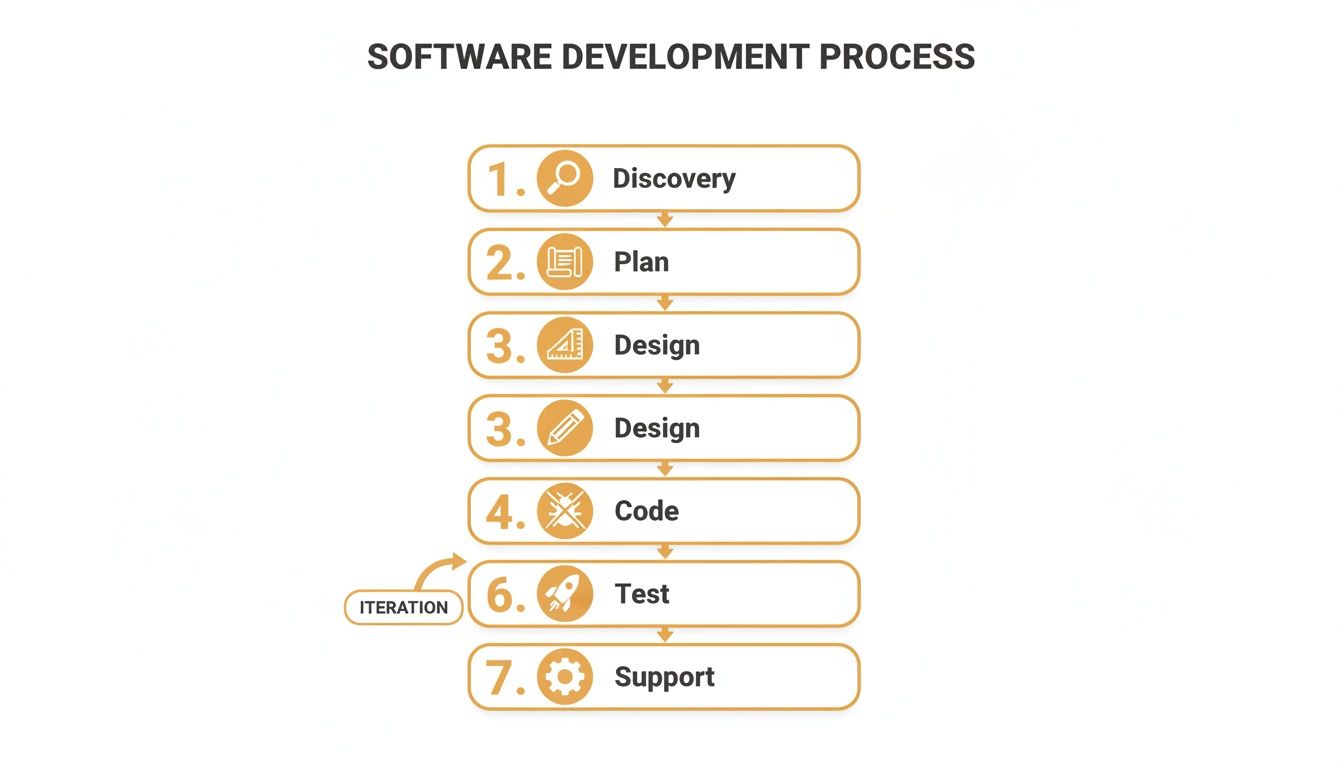
This visual breaks down the software journey into its core stages, all the way from the initial idea to long-term support.
Key Takeaway: For projects with crystal-clear, locked-in requirements, Waterfall offers a predictable path. But for almost everything else that needs to adapt to user feedback and a changing market, Agile provides the flexibility to build a better, more relevant final product. The right choice boils down to your specific project and its goals.
Assembling Your Software Development Dream Team
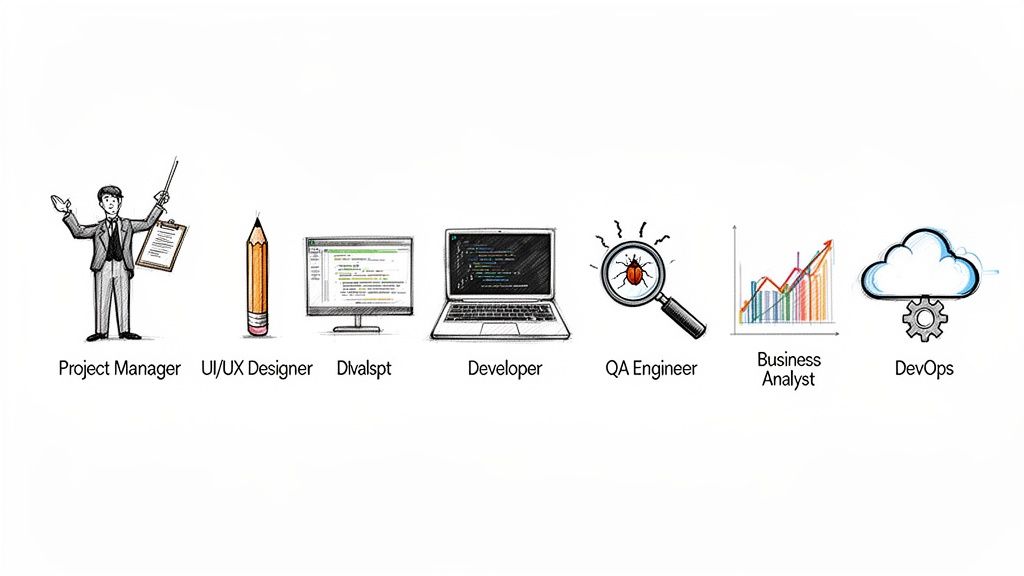 Great software isn't just a product of clever code; it’s brought to life by a coordinated team of specialists. Think of it like a film crew—you can't make a masterpiece without a director, cinematographer, actors, and editors all working in sync. The same goes for the custom software development process, which needs a clear cast of characters to turn a good idea into a great application.
Knowing who does what is critical for smooth communication and keeping everyone on the same page. Once you have your project blueprint, the next step is building that dream team. If you're looking for pointers, check out this proven playbook on how to hire remote developers. This is more important than ever, as talent shortages have become a massive bottleneck threatening to derail projects before they even start.
In fact, the software industry is facing a mind-boggling 85.2 million unfilled jobs globally. This crunch could lead to worldwide revenue losses of up to USD 8.5 trillion simply from a lack of skilled engineers. With security being a top concern for 51% of tech leaders, this talent crisis just adds another layer of strain.
The Core Players on Your Team
Team sizes vary, but a well-rounded project almost always includes a few key roles. Whether you're hiring in-house or working with an agency, these are the experts you'll be interacting with.
-
Project Manager (The Conductor): The PM is your go-to person, the one responsible for keeping the project on time, on budget, and on track. They manage resources, act as the bridge between you and the development team, and knock down any roadblocks that pop up.
-
UI/UX Designer (The Architect): This person is the champion for your end-user. The User Experience (UX) designer maps out the user’s journey to make the software feel logical and intuitive. The User Interface (UI) designer then focuses on the visual side of things—buttons, layouts, and colors—to create something that’s genuinely engaging and looks great.
-
Software Developer (The Builder): Often called engineers or programmers, these are the folks who write the actual code. They’re usually split into two camps: front-end developers, who build everything the user sees and interacts with, and back-end developers, who handle the server, database, and all the behind-the-scenes logic.
-
Quality Assurance (QA) Engineer (The Inspector): A QA engineer’s job is, quite literally, to break things. They meticulously test the software from every angle to hunt down bugs, glitches, and weird quirks before it ever reaches a real user. Their goal is to ensure the final product is polished and reliable.
Essential Supporting Roles
Beyond that core group, a couple of other specialists often join the crew to ensure the project’s success and long-term health. Their involvement usually depends on the project's complexity.
A project’s success often hinges on the roles you don't see every day. Specialists like Business Analysts and DevOps Engineers bridge critical gaps between business strategy and technical execution, preventing costly misalignments down the line.
Here are two of the most common supporting players:
-
Business Analyst (The Translator): The BA is the one who dives deep into your business needs and translates them into detailed technical specs the development team can actually use. They’re the ones who make sure the final product solves the right business problems.
-
DevOps Engineer (The Bridge): DevOps (a mashup of Development and Operations) is all about automating the software delivery pipeline. These engineers manage the infrastructure, set up automated testing, and handle deployments to make sure new software versions can be released quickly and without drama.
Figuring Out Timelines and Budgets
When you're about to kick off a custom software project, two big questions always come up first: "How long is this going to take?" and "What's it going to cost me?" Honestly, there's no single answer. It all comes down to how complex your project is, what you need it to do, and the kind of relationship you have with your development partner.
Getting a handle on these factors is the key to setting expectations that won't leave you disappointed. Think of it like construction: a small kitchen remodel is a totally different ballgame than building a skyscraper from the ground up. Software is the same. A simple app might take a few months, but a massive enterprise platform is a much longer journey.
How Complexity Shapes Your Timeline
A project's timeline isn't just a number pulled out of a hat. It’s a direct reflection of the features, integrations, and custom work you need. The clearer you are about the scope from day one, the more accurate the schedule will be.
Here’s a rough guide to how timelines usually break down:
- Minimum Viable Product (MVP): This is the bare-bones version of your software. It has just enough core features to solve a key problem for your users. An MVP is perfect for testing an idea without breaking the bank and typically takes 3 to 6 months to build.
- Mid-Sized Application: This is a more complete app with several features, different types of users (like admins and customers), and connections to other services like payment systems or your CRM. You're usually looking at 6 to 12 months for a project like this.
- Complex Enterprise Platform: We're talking about a large-scale system with advanced features, heavy-duty security, custom integrations, and the muscle to handle tons of users. Development for these can easily stretch beyond 12 months.
Making Sense of Software Development Cost Models
Once you have a ballpark timeline, the next conversation is about money. The way you pay for the project—the cost model—shapes everything from budget predictability to how flexible you can be with changes. Picking the right one is a big deal for financial planning, and having a good grasp of the options will help you create a much better software development cost estimation.
There are three main ways this is handled in the industry, and each one is built for a different kind of project.
Choosing a cost model isn't just about the money; it’s a strategic decision. It’s about matching the financial structure to your development style. A Fixed Price works for the predictable, step-by-step Waterfall approach, while Time & Materials is a natural fit for Agile's adaptability.
To figure out which model makes sense for you, you first have to understand how they differ in terms of budget control and flexibility.
Comparison of Software Development Cost Models
| Model | Best For | Budget Control | Flexibility |
|---|---|---|---|
| Fixed Price | Small, simple projects where you know every single requirement upfront and nothing will change. | High. You get one price for the entire project, locked in from the start. | Low. Any change, big or small, usually means renegotiating the contract and cost. |
| Time & Materials | Agile projects where you expect requirements to evolve and need to adapt to user feedback. | Moderate. You manage the budget by tracking hours and progress, typically in sprints. | High. You can change priorities and add features as you go, sprint by sprint. |
| Dedicated Team | Long-term, complex projects that need a deep, ongoing partnership with a development team. | Moderate. You pay a fixed monthly rate for the team, making costs predictable. | Very High. The team basically becomes an extension of your own, able to pivot as needed. |
Let's dig into what this means in the real world. A Fixed Price model is great when your project is completely defined and buttoned up. You know exactly what you’re getting and what you’ll pay. The catch? If you need to change anything—even something small—you're looking at delays and more money.
The Time & Materials model has become the standard for modern, Agile development. You simply pay for the actual hours the team works. This gives you the freedom to adjust course based on market feedback or new ideas, which is perfect for building software that people will actually use.
Finally, the Dedicated Team model is like hiring your own in-house tech team, but without the overhead. You get a full team of developers who work only on your project for a flat monthly fee. This is the way to go for big, long-term projects where you need deep expertise and a true partnership.
The Impact of Cloud and AI on Modern Development
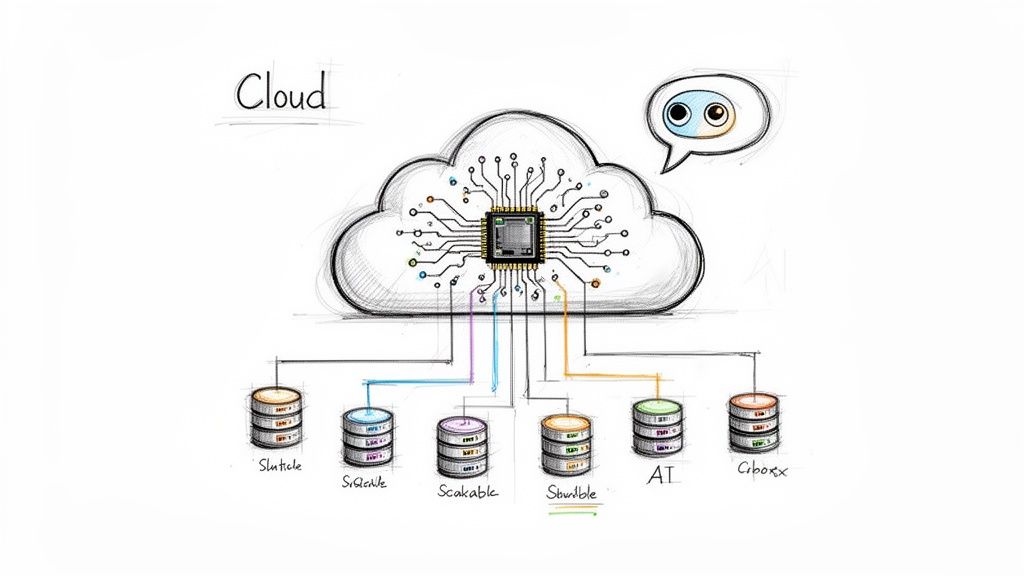
It’s impossible to talk about modern software development without mentioning the two elephants in the room: cloud computing and artificial intelligence (AI). These aren’t just trendy topics; they've completely changed the game, giving us the tools to build apps that are smarter, bigger, and more affordable than anyone thought possible just a decade ago.
For small and mid-sized businesses, this is huge. It means you can now access the kind of high-powered infrastructure that was once reserved for massive corporations.
Think of it this way: the cloud is like renting a world-class commercial kitchen instead of building your own from the ground up. Platforms like Amazon Web Services (AWS) or Microsoft Azure give you all the servers, storage, and networking gear you need, right when you need it. You pay for what you use, skipping the massive upfront cost of buying and maintaining your own hardware.
How the Cloud Changes Everything
Cloud technology isn't just a part of the custom software world anymore—it is the world. It’s the go-to for a reason, holding a massive 67% market share in the global custom software development space. That figure is expected to swell to a staggering USD 165.2 billion by 2035.
Why the hype? Because cloud solutions let you access your software and data from anywhere, in real-time, without ever worrying about a server crashing in your back office. This is a perfect fit for e-commerce stores and digital publishers who need to be online 24/7. You can dig into more of these custom software development market trends if you're curious.
This model delivers some serious advantages right out of the box:
- Rapid Scalability: Got a huge traffic spike from a marketing campaign? No problem. The cloud automatically scales your app to handle the load, keeping the user experience smooth without anyone needing to scramble.
- Cost Efficiency: You’re switching from a massive capital expense (buying servers) to a predictable operational expense (paying for usage). This means you can launch a powerful application with a much smaller initial investment.
- Increased Reliability: Cloud providers handle the heavy lifting of security, backups, and uptime, which means your software stays online and your data stays safe.
The cloud democratizes access to enterprise-grade infrastructure. Startups can now build and deploy applications with the same power and reliability as large corporations, leveling the playing field.
The Rise of Intelligent Applications with AI
If the cloud is the stage, then artificial intelligence is the star of the show. AI has moved beyond science fiction and into the realm of practical, everyday tools. Developers are now weaving AI-powered features directly into custom software to automate tedious tasks, uncover valuable insights from data, and create truly personal experiences for users.
Here are a few ways it's making a real difference:
- Intelligent Chatbots: Forget the clunky, robotic chatbots of the past. Modern AI-driven bots can handle complex customer service questions, freeing up your team to focus on the issues that really need a human touch.
- Predictive Analytics: By sifting through user data, AI can spot patterns and predict what customers will do next. This helps businesses identify sales trends and make smarter, data-backed decisions instead of just guessing.
- Process Automation: AI is a beast at automating repetitive back-office work. Think data entry, inventory checks, and other tasks that are prone to human error. It gets done faster and more accurately.
When you put the rock-solid, scalable foundation of the cloud together with the smarts of AI, the modern custom software development process doesn't just build apps that work. It creates applications that learn, adapt, and give your business a genuine competitive edge.
Your Custom Software Development Questions Answered
Jumping into a custom software project for the first time brings up a ton of questions. We get it. This is a big step for any business owner, so we've put together some straightforward answers to the questions we hear most often. The goal is to help you feel confident and ready to make the right moves.
How Do I Know if I Need Custom Software?
You’ll know it’s time for custom software when your off-the-shelf products are causing more headaches than they solve. If your team is constantly juggling inefficient workarounds or your current tools are literally stopping you from growing, a custom-built solution is the next logical step.
Think about it this way: when generic software forces you to change your proven business processes just to fit its rigid structure, you're bleeding efficiency and giving up your competitive edge. Building your own application means the technology gets molded around your business, not the other way around.
What Is a Minimum Viable Product?
A Minimum Viable Product, or MVP, is the leanest, most essential version of your software. It’s built with just enough core features to be genuinely useful to your first users. The point isn’t to launch something perfect; it's to get your idea into the real world quickly and see if people actually want it.
This approach is a cornerstone of the Agile methodology and is critical for keeping risk low. You get to gather honest feedback from real customers before you sink a ton of money into features that might turn out to be duds. It’s all about learning fast so you can build smarter.
An MVP is your fastest path to real-world feedback. It shifts the conversation from "what we think users want" to "what we know users do," which is the most valuable insight you can get.
What Are the Biggest Risks in a Custom Project?
The three classic troublemakers in any custom software project are scope creep, budget overruns, and poor communication. Scope creep is what happens when new feature requests keep getting tacked on without adjusting the timeline or budget, slowly pulling the whole project off the rails.
But you can absolutely get ahead of these risks with a solid game plan.
- Tame Scope Creep: A really thorough discovery phase locks in a clear starting point. From there, using an Agile approach lets you manage and prioritize any changes in a controlled, predictable way.
- Keep the Budget in Check: Pick a cost model that makes sense for your project and insist on total transparency from your development partner.
- Demand Clear Communication: Work with a team that makes regular, open dialogue a priority. Consistent updates and a dedicated point of contact aren't just nice-to-haves—they're essential.
How Can I Ensure My Software Is Secure and Scalable?
Security and scalability aren't features you can just tack on at the end; they have to be woven into the fabric of the software from day one. Your development partner should be following established best practices like routine code reviews, solid data encryption, and regular vulnerability testing to keep your application and your users' data safe.
When it comes to scalability, a modern cloud architecture is the answer. Building on a platform like AWS or Azure means your software can handle more users and more data as you grow, all without needing a painful and expensive rebuild down the line. It ensures your application can grow right alongside your business.
At Up North Media, we specialize in turning your unique business challenges into powerful, scalable web applications. Our expert team navigates the entire custom software development process with you, ensuring a final product that drives growth and delivers measurable results. Start the conversation with a free consultation today.