
If you're planning a new website or web app, you're probably hearing two competing recommendations. One developer says you need a single page application for a modern experience. Another says a multi page application is better for SEO, simpler to manage, and less risky.
Both can be right. Both can also be wrong.
The core issue isn't picking the trendiest architecture. It's choosing the delivery model that fits how your business gets traffic, how users interact with the product, and how much complexity your team can afford to own. For a content-heavy site, the wrong choice can hurt search visibility. For a dashboard or workflow tool, the wrong choice can make the experience feel clunky. And for many businesses, the best answer isn't strictly SPA or MPA anymore.
Choosing Your Web Application's Foundation
A project often encounters the single page application vs multi page decision when it gets serious. You're no longer debating color palettes or page layouts. You're deciding how the entire product will behave, scale, and get found online.
A single page application (SPA) works like software inside the browser. The first load brings in the application shell, then user actions update parts of the screen without full page refreshes. Gmail and Figma are easy mental models. You stay inside one environment while the interface changes around you.
A multi page application (MPA) works more like the traditional web. Each major page is its own destination, with its own request and response cycle. Product pages, blog posts, category pages, and account sections often fit this model well. Amazon, documentation sites, and news publishers rely on that structure because it maps naturally to browsing behavior.
That difference sounds technical, but it affects business decisions immediately.
| Question | SPA tends to fit when | MPA tends to fit when |
|---|---|---|
| User behavior | Users stay in the app and perform repeated actions | Users land on many different pages from search, ads, or links |
| SEO priority | Organic search isn't the main acquisition channel, or extra rendering work is acceptable | Organic search and page-level optimization matter from day one |
| Experience goal | App-like interactions, dashboards, live state changes | Clear navigation, independent pages, content discoverability |
| Team complexity tolerance | Team is comfortable managing frontend state and API architecture | Team wants simpler rendering and more conventional workflows |
If you're still early in planning, it's worth stepping back before anyone starts coding. A framework choice made too early often creates expensive rework later. That's why I usually recommend defining the business model first, then the delivery model, then the stack. A practical starting point is this guide on how to choose the right tech stack for a web product.
For very small brochure-style projects, this decision can even overlap with one-page website best practices from Exclusive Addons. But once you're building a real commerce, publishing, or software product, architecture matters much more than page aesthetics.
Practical rule: Choose the architecture that supports the revenue model first. A nicer developer experience doesn't matter if the site is harder to find, slower to maintain, or harder for customers to use.
The Core Architectural Differences Explained
The cleanest way to understand this is to stop thinking about frameworks and start thinking about page delivery.
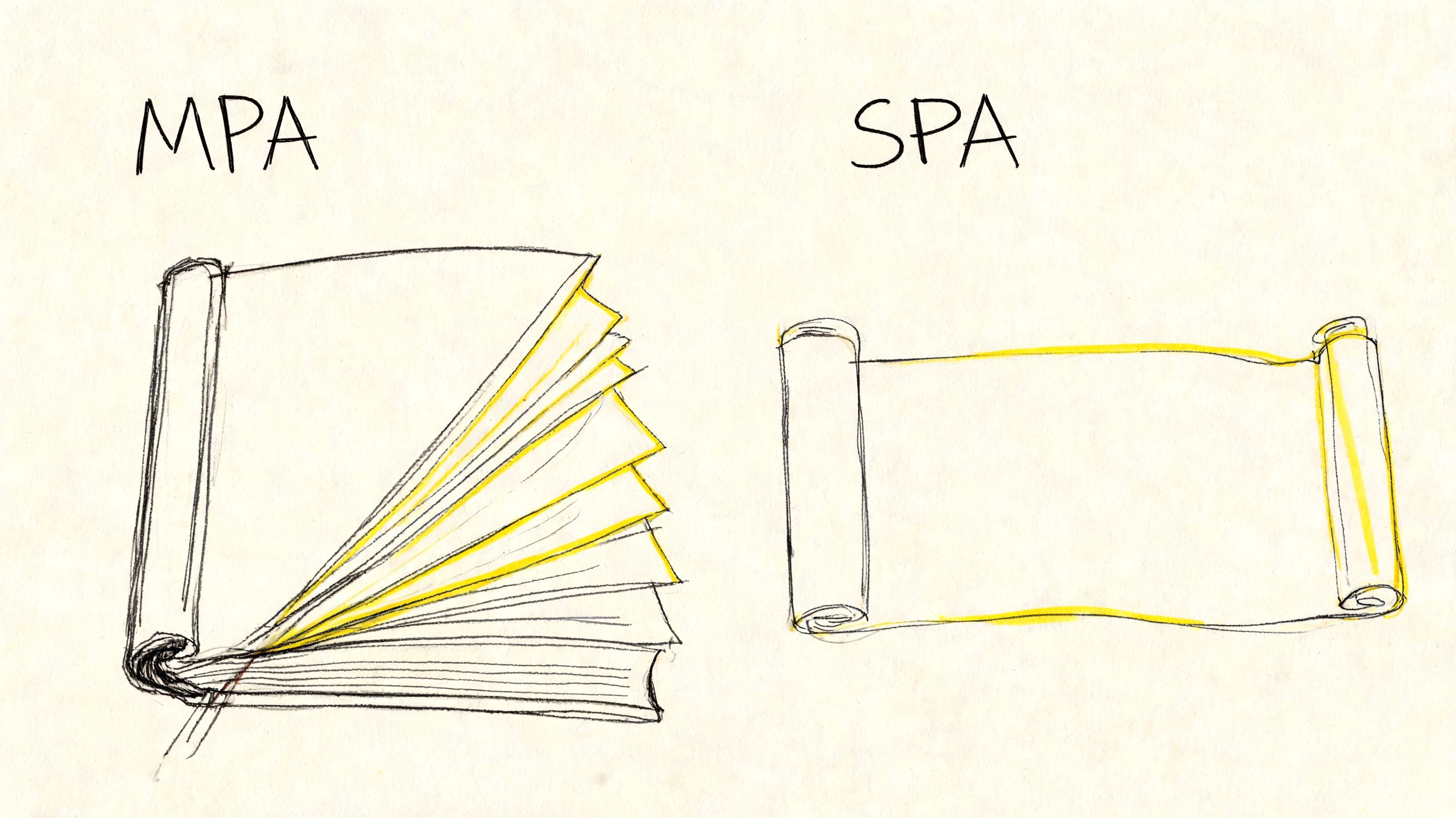
How a multi page application works
An MPA behaves like a book. When a user opens a new chapter, the browser requests a new page from the server. The server assembles the page, sends it back, and the browser renders it.
That means each page can stand on its own. A product page, blog article, pricing page, and contact page all have their own URLs, metadata, and content structure. If someone lands directly on one of those pages from Google, email, or a shared link, the page still makes complete sense.
For businesses, that has practical advantages:
- Clear entry points: Users can arrive on any page and start there.
- Straightforward page ownership: Marketing teams can optimize page by page.
- Predictable browser behavior: Back button, bookmarking, and sharing usually work as expected.
How a single page application works
An SPA behaves more like a desktop app living in a browser tab. The initial request loads the application shell. After that, the browser uses JavaScript to fetch data and update the view without full page reloads.
That creates a more fluid feel when the product depends on interaction. Dashboards, filters, boards, messaging interfaces, and account tools often feel better in this model because the screen can respond immediately to user actions.
The trade-off is architectural responsibility. The frontend now has to manage routing, state, loading behavior, and often more of the user experience logic that the server would traditionally handle.
In an SPA, you're not just building pages. You're building an application runtime in the browser.
Why the mechanics matter
This isn't just a developer concern. It affects what users notice.
An MPA often feels more natural when people are exploring information. An SPA often feels better when people are manipulating information.
Use this shortcut when talking to stakeholders:
- Browsing behavior usually leans MPA
- Task-oriented behavior usually leans SPA
- Mixed behavior often points to a hybrid approach, which we'll cover later
If a customer spends most of their time reading, comparing, searching, and landing from external channels, page-based architecture usually aligns better with how they move. If they spend most of their time editing, configuring, dragging, filtering, or monitoring live data, a single interface usually wins.
Comparing SPA vs MPA on Key Business Metrics
The architectural debate gets clearer when you stop treating it as a frontend preference and measure it against business outcomes.
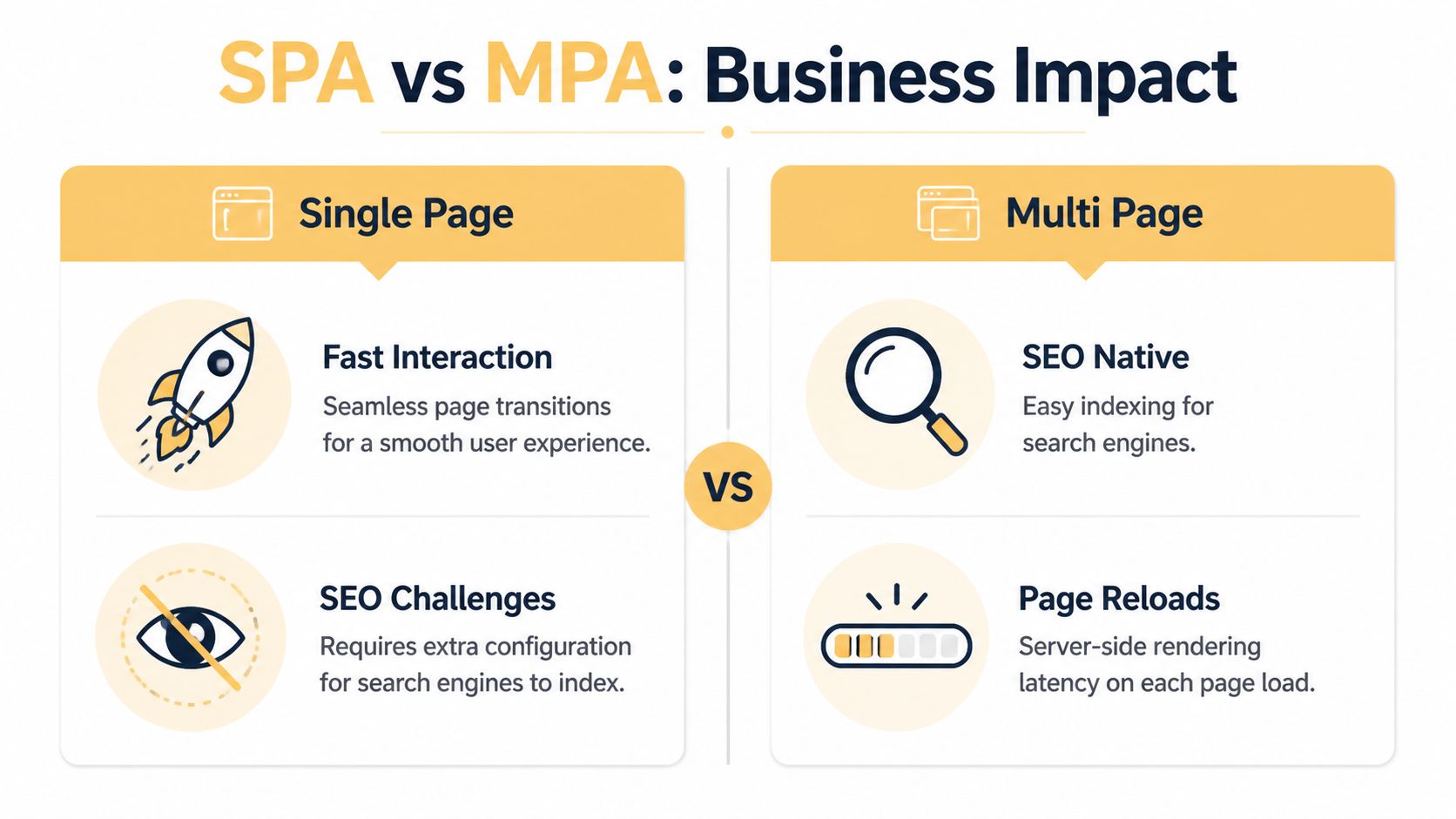
Side by side comparison
| Metric | SPA | MPA | Edge |
|---|---|---|---|
| Interaction feel | Strong for app-like flows and repeated actions | Good for browsing, but page transitions are more visible | Depends on use case |
| Initial discoverability | Requires extra care for rendering and crawlability | Naturally aligned with page-based discovery | MPA |
| Page-level SEO control | Possible, but more setup is usually required | Built into the structure | MPA |
| Analytics simplicity | Requires more deliberate event and route tracking | Distinct URLs simplify attribution | MPA |
| Performance assumptions | Often assumed to be faster | Can be faster in real-world conditions | MPA in the cited benchmark |
User experience and performance
A lot of teams still assume SPAs are automatically faster because they avoid full page refreshes. That's too simplistic.
Performance benchmarking discussed by Binary Igor found that Multi-Page Applications can deliver load times under 125 milliseconds at the 90th percentile, and the same analysis reported a slight but consistent advantage for MPAs in page load speed and user experience metrics while using less code and fewer dependencies (performance benchmarking on MPA and SPA architectures).
That matters because speed isn't only about visual smoothness after the first click. It's also about how quickly users can reach useful content, how much code has to load, and how much complexity the browser has to process. In practice, I've seen teams overestimate the benefit of SPA transitions while underestimating the drag caused by heavier bundles and frontend orchestration.
There's another practical shift here. Technologies like HTMX have made partial page updates possible in an MPA-style architecture without inheriting the full complexity of a client-rendered SPA. That weakens one of the oldest arguments in favor of SPAs.
Edge: MPA has a stronger case than many teams expect, especially for sites where users need content fast and don't need a highly interactive app shell.
SEO and organic visibility
The difference is now undeniable.
Search visibility favors structures that let each page stand on its own. According to OneSeven Tech, each distinct URL in a Multi-Page Application enables independent keyword optimization and enhanced search engine visibility, and e-commerce platforms such as Amazon and eBay use MPA architectures so pages can target different keyword opportunities (SEO advantages of multi-page applications).
That isn't just an SEO talking point. It's a revenue issue.
When category pages, product pages, service pages, and articles each have their own optimized URL, you can match search intent much more precisely. You also make internal linking, metadata management, canonicalization, and search reporting much easier to govern. SPAs can compete here, but they usually need more implementation work to reach the same baseline. That often means server-side rendering, prerendering, and stricter technical SEO discipline.
If organic traffic is a major acquisition channel, don't treat SEO as a patch you can add later. Your architecture either supports it cleanly or forces you to compensate for it.
Edge: MPA, clearly.
Analytics and measurement
Analytics is where architecture subtly affects decision-making.
MPAs produce distinct URLs for distinct pages. That makes pageview reporting, landing-page analysis, and path tracking easier to understand. Content teams, merchandisers, and marketers can usually answer basic questions without a custom analytics interpretation layer.
SPAs can still provide strong analytics, but they require more deliberate route tracking and event design. If that work is inconsistent, reporting gets messy fast. A dashboard team may be fine with that. A publisher or retailer usually isn't.
Here's the practical summary:
- Use an SPA when product interaction is the core value and analytics can be modeled around application events.
- Use an MPA when content performance, search entry points, and page-level attribution are central to growth.
- Use a hybrid when you need both.
Analyzing Development and Long-Term Maintenance Costs
Architecture choices don't just shape user experience. They shape staffing, hosting, debugging, and how painful future changes become.
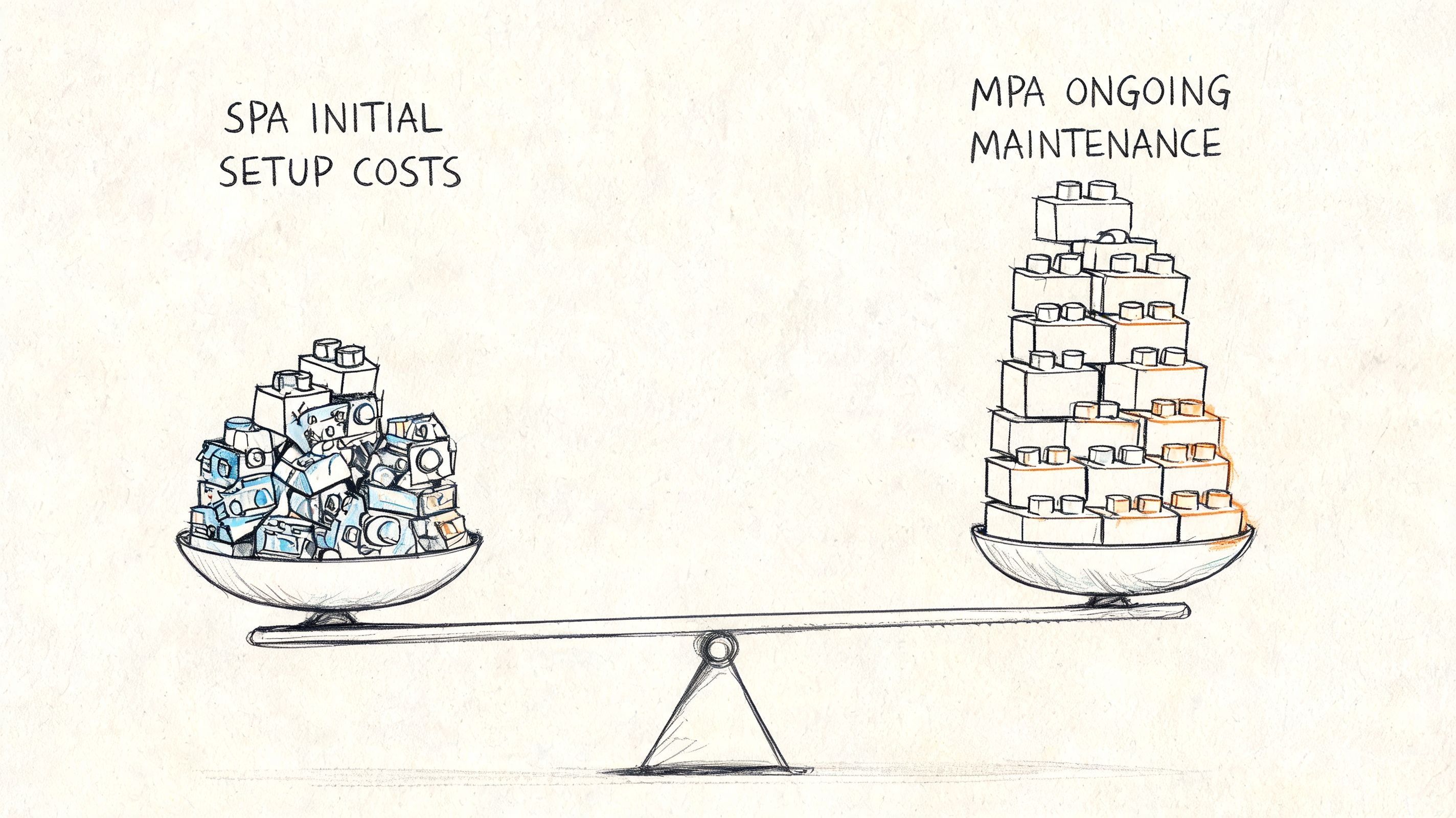
Where the cost shows up first
SPAs usually ask more from the frontend architecture. You're often separating frontend and backend concerns more aggressively, exposing data through APIs, and managing client-side state, routing, and rendering behavior in the browser.
That can be worth it. But it isn't free.
By contrast, an MPA often lets teams move faster with more traditional server-rendered patterns. For many businesses, especially those building content platforms, service websites, and conventional e-commerce experiences, that can simplify delivery and reduce architectural overhead.
A lot of cost planning mistakes happen because teams only look at the launch budget. They don't look at who will maintain the thing six months later. If your cost model needs a broader lens, this breakdown of web application development costs is a good companion when budgeting beyond the initial build.
Infrastructure and scaling costs
There is one area where SPAs often have a meaningful operational advantage. Halo Lab notes that SPAs use client-side rendering, offload computational work to users' devices, reduce server resource consumption, and support horizontal scaling through CDNs, while MPAs require server-side rendering for each user interaction and can lead to 2-3x higher hosting and maintenance costs for some applications (SPA and MPA hosting trade-offs).
That doesn't mean SPAs are always cheaper overall. It means the cost shifts.
With an SPA, you may spend more on frontend engineering discipline and application architecture, but less on server load at scale. With an MPA, you may save effort in implementation and maintenance simplicity, but pay more as traffic grows if every interaction requires server-side work.
What tends to work in practice
I usually frame it this way for clients:
- Small teams with straightforward content and conversion goals: MPA often wins because it's easier to reason about and simpler to maintain.
- Products expecting heavy authenticated usage and app-like sessions: SPA can justify its complexity.
- High-traffic projects with mixed needs: Cost depends less on labels and more on how selectively you render, cache, and hydrate the experience.
Cost lens: Don't ask which model is cheaper. Ask where the complexity sits, who owns it, and whether that complexity helps the business.
Caching also matters here. MPAs can support strong page-level caching strategies, especially when some pages are static and others are dynamic. That can soften the infrastructure burden substantially. But teams have to design for it. Poorly implemented server rendering can become expensive quickly.
Which Architecture Fits Your Business Model
The right answer gets easier when you stop asking which architecture is best and start asking which one fits the way your business acquires customers and delivers value.
For e-commerce retailers
If you're selling products through search, category discovery, and long-tail product pages, MPA is often the safer recommendation.
Retail experiences usually benefit from strong page-level SEO, predictable URLs, and clear category architecture. Product detail pages, collection pages, brand pages, support articles, and policy pages all serve different intents. Keeping them independently accessible helps both users and search engines.
There is also a performance argument in MPA's favor. Binary Igor's benchmarking reported that MPAs can achieve load times under 125 milliseconds at the 90th percentile and maintain a slight advantage over SPAs while requiring less code and fewer dependencies. For commerce teams, that's meaningful because lighter implementations are easier to keep fast and easier to maintain under merchandising pressure.
That said, commerce isn't only about page rendering. Cart behavior, account areas, saved lists, and personalized flows often benefit from app-like interactions. If your roadmap includes marketplace behavior, live inventory interactions, or heavy integration logic, your architecture should leave room for dynamic modules. That's where tooling and API strategy matter. For teams exploring automation-heavy retail workflows, Zinc's perspective on an Ecommerce API is useful context.
For digital publishers and content platforms
Publishers should usually favor MPA or a hybrid that behaves like an MPA for public content.
Editorial businesses rely on discoverability, article-level optimization, internal linking, taxonomy pages, and clean analytics. Those are all easier when every page is its own object with its own URL and metadata. News sites, knowledge bases, and documentation properties generally perform better operationally when public-facing content isn't trapped inside a highly client-rendered shell.
The key mistake publishers make is overbuilding interactivity into areas where readers mostly want speed and clarity. Rich widgets are fine. Turning the entire publication into a complex SPA usually isn't.
For SaaS startups and internal tools
Startups building workflow software, dashboards, portals, or collaborative tools often get the most value from an SPA.
When users stay logged in and spend their time editing records, filtering data, moving through boards, or monitoring status, the application should feel continuous. Frequent full page transitions interrupt that flow. In these products, interface responsiveness often matters more than page-level discoverability.
This is also where client-side state management has real value. If your product behaves more like software than a website, SPA architecture can provide a cleaner experience for authenticated users.
For service businesses and SMBs
Most local businesses, service brands, and smaller organizations don't need to force an SPA into the project.
They need service pages that rank, location pages that can be optimized independently, lead forms that work reliably, and a site that the team can update without friction. In most of those cases, MPA is the practical default.
The architecture should match the business model. A law firm, manufacturer, or local healthcare group doesn't need the same frontend pattern as a project management platform.
If your business needs both public discoverability and logged-in interactivity, that's the signal to consider a hybrid architecture rather than arguing over extremes.
Moving Beyond a Binary Choice with Hybrid Solutions
The SPA vs MPA debate is outdated when treated as a forced choice.
Why hybrid is often the smarter answer
Modern frameworks such as Next.js and Nuxt let teams combine page-based delivery for public content with app-like interactivity where it matters. The public-facing parts of the site can be statically generated or server-rendered for SEO and fast first loads. Interactive features can then hydrate in the browser and behave more like an SPA.
That model fits how many businesses operate.
A retailer might want product and category pages rendered for search visibility, while the cart and account area feel dynamic. A publisher might want articles to load as clean pages, while subscriptions, recommendations, and saved content behave like an app. A SaaS company might need a marketing site that performs like an MPA and an authenticated dashboard that behaves like an SPA.
A useful adjacent concept here is the broader set of progressive web app benefits, especially when you're trying to improve responsiveness without turning every page into a client-rendered application.
When hybrid has the best ROI
A verified gap in many SPA vs MPA comparisons is that they ignore progressive enhancement and mixed rendering. Modern web development increasingly uses hybrid approaches instead of treating architecture as binary. Emerging frameworks like Next.js and Nuxt can generate static pages for SEO while preserving SPA-like interactivity where needed, which makes them especially valuable for businesses that need both fast initial loads and dynamic user experience (
).That approach is strategically strong when:
- Public pages need to rank
- Some product areas need rich interactivity
- The team wants incremental modernization instead of a full rebuild
- You need to protect performance without giving up UX in key workflows
Hybrid architecture works best when you know which pages are for discovery and which interfaces are for action.
Mature planning brings considerable benefits. Not every page deserves SPA behavior. Not every interaction deserves a full page request. The best systems assign complexity where it creates value and avoid it everywhere else.
A Quick Checklist for Your Final Decision
Use these questions in your next planning meeting. The answers usually point toward the right architecture faster than a long framework debate.
Ask about acquisition first
- Is SEO a primary channel for new business? If yes, lean toward MPA or hybrid so each high-value page can stand on its own.
- Do customers land on many different pages from search, ads, or shared links? That usually favors MPA or hybrid because independent entry points matter.
- Do you need clean page-level reporting for content, categories, or services? That also pushes toward MPA or hybrid.
Ask about product behavior next
- Does the product behave like software? If users spend long sessions editing, filtering, configuring, or collaborating, SPA becomes more attractive.
- Does the interface rely on live state and repeated interactions? SPAs usually handle that more naturally.
- Are only a few sections highly interactive while the rest is standard content? That's classic hybrid territory.
Ask about ownership and maintenance
- Who will maintain this after launch? Smaller teams often do better with simpler page-based systems.
- Can your developers support client-side routing, rendering strategy, and state management confidently? If not, a full SPA may create avoidable friction.
- Do hosting efficiency and CDN-based scaling matter more than implementation simplicity? That can tilt the decision toward SPA for the right product.
The shortest version
- Choose MPA when discoverability, page-level SEO, and simplicity matter most.
- Choose SPA when the experience is application-driven.
- Choose hybrid when your business needs both public visibility and interactive depth.
If you're weighing SPA, MPA, or a hybrid build and want a technical recommendation grounded in business goals, Up North Media helps Omaha businesses and growth-focused teams map architecture decisions to SEO, UX, development cost, and long-term scalability. A good architecture decision saves more than code. It protects acquisition, conversion, and maintainability from the start.