
If you're an Omaha business owner, you're probably hearing the same thing from every direction right now. Use AI to save time, automate work, improve customer service, and stay competitive. The problem is that most advice stops at the buzzwords.
What matters is simpler. You need to know whether your business is ready, what kind of help to buy, how much to spend without getting upside down, and how to avoid launching a pilot that looks impressive in a demo but dies in day-to-day operations. That's where ai consulting for businesses becomes useful. Not as a slide deck exercise, but as practical implementation support.
I've seen the same pattern across SMBs in Omaha. A distributor wants to reduce time spent on order entry. A service company wants better call summaries and scheduling support. An e-commerce team wants faster content production but still needs review controls. The businesses that get value from AI usually don't start with “we need AI.” They start with one expensive bottleneck, one clear owner, and one workflow they're willing to change.
Assess Your AI Readiness Before You Hire
The fastest way to waste money on AI consulting is to hire someone before you've defined what success looks like. Research shows that 95% of enterprise AI pilots fail to deliver financial returns, with the primary cause being unclear business objectives and misalignment with operational needs according to Credencys on why AI initiatives fail and how AI consulting fixes them.
That failure pattern shows up in smaller companies too. The business buys a chatbot, a document tool, or a workflow automation platform, then realizes nobody agreed on the exact process it was supposed to improve.
Start with the internal audit
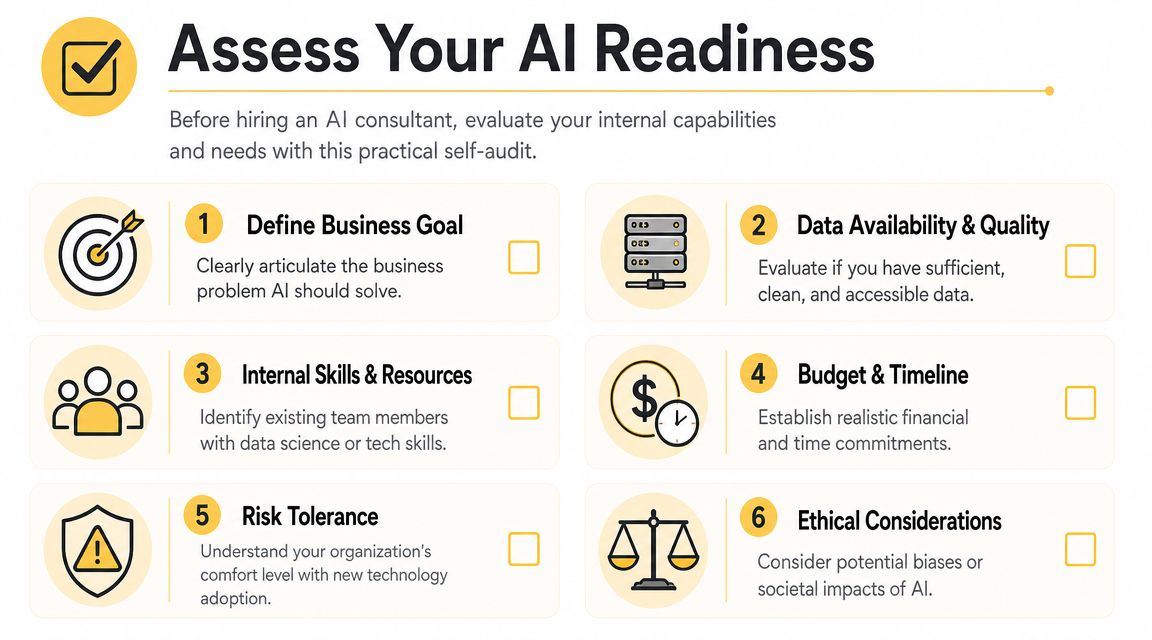
Before you call a consultant, check six things inside your business.
- Business goal. Name one problem in plain English. “Reduce time spent answering repeat customer questions” is usable. “Modernize with AI” is not.
- Data access. Figure out where the needed information lives. That might be in QuickBooks, a CRM like HubSpot, an ERP, email inboxes, spreadsheets, PDFs, or a shared drive.
- Workflow owner. Pick one person who owns the process today. If no one owns it now, AI won't fix it.
- Team capacity. Decide who can test outputs, flag errors, and give feedback during rollout.
- Budget and timeline. Set a realistic range before discovery starts, even if it's broad.
- Risk tolerance. Separate tasks that can tolerate occasional errors from tasks that require strict review.
The three readiness pillars
Most SMBs can simplify AI readiness into data, problems, and people.
Data comes first because AI systems need context. If your customer records are duplicated, your product catalog is messy, or your team stores key details only in individual inboxes, you're not blocked forever, but you are early. A good consultant can work around some mess. They can't create structure where the business refuses to make decisions.
Problems come next. The best early projects target work that is repetitive, high-volume, and already somewhat documented. Think invoice classification, lead routing, FAQ drafting, meeting note summaries, proposal prep, content tagging, or internal search across company documents.
People decide whether the project sticks. If employees think AI is there to watch them, replace them, or dump more work on them, adoption will stall. If they see it removing low-value tasks and preserving review control, they usually engage.
Practical rule: If you can't explain the target workflow on a whiteboard in ten minutes, you're not ready to automate it.
A quick self-check for Omaha SMBs
Use this standard before you hire:
- Can you identify one costly bottleneck?
- Can you pull example data for it this week?
- Can a manager approve a process change if the pilot works?
- Can your team test a new workflow for at least a few weeks?
- Do you know what metric will prove value?
If you answer “no” to most of those, pause and do readiness work first. A practical overview of that process is in this guide on how to implement AI in business.
How to Choose the Right AI Consulting Partner
A good AI consultant doesn't lead with the model. They lead with your process, your systems, and your constraints. If the first conversation is mostly a pitch for one platform or a generic demo, that's a warning sign.
In Omaha, that matters even more for SMBs because budgets are tighter and operational slack is smaller. You usually don't have room for a long, expensive experiment that teaches everyone what not to do.
Questions worth asking in the first meeting
Ask questions that reveal how the consultant works under real conditions.
- What business process would you evaluate first in our company? You want to hear a thoughtful answer tied to workflow, not a canned response.
- How do you assess data readiness? A serious partner will ask about source systems, data quality, access permissions, and missing fields.
- Who handles change management and training? If the answer is vague, expect adoption problems later.
- How do you scope a first pilot? Listen for narrow scope, clear success criteria, and defined review checkpoints.
- What should we not automate yet? Experienced consultants usually have a fast answer here.
- What happens after launch? Many projects fail because support, revision, and governance were never assigned.
The consultant you want usually spends more time diagnosing your workflow than talking about the brilliance of their tech stack.
What different engagement models actually buy you
For SMBs, the price range is wide. Small-business AI consulting can range from $2,000 for a basic readiness assessment to over $150,000 for a full custom implementation, with many initial projects falling between $10,000 and $50,000. Some firms also offer fractional Chief AI Officer models at 20% to 30% of the cost of a full-time hire according to The AI Consulting Network on small-business AI consulting costs and engagement models.
Here's the practical difference between those models:
| Model | Best For | Typical Cost (SMB) | Key Outcome |
|---|---|---|---|
| Readiness assessment | Owners who need clarity before spending heavily | $2,000 and up | Defined use cases, risk review, budget direction |
| Fixed-scope pilot project | Businesses with one clear workflow problem | $10,000 to $50,000 for many initial projects | Working pilot with measurable business test |
| Full custom implementation | Companies integrating AI into core operations | $150,000+ | Production system tied to business workflow |
| Fractional CAIO | SMBs that need ongoing leadership without full-time overhead | 20% to 30% of a full-time hire cost | Strategic oversight, vendor coordination, roadmap management |
Local fit matters more than people think
Plenty of national firms can present a slick deck. That doesn't mean they understand how a regional distributor runs, how a service company handles after-hours requests, or how a small internal team juggles operations and sales at the same time.
A local or regionally grounded partner often has an easier time spotting practical constraints. Maybe your estimator also handles customer follow-up. Maybe your warehouse team still relies on spreadsheets because the ERP workflow is too slow. Maybe your owner wants tighter approval control before any customer-facing AI goes live. Those realities shape the project more than the choice between two model vendors.
One option in Omaha is Up North Media's guide on how to hire an AI consultant, which outlines what to look for in implementation support, strategy, and workflow alignment. Use that as one reference point while you compare firms.
Green flags and bad signs
A few patterns consistently separate useful partners from expensive distractions.
Green flags
- They ask for sample workflows and example data.
- They define what success and failure will look like.
- They narrow scope instead of expanding it.
- They talk about permissions, review steps, and staff adoption early.
Bad signs
- They promise transformation before discovery.
- They treat every business like the same use case.
- They focus on features instead of operating changes.
- They avoid cost trade-offs or post-launch ownership questions.
Designing a High-Impact AI Pilot Project
Your first AI project should be small enough to manage and meaningful enough to matter. That's the balance. Too small and nobody cares. Too broad and the team gets buried in edge cases.
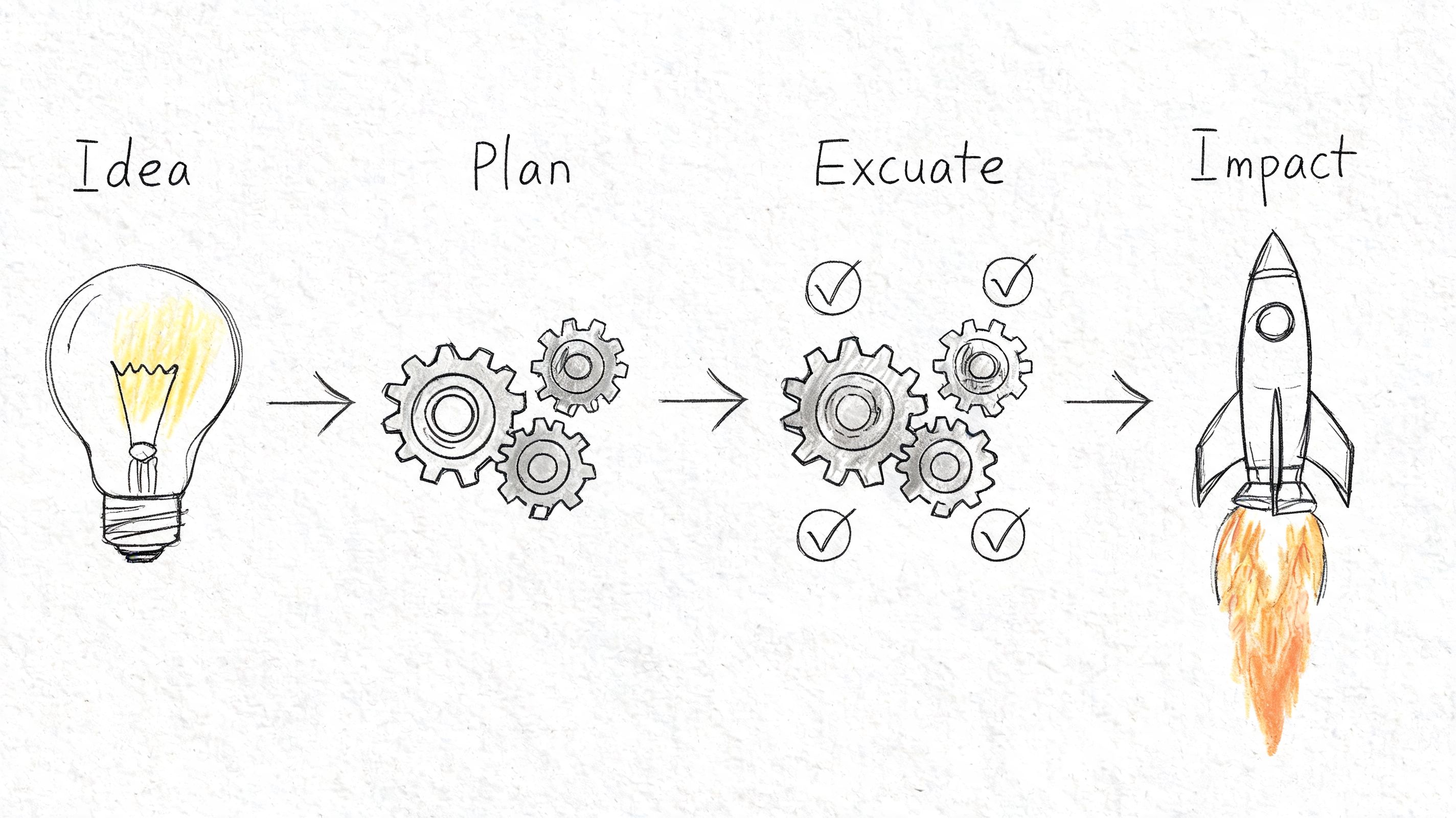
One reason pilots fail is operational, not technical. MIT research found a “learning gap” when AI isn't properly integrated into business workflows, and externally-built solutions succeeded 67% of the time versus 33% for internal builds according to Success on why AI projects fail and how to succeed. The practical lesson is straightforward. Your pilot has to fit how your team already works, while improving it.
Scope one painful workflow
A good pilot usually has these traits:
- One workflow. Not “customer service.” More like “draft replies for repeat shipping-status questions.”
- One team. Start with a department that can test quickly and give direct feedback.
- One approval chain. Decide who reviews AI output before it reaches a customer, vendor, or internal system.
- One measurable result. Faster turnaround, lower manual workload, fewer handoffs, or cleaner data capture.
For an Omaha logistics company, a realistic pilot might not be full route optimization on day one. It might start with AI-assisted load notes, dispatch summaries, or exception tagging from emails and spreadsheets. That keeps the project close to the actual data the team uses every day.
Build around workflow, not just software
SMBs often jump too quickly to tools. Maybe it's Microsoft Copilot, ChatGPT Team, Claude, Zapier, HubSpot AI features, or an industry platform with built-in automation. Those can all be useful. But tool selection comes after workflow design.
Use this order instead:
- Map the current process. What happens now, step by step?
- Mark the delays. Where do employees wait, retype, search, or correct mistakes?
- Choose the assistive action. Summarize, classify, extract, draft, route, or recommend.
- Decide the review rule. Human review before send, random audit, or restricted internal use.
- Feed the right context. Pull from your own documents, policies, CRM records, and historical examples.
If the system can't access the business context behind the task, the output will look polished and still miss the point.
A useful primer on the mechanics sits below.
Define success before the pilot starts
Don't wait until the end to decide whether the project worked. Set the test in advance.
For example, if you're piloting AI for invoice handling, define:
- the document types included,
- the source of truth for correct values,
- who validates exceptions,
- and what operational improvement would make the project worth continuing.
That discipline matters because it protects the pilot from becoming a moving target. The first win in ai consulting for businesses usually comes from tightening scope, not expanding ambition.
Measuring True ROI from Your AI Investment
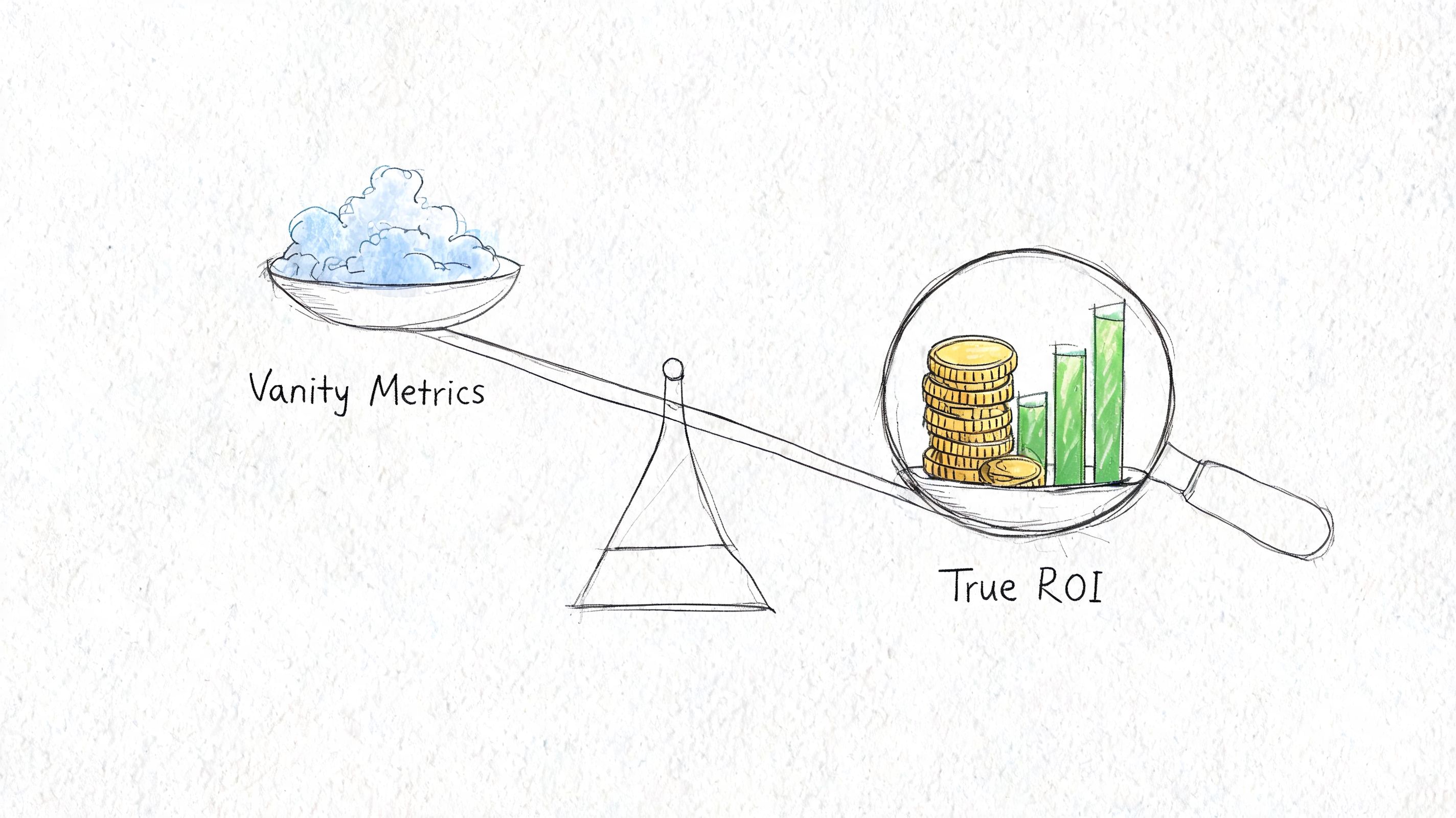
Most AI reporting is too soft for business owners. Teams talk about usage, prompts, adoption, or excitement. That's not useless, but it's not ROI.
Real ROI connects the system to money, labor, time, or retention. Fortune Business Insights reports that using AI consultancy services can increase product launch speed by 30%, reduce operational costs by 21%, and improve customer retention by 25%. The same reporting also notes that 58% of small businesses are now using generative AI, up from 40% in 2024 in its analysis of the AI consulting services market. Those results are a reminder that value is measurable when the project is tied to a concrete business process.
Start with a baseline
Before launch, document what the process looks like now.
Track things like:
- Manual hours used each week
- Average turnaround time for the task
- Error or rework frequency
- Backlog volume
- Customer outcome, if the workflow touches service or retention
Without a baseline, every post-launch review turns into guesswork and opinion. That's why finance teams often push back on AI projects. They can't see the before-and-after clearly enough.
Match the metric to the workflow
Different use cases need different ROI logic.
| Workflow type | Better KPI | Weak KPI |
|---|---|---|
| Support response drafting | Time to first response, tickets handled per staff member | Number of prompts used |
| Invoice or document extraction | Manual entry hours reduced, exception rate | Screens opened in the tool |
| Sales content support | Time to publish, conversion contribution, revision load | Content volume alone |
| Internal search and knowledge tools | Time spent finding answers, repeated questions reduced | Login count |
A lot of companies make the same mistake here. They report platform activity instead of business effect.
What to measure: If the metric doesn't matter to the owner, operator, or controller, it shouldn't be the headline KPI.
For a cleaner framework, this guide on how to measure ROI is useful when you need to connect operational changes to financial outcomes.
Keep the math simple enough to defend
An SMB doesn't need a complex AI valuation model to make a good decision. It needs a credible one.
If AI saves staff time, convert those hours into labor capacity or avoided overtime. If it improves customer handling, compare retention, renewal, or response speed before and after. If it speeds product or content launches, tie that gain to how quickly the business can ship work that generates revenue.
The strongest ROI reviews also include costs beyond software. Count consulting fees, integration work, internal testing time, manager oversight, and training. That gives you a number you can defend in a budget meeting instead of a hopeful story.
Avoiding the Most Common AI Implementation Pitfalls
Most owners think the hard part is choosing the right model or software stack. In practice, that's rarely the main failure point.
BCG reports that approximately 70% of AI implementation challenges come from people and process issues, while only 10% involve the AI algorithms themselves. BCG also reports that only 15% of leaders have a clearly defined organization-wide AI strategy, and just 13% feel ready to use AI productively at scale in its artificial intelligence capability research. That lines up with what shows up in real projects. The technology often works well enough. The business doesn't change enough around it.
Pitfall one: treating AI like a side tool
If employees have to leave their normal systems, copy data manually, guess when to trust outputs, and clean up inconsistent results, they won't adopt the workflow for long.
Fix that by embedding AI where work already happens. That could mean inside your CRM, your ticketing process, your shared document flow, or your internal knowledge base. Even a useful model gets ignored if it creates extra clicks and unclear responsibility.
Pitfall two: skipping role redesign
AI changes jobs in small ways first. Someone who used to draft everything now reviews and approves. Someone who used to search manually now validates AI suggestions. Someone else becomes the exception handler.
List those changes before launch.
- Who reviews outputs
- Who handles edge cases
- Who corrects bad results
- Who updates prompts, rules, or source content
- Who owns governance after the consultant leaves
When nobody owns those tasks, the pilot decays.
Teams don't resist AI because it's advanced. They resist it when the new workflow is unclear and the accountability is worse than before.
Pitfall three: bad data hidden inside familiar systems
A lot of SMBs say, “our data is fine,” when what they mean is “we can usually find something if we look hard enough.” That's not the same thing.
You don't need perfect data to launch. You do need enough consistency for the chosen task. If one rep names a customer one way, another rep uses a nickname, and a third puts the key detail in a freeform note, the AI won't magically infer your operating rules every time.
Pitfall four: expecting results too early
This one kills momentum. Owners hear strong AI stories online and expect fast gains across the business. Then a team spends weeks cleaning source documents, defining review rules, and adjusting prompts, and leadership starts wondering why the “easy automation” isn't already done.
Set expectations based on workflow complexity, internal capacity, and change management effort. The project should earn trust through visible progress, but it still needs room for iteration.
Pitfall five: weak internal communication
Don't announce AI with vague language about transformation. Tell employees exactly what is changing.
Use plain language:
- the task being improved,
- what AI will and won't do,
- where humans still review work,
- and how the change helps the team.
That kind of communication is operational, not cosmetic. It lowers anxiety and surfaces process issues early enough to fix them.
From Pilot to Production How to Scale Your AI Success
A successful pilot proves one thing. It doesn't prove your entire organization is AI-ready. The next step is to turn one working use case into a repeatable operating model.
That shift matters because the market is moving from experimentation toward embedded execution. Zion Market Research projects the global AI consulting market will grow from USD 8.75 billion in 2024 to USD 58.19 billion by 2034, and McKinsey reports that 80% of respondents say their companies set efficiency as an objective of AI initiatives in McKinsey's State of AI reporting. The takeaway for SMBs isn't to chase scale for its own sake. It's to build enough internal discipline that the next project gets easier, faster, and safer.
Turn the first win into a repeatable pattern
After the pilot, review four things before expanding:
- What worked because of the tool itself
- What worked because the team was highly engaged
- What required unusual manual support
- What process rules need to be standardized
That distinction matters. Some pilots succeed because a motivated manager babysits the workflow every day. That's not yet scalable. A production-ready system has clear ownership, documented review steps, and source data that doesn't depend on heroics.
Build a small internal AI operating group
SMBs don't need a formal center of excellence with committees and layers of reporting. They do need a small group that can coordinate decisions across departments.
That group can be lightweight:
- an operations lead,
- a technical owner or vendor contact,
- a department manager from the pilot,
- and someone who tracks outcomes and process changes.
Its job is practical. Review new use cases, set approval standards, maintain prompts or workflow rules, and decide which projects deserve investment.
The companies that scale AI well usually treat it like an operating capability, not a one-time software purchase.
Choose the next use case carefully
The second project should be adjacent to the first one, not wildly different. If your first win came from internal document search, the next move might be support drafting or knowledge retrieval for another team. If the pilot improved invoice handling, the next use case might be purchase order matching or exception routing.
That sequence builds confidence and reuses what you've already learned about governance, review, and integration.
Keep production grounded in business value
As AI expands, avoid the trap of launching disconnected experiments across departments. Each new use case should answer the same questions:
- What workflow gets better?
- Who owns it?
- What data supports it?
- What metric proves value?
- What review process keeps risk under control?
That discipline is what turns ai consulting for businesses from an interesting project into a durable capability.
If your team is evaluating AI and wants a practical path from readiness to pilot to production, Up North Media offers Omaha-based support across AI consulting, workflow evaluation, implementation planning, and custom solution development. The useful place to start is usually a real process review, not a generic AI brainstorm.