
Most advice about a sticker store on Facebook starts in the wrong place. It assumes Facebook's Sticker Store is a marketplace you can use to sell your own sticker designs.
It isn't.
If you make physical stickers, the fastest way to waste time is to treat Messenger's old sticker feature like an ecommerce channel. The revenue path on Facebook runs through Facebook Shop, Commerce Manager, product catalog sync, conversion campaigns, and community building. That's where physical sticker sellers can build a business.
The Facebook Sticker Store You Think You Know Is Not for Sales
The phrase sticker store on Facebook confuses a lot of sellers because Facebook already used that name for something else. The common assumption is that it works like Etsy, a mini marketplace, or a place to upload sticker products for purchase. That's the wrong model.
Facebook's original Sticker Store was built for free digital chat sticker packs inside Messenger, not for selling physical goods. There's no transactional mechanism there for printed vinyl stickers, die-cut packs, laptop decals, or wholesale bundles. That's why creators who chase this feature usually end up with no storefront, no product listings, and no checkout path. The distinction is documented clearly in this explanation of Facebook chat stickers versus emoticons.
What sellers usually get wrong
The mistake isn't just semantic. It changes where you put your effort.
| Search intent | What people expect | What Facebook's Sticker Store actually is | What you should use instead |
|---|---|---|---|
| Sell custom stickers | A storefront for products | A Messenger feature for digital stickers | Facebook Shop |
| Upload product designs | Product catalog management | Downloadable chat graphics | Commerce Manager |
| Process orders | Checkout and fulfillment | No physical commerce flow | Your ecommerce platform plus Meta integration |
That's why strategy matters more than terminology. If you're selling physical stickers, Facebook is still useful. You just need the right infrastructure. A strong social commerce strategy treats Facebook as a sales and retargeting environment, not as a novelty messaging feature.
Stop optimizing for the feature name and start optimizing for the buying path.
The real opportunity on Facebook
Facebook still matters because the audience scale is huge. The platform that hosts the Sticker Store serves over 3 billion monthly active users globally as of Q4 2024, and 72.6% of Facebook users use the platform to message friends and family, according to Fox Business reporting on Meta's messaging ecosystem. That doesn't make the Sticker Store a storefront. It does make Facebook a large environment where visual products can earn attention and purchases when they're sold through the right channel.
For a sticker business, the practical split looks like this:
- Use Facebook Shop for product discovery and transactions
- Use your synced catalog for organized listings
- Use ads for conversion and retargeting
- Use Groups and content for audience trust and repeat demand
If you start there, you skip the dead end.
Understanding Facebook's Original Digital Sticker Feature
Facebook didn't build the Sticker Store for commerce. It built it for conversation.
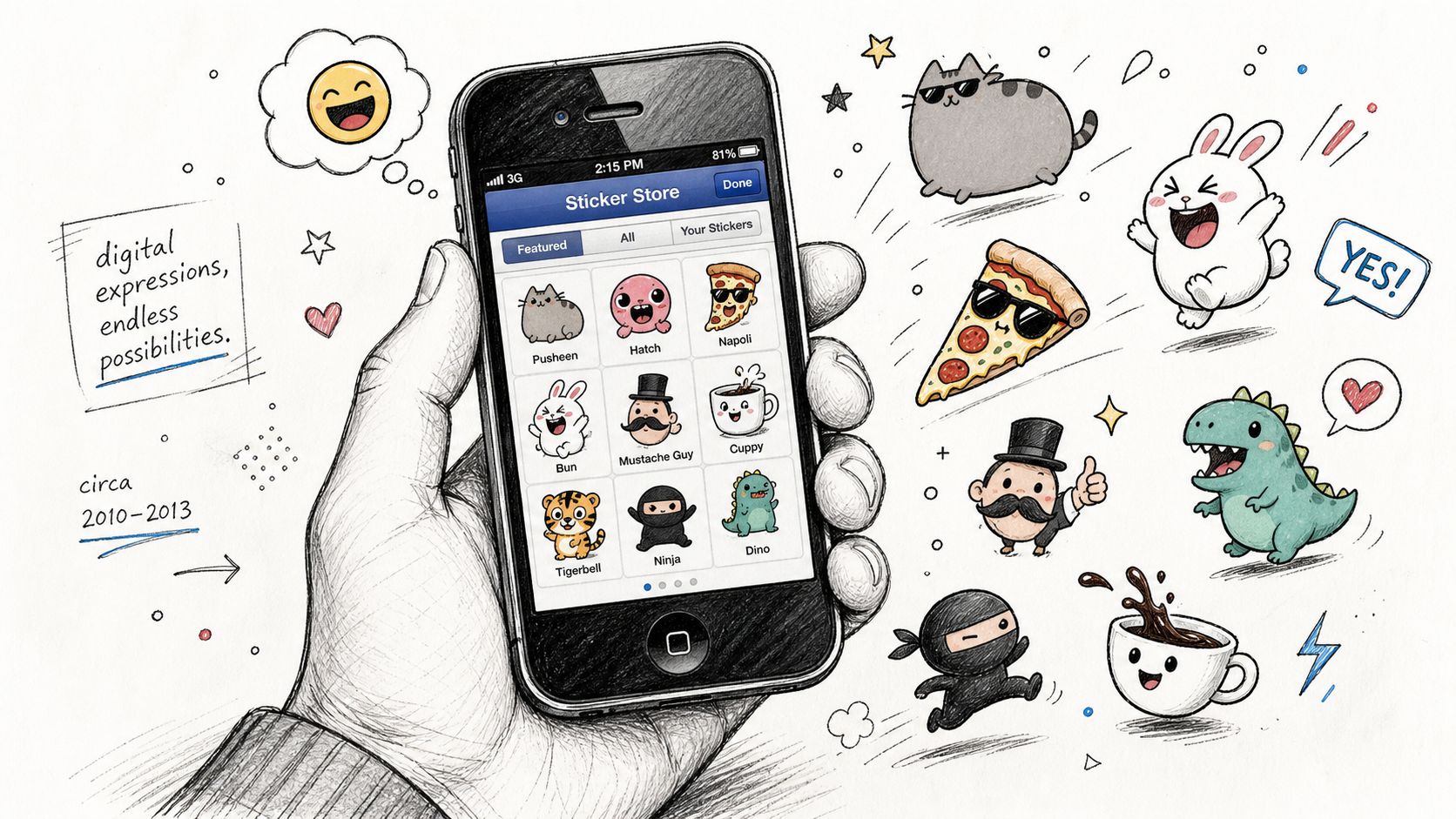
Facebook officially launched the Sticker Store in April 2013 for web and mobile chat, including iPhone and Android. The packs were integrated directly into chat, and for over a decade the inventory remained free, including packs tied to major studios like Pixar. The feature was designed to keep people active inside Messenger rather than generate direct sticker revenue, as described in this overview of Facebook's sticker rollout.
What the feature actually did
Think of the original Sticker Store as an emoji expansion layer. Users could browse packs, download them, and send them in chat. The artwork leaned into cartoon characters, animals, food, and pop culture style graphics.
That design choice matters because it explains the product logic. Facebook wasn't creating merchant listings. It was creating expressive media for messaging.
Why that history still matters
A lot of outdated advice still blurs the line between digital chat stickers and physical sticker products. The history clears that up. If a feature was built for free in-chat expression, it won't suddenly become a practical store for your print-on-demand or hand-packed sticker business.
Facebook's original Sticker Store was about engagement habits, not merchant infrastructure.
Facebook later experimented with paid stickers through a third-party integration with PicoCandy, but that still didn't turn the native Sticker Store into a marketplace for physical goods. For sellers, the practical takeaway is simple. If your business depends on inventory, product variants, shipping, and conversion tracking, the old Messenger feature is irrelevant.
That's why physical sticker brands need a commerce stack, not a chat asset.
How to Build Your Real Sticker Store with a Facebook Shop
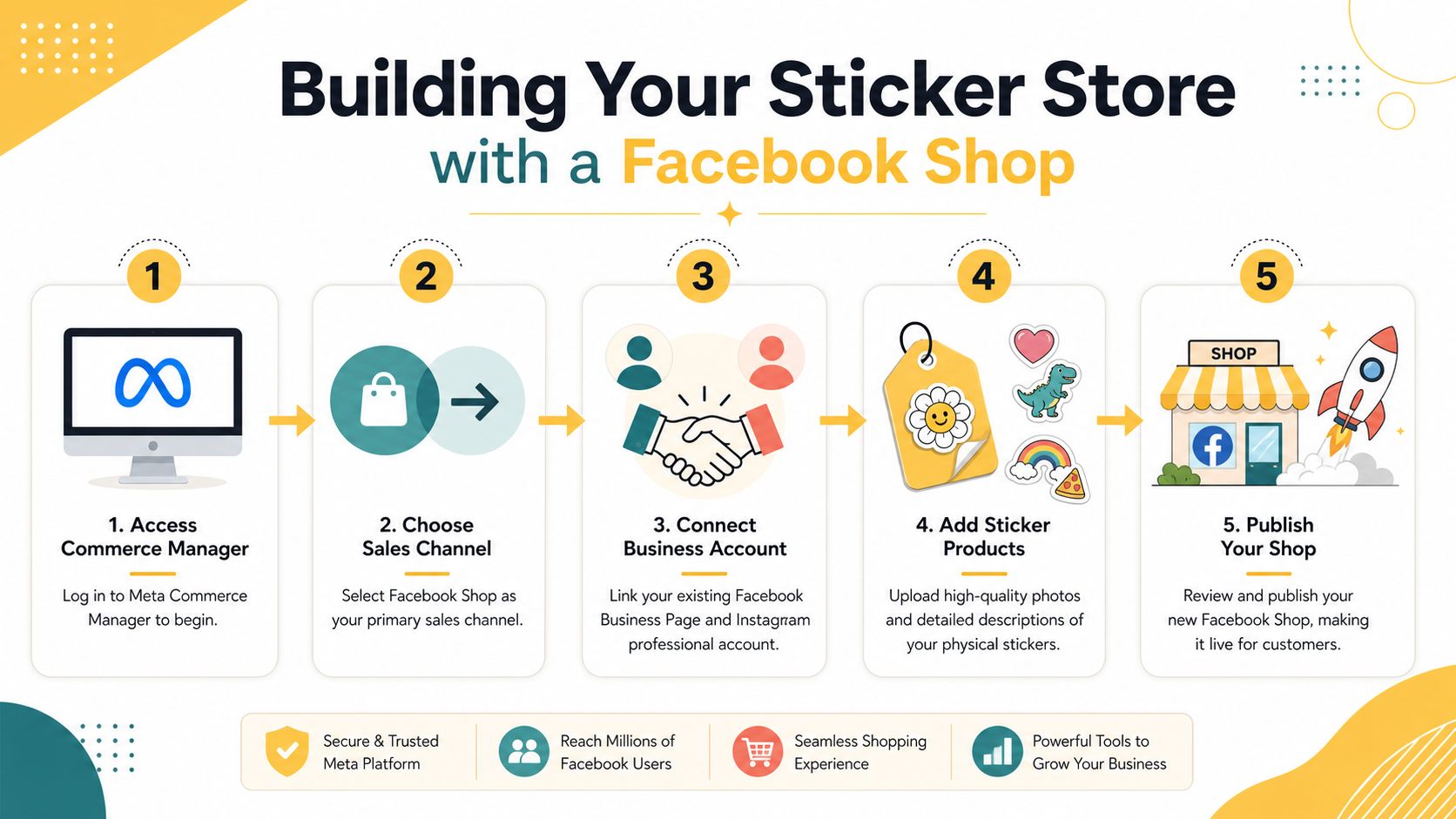
A real sticker store on Facebook starts in Meta Commerce Manager, not Messenger.
Your storefront needs a product catalog, a connected business presence, and inventory that stays clean across systems. Most sellers already have a primary store on Shopify or another ecommerce platform. Facebook Shop should extend that setup, not replace it.
Start with the catalog, not the creative
The technical setup is where many sticker brands fail. 68% of new sellers fail within the first 30 days because of technical errors such as unverified product categories or mismatched SKUs that trigger listing rejection, according to Shopify's Facebook marketing guidance.
That failure pattern is familiar in sticker stores because the products look simple while the backend isn't. A die-cut sticker, a matte laminate version, and a holographic version may look related to you, but your catalog needs to define them clearly.
A workable setup usually follows this order:
-
Create or clean your Facebook Business Page
Your page should reflect the same brand name, imagery, and contact details used on your ecommerce site. -
Open Meta Commerce Manager
Set up your shop with the same business assets tied to your page and Instagram account if you use one. -
Sync inventory from your main store
Pull products from Shopify or your existing platform rather than uploading manually unless your catalog is very small. -
Standardize SKUs and categories
Don't improvise naming conventions. Variant confusion is one of the fastest ways to trigger rejection. -
Choose the right checkout model
Many sticker brands prefer checkout on their own website because it keeps fulfillment and analytics centralized.
A side-by-side review of platform fit helps before you connect everything. If your backend stack is still undecided, this ecommerce platform comparison is worth reading before you build the Facebook layer.
Use support resources before products go live
Catalog sync problems usually show up after the first import. Missing images, mismatched availability, inconsistent variants, and duplicate products create review issues fast.
If you want a practical reference for feed setup and Facebook shopping flows, Shopstar resources for Facebook selling are useful because they focus on the feed mechanics sellers often overlook.
Here's the part many small brands skip. Review your product data manually before you publish the shop.
- Confirm categories: Sticker products should map consistently across your store and Meta.
- Check variant logic: Size, finish, and pack quantity need clean separation.
- Verify image order: Lead image, close-up, and use-case image should appear in a sensible sequence.
- Match pricing exactly: Catalog discrepancies create trust problems and can trigger approval issues.
This walkthrough gives a visual overview of the setup flow and where sellers tend to get stuck:
A Facebook Shop works best when it mirrors an organized ecommerce operation. If the source catalog is messy, the shop will be messy too.
Designing and Listing Stickers That Convert
Once the shop infrastructure is live, the next problem is merchandising. Sticker buyers don't have much patience for unclear listings. They want to know what the sticker looks like, how it feels, where it fits, and whether it matches their identity or aesthetic.
Show the product in use
Flat artwork alone rarely sells a physical sticker well. Buyers need context.
A strong sticker listing usually includes a clean hero image, at least one close-up that shows finish or texture, and one lifestyle mockup. For example, show the same design on a laptop lid, water bottle, notebook, or phone case if those placements reflect real use. Keep the background simple. The sticker should remain the focus.
Use file prep that preserves print quality. PNG works well for mockups with transparency. SVG is useful for scalable source artwork when your production workflow supports it. Keep edges crisp, especially on die-cut shapes, because fuzzy cut lines make even good designs look amateur.
Write listings like a merchant, not an artist
A lot of sticker sellers write product copy like Instagram captions. That hurts discoverability and conversion.
Your title should say what the buyer is buying in plain language. A better title is “Holographic Ghost Cat Die-Cut Vinyl Sticker” than “Spooky Season Bestie.” The second phrase can still appear in the description, but it shouldn't carry the listing.
A useful product description answers four questions fast:
-
What is it
State the design type and finish up front. -
Where does it work
Mention typical use surfaces such as laptops, journals, tumblers, or planners if they fit the product. -
What makes it different
Call out illustration style, niche appeal, or bundle pairing. -
How should someone buy it
Suggest the single sticker, matching set, or giftable pack.
Buyers don't just purchase a sticker. They purchase a signal about taste, hobby, humor, fandom, or identity.
Merchandising choices that usually work better
Sticker stores perform better when the catalog feels intentional instead of random. A few practical patterns tend to hold up:
- Theme collections: Group designs by niche such as pets, gaming, coffee, teacher gifts, seasonal art, or local pride.
- Finish ladders: Offer the same design in matte, glossy, or holographic only when demand justifies the complexity.
- Bundle logic: Pair related stickers into mini sets instead of relying only on one-off products.
- Consistent naming: Product names should read like part of one store, not ten different experiments.
Facebook shopping is still visual discovery. If the product tile looks sharp and the listing removes friction, the click is much more likely to turn into a purchase.
Marketing Your Stickers to Drive Consistent Sales
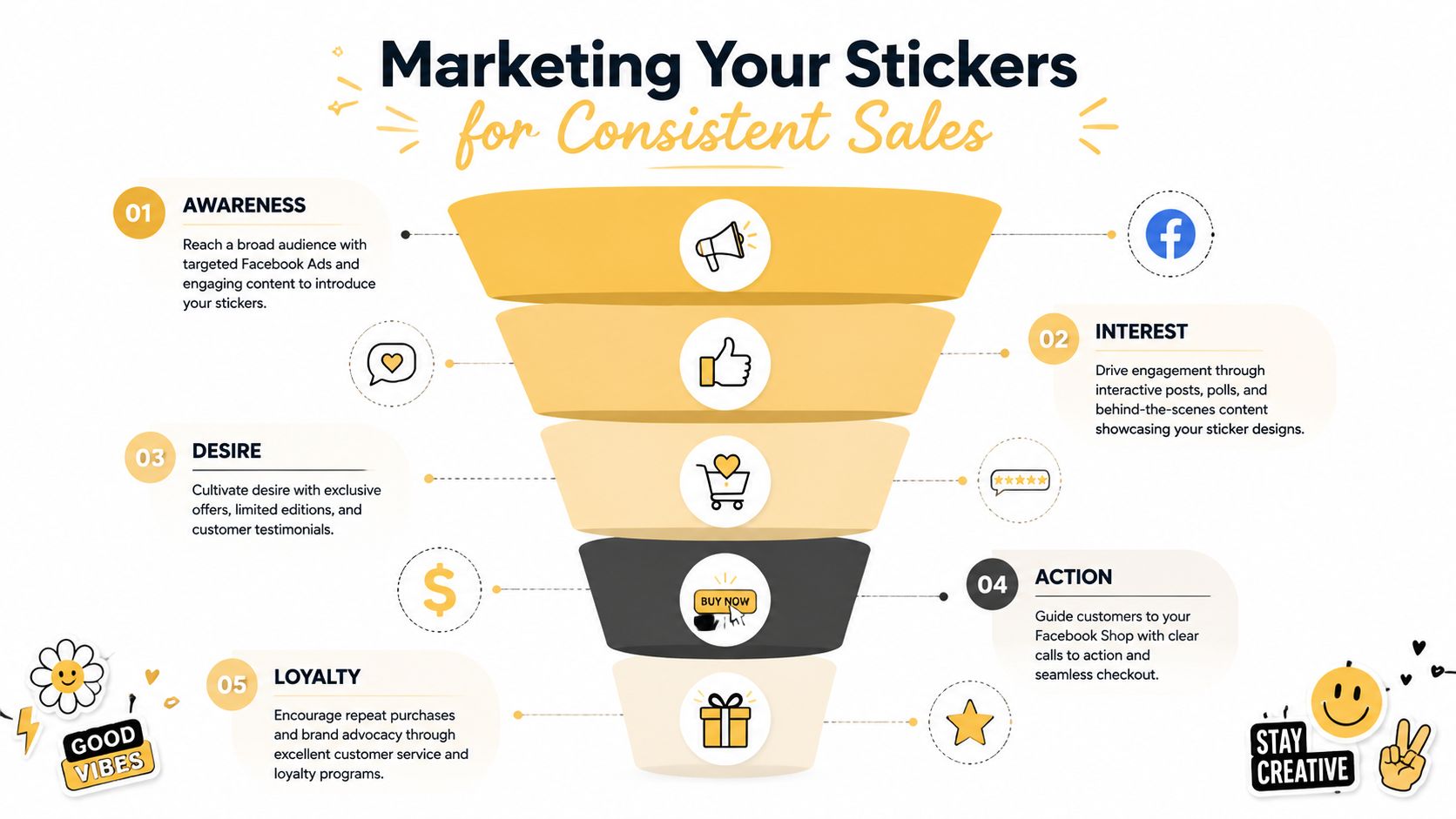
A Facebook Shop without distribution is a shelf in an empty room. Sticker sellers need a system for traffic, retargeting, and repeat demand.
The biggest mistake is going Facebook-only and hoping organic activity will carry the business. It usually won't. Sticker businesses on Facebook can achieve 40% to 80% profit margins, but a Facebook-only strategy comes with a 62% higher customer acquisition cost than a multi-channel approach, according to Merch Titans' guide to selling stickers online. The same source notes that top sellers price stickers at 3 to 4 times production cost and maintain 100+ active designs to trigger a 27% organic reach boost from Meta's catalog diversity effect.
What to run in paid campaigns
If you're selling physical stickers, campaign structure matters more than “boosting” posts.
The strongest setup for most stores is conversion-focused advertising tied to product pages or collections. Retarget people who viewed products, engaged with videos, or added items to cart. If you need a tactical refresher on campaign structure and creative testing, Rebus' expert Facebook ad strategies are a useful companion resource.
A marketing system with better odds usually includes:
- Cold audience creative: Short videos, unboxings, or carousel ads that show texture, finish, and personality
- Warm retargeting: Ads for viewers, product clickers, and cart abandoners
- Catalog ads: Dynamic product promotion once your catalog is clean
- Repeat purchase pushes: New drops, seasonal packs, and collector-style launches
There's also value in studying broader social media marketing strategy examples so your Facebook activity supports email, Instagram, and short-form video rather than operating in isolation.
Use community for demand, not as your only sales system
Groups can help a sticker brand, but they're not the business model. They work best for feedback, launches, and loyalty.
That matters because depending only on Groups for traffic is fragile. In practice, good sticker brands use Facebook Groups to test themes, gather reactions to new designs, and keep repeat buyers close to the brand voice. The transaction path still runs through the shop.
Pricing and assortment decisions
Many sellers often undercut themselves. Low sticker prices look attractive until ad costs, platform fees, packaging, and replacement orders eat the margin.
A few rules hold up:
| Decision area | Better approach | Weak approach |
|---|---|---|
| Pricing | Build in room for fees and paid traffic | Price only by material cost |
| Catalog depth | Maintain breadth across themes and formats | List a handful of designs and stop |
| Traffic mix | Blend ads, content, email, and community | Depend on one Facebook surface |
| Retention | Launch drops and bundles for repeat buyers | Chase only first purchases |
Your best sticker customer usually isn't buying one design forever. They're buying into a style world you keep expanding.
From Messenger Fun to E-commerce Engine
The useful version of a sticker store on Facebook isn't the old Messenger feature. It's a properly built Facebook Shop connected to a solid ecommerce backend, supported by sharp listings, structured advertising, and a catalog that keeps giving buyers a reason to return.
That shift in thinking solves the biggest problem right away. Instead of trying to force a social feature into a sales role it was never built for, you move into the systems that support product sales. Commerce Manager handles the storefront framework. Your ecommerce platform controls inventory. Product pages do the merchandising. Ads and community create the demand.
For physical sticker brands, the trade-offs are straightforward.
What works and what doesn't
- What works: clean catalog sync, strong mockups, clear product naming, themed collections, conversion campaigns, and repeat-purchase planning
- What doesn't: treating Messenger stickers like products, relying on vague organic reach, sloppy SKUs, underpricing, and building the entire business on one Facebook surface
The sellers who do well here treat Facebook like a channel inside a wider system. They don't confuse attention with infrastructure. They don't confuse chat features with commerce tools. And they don't expect a shop to grow just because products exist.
If you make great physical stickers, Facebook can still be a strong sales channel. You just have to build the right store.
If you need help turning Facebook traffic into actual ecommerce revenue, Up North Media works with businesses that need stronger digital infrastructure, smarter SEO, and conversion-focused growth strategy. Whether you're building a new storefront, fixing a broken catalog setup, or planning a broader social commerce engine, their team can help you map the path and execute it cleanly.