
You're publishing steadily. Engagement looks healthy. A creator mentions your product, comments come in, shares go up, and your team starts feeling like social is working.
Then you open the revenue dashboard and nothing meaningful changed.
That gap usually comes from one mistake. You're still treating social like a media channel when buyers are already using it like a storefront. If your content, catalog, checkout flow, and reporting aren't connected, you'll keep getting attention without getting predictable sales.
A real social commerce strategy fixes that. It turns social from a top-of-funnel activity into a controlled buying system. Platform by platform, product by product, offer by offer, you build a path that makes it easy for someone to discover, evaluate, and buy without friction.
Moving Beyond Likes to Real Revenue
The old social playbook was simple. Post often, grow reach, drive people to your site, and hope some of that traffic converted.
That model is outdated.
The channel itself changed. Social shopping penetration was expected to reach nearly 25% globally in 2024 and around 31% by 2025, while social commerce revenue was already above $570 billion in 2023 and is forecast to surpass $1 trillion by 2028, according to Statista's social commerce data. That's not a side experiment anymore. It's a mainstream retail path.
What changed in practice
People don't just discover products on social now. They browse, compare, ask questions, and in many cases buy without leaving the platform. That changes how you should build campaigns.
A weak setup looks like this:
- Content-first thinking: You optimize posts for reactions instead of purchase intent.
- Website-only conversion logic: Every click gets pushed off-platform, even when native shopping tools exist.
- Reporting disconnected from sales: The social team celebrates reach while the commerce team sees flat revenue.
A stronger setup treats social as part storefront, part performance channel, part demand capture system.
Practical rule: If a shopper is ready to buy and your path adds extra taps, loading time, or unnecessary redirects, you're lowering conversion before price even becomes the issue.
Why strategy matters more than activity
More posting isn't the answer. Better system design is.
That means choosing where you can convert demand, deciding which products belong in social, building a low-friction checkout path, and measuring revenue in a way that doesn't confuse visibility with business impact. It also means staying skeptical of inflated platform narratives. If you want a good sanity check on why top-line marketplace-style numbers can hide weak business fundamentals, HiveHQ's take on why GMV is a vanity metric is worth reading.
The brands that win in social commerce don't chase every feature release. They build a revenue system around buyer behavior. That's the shift. Social isn't just where demand starts. In many categories, it's where the transaction should finish.
Choosing Your Social Commerce Battlegrounds
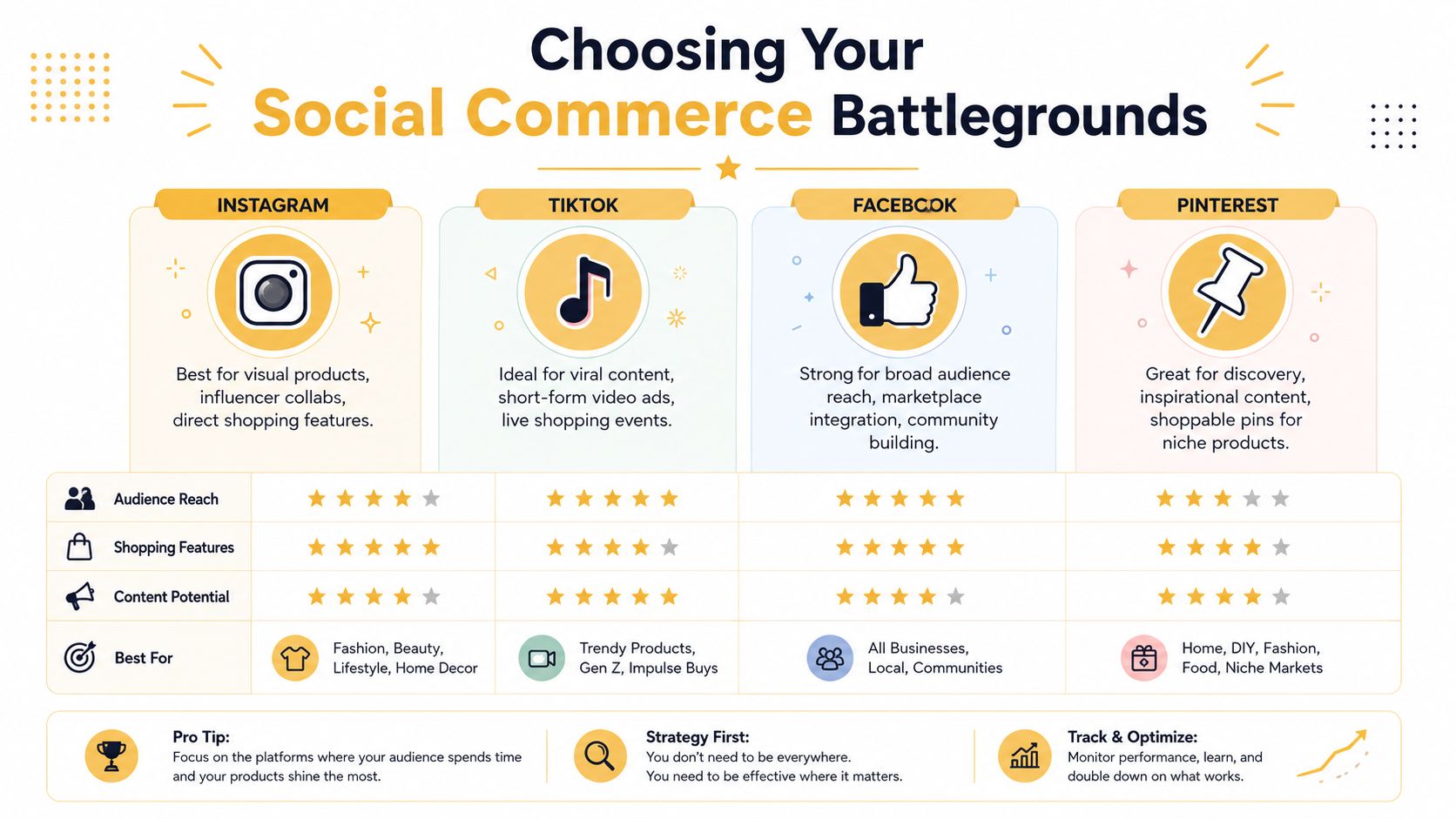
Most brands spread too thin too early. They open an Instagram Shop, test TikTok, revive Facebook, pin on Pinterest, and then wonder why none of it scales.
Platform choice should come from buying behavior, not platform hype.
With 65.7% of the global population using social media as of 2025 and the average person using 6.84 platforms each month, brands have multiple touchpoints to work with. Just as important, social helps six in ten users discover new products and brands, and about 58% of U.S. shoppers have bought a product after seeing it on social media, based on the figures summarized by Sprinklr's social media marketing statistics.
Start with buyer intent, not features
A platform isn't “good for social commerce” just because it has product tags. It's good if your buyers are already in the right mindset there.
Use this quick framework:
| Platform signal | What to look for | What it usually means |
|---|---|---|
| Discovery-heavy behavior | People save, share, and comment on product content | Strong top and mid-funnel potential |
| Creator influence | Buyers respond to demos, reviews, routines, or hauls | UGC and influencer-led selling can work |
| Native shopping tools | Product tags, storefronts, in-app product detail views, checkout options | Lower friction path to conversion |
| Visual fit | Product looks good quickly in feed or short video | Better odds of stopping the scroll |
Match the platform to the product
Instagram tends to work best when the product needs strong visual merchandising and branded presentation. TikTok is stronger when the offer benefits from demonstration, personality, or momentum. Facebook can still matter when community, local reach, or catalog breadth matter. Pinterest is useful when the buyer is collecting ideas before purchasing.
Don't force all products into all channels. A replenishable beauty item, a highly visual fashion accessory, and a considered home purchase don't behave the same way in feed.
A practical way to choose your first battlegrounds:
-
Audit where discovery already happens
Check comments, post saves, branded search lift, creator mentions, and assisted conversions in your analytics. -
Review your product's “scroll test”
If someone sees it for two seconds, can they understand the appeal? -
Check operational fit
Some teams can support creator gifting, quick replies, and fast content turnover. Others can't yet.
A lot of brands don't need more channels. They need one platform where content, offer, and checkout actually line up.
Don't ignore the creator layer
Your platform decision also affects how you'll use partners. If creator-led commerce is part of the plan, you need a workflow that ties content to products, codes, landing pages, and reporting. If you're building that around Shopify, this guide to optimizing Shopify influencer campaigns is a useful operational reference because it pushes beyond vanity collaboration and into structure.
The right battleground is the one where your audience already discovers products, your product can sell in-native content, and your team can support the buying journey without chaos.
Designing Your Social Storefront and Offers
The mistake here is copying your website catalog into a social shop and calling it strategy.
Social needs curation. Your main store is built for breadth, navigation, and comparison. Your social storefront should be built for speed, clarity, and impulse.
Razorfish makes the point clearly. A social shop should work alongside your main e-commerce site, not compete with it, and you need to define which products or offers belong on social while planning fulfillment and customer service before launch in its guidance on driving revenue from social commerce.

Pick products that sell well in feed
Not every SKU deserves social placement.
The products that usually belong in your social storefront share a few traits:
- Easy to understand fast: The value is obvious in one image or a short clip.
- Visually demonstrable: You can show use, outcome, texture, fit, or before-and-after context.
- Operationally simple: Inventory is reliable, shipping is straightforward, and returns won't overwhelm support.
- Offer-friendly: Bundles, limited drops, starter kits, seasonal edits, and creator-curated picks tend to fit social better than sprawling catalogs.
What usually fails is the opposite. Too many variants. Products that need long education. Merchandising that depends on deep filtering or technical comparison.
Build channel-specific offers
A social storefront shouldn't be a duplicate of your website with smaller traffic. Give buyers a reason to act there.
That can mean:
- Exclusive bundles for creator audiences
- Limited-time drops tied to a live session or content series
- First-purchase incentives designed for native checkout
- Social-only edits that reduce choice overload
The point isn't to discount everything. The point is to make the offer feel native to the context where the product is discovered.
Operator note: If your social offer is identical to your website offer, but your website has better navigation, better trust signals, and broader assortment, buyers have no reason to complete the purchase socially.
Your content is the storefront
On social, merchandising happens through content. Product titles and thumbnails matter, but the primary sales surface is the post, Story, Reel, live event, or creator asset.
That's why content production has to be tied to commerce goals. You need creative that shows the product in use, handles common objections, and frames the offer without making every post feel like an ad. Presentation details matter too. Cropping, safe zones, and platform-native sizing have a direct effect on whether product tags stay visible and whether the asset feels polished. Keep a current reference for social media image sizes in 2025 so your team doesn't keep publishing assets that get awkwardly cut off.
If you sell apparel or accessory-heavy products, speed matters. Teams producing lots of variations often use tools like an ai fashion model workflow to test different visual treatments without organizing a full shoot every time. That's useful when you want more creative coverage across collections, offers, or audience segments.
Plan support and fulfillment before launch
Many social commerce rollouts break at this stage.
Before you launch, answer these questions:
- Customer service ownership: Who answers DMs, comment questions, shipping issues, and product inquiries?
- Fulfillment rules: Are social orders pulling from the same inventory pool as your site?
- Offer governance: Can your team control overlap between social promos and sitewide promos?
- Escalation paths: What happens when a creator post spikes demand for a product that's low in stock?
If your operations can't keep up with social-speed demand, your storefront will create disappointment faster than revenue.
Building a Frictionless Conversion Path
A shopper sees a creator video featuring your product. They tap the tag, glance at the product detail page, and decide they're interested.
At that point, one of two things happens.
In the first path, they stay in-platform, view clean product details, choose the right variant, and check out without interruption. In the second, they hit a link, land on a slow mobile page, pinch to zoom through cluttered content, hunt for the product again, and leave.
That difference is your conversion path.
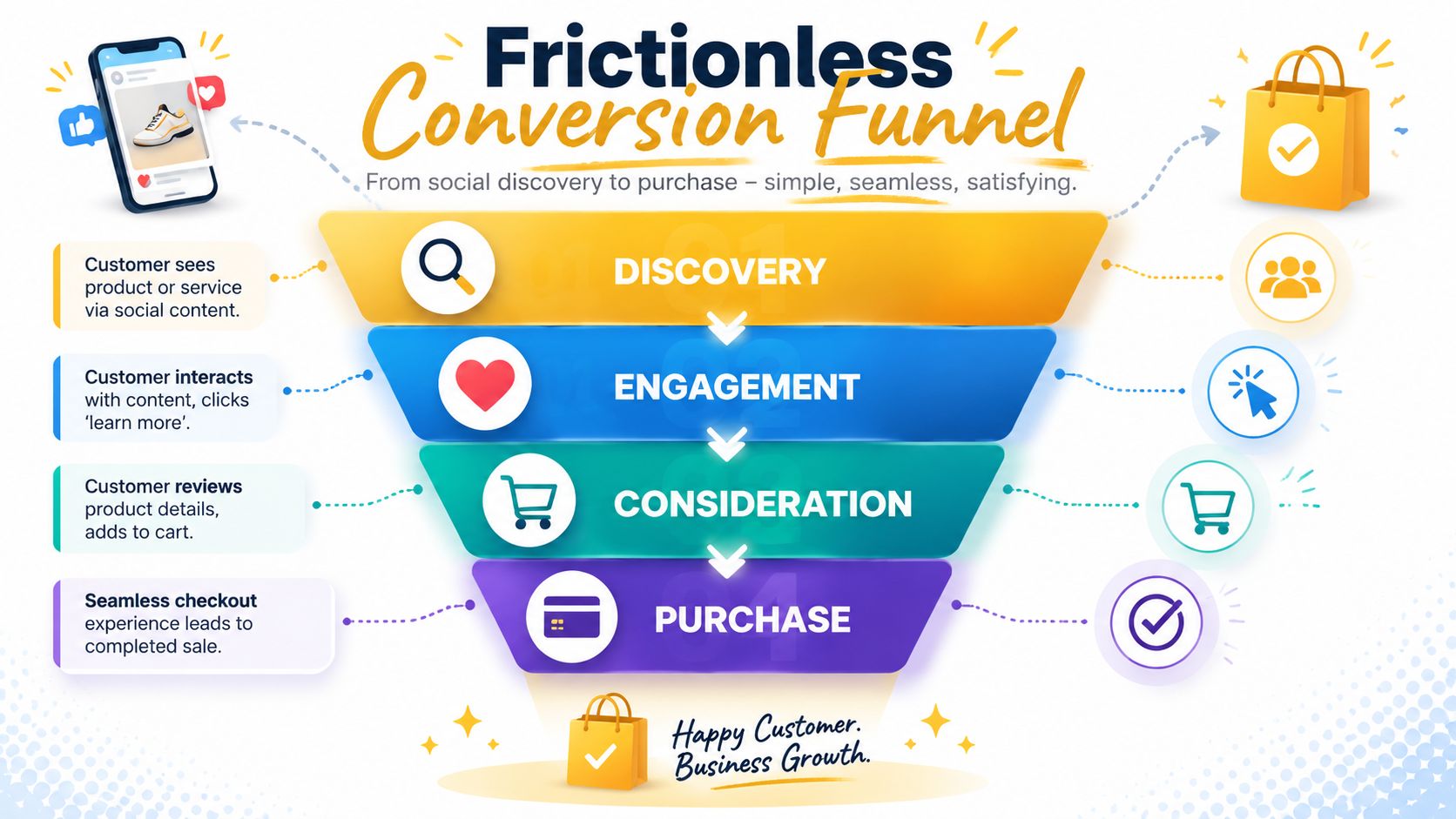
Industry guidance from Sprout Social recommends treating social commerce as a closed-loop funnel built around platform-native formats, native checkout where available, and measurement from product tap to purchase. It also notes that U.S. social commerce is projected to reach nearly $80 billion by 2025, or about 5% of U.S. e-commerce, in its overview of social commerce strategy.
When native checkout wins
If a platform supports a clean in-app buying flow for your setup, it usually deserves serious testing.
Why? Because social traffic is often impulse-driven. The buyer didn't open the app intending to evaluate your brand the way they might on Google or Amazon. They responded to content. Every extra redirect creates hesitation.
Native checkout is often strongest when:
- The product is straightforward
- The price point doesn't require deep comparison
- The content itself answers the main objections
- The platform experience is already trusted by your audience
When sending traffic off-platform still makes sense
Sometimes your own site should handle the sale. That's true when product education is more complex, when bundling logic is better on your store, or when your owned checkout experience is materially stronger.
But if you send users off-platform, the landing experience has to do real work:
| Weak path | Better path |
|---|---|
| Generic homepage redirect | Product-specific landing page |
| Desktop-first layout | Mobile-first page structure |
| Too many menu options | Fewer exits and tighter focus |
| Hidden social proof | Immediate proof, reviews, or creator context |
| Confusing variant selection | Clear defaults and simple choices |
The handoff from social to site should feel like one continuous buying experience, not like dropping someone into a different business.
A lot of teams lose sales here by using a link-in-bio hub as a crutch. Those tools can help organize destinations, but they also add another layer between intent and purchase. Use them carefully. If the buyer clicked because they wanted one product, take them to that product.
A short visual walkthrough helps here:
Remove the friction buyers actually feel
Don't optimize for what looks tidy in a campaign deck. Optimize for what a buyer experiences on a phone.
That usually means checking:
- Load speed on mobile
- Product page clarity
- Variant selection simplicity
- Checkout field count
- Payment option availability
- Consistency between the creative promise and the landing page
A social commerce strategy fails fast when the content says “easy” but the path says “work.”
Measuring What Matters and Integrating Your Tech
A lot of teams still report social commerce like it's brand marketing. They show reach, engagement, video views, and maybe clicks. Then leadership asks the right question: what did this contribute to revenue?
If you can't answer that cleanly, the strategy won't hold budget for long.
The reporting problem gets worse because social commerce doesn't always end where it starts. Skai points out that the impact often spans direct on-platform transactions and purchases that begin on social but finish elsewhere. Its recommendation is to track on-platform purchase rate, social-to-retail conversion, basket-size differences, and full-funnel ROAS together, which is outlined in Skai's article on social commerce strategy.
Stop reporting platform applause
Likes and comments can be useful signals. They are not business outcomes.
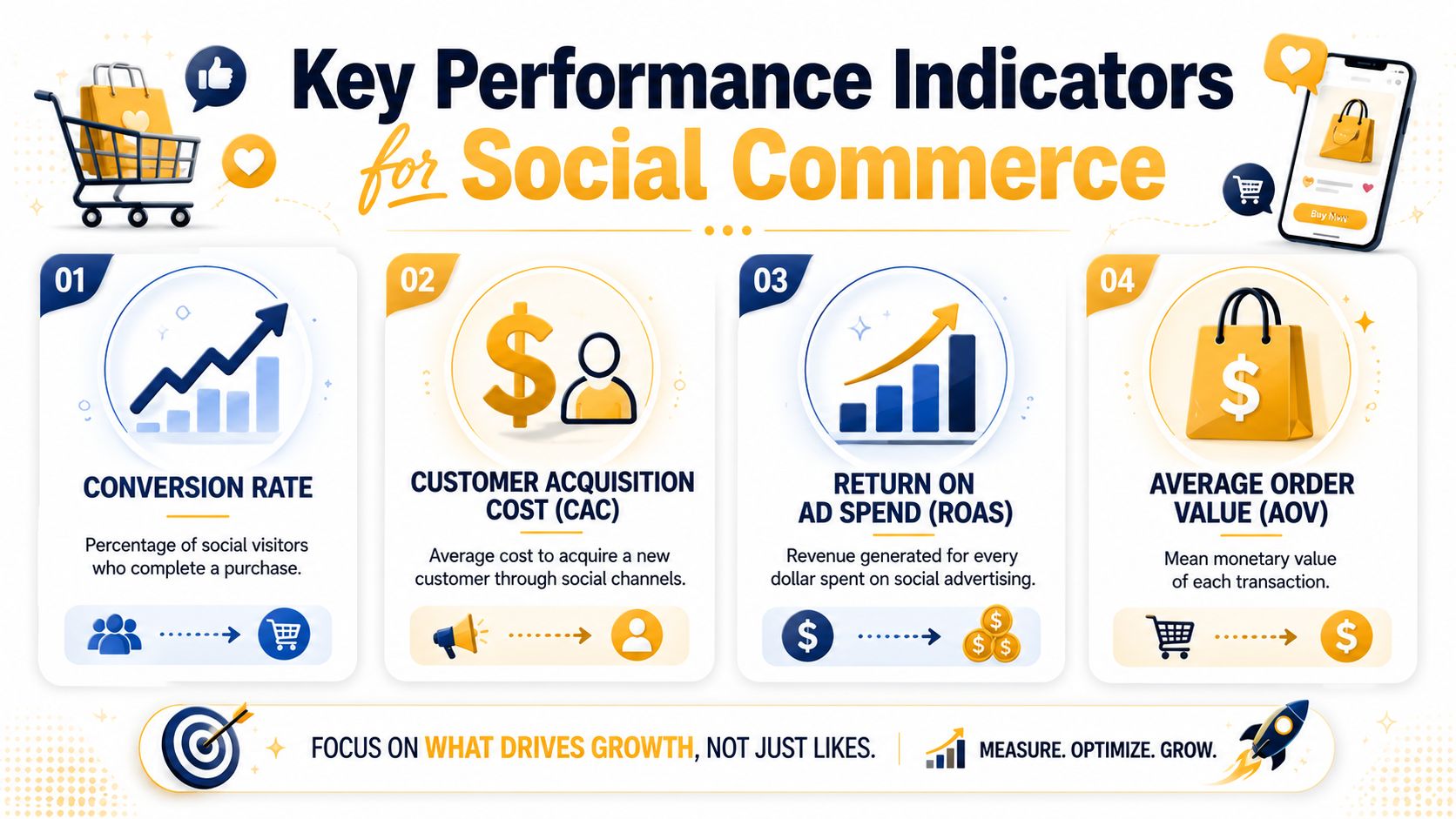
A stronger scorecard usually includes:
- Conversion rate: Did visits from social turn into transactions?
- ROAS: Did paid social commerce activity produce efficient revenue?
- AOV: Are social buyers purchasing enough to justify the effort?
- CAC: What are you paying to acquire a net-new customer through these channels?
- Revenue by asset type: Which creator posts, live sessions, product tags, or ad formats drive actual sales?
If a campaign gets strong engagement but weak product-detail views or low conversion, that's not a win. It's a content signal.
Build the tracking layer before scaling spend
Good attribution starts with boring setup work. That means clean UTMs, consistent campaign naming, commerce platform integration, pixel and event validation, and a reporting destination where paid, organic, site, and platform data can be compared.
Here's a practical way to think about your stack:
| Layer | What it should do | Common mistake |
|---|---|---|
| Platform analytics | Show in-app engagement, product interactions, and purchase signals | Taking platform-reported revenue at face value without comparison |
| Web analytics | Track sessions, behavior, checkout progress, and assisted conversions | Mixing social traffic into broad channel buckets |
| Commerce platform | Confirm orders, AOV, refund patterns, and product-level performance | Failing to align product naming and campaign naming |
| BI or dashboard layer | Combine paid, organic, and store outcomes in one view | Reporting each system separately |
If your team needs a broader framework for this, a solid primer on measuring digital marketing performance can help align channel metrics with actual business outcomes.
Measurement trap: Last-click reporting often makes social look weaker than it is, while platform-only reporting often makes it look stronger than it is. The useful truth sits between those two extremes.
What to review every week
Don't turn social commerce reporting into a monthly archaeology project.
Review these questions weekly:
-
Which products are getting taps but not purchases?
That usually points to a product page, price, offer, or trust issue. -
Which creators or formats drive the best post-click quality?
Reach alone won't tell you that. -
Where are buyers dropping off?
Product detail view, add-to-cart, checkout start, and purchase completion should be visible. -
Are social-originated buyers behaving differently after purchase?
Return rate, bundle mix, and repeat behavior matter.
Connect tech to decisions
Tech integration isn't the goal. Better decisions are.
Your stack should help you answer practical questions like which catalog segment belongs on social, whether native checkout is outperforming site checkout, which creator partnerships deserve expansion, and whether a new offer is increasing efficient revenue or just shifting existing demand around.
When measurement is weak, every campaign review turns into opinion. When measurement is tight, social commerce becomes manageable.
Creating Your Testing Roadmap to Scale Success
Most brands treat testing like cleanup work. Launch first, analyze later, tweak when there's time.
That approach keeps social commerce unpredictable.
A useful social commerce strategy runs on a testing roadmap. You need a steady cycle where creative, offer, path, and measurement keep informing each other. Without that loop, you can't tell whether weak results came from the platform choice, the product, the content, the landing experience, or the checkout flow.
What to test first
Start where friction and impact are highest.
That usually means testing across four areas:
- Creative angle: Demo versus testimonial, founder-led versus creator-led, direct sell versus problem-solution framing
- Offer structure: Bundle, limited drop, social-exclusive selection, or standard product listing
- Path to purchase: Native checkout versus landing page, direct PDP versus collection page, tagged post versus link-in-bio route
- Merchandising choices: Hero product order, thumbnail selection, first-line copy, and variant defaults
Don't test everything at once. If you change the creative, the offer, and the checkout path in the same round, you won't know what caused the result.
Use an impact-versus-effort lens
A simple prioritization model keeps teams from wasting weeks on low-value experiments.
| Priority type | Example | Why it matters |
|---|---|---|
| High impact, low effort | Reordering featured products in a social shop | Fast signal with minimal operational work |
| High impact, medium effort | Testing native checkout against site checkout | Strong revenue implications |
| Medium impact, low effort | Swapping opening hooks in creator briefs | Useful for improving click quality |
| Low impact, high effort | Rebuilding the full catalog taxonomy for one campaign | Often not the first lever to pull |
Turn reporting into the next test
Your measurement setup should feed the roadmap directly.
If a product gets attention but weak conversion, test the offer or product page. If creator content drives qualified traffic but low AOV, test bundles. If native checkout converts but lowers basket size, test which products belong there and which should stay on your site.
The process doesn't need to be complicated. It needs to be disciplined. Teams that scale social commerce well don't rely on viral luck. They create a repeatable system of launch, learn, refine, and scale.
If you need a cleaner process for structuring experiments, this guide on what A/B testing is is a practical starting point.
The compounding advantage comes from consistency. One good test rarely changes a business. A clear testing roadmap, followed every week, turns social commerce from a noisy channel into a reliable growth engine.
If your team wants help building a social commerce system that connects content, conversion paths, analytics, and ongoing testing, Up North Media can help you turn scattered social activity into a measurable revenue channel.