

A website redesign isn't a design project with SEO added at the end. It's a search-preservation project that happens to change the design. Treat it like a visual refresh and you can launch a cleaner-looking site that Google can't crawl properly, visitors can't use, and former customers can't find.
The ranking losses usually start before launch: teams skip the URL inventory, change content and platforms in the same release, treat performance as a future improvement, or send every retired page to the homepage. The remedy is to control the migration, set SEO requirements before development, and release changes in a sequence that makes problems diagnosable.
Why Most Redesigns Lose Rankings Before They Launch
The dangerous assumption is that a redesign is mainly about layouts, branding, and choosing a CMS. Those choices matter, but they don't protect the search value attached to existing URLs, content, internal links, and backlinks. A redesign changes the way search engines and people access the site. If the team doesn't plan for that change, rankings can fall even when the new site looks polished.
Google's move to mobile-first indexing made mobile content and technical delivery a core SEO consideration. Google began experimenting with smartphone crawling and indexing in 2016, started rolling out mobile-first indexing in March 2018, and said the mobile version would be the primary basis for indexing and ranking signals. In March 2020, Google reported that 70% of sites appearing in its search results had shifted to mobile-first indexing. The implication for redesigns is straightforward: mobile pages need to retain the important content and signals available on desktop, as Google's mobile-first indexing announcement explains.
The decisions that put rankings at risk
A few repeat offenders account for much of the avoidable damage:
- Starting design without an inventory. If no one has a complete record of the current URLs, canonicals, internal links, and valuable landing pages, the team can't reliably preserve them.
- Treating performance as cleanup. Teams approve heavy scripts, oversized images, and unstable layouts, then hope developers can fix them after launch.
- Applying redirects by template. A rule that sends every old product page or article to one broad category page can point search engines and visitors to irrelevant destinations.
- Combining content rewrites with platform and URL changes. When several major variables change together, a traffic decline becomes much harder to diagnose.
Practical rule: If SEO has no authority to block release when redirects, content parity, or performance requirements fail, it isn't part of the redesign plan.
A strong project treats organic search as a release requirement, not a hoped-for side effect. Preserve what already earns visibility, make each change deliberate, and give the team enough evidence to distinguish a normal recrawl from a migration failure.
Pre-Redesign Discovery and SEO Baseline
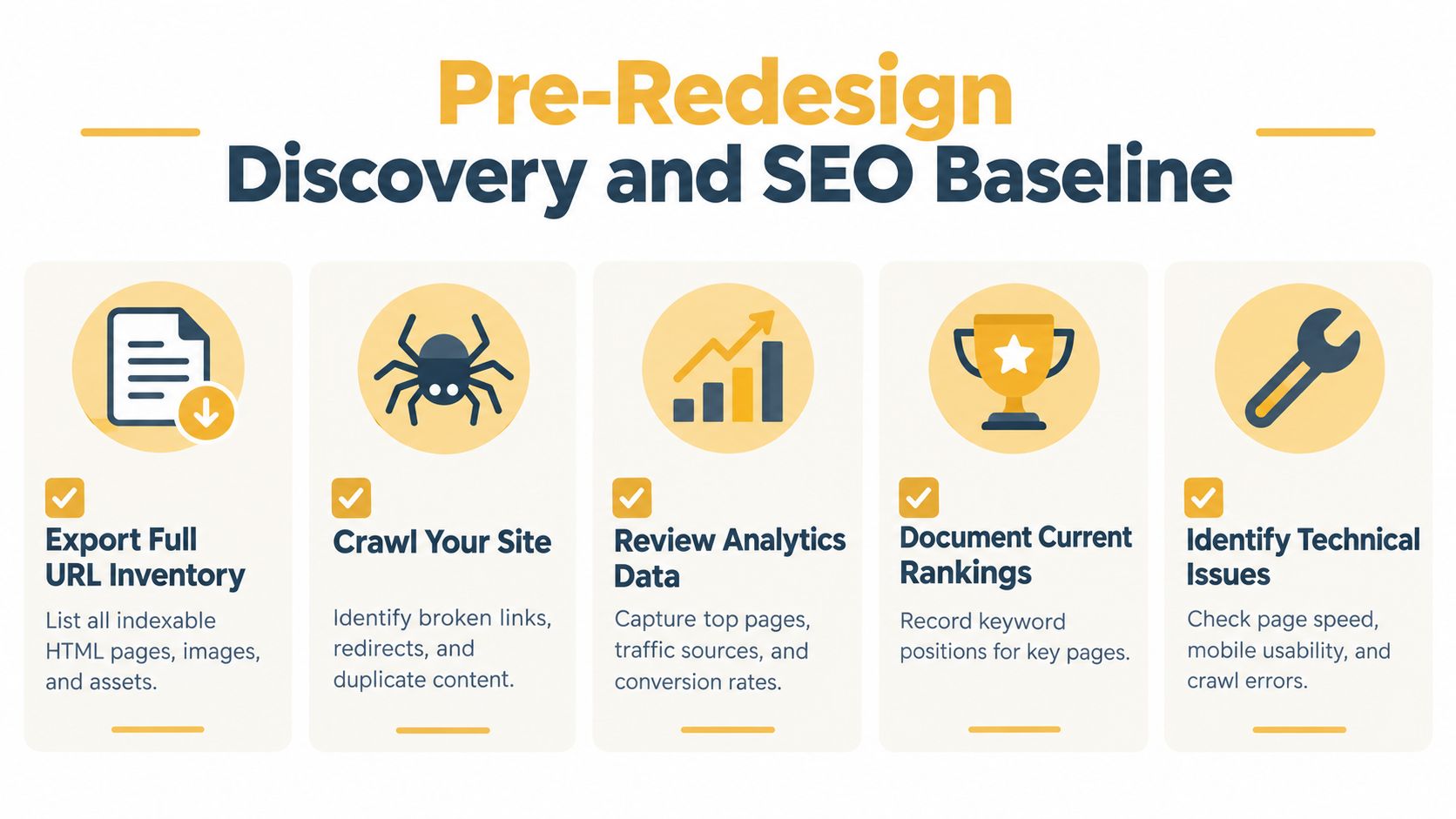
Don't approve final mockups until the team has a record of what the existing site does well and where its search value lives. The baseline isn't paperwork. It's the reference point for deciding what to preserve, what to change, and whether the redesign worked.
Assemble the evidence before design decisions
Start with a full crawl and URL export. Include indexable HTML pages, images, PDFs, canonical tags, titles and metadata, internal links, structured data, organic landing pages, and known backlink targets. A crawler such as Screaming Frog SEO Spider can reveal page status codes, titles, canonicals, and link paths. Search Console can help identify indexed pages and search performance, while analytics tools can show which landing pages attract organic visits and produce leads or sales.
Then preserve the baseline in a shared workbook or database. For each important page, record its current URL, template, indexability, organic landing-page activity, conversion role, backlink context, and planned disposition. Export title tags, headings, and metadata too. A page that looks unimportant in a design presentation may still attract search traffic or links.
Use the inventory to assign each URL a clear outcome:
- Keep: The page remains useful and should retain its URL and search purpose.
- Redirect: The page is being replaced by a close, relevant equivalent.
- Consolidate: Several pages serve overlapping needs and should become one stronger destination.
- Retire: No suitable replacement exists, and the content doesn't warrant a new page.
Make content and competitor reviews actionable
Audit content against search intent and business value, not just word count or age. Note which queries and pages bring qualified visitors, which pages receive backlinks, and where content no longer answers a useful question. Compare key topics and landing-page types against competitors to identify missing coverage, but don't use a competitor's structure as a reason to copy it.
A technical SEO audit checklist can help organize the technical review. The deliverable should be a documented baseline and page-level decision list that designers, developers, content owners, and SEO leads can all use. Without that shared record, each team makes assumptions, and assumptions are a poor substitute for migration planning.
Information Architecture and the Redirect Map
Discovery tells the team what exists. Information architecture decides what the new site should preserve, combine, or reorganize. Keep those tasks distinct. If the team redesigns the hierarchy before documenting valuable pages and their relationships, it can create a clean-looking navigation system that strands important content.
Design the hierarchy before locking the URLs
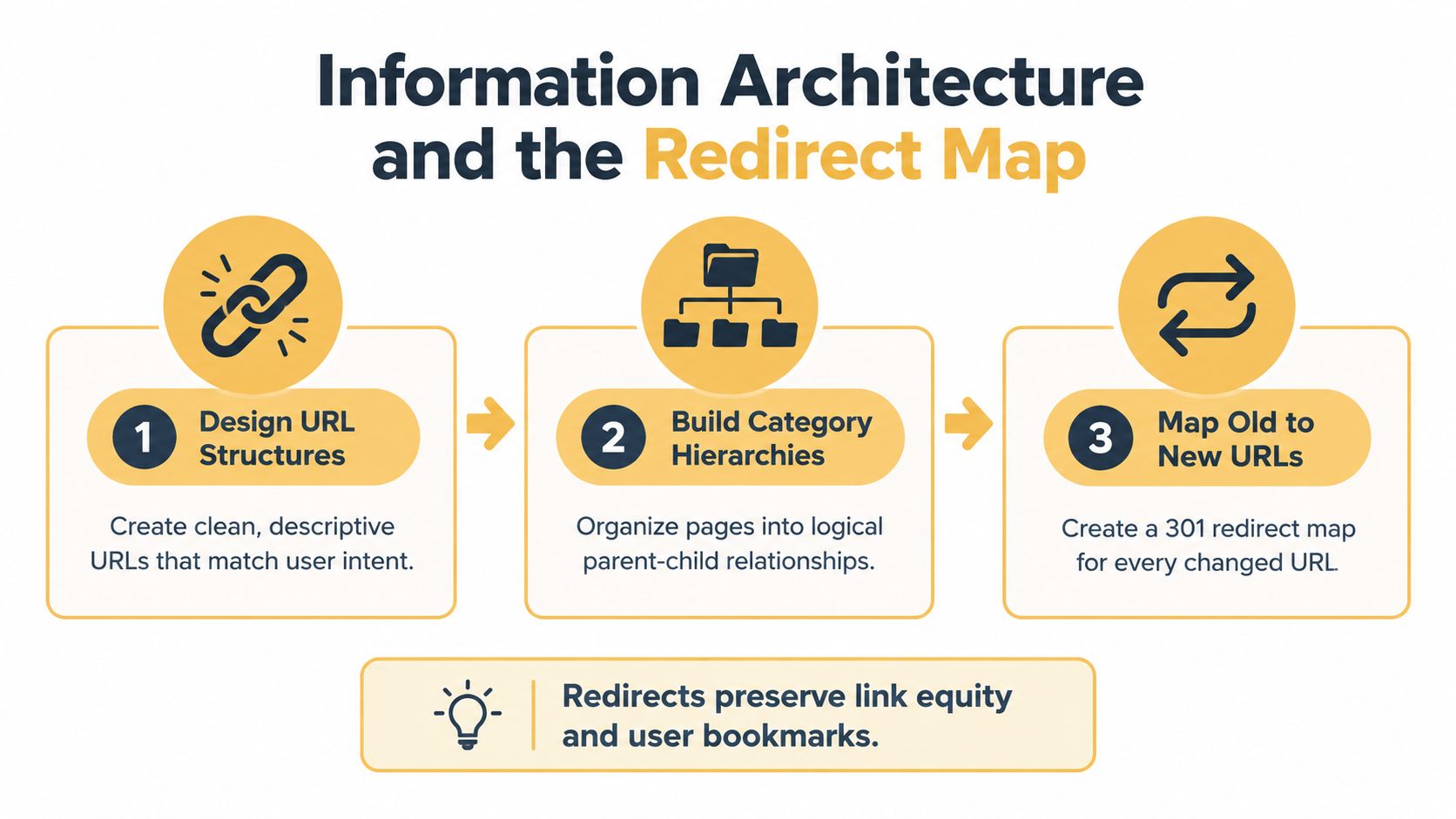
Start with how visitors search and move through the site. Group related pages under categories that reflect real user needs, then choose descriptive, consistent URL patterns that support those relationships. Don't change slugs just to make them look tidier. A URL change has a migration cost, so keep an established URL when there's no strong user or technical reason to replace it.
Treat faceted navigation carefully. Filters can create many near-duplicate URLs or crawl paths that don't represent distinct, useful landing pages. Decide which combinations deserve indexable pages and how the rest should be handled before development. Build navigation and internal links around the destinations that should remain discoverable, rather than assuming search engines will infer the intended hierarchy from visual design.
The website navigation best practices guide can support decisions about user-facing structure. The SEO team should still document which pages need to be discoverable, how they connect, and what the final URL structure will be.
Make the redirect map a signed-off deliverable
Map every valuable legacy URL to its closest relevant destination. The map should identify the old URL, final URL, redirect status, and any reason a page is being retired rather than redirected. This isn't a spreadsheet to fill in after the build; it's a contract between SEO and development.
Use a single-hop server-side permanent redirect, typically 301 or 308, when a URL changes. Avoid redirect chains, loops, and blanket rules that funnel unrelated pages to the homepage. Google recommends URL-specific redirects and says pages without a relevant replacement should return 404 or 410 instead of being forced to an irrelevant destination in its site-move guidance.
Before launch, test the map against the legacy URL list in staging and production. Verify that each redirect lands directly on the intended page, and check for orphan pages, broken internal links, and accidental indexation controls. If the map can't be explained page by page, it isn't ready to ship.
Treating Core Web Vitals as an Acceptance Criterion
Performance belongs in the redesign's acceptance criteria, not in a post-launch backlog. Set targets before development and test each page template against them. A fast homepage says nothing about the experience on product pages, category pages, articles, or checkout.
Google's current Core Web Vitals targets apply at the 75th percentile: Largest Contentful Paint (LCP) should be 2.5 seconds or less, Interaction to Next Paint (INP) 200 milliseconds or less, and Cumulative Layout Shift (CLS) 0.1 or less. For plain-language explanations of these metrics, see this guide to what Core Web Vitals are. Google defines the thresholds in its PageSpeed Insights documentation.
| Metric | Good threshold at the 75th percentile | What it measures | Redesign risk it signals |
|---|---|---|---|
| LCP | 2.5 seconds or less | How quickly the main content appears | Oversized hero images, slow server response, or delayed rendering |
| INP | 200 milliseconds or less | How quickly the page responds to user interactions | Heavy JavaScript or third-party scripts competing for resources |
| CLS | 0.1 or less | How stable the page layout remains | Images, ads, or banners shifting after content loads |
Test the templates that matter commercially
Sitewide averages can conceal poor performance on pages that drive leads and revenue. In June 2025, 74% of pages had good LCP, 72% good CLS, and 97% good INP, while only 56% passed all three metrics together, according to the HTTP Archive's 2025 SEO report. A strong Lighthouse score or a pass on one metric does not prove that every important visitor gets a good experience.
Set a baseline for representative mobile and desktop templates, then repeat the same tests before release. Prioritize category and product pages, checkout, and content landing pages. Hero images and product grids can slow LCP. Heavy scripts delay interaction. Late-loading images and promotional elements shift content and hurt CLS.
Fix the causes before approving the build. Compress and size images appropriately, reserve space for them, defer nonessential JavaScript, and remove render-blocking work where possible. Use field data to assess real-user experience where available, and repeatable lab tests to compare releases. PageSpeed Insights reports diagnostics including LCP, CLS, Speed Index, Time to Interactive, and Total Blocking Time, helping teams pinpoint why a template misses its target.
Approve the redesign only when commercially important templates meet the agreed performance and content requirements. A fast-looking homepage on a developer's laptop is not a release test.
The Launch Sequence That Protects Rankings
Launch day should execute a tested migration plan, not become the day the team discovers how the new site handles old URLs. Assign an owner to each task, rehearse the release in staging, and keep a rollback path. Don't bundle URL restructuring, a domain change, a platform migration, and major content rewrites into one uncontrolled launch. If traffic drops, isolating changes is what makes the cause findable.
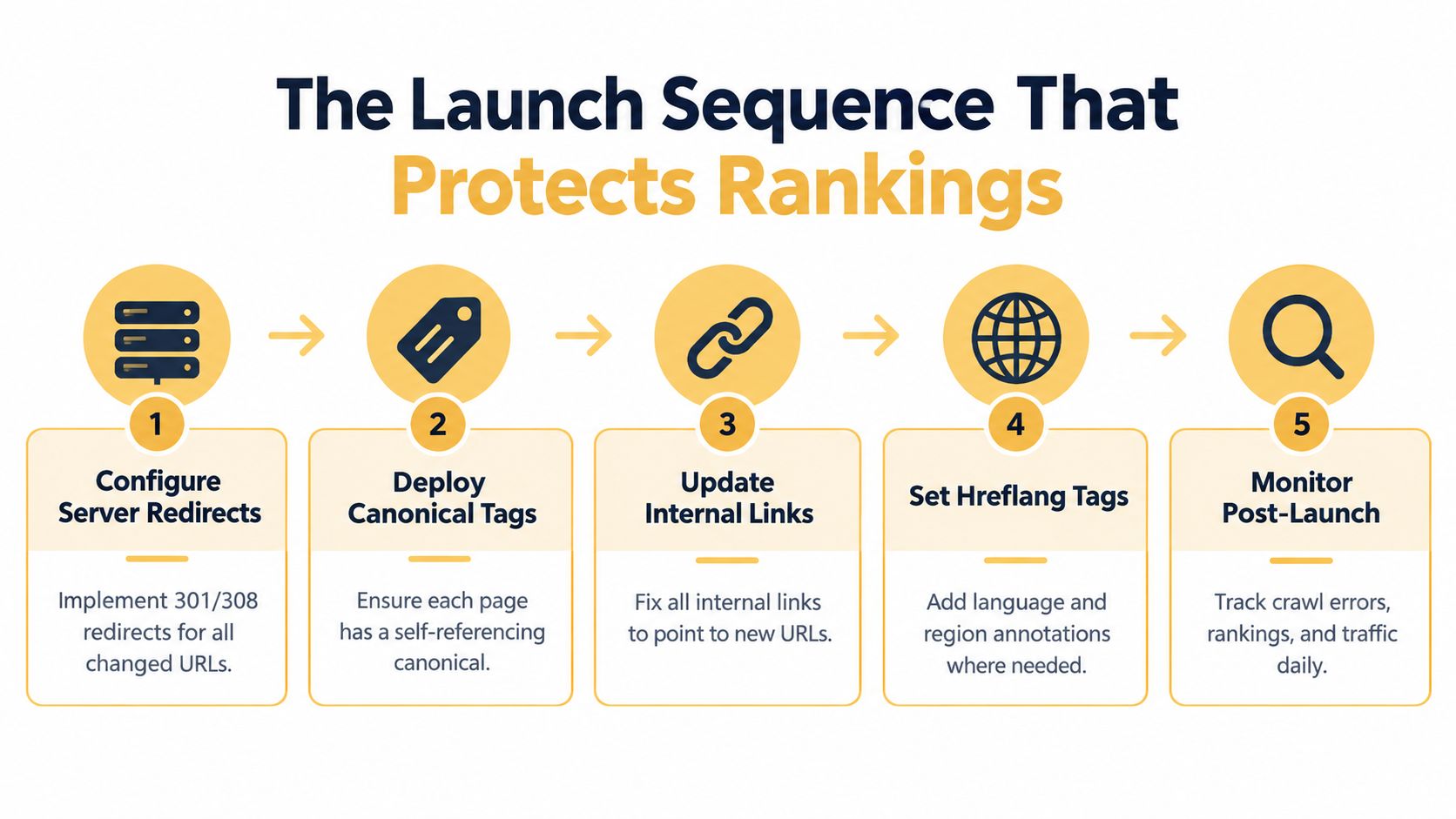
Run the release in a fixed order
- Install the redirect map. Put server-side 301 or 308 redirects in place for changed URLs. Test old URLs against their intended final destinations.
- Publish accurate canonicals. Confirm each page points to the correct preferred URL, not to staging, an old URL, or a different page.
- Update internal links. Change navigation, body links, and other internal references to point directly to the new URLs rather than relying on redirects.
- Update hreflang and sitemaps. Where applicable, review language and region annotations. Generate an XML sitemap containing the intended canonical URLs, then submit it in Search Console.
- Verify and monitor. Verify both old and new properties in Google Search Console. Check crawl errors, indexing, redirects, and traffic after release.
Close the staging-to-production gap
Before launch, crawl staging and verify the new templates, links, canonical tags, and indexable content. Confirm that staging's noindex directives and robots controls won't carry over to production. Once the new site is live, crawl the production site again, check the migration paths, and confirm that the sitemap lists the intended URLs.
Keep staging protected, but don't assume the release process will remove every control automatically. A forgotten noindex directive or blocked crawl path can make an otherwise sound redesign invisible to search engines. Use the same representative URL set for prelaunch and post-launch checks so the team can compare results directly.
Google's Search Console documentation is the reference for monitoring the old and new properties during a site move. Keep the release checklist and issue log visible to SEO, development, analytics, and content owners. When a check fails, name an owner and fix it before declaring the migration complete.
Where UX, CRO, and SEO Decisions Collide
A redesign can improve usability while weakening organic performance, or preserve rankings while making the site harder to convert on. The teams that avoid that trade-off evaluate page changes through all three lenses: Can search engines discover and understand the content? Can visitors find the next useful step? Can the page help them complete it?

Judge a layout by what it makes easier or harder
Consider a homepage hero replacement. A large campaign image may strengthen the brand, but if the change pushes important category links out of prominent navigation, it can weaken user paths to commercial pages and reduce internal-link visibility. A new navigation system may look simpler but remove the routes visitors and crawlers used to reach deeper content. A product page may gain richer editorial content while making the primary purchase action harder to find.
For each proposed template change, ask:
- Does the mobile version retain the primary content and links?
- Can visitors still reach important categories and landing pages without unnecessary detours?
- Do titles, headings, and page content still match the search intent that brought visitors there?
- Does the new layout make the key conversion action clear without hiding useful information?
These aren't reasons to reject visual changes. They're criteria for approving them. Compare the old and new page as a complete journey, from search result to landing page to next action, rather than judging a mockup in isolation.
Put the right people in the same review
Have SEO, design, development, analytics, and conversion owners review representative templates together. Use analytics and user research to identify which pages deserve close scrutiny, then check that the new design preserves their content, crawl paths, and conversion intent. Teams that automate recurring search tasks may also find SEO automation for GTM teams useful when coordinating insights across marketing and go-to-market workflows.
Don't let a single department approve a high-impact change without the others understanding its consequences. A visually cleaner menu that removes important paths is a product decision with SEO implications. A technically accessible landing page that obscures its call to action is a conversion problem. The best redesign decisions make the page easier to find, understand, and use in the same motion.
Post-Launch Monitoring and the Redesign Scorecard
A launch isn't successful because the site loads or because the team likes the new design. It's successful when search engines can crawl and index the intended pages, visitors can reach the right destinations, and the business outcomes hold up against the baseline.
Diagnose changes before declaring a loss
In the first days after launch, review redirect responses, crawl errors, sitemap processing, indexing signals, blocked pages, and analytics tracking. Then watch rankings and organic landing-page activity as search engines recrawl and process the new structure. Continue tracking leads, sales, and landing-page conversion performance as the new site settles.
If organic traffic falls, don't start by rewriting every title tag. Break the change down by landing page, template, device, and query. Check whether affected pages return the right status codes, redirect to the intended equivalents, remain indexable, and preserve their primary content and internal links. Compare analytics tracking before drawing conclusions; a broken tag can look like lost traffic when the visits are no longer recorded.
A localized decline points you toward specific URLs or templates. A broad decline calls for a wider audit of migration rules, indexability, and release changes.
Keep a scorecard and name the owner
Track more than total organic sessions. Include indexability, crawl errors, organic landing-page visits, rankings for priority queries, landing-page conversions, and Core Web Vitals by template and device. Review the same page groups and conversion definitions used for the original baseline; otherwise, the comparison won't tell you whether the redesign preserved the work that matters.
Use a simple operating checklist after release:
- Redirects: Confirm changed URLs resolve directly to relevant final destinations.
- Indexing: Check that priority pages are accessible, indexable, and represented correctly in the sitemap.
- Content parity: Confirm mobile pages retain the primary content and internal links.
- Performance: Recheck representative templates with real-user data where available.
- Business outcomes: Compare organic landing-page leads and sales with the prelaunch baseline.
Some fluctuation can happen while search engines process a clean migration. Don't dismiss a broad or persistent decline as routine. Find the affected URLs, compare the release against the baseline, and correct the underlying redirect, content, or performance problem. Keep monitoring until the data shows the redesigned site is both discoverable and delivering the business outcomes it was built to support.
Up North Media offers SEO-focused web design and development, including migration planning, technical SEO, and post-launch monitoring. If you're preparing a redesign and want an experienced team to review the URL map, release criteria, and search risks, talk with Up North Media.