
An operations lead at a growing company can spend weeks watching AI demos, testing a few subscriptions, and asking a team to “find a use case.” The demos work. The subscriptions stay active. Then the project loses momentum because nobody decided who owns the data, how exceptions should be handled, or what happens when the automated workflow reaches a case it can't resolve.
That pattern explains why AI automation consulting services have become less about selecting an impressive model and more about building the operating layer around it. The practical question isn't whether AI can perform a task in isolation. It's whether the task can run reliably inside your existing systems, with clear controls, measurable outcomes, and a team that knows what to do after launch.
Why Most Businesses Stall Before AI Automation Pays Off
A mid-market operations manager usually doesn't begin with a grand transformation program. They start with a familiar problem: invoices arrive in several formats, sales representatives follow up inconsistently, or service staff copy information between a CRM and an internal system. An AI tool appears to solve the problem in a demonstration, so the business runs a pilot.
The pilot might classify documents or draft responses effectively. Trouble begins when the workflow meets real operating conditions. A customer record may be incomplete. A document may fall outside the training examples. An approval may require judgment from finance or compliance. Someone must decide whether the system should stop, escalate, or proceed.
The gap between a demo and a dependable workflow
A pilot answers, “Can this work?” Production automation must answer harder questions:
- Who owns the workflow? A tool can't be left without an accountable business owner.
- Where does the data come from? The team needs defined sources of truth, not a collection of copied spreadsheets.
- What happens during an exception? Human review needs a documented route, not an improvised email chain.
- How will success be measured? The company needs a baseline for cost, quality, speed, or revenue before claiming improvement.
- Who maintains the system? Models, policies, integrations, and business rules change after deployment.
The adoption pattern reflects this implementation challenge. McKinsey's State of AI research found that 40% of respondents from large organizations with annual revenue above $1 billion are scaling AI agents, compared with 27% the previous year. The same source indicates that agentic AI use is concentrated in large enterprises, where deployment usually requires process redesign, governance, integration, and change management.
Practical rule: A successful pilot proves technical possibility. A production system proves operational ownership.
That is the role of consulting. The consultant helps turn an isolated experiment into a workflow with defined inputs, decisions, approvals, monitoring, and handoff. For a smaller business, this operating-model work often matters more than building a custom model from scratch.
What AI Automation Consulting Services Actually Do
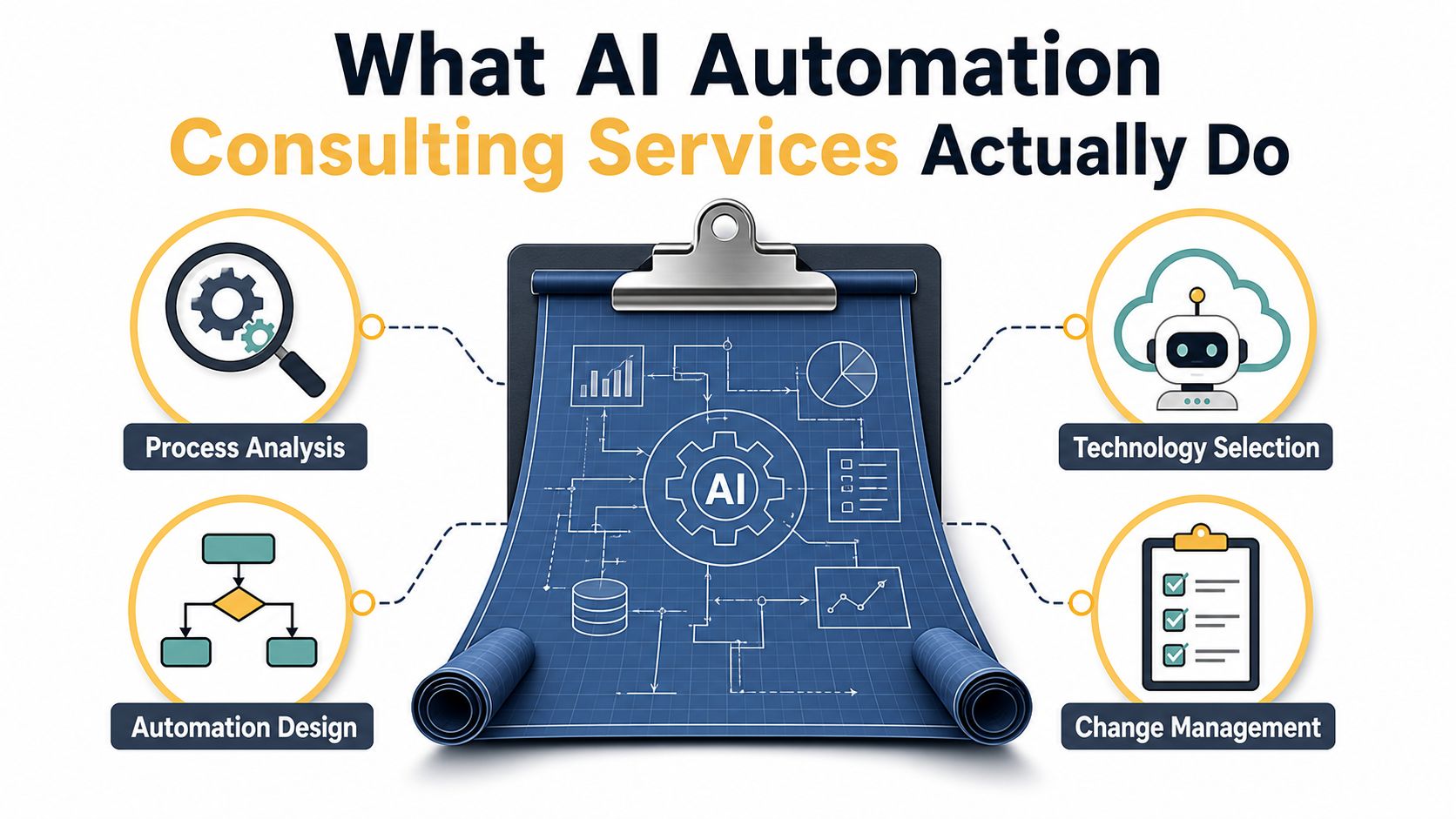
Think of an AI automation consultant as the contractor for a business process. You bring the outcome you want, such as faster invoice processing or more consistent lead follow-up. The consultant creates the blueprint, checks the constraints, selects the materials, coordinates the build, and helps your team use the finished structure safely.
The engagement should produce more than a recommendation report. It should leave you with a repeatable system for identifying, building, launching, and improving automated workflows.
The work begins before tool selection
A credible partner usually starts by mapping the current process. That means documenting who performs each step, which systems they use, where information is re-entered, how long decisions take, and which exceptions consume the most attention.
From there, the consultant assesses opportunities against business value and implementation difficulty. A high-volume workflow with clear rules and reliable data is often a better starting point than a complex process that depends on informal judgment.
The technical design then follows the process:
- Automation architecture: The consultant defines triggers, actions, approvals, integrations, and fallback routes.
- Tool selection: Options might include platforms such as Make, Zapier, n8n, CRM-native automation, document extraction services, or custom applications.
- Agent design: Agentic workflows can plan or select actions, but they need boundaries, permissions, review thresholds, and logs.
- Governance: Policies cover data access, human oversight, auditability, security, and acceptable use.
- Enablement: Internal staff learn how to operate, review, troubleshoot, and improve what has been built.
A strategy-only advisor may deliver process maps and a roadmap. An execution-focused firm may configure integrations, build the workflow, test it, deploy it, and provide support. Many buyers need both capabilities, because a polished plan won't create value if nobody can ship it.
Businesses building agent-driven products may also benefit from specialized guidance on AI agent SEO for developers, especially when discoverability and technical implementation need to work together. For teams looking specifically for implementation support, AI automation tools and services can be evaluated as part of the wider solution design rather than treated as a standalone purchase.
The Tangible Benefits of Hiring the Right Consulting Partner
The strongest business case for automation doesn't begin with the phrase “AI-powered.” It begins with a process that consumes time, creates errors, delays customers, or causes revenue opportunities to expire.
A consultant can help expose the cost of manual handoffs. For example, an accounts team may download invoices, copy fields into an accounting platform, request missing information, and route unusual cases to a manager. Automation can extract structured data, check it against business rules, and send only uncertain cases to a person.
Four outcomes worth measuring
Cost reduction comes from lowering the amount of manual handling required for each transaction. That doesn't always mean eliminating roles. It can mean moving skilled employees away from repetitive reconciliation and toward customer, analytical, or revenue-generating work.
Error reduction matters when staff repeatedly copy, classify, or validate information. A workflow that checks required fields and applies consistent rules can reduce rework, provided the business measures false positives, false negatives, and human review rather than assuming accuracy.
Cycle-time compression affects customer experience and internal throughput. Faster lead routing, approvals, claims intake, or appointment scheduling can reduce delays that don't appear as a separate line item in the software budget.
Revenue and retention improvement can follow when teams respond sooner or serve more customers with the same operating capacity. The gain comes from the redesigned process, not from the model alone.
The workflow automation field evidence reports roughly 20% productivity improvement in frontline operations, with sector-specific results including 21% higher customer satisfaction in retail, 19% higher employee productivity in manufacturing, and 21% higher productivity in transportation and logistics. These figures should be treated as field evidence, not a promise for every project.
| Benefit Category | Operational Outcome | Representative Mid-Market Metric |
|---|---|---|
| Manual effort reduction | Fewer repetitive handoffs | Fully loaded cost per task |
| Quality improvement | Less rework and fewer avoidable mistakes | Error rate per 1,000 tasks |
| Faster service | Shorter time from request to resolution | Average handling time or cycle time |
| Commercial improvement | More timely follow-up and capacity | Revenue or retention per employee |
The first successful workflow also creates internal evidence. Leaders can point to a measured operational result, employees can see how the system supports their work, and the next automation project starts with less uncertainty.
Inside a Typical Consulting Engagement From Start to Scale
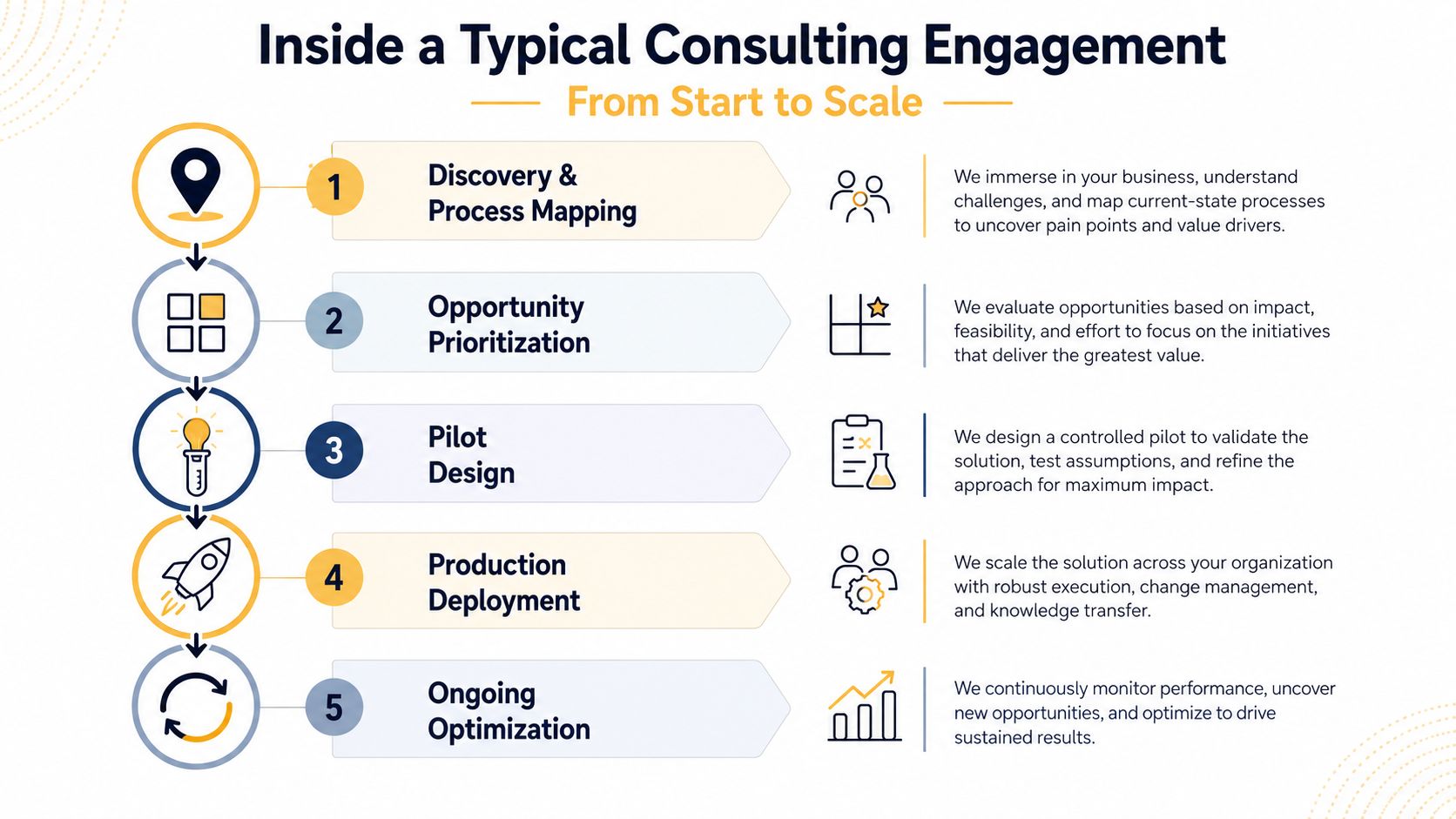
A sound engagement resembles a process build more than a software installation. Each stage should produce a concrete artifact or decision, so the client knows whether the work is progressing.
Five stages that protect the investment
-
Discovery and process mapping
The team selects a business process and documents its current state. The output should show systems, people, inputs, decisions, exceptions, and baseline performance. If the process can't be described clearly, it isn't ready for automation design. -
Opportunity prioritization
Candidates are compared by transaction volume, repetition, data quality, risk, expected value, and integration effort. The best first workflow usually has a narrow scope and an outcome that operations leaders already care about. -
Pilot design
The consultant defines the smallest useful version of the workflow. This may include document extraction, classification, routing, response drafting, or a decision recommendation with human approval. The pilot should have an exit decision, not an indefinite “testing” status. -
Production deployment
The workflow is connected to live systems, permissions are reviewed, exception handling is tested, and users receive operating instructions. Production deployment also requires monitoring, logging, and a clear escalation path. -
Ongoing optimization
After launch, the team reviews errors, delays, overrides, and user feedback. The consultant should transfer enough knowledge for internal owners to manage routine changes while remaining available for complex improvements.
A pilot is ready to scale when the business can explain its inputs, controls, owner, fallback route, and success metrics.
The handoff matters as much as the build. Your team should receive workflow documentation, access rules, test cases, monitoring instructions, and a plan for responding when the model or business process changes. A practical AI implementation roadmap can help stakeholders align those decisions before the project expands.
A short video can also help nontechnical leaders understand why deployment requires more than connecting an AI model to an application.
Industry Use Cases That Prove the Model Works
The most defensible automation opportunities share a pattern: people handle repetitive, rule-heavy, high-volume work, and the business can observe the process from intake to completion.
Consider insurance claims intake. A document extraction workflow can read forms, identify missing fields, classify claim types, and route unusual cases to an adjuster. The consultant's job is to define the confidence threshold and make sure the system doesn't turn an uncertain classification into an unchecked decision.
An e-commerce retailer faces a different version of the same problem. Product teams may spend substantial time preparing images, naming files, resizing assets, and assigning catalog information. Image automation can standardize those tasks and reduce the number of manual touches. Teams exploring this pattern can review guidance on how to save time with MerchLoom automation while still checking whether the workflow connects cleanly to their commerce platform and approval process.
Matching workflow patterns to business needs
Professional services firms can automate proposal preparation by retrieving approved service descriptions, assembling a draft from structured inputs, and routing it for review. The system shouldn't invent pricing or commitments. It should accelerate assembly while preserving human approval for commercial judgment.
Healthcare organizations can use workflow automation for appointment scheduling, reminders, intake forms, and routing. Sensitive information and exception handling make governance essential. A useful design keeps staff involved where a scheduling issue requires clinical or operational judgment.
Manufacturers can apply computer vision to quality inspection, especially where the process involves repeatable visual checks. The system can flag likely defects for a trained operator, but deployment must account for lighting, product variation, false alerts, and the consequences of missed defects.
| Industry | Workflow Automated | Technology Pattern | Expected Outcome |
|---|---|---|---|
| Insurance | Claims intake and routing | Document extraction and classification | Faster intake with human review for uncertain cases |
| E-commerce | Product image and catalog preparation | Image processing and structured automation | More consistent catalog operations |
| Professional services | Proposal drafting | Retrieval, templates, and approval workflows | Faster first drafts with controlled review |
| Healthcare | Appointment coordination | Workflow rules, reminders, and assisted routing | Fewer administrative handoffs |
| Manufacturing | Visual quality checks | Computer vision with operator validation | Earlier detection of likely defects |
These examples don't justify automating every task. They show why consultants should start with workflow mechanics, measurable baselines, and risk boundaries. More patterns are available in this collection of AI automation examples, but the right choice still depends on your systems, data, and operating constraints.
Measuring ROI and Knowing Whether the Engagement Succeeded
ROI measurement starts before deployment. If the business doesn't record the current process, it can't distinguish automation gains from seasonal demand, staffing changes, pricing decisions, or unrelated operational improvements.
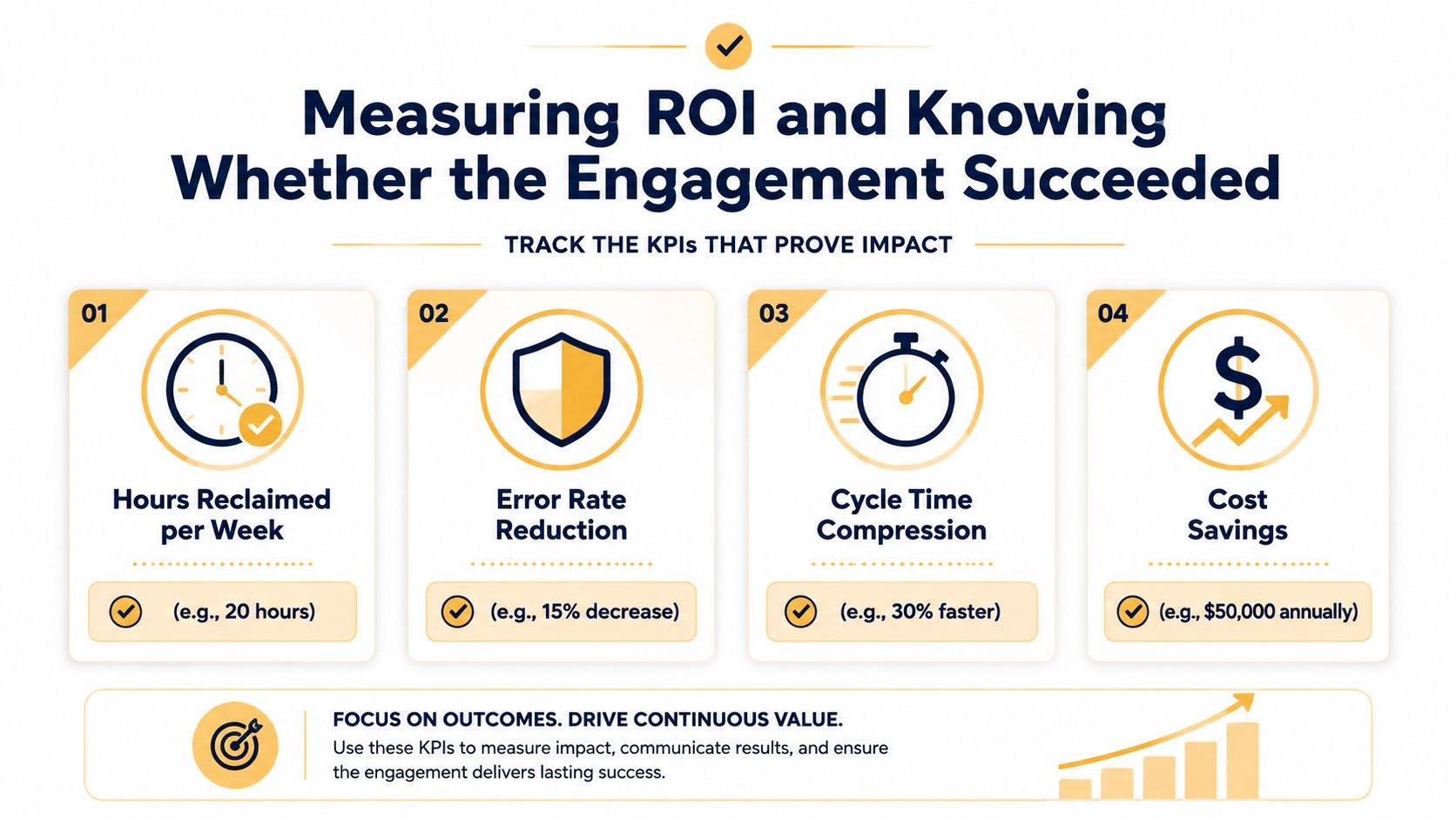
A practical framework tracks four areas:
- Hours reclaimed per week: Measure the time employees spend on the selected workflow before and after implementation.
- Error rate reduction: Track errors, rework, false positives, and false negatives rather than relying on user impressions.
- Cycle-time compression: Compare the time from intake to completion, approval, response, or resolution.
- Revenue per FTE: Use this where automation changes capacity, sales follow-up, service throughput, or customer retention.
Build the measurement plan into the design
The AI consulting ROI measurement framework recommends setting a pre-deployment baseline for at least 60 days and tracking task volume, error rate per 1,000 tasks, and fully loaded cost per task. Those measures help the business connect workflow changes to financial outcomes without overstating results.
The calculation should include labor-cost reduction, rework reduction, and revenue or retention uplift, then subtract consulting, infrastructure, internal time, and support costs. A workflow that handles more tasks but creates costly review work may not deliver a real gain.
Measurement test: If the provider can't show what will be measured, where the baseline comes from, and who owns the dashboard, the ROI claim isn't ready.
Watch for vague promises, “models deployed” as the primary success metric, missing instrumentation, and pilots that never receive a production decision. The client ultimately owns the measurement discipline. A good consulting partner supplies the event definitions, reporting structure, and handoff process so the team can continue evaluating performance after the engagement ends.
How Up North Media Approaches AI Automation Consulting
Traditional advisory firms often stop at recommendations. They may map processes, compare platforms, and deliver a strategy deck, leaving the client to find developers, configure integrations, train users, and maintain the workflow.
An execution-focused agency treats the recommendation as the beginning of the work. For mid-market and small businesses, that distinction matters because the company may not have an internal engineering team waiting to turn a roadmap into a production system.
Comparing the engagement models
Up North Media approaches the work around three practical components. A discovery sprint maps revenue and operations workflows. A build phase uses no-code platforms and custom agentic AI integrations where they fit the process. An embedded support layer handles monitoring, iteration, and adjustments after deployment.
That model is different from buying seats in a tool and hoping employees discover useful applications. It also differs from a large transformation program that assumes extensive internal resources. The relevant question is whether the partner can take responsibility for the path from process definition to live operation.
| Dimension | Traditional AI Consultancy | Up North Media |
|---|---|---|
| Initial focus | Strategy, assessment, and recommendations | Workflow discovery tied to operations and revenue |
| Build responsibility | May remain with the client or a separate technology team | Builds and integrates selected automations |
| Technology approach | Often centered on enterprise platforms and formal programs | Uses no-code tools and custom agentic integrations where appropriate |
| Post-launch role | May conclude after delivery of the strategy or project | Provides support for monitoring and iteration |
| Commercial structure | May be based on broad transformation scope or consulting time | Scope can be defined around the workflow rather than individual seats |
The important evaluation point isn't the brand name. It's the operating agreement. Ask who owns the workflow, who responds to failures, what documentation is included, and how changes are approved. A partner that can build but can't support the process may leave you with a different version of the same pilot-to-production gap.
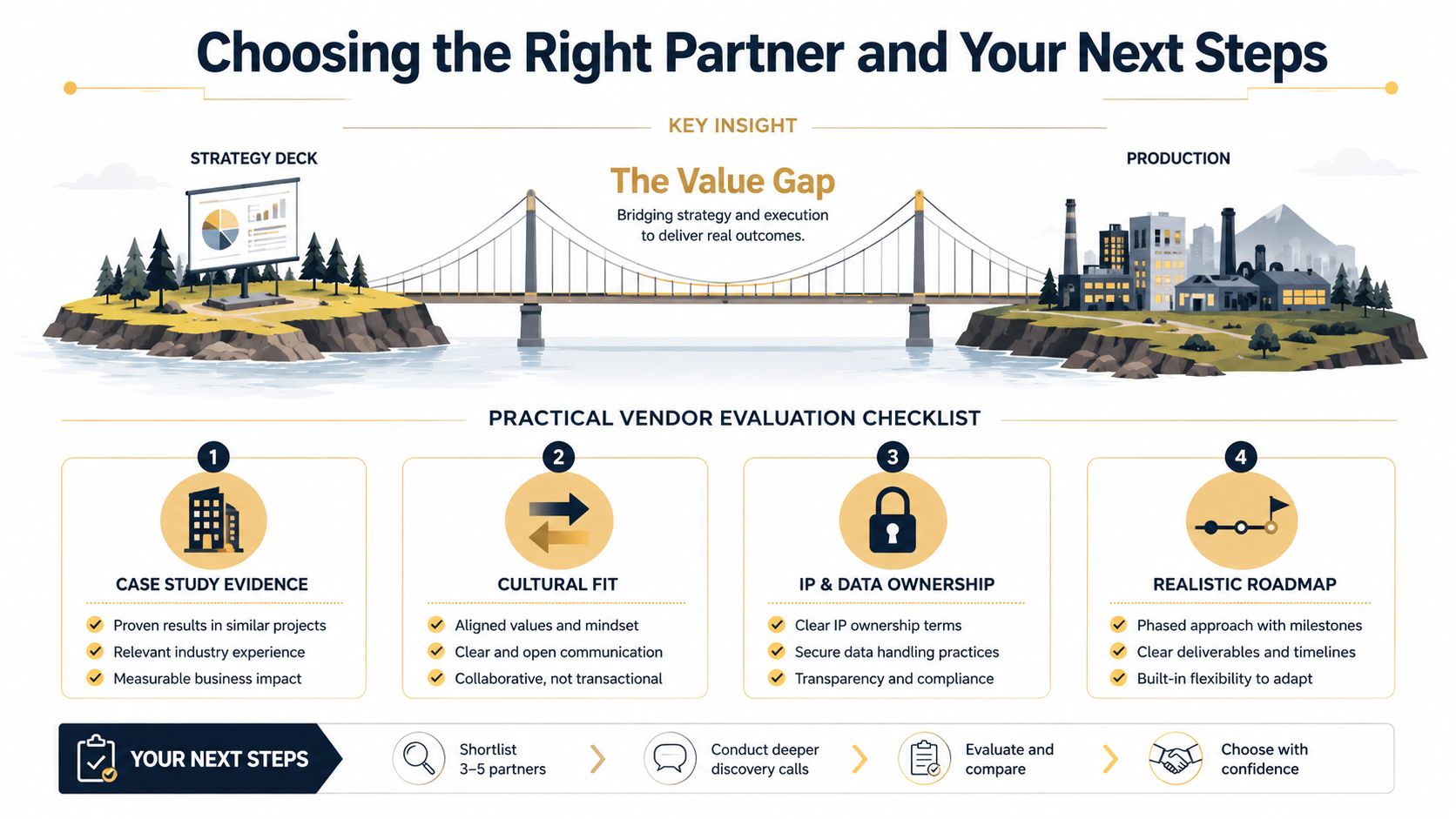
Choosing the Right Partner and Your Next Steps
The value of AI automation consulting lives in the space between a promising pilot and a dependable production workflow. A strategy deck can clarify priorities, but it can't assign ownership, resolve integration problems, establish human review, or prove that the process improved.
Use these criteria when comparing providers:
- Deployment evidence: Look for demonstrated production work, not only theoretical strategy or tool certifications.
- Integration ability: Ask how the provider works with your CRM, ERP, help desk, accounting platform, and identity controls.
- Data and governance clarity: Confirm who can access data, where it moves, how decisions are logged, and who owns the resulting workflow.
- Focused scope: Favor a partner willing to start with one high-value workflow before proposing a broad rollout.
- Post-launch monitoring: Require a plan for reviewing errors, exceptions, model behavior, and user feedback.
- Pricing transparency: Make deliverables, assumptions, support, software costs, and change requests visible before work begins.
- Cultural fit: Your operations team must be comfortable challenging the design, reporting failures, and taking ownership after handoff.
Choose the next move based on your starting point
If you're still exploring, don't begin by purchasing another AI subscription. Start with a workflow audit. Select a process that creates visible friction, document its inputs and exceptions, and identify the metric that would justify further work.
If you already have an active pilot, ask for a production readiness review. The review should expose missing integrations, ownership gaps, data risks, approval requirements, monitoring needs, and the specific evidence required to scale.
If your company has several live automations, establish an operating model for them. Define who approves new use cases, who manages access, how incidents are handled, and how teams decide whether an automated decision must remain semi-manual because the risk of full autonomy is too high.
Agentic AI will continue to expand the scope of integration, monitoring, governance, and human-in-the-loop design. Choose a partner that treats automation as an evolving business capability, not a one-time installation.
Up North Media helps businesses map operational workflows, build AI automations and integrations, and support the systems after deployment so pilots can become usable production processes. Visit Up North Media to discuss a focused workflow audit or an implementation plan for your next automation project.