
Monday morning. A support queue is backing up, the sales team is still hand-scoring leads in a spreadsheet, marketing is rewriting the same email for six segments, and operations wants better forecasts than last quarter's guesswork. That is usually the moment companies start looking for AI automation. The primary question is not whether AI can help. It is where to start, what to automate first, and how to avoid building something impressive in a demo that fails in day-to-day use.
A lot of articles on AI automation examples stay at the tool-name level. That is not enough to make a buying decision or plan a rollout. Teams need a practical blueprint: the business problem, the solution design, the technology involved, the likely benefits, the implementation tips that save time, and the common pitfalls that show up once real users are involved.
That is the approach here.
AI automation works best at the task level. It handles repetitive decisions, high-volume requests, document processing, routing, classification, forecasting, and content support. The larger shift is work redesign, not a simple one-for-one job replacement. The OECD's employment outlook on AI and the labour market makes that distinction clear, and it matches what shows up in real implementations.
The 10 examples below focus on use cases companies can put into production. Each one is broken into Problem, Solution, Tech, Benefits, Implementation Tips, and Common Pitfalls so you can judge feasibility, data requirements, and operational fit before spending budget. If you want a broader view of where these projects fit, this guide to intelligent automation use cases across business functions is a useful companion.
That level of detail is where AI automation becomes practical. It also makes it easier to spot the trade-offs early, especially where accuracy, integration effort, change management, and human review still matter.
1. Customer Service Chatbots and Virtual Assistants
A support queue packed with order-status checks, password resets, appointment changes, and return-policy questions is usually the clearest sign that AI automation can pay off fast. These requests are high-volume, repetitive, and time-sensitive. They also drain agent time that should go to exceptions, complaints, and cases that need judgment.
Customer service is often the first production AI use case because the workflow is easy to define. A good chatbot handles the predictable layer, gathers the right context, and hands off cleanly when the issue moves beyond a script or policy lookup. That operating model shows up again and again across intelligent automation use cases across business functions, especially where teams deal with repeatable decisions under time pressure.
Strategic blueprint
Problem: Support teams waste hours on repeat questions and manual triage, which slows response times and raises costs.
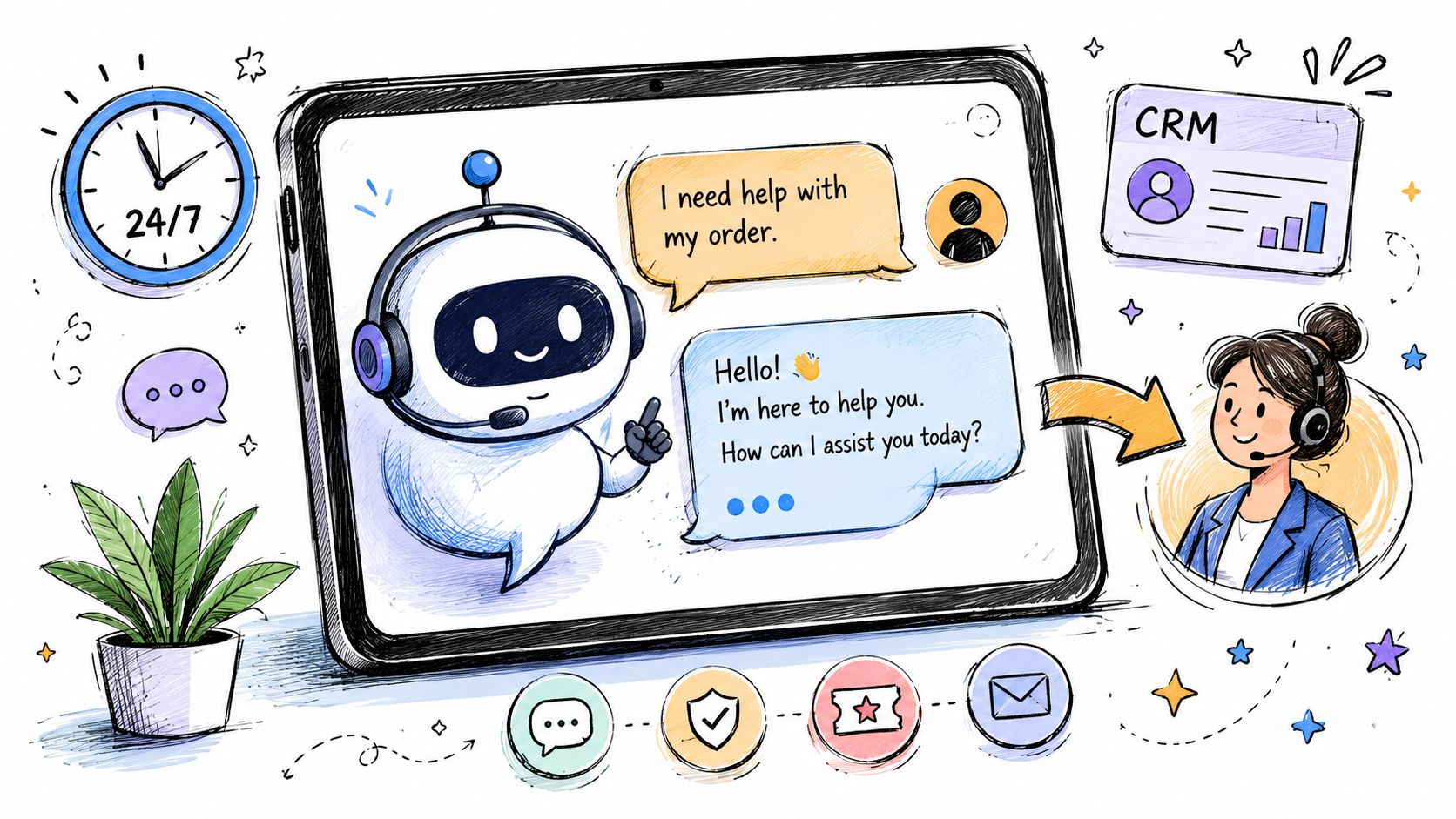
Solution: Deploy a chatbot or virtual assistant to answer common questions, collect key details, verify identity where appropriate, and route the conversation to the right human queue.
Tech: Natural language processing, help desk integrations, CRM records, knowledge bases, authentication workflows, and ticket-routing rules.
Benefits: Faster first response, 24/7 coverage for simple requests, lower ticket volume for agents, and better handoffs because the bot captures context before escalation.
The strongest implementations stay narrow at first. A retailer might use Tidio or Drift on product and checkout pages to handle shipping questions and returns. A bank might keep the assistant inside authenticated channels and limit it to balance checks, card controls, or routine service requests. The pattern is consistent. Use AI for common intents with clear answers. Reserve billing disputes, sensitive complaints, and unusual edge cases for human agents.
Practical rule: Start with your top recurring ticket categories, not your hardest support problem.
What works and what doesn't
What works is clear scope, strong escalation paths, and regular tuning based on real transcripts. Knowledge base articles need plain language, not internal jargon. Human handoff needs to be obvious. If a customer has already answered three questions, the agent should see those answers immediately.
What fails is usually operational, not technical. Teams launch a bot with weak content, no ownership, and no fallback path. Then customers get vague replies, repeat themselves during escalation, or get stuck in a loop.
The trade-off is straightforward. Higher containment sounds good on a dashboard, but pushing too hard for automation can hurt satisfaction if the bot blocks access to a person. In practice, the better target is selective containment. Automate the easy 20 to 30 percent first, make the transfer smooth, then expand intent by intent once accuracy is holding up in production.
2. Automated Email Marketing and Personalization
Email automation gets oversold as “set it and forget it.” In practice, it works when you treat it like a decision engine, not a blast tool. The job isn't to send more emails. The job is to send the next most relevant message based on behavior.
That usually starts with flows you already understand. Welcome series. Abandoned cart reminders. Replenishment prompts. Re-engagement sequences. AI improves those programs by helping segment audiences, predict likely interests, and adapt timing or content without a marketer rewriting every branch manually.
Strategic blueprint
Problem: Teams send broad campaigns to mixed audiences, which leads to weak relevance and list fatigue.
Solution: Use AI to segment contacts by behavior, score engagement patterns, and personalize copy blocks, product suggestions, or send timing.
Tech: Marketing automation platforms such as HubSpot, Klaviyo, Mailchimp, ActiveCampaign, or Salesforce Marketing Cloud, connected to CRM and transaction data.
Benefits: More relevant journeys, better list hygiene, less manual campaign setup, and easier lifecycle marketing at scale.
A simple e-commerce example is enough to illustrate the point. If one customer repeatedly browses skincare products and another buys gifts around holidays, they shouldn't receive the same follow-up sequence. AI helps move you from a static list to behavior-based messaging.
Implementation advice
Keep the rollout boring at first.
- Clean the data first: Bad tags, duplicate contacts, and missing events will break personalization faster than weak copy.
- Start with obvious signals: Recent purchases, pages viewed, category interest, and inactivity are easier to trust than black-box predictions.
- Watch negative signals: Unsubscribes, spam complaints, and reply quality tell you when personalization starts feeling invasive.
The common mistake is trying to personalize everything at once. Organizations should begin with segmentation and a few dynamic content blocks. Once that works, then add predictive elements.
3. Intelligent Inventory and Supply Chain Management
A warehouse rarely fails all at once. It slips. A fast-selling SKU runs short because demand spiked after a promotion. Another product sits too long because the team bought for last quarter's pattern, not this month's reality. Cash gets trapped in slow stock, fulfillment gets messy, and purchasing starts making rushed decisions.
Inventory automation works well because the feedback loop is concrete. Teams can compare forecasts to actual demand, measure stockouts, track carrying costs, and adjust reorder logic quickly. AI adds value by spotting patterns across seasonality, lead times, channel mix, supplier delays, and regional demand that are hard to manage consistently in spreadsheets.
Amazon is the obvious large-scale example, but the lesson is broader than one company. As noted earlier in the article's case study references, large retailers use AI across both demand forecasting and inventory placement because better predictions only matter if they change replenishment decisions.
Strategic blueprint
Problem: Manual forecasting breaks down when demand shifts quickly, suppliers become less predictable, and orders come in from multiple sales channels.
Solution: Use AI to forecast demand at the SKU level, recommend reorder points, flag stockout risk early, and support purchasing and transfer decisions across locations.
Tech: ERP and warehouse integrations, historical order data, returns data, supplier lead times, logistics systems, point-of-sale data, and forecasting tools that can model seasonality and exceptions.
Benefits: Fewer preventable stockouts, less excess inventory, faster purchasing decisions, and better use of working capital.
Implementation tips: Start with a narrow scope. Focus on fast-moving SKUs, products with clear seasonality, or items that create outsized pain when they go out of stock. Pair the forecast with action thresholds such as reorder triggers, supplier escalation rules, or location transfer alerts. Review exceptions weekly instead of asking planners to inspect every item manually.
Common pitfalls: Dirty product data, untagged promotions, missing returns logic, and blind trust in forecasts for new products with little history. Supplier behavior can also break a good model. If lead times swing from two weeks to six, yesterday's forecast accuracy will not save today's replenishment plan.
A regional wholesaler or mid-sized e-commerce brand can apply the same playbook without enterprise complexity. Start with one category, one warehouse, and one purchasing workflow. Prove that the forecast changes actual buying behavior. Then expand.
Here's a useful explainer before the video below. The primary gain comes from pairing forecasts with action rules, not just charts.
Where teams go wrong
The failure pattern is predictable. Teams trust the model before they clean the inputs.
If product names are inconsistent, returns are mixed into sales, substitute items are not mapped, or promotions are missing from the history, the system will still produce precise-looking forecasts. They will just point purchasing in the wrong direction.
AI can forecast demand. It can't fix a warehouse process nobody has documented.
Keep a human reviewer involved for edge cases. New product launches, one-time bulk orders, supplier disruptions, and channel-specific promotions all need judgment. The strongest setups use AI to narrow the decision set, then let planners focus on exceptions that deserve attention.
4. Search Engine Optimization and Content Optimization
SEO has plenty of repetitive work. Keyword clustering, title tag drafts, internal link suggestions, content brief generation, and technical audits all fit automation well. But AI should support your strategy, not define it.
Teams get into trouble when they use AI to mass-produce generic pages. Search performance usually improves when AI handles analysis and optimization while humans own positioning, product expertise, and editorial judgment. That's especially true for local businesses and niche B2B firms where authority comes from specificity.
Strategic blueprint
Problem: SEO teams spend too much time on research, audits, and repetitive optimization tasks.
Solution: Use AI tools to surface search intent patterns, draft briefs, identify technical issues, and recommend content improvements.
Tech: Platforms like Semrush, Ahrefs, Surfer SEO, Clearscope, and MarketMuse, plus analytics and CMS integrations.
Benefits: Faster workflows, better prioritization, more consistent on-page optimization, and fewer technical issues lingering unnoticed.
A service business might use AI to identify underperforming service pages and improve headings, schema opportunities, and internal links. A publisher might use it to cluster related topics and identify cannibalization across similar posts.
Practical limits
Keep the model away from unsupported claims. If your content includes compliance, medical, legal, or financial nuance, AI can help structure drafts but shouldn't be the final fact checker.
Use automation to answer questions like these:
- Which pages are closest to ranking gains: Those often produce faster wins than net-new content.
- Which issues are repetitive: Broken links, missing metadata, and thin internal linking are good automation targets.
- Which terms show clear buyer intent: Those deserve human attention first.
What doesn't work is publishing AI-first content with no original experience behind it. Search engines and users both pick up on that faster than many teams expect.
5. Predictive Analytics for Lead Scoring and Sales Automation
Sales teams usually don't need more leads. They need better prioritization. If reps chase every form fill equally, pipeline gets noisy and follow-up quality drops.
Predictive lead scoring helps by looking at past conversions and identifying patterns in those who purchase. Page visits, demo requests, company attributes, email engagement, and past deal history can all feed the model. The result isn't perfect certainty. It's a better queue.
Strategic blueprint
Problem: Reps waste time on low-intent leads while strong opportunities wait too long for follow-up.
Solution: Use predictive models to score leads, trigger nurture sequences, and surface likely buyers to sales.
Tech: CRM data, marketing automation data, lead enrichment, and tools such as Salesforce Einstein, HubSpot, Marketo, 6sense, or Conversica.
Benefits: Better rep focus, tighter sales and marketing alignment, cleaner handoff rules, and more disciplined follow-up.
If you're planning this kind of rollout, the operational question isn't “Which model should we use?” It's “Do we agree on what a qualified lead is?” That's why implementation usually succeeds only after teams align on definitions, ownership, and CRM hygiene. This guide on how to implement AI in business is useful if you're still at that process-design stage.
Common pitfalls
The biggest one is hidden disagreement. Marketing calls a lead qualified because of engagement. Sales rejects it because the account isn't a fit. The model then inherits conflicting labels.
- Define success clearly: Use your real closed-won and closed-lost history.
- Fit into rep workflows: If scores live in a dashboard nobody checks, the project is dead on arrival.
- Review regularly: Lead quality shifts as markets, offers, and buying behavior change.
A good scoring model helps reps decide where to spend attention first. It shouldn't replace judgment on strategic accounts.
6. Dynamic Pricing and Revenue Optimization
Dynamic pricing sounds advanced, but the underlying idea is simple. Prices don't need to stay fixed when demand, inventory, competition, and timing change constantly.
This works best in categories where those changes are frequent and customers already expect some movement, such as travel, hospitality, marketplaces, and large e-commerce catalogs. It works less well in categories where trust, consistency, or negotiated relationships matter more than short-term margin optimization.
Strategic blueprint
Problem: Static pricing misses revenue when demand rises and kills conversion when conditions soften.
Solution: Use AI to recommend or automate price changes based on inventory, demand patterns, competitor signals, and customer segments.
Tech: Pricing engines, demand forecasting, catalog data, inventory systems, and analytics.
Benefits: Better margin control, faster response to market changes, and more disciplined discounting.
Amazon is a well-known example because pricing shifts across a huge catalog continuously. But smaller operators can use the same principle on a narrower scope. A hotel group can optimize room rates by booking window and occupancy. A retailer can test category-level price moves for products with high comparison shopping.
Guardrails matter
This is one area where good governance matters as much as model quality.
If customers can't understand your pricing behavior, the revenue gain can turn into a trust problem.
Set minimum and maximum boundaries. Decide which products should never move. Keep legal review involved where regulations or channel agreements apply. And test on a contained segment before pushing dynamic pricing across the full catalog.
The failure mode here is not technical. It's reputational. Teams optimize for short-term yield and forget the customer has a memory.
7. Content Generation and Copywriting Automation
Content automation is one of the easiest places to start because the tools are accessible and the output is visible immediately. It's also one of the easiest places to create garbage at scale.
Used well, AI speeds up drafts, outlines, product descriptions, ad variations, and repurposing. Used badly, it floods your site and campaigns with flat, repetitive copy that sounds polished but says nothing original.
Strategic blueprint
Problem: Teams need more content than their writers can produce manually, especially for catalogs, campaigns, and routine assets.
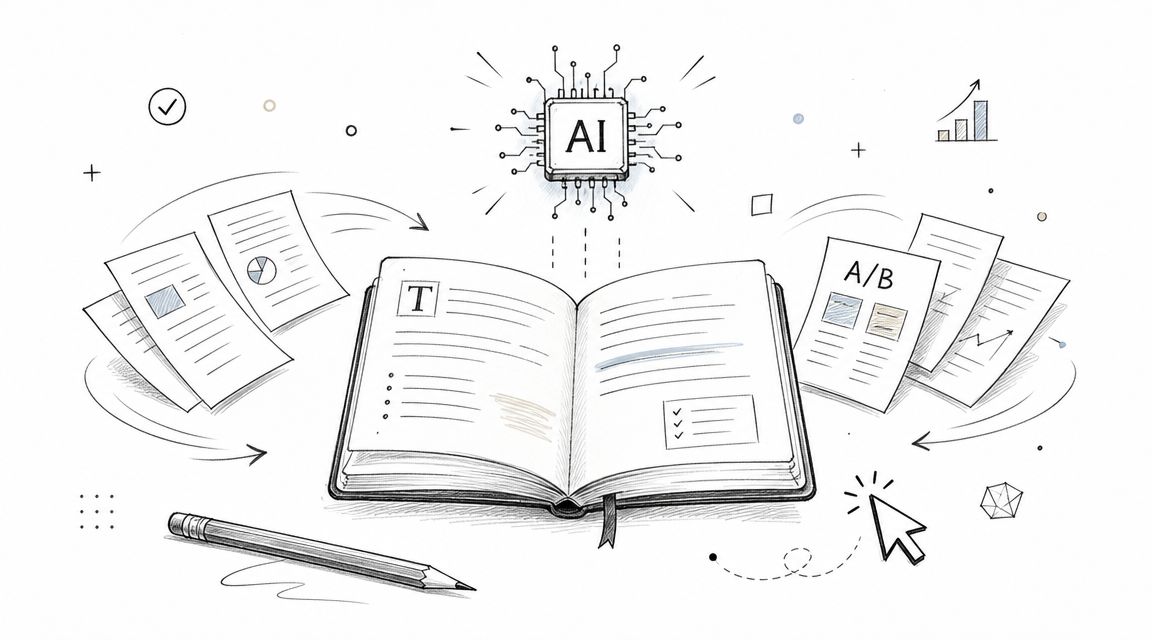
Solution: Use AI to generate first drafts, rewrite variants, summarize source material, and scale low-risk content production.
Tech: ChatGPT, Jasper, Copy.ai, Grammarly, workflow tools, and approval processes. If you're evaluating the language side of this category, it helps to understand what natural language processing is.
Benefits: Faster production, more test variants, lower friction for repetitive writing, and better support for lean marketing teams.
A practical use case is Shopify product content. Teams often use AI for draft generation and then layer in brand voice, product specifics, and fact checks before publishing. This walkthrough on AI article generation for Shopify stores shows why the workflow matters as much as the model.
What good teams do differently
They separate content by risk level.
- Low-risk content: Meta descriptions, ad variants, product bullets, and internal summaries are strong automation candidates.
- Medium-risk content: Blog drafts and email campaigns benefit from AI, but need editing and verification.
- High-risk content: Core brand pages, regulated topics, and thought leadership should stay human-led.
What doesn't work is asking AI to invent expertise your company doesn't have. Use it to accelerate expression, not to fake experience.
8. Fraud Detection and Prevention
Fraud detection is a pattern-recognition problem with real business consequences. Human reviewers can catch obvious issues, but they can't watch every transaction, login, and device signal in real time. AI can.
For retailers, payment platforms, and financial services teams, the goal isn't solely to block suspicious behavior. It's to block bad behavior without punishing legitimate customers. That trade-off is what makes fraud automation valuable and tricky at the same time.
Strategic blueprint
Problem: Manual review is slow, expensive, and often too late to stop account takeover or transaction abuse.
Solution: Use AI models to detect anomalies, score risk, and trigger the right level of friction, from silent monitoring to step-up verification.
Tech: Transaction data, device fingerprinting, behavioral analytics, login signals, payment processor integrations, and rules engines.
Benefits: Faster detection, lower manual review volume, more consistent risk assessment, and stronger protection during high-volume periods.
Stripe, PayPal, Square, and Kount all operate in this space with machine-learning-driven risk systems. The logic is familiar even if your stack is smaller. Look for patterns humans miss across time, geography, order behavior, and account changes.
Operational trade-offs
The mistake I see most often is overcorrection. Teams tighten fraud filters after a painful incident and suddenly good customers hit verification walls or declined orders.
A stronger approach is layered friction.
- Low-risk behavior: Let it pass.
- Unusual but plausible behavior: Add verification.
- High-risk patterns: Hold or route to review.
This works best when security and customer experience teams share the same dashboard and review disputes together. Otherwise one group optimizes for fraud loss while the other absorbs the customer damage.
9. Predictive Maintenance and Equipment Monitoring
In businesses with equipment, downtime usually feels random until you map the signals that came before it. Temperature drift, vibration changes, pressure variance, maintenance history, and operator notes often tell the story early. AI helps connect those dots before failure becomes visible.
This is one of the most practical AI automation examples for manufacturers, logistics operators, facilities teams, and any business with expensive assets. The value isn't abstract. It shows up in fewer emergency repairs, better scheduling, and less disruption to production.
Strategic blueprint
Problem: Teams rely on fixed maintenance schedules or reactive repair, which creates unnecessary work or expensive downtime.
Solution: Use sensor data and historical records to predict likely failures and schedule intervention earlier.
Tech: IoT sensors, SCADA or equipment data, maintenance logs, CMMS platforms, and predictive models.
Benefits: Fewer unplanned outages, better technician scheduling, longer asset life, and clearer maintenance priorities.
A plant might start with one critical line rather than instrumenting every machine at once. A fleet operator might monitor a handful of failure-prone components first. That's usually the right move because predictive maintenance depends on learning from actual operating conditions, not generic vendor assumptions.
Start where failure is expensive
The rollout should follow business impact, not technical curiosity.
Start with the machine that hurts the most when it stops, not the one that's easiest to connect.
The usual pitfall is noisy alerts. If thresholds are too sensitive, maintenance teams stop trusting the system. Pair model outputs with technician feedback early so the alerts become operationally useful, not just statistically interesting.
10. Personalized Recommendation Engines
A customer lands on a large catalog, clicks through three products, hesitates, and leaves. The problem usually is not lack of intent. It is excess choice. Recommendation engines help reduce that decision load by putting the next relevant product, article, video, or offer in front of the user at the right moment.
This use case works best when teams treat it as a business system, not a widget. The goal is not to "add AI recommendations" to a page. The goal is to improve discovery, increase basket size, extend session depth, or recover users who would otherwise stall out.

Strategic blueprint
Problem: Customers face too many options and fail to find the items or content that fit their needs.
Solution: Use recommendation models to serve next-best products, content, bundles, or actions based on behavior, similarity, context, and business rules.
Tech: Browsing events, purchase history, product metadata, collaborative filtering, content-based models, session-based recommendations, and merchandising controls.
Benefits: Better cross-sell performance, higher engagement, faster product discovery, and more relevant experiences across product pages, email, apps, and on-site search.
The implementation path depends on the business model. A Shopify store might start with related products, frequently bought together suggestions, and personalized collection pages. A publisher or media platform might focus on article sequencing, homepage modules, and "watch next" or "read next" placements that keep users engaged without feeling repetitive.
Common pitfalls and how to avoid them
Cold start is the first issue. New users have little history, and new products have little interaction data. The practical fix is to combine personalization with popularity signals, category trends, seasonal logic, and curated placements.
The second issue is feedback loops. If the model keeps showing narrow variants of what a user already clicked, discovery gets worse. Teams see short-term clicks and miss the long-term cost. Broader recommendation sets usually perform better over time because they balance relevance with exploration.
Start with one high-intent surface. Product detail pages, cart pages, and post-purchase emails are often better starting points than trying to personalize the entire site at once. Measure impact against a clear business outcome such as average order value, attachment rate, repeat visits, or content consumption per session.
A useful recommendation engine is part model, part merchandising strategy, and part testing discipline. That mix is what turns an AI example into an implementation that delivers results.
Top 10 AI Automation Use Cases Comparison
| Use Case | Implementation Complexity 🔄 | Resource Requirements 💡 | Expected Outcomes ⭐📊 | Ideal Use Cases 💡 | Key Advantages ⚡ |
|---|---|---|---|---|---|
| Customer Service Chatbots and Virtual Assistants | Moderate–High, NLP models, integration, training | CRM & knowledge base integration, labeled conversation data, dev/ops | ⭐ Reduces support cost ~30–40%; faster response times; higher CSAT 📊 | E‑commerce, publishers, startups needing 24/7 support | ⚡ 24/7 scaling of routine inquiries; frees agents for complex work |
| Automated Email Marketing and Personalization | Moderate, segmentation and ML pipelines | Clean customer data, ESP integrations, analytics | ⭐ Open rates +15–25%, CTR +20–30%; higher conversions 📊 | E‑commerce, publishers, growth marketing teams | ⚡ Automates targeting and timing; scales personalization |
| Intelligent Inventory & Supply Chain Management | High, multi‑system integration, forecasting models | ERP/WMS integration, historical sales data, data scientists | ⭐ Forecast accuracy +20–40%; carrying costs -15–30% 📊 | Retail, e‑commerce, distributors with complex fulfillment | ⚡ Reduces stockouts/excess inventory; improves fulfillment speed |
| SEO Automation & Content Optimization | Low–Moderate, tool integration and workflows | SEO tools, content team, analytics access | ⭐ Cuts SEO labor 50–70%; faster rank improvements 📊 | Publishers, e‑commerce, content marketing teams | ⚡ Automates audits and optimization at scale; identifies opportunities |
| Predictive Analytics for Lead Scoring & Sales Automation | High, custom ML models and CRM alignment | 12+ months sales data, CRM integration, ML expertise | ⭐ Sales productivity +30–40%; conversion +20–30% 📊 | B2B startups, mid‑market sales teams, high‑volume lead flows | ⚡ Prioritizes high‑value leads; shortens sales cycles |
| Dynamic Pricing & Revenue Optimization | High, real‑time pricing engines, regulatory checks | Real‑time sales/competitor data, pricing platform, legal review | ⭐ Revenue uplift ~5–15%; margin optimization 📊 | Marketplaces, travel/hospitality, subscription platforms | ⚡ Reacts to demand quickly; maximizes revenue per user |
| Content Generation & Copywriting Automation | Low–Moderate, prompt engineering and templates | LLM access, editorial review, CMS integration | ⭐ Reduces content time 50–70%; scales output 📊 | Publishers, e‑commerce product pages, marketing teams | ⚡ Speeds content production; ensures consistency across channels |
| Fraud Detection & Prevention | High, real‑time models, security integration | Transaction logs, device data, payment gateway integration | ⭐ Reduces fraud losses 50–80%; faster detection 📊 | E‑commerce, marketplaces, financial services | ⚡ Real‑time protection; lowers chargebacks and fraud cost |
| Predictive Maintenance & Equipment Monitoring | High, IoT, sensor networks, specialized models | IoT sensors, CMMS integration, historical failure data | ⭐ Downtime -40–60%; maintenance cost -20–30% 📊 | Manufacturing, infrastructure, operations‑heavy businesses | ⚡ Prevents unplanned outages; optimizes maintenance schedules |
| Personalized Recommendation Engines | Moderate–High, hybrid models and real‑time systems | User behavior data, product catalog, compute resources | ⭐ AOV +15–30%; higher engagement and retention 📊 | E‑commerce, streaming/content platforms, publishers | ⚡ Boosts cross‑sell/upsell; personalizes at scale |
Your Next Step From Examples to Implementation
A team sees a strong demo, picks a tool, and expects quick wins. Three weeks later, the process still stalls because no one agreed on the handoffs, exception rules, or approval path. That pattern is common in AI projects.
Examples help with inspiration. Implementation starts with process definition. Businesses usually get stuck for a simpler reason than model quality. The workflow is inconsistent, undocumented, or dependent on tribal knowledge that never made it into a standard operating procedure. Coverage of agentic AI keeps returning to the same operational constraints, and this discussion of business uses of AI automation gets the core point right. Data quality, change management, and realistic scope shape outcomes as much as the model choice.
The practical starting point is small and specific. Choose one workflow with clear inputs, a repeatable decision path, and a measurable output. Customer service FAQs fit that pattern. So do email segmentation, lead qualification, recommendation logic, and routine content production. A first deployment should answer six basic questions: what problem it solves, what the automated solution does, what tech it needs, what benefit matters, how to implement it safely, and where it tends to break. That is the difference between a list of AI automation examples and a rollout plan a team can practically use.
Good early projects share another trait. They tolerate imperfect output. If the system gets 80 percent of the work right and routes the rest for review, the business still saves time without adding much risk. That is often a better first target than a high-stakes workflow that demands near-perfect accuracy on day one.
There are already strong examples of mature deployment in document-heavy environments. JPMorgan Chase has been widely cited for using AI to speed up legal contract review and reduce large volumes of manual analysis. Google Cloud also describes how United Wholesale Mortgage used Vertex AI, Gemini, and BigQuery to automate parts of underwriting and improve underwriter productivity while reducing delays for brokers and borrowers, as described in Google Cloud's collection of generative AI use cases.
The takeaway is straightforward. Do not copy enterprise architecture. Copy the discipline behind it. Start with a defined process, clean inputs, human review at the right checkpoints, and one metric that matters, such as turnaround time, cost per task, or error rate.
If you are deciding where to begin, use a simple screen. Is the work repeated often? Can the process be mapped step by step? Will partial automation free up skilled staff for higher-value work? If the answer is yes to all three, you probably have a solid first use case.
For businesses that want help mapping those opportunities, Up North Media is one option. The agency provides AI consulting and automation services alongside web development and SEO, which is useful when a workflow touches operations, customer experience, and digital systems at the same time.
If you want help turning these AI automation examples into a real rollout plan, Up North Media can help you identify the right workflow, design the implementation, and connect it to the systems your team already uses.