
You're probably seeing AI everywhere right now. One vendor says it will automate your office. Another says it will write your marketing, answer your phones, and predict your next best customer. Then you open one more article, hit terms like neural networks and large language models, and close the tab because it sounds like a computer science lecture.
That reaction makes sense.
Most business owners in Omaha and beyond don't need a grand theory of machines. They need a clear answer to a practical question: What is artificial intelligence, and what can it do for my business without creating chaos, cost, or legal headaches?
The short answer is this. AI is software that helps computers do tasks that usually require human judgment, pattern recognition, language understanding, or decision support. In business, that usually means faster service, better forecasting, less manual work, and more consistent output. It does not mean a robot CEO is about to replace your team.
Feeling Behind on AI You Are Not Alone
A local business owner's version of AI overload usually looks pretty ordinary.
You run a service company, retail store, agency, clinic, or ecommerce brand. You're already juggling payroll, hiring, customer issues, rising costs, and the constant pressure to market better. Then someone tells you your competitors are “using AI.” That phrase is so broad it's almost useless. Does it mean a chatbot on the website? Smarter reporting? Auto-generated product descriptions? Fraud detection? Route planning?
That uncertainty is what makes AI feel bigger and scarier than it is.
Why the confusion happens
Most AI talk gets pushed to two extremes. One side makes it sound like science fiction. The other side makes it sound as easy as flipping a switch. Neither view helps a small or mid-sized business owner make a good decision.
What usually helps is grounding the conversation in actual business tasks:
- Customer service: answering common questions after hours
- Operations: routing jobs, organizing data, flagging issues
- Marketing: drafting content, sorting leads, spotting trends
- Sales: summarizing calls, recommending next steps
- Reporting: turning messy data into usable insight
If you've read about dashboards and smarter reporting, Querio's AI analytics article is a useful primer because it connects AI to business data instead of hype.
Practical rule: If someone can't explain an AI tool in terms of one business problem, one workflow, and one measurable outcome, they're probably selling excitement more than clarity.
You don't need to “catch up” all at once
The owners who get value from AI usually don't start with the flashiest use case. They start with one repeated pain point. Maybe staff spend too much time answering the same questions. Maybe inventory planning is too reactive. Maybe reporting takes half a day every week.
AI becomes manageable when you treat it like any other business tool. Not magic. Not a threat. Just software that can help your people work better when it's applied to the right process.
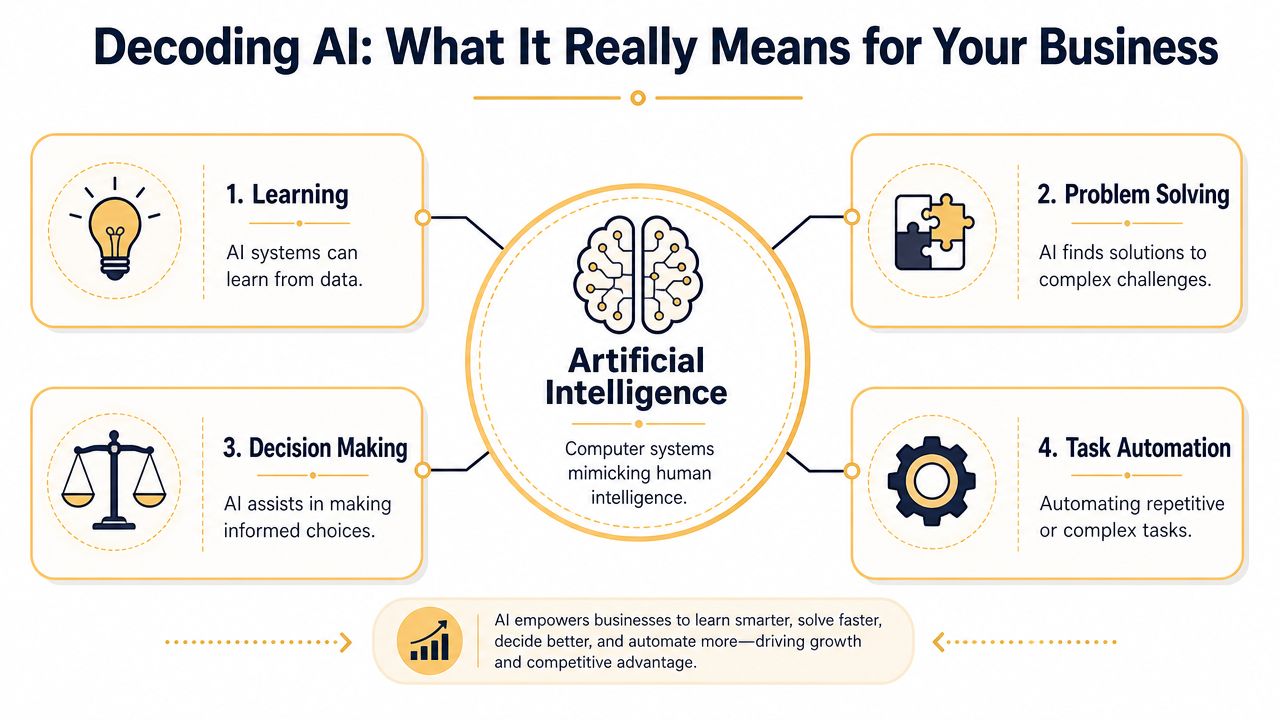
Decoding AI What It Really Means for Your Business
If you want the formal version, the OECD revised its definition in 2023 and describes AI systems as machines that display intelligent behavior by analyzing environments and taking autonomous actions toward specific goals. That same definition separates Weak AI, also called narrow AI, from Strong AI, which is the theoretical idea of a system with broad human-like intelligence. Current commercial use sits firmly in the Weak AI category, according to the OECD-linked definition summary.
The definition that actually helps
For a business owner, artificial intelligence is software that can recognize patterns, learn from data, and assist with decisions or actions inside a defined task.
That last part matters most: inside a defined task.
A helpful analogy is this:
| Tool | What it does | What it doesn't do |
|---|---|---|
| Spreadsheet | Calculates what you tell it to calculate | Think for itself |
| AI tool | Finds patterns, predicts, generates, classifies, or responds within a task | Understand your whole business like a person does |
| Human operator | Brings context, judgment, ethics, accountability, and strategy | Process large volumes of repetitive data as quickly as software |
Narrow AI versus the movie version
Many owners get tripped up at this point. They hear “AI” and imagine a system that thinks like an employee. That's not what most businesses are buying.
Narrow AI is more like a specialist.
- A chatbot can answer common support questions.
- A recommendation engine can suggest products.
- A scheduling tool can optimize appointments.
- A fraud model can flag suspicious transactions.
Each of those systems can be useful. None of them “understands everything.”
That's why human review still matters, especially in areas like pricing, compliance, hiring, finance, and customer communication. AI can support those workflows. It shouldn't own them without guardrails.
If you want a business-first look at where this support shows up day to day, this overview of the benefits of AI in the workplace is a practical next step.
AI works best as a strong specialist. It does not replace leadership, taste, accountability, or common sense.
From Sci-Fi Concepts to Modern Business Tools
AI feels sudden because the current wave moved fast. The field itself didn't.
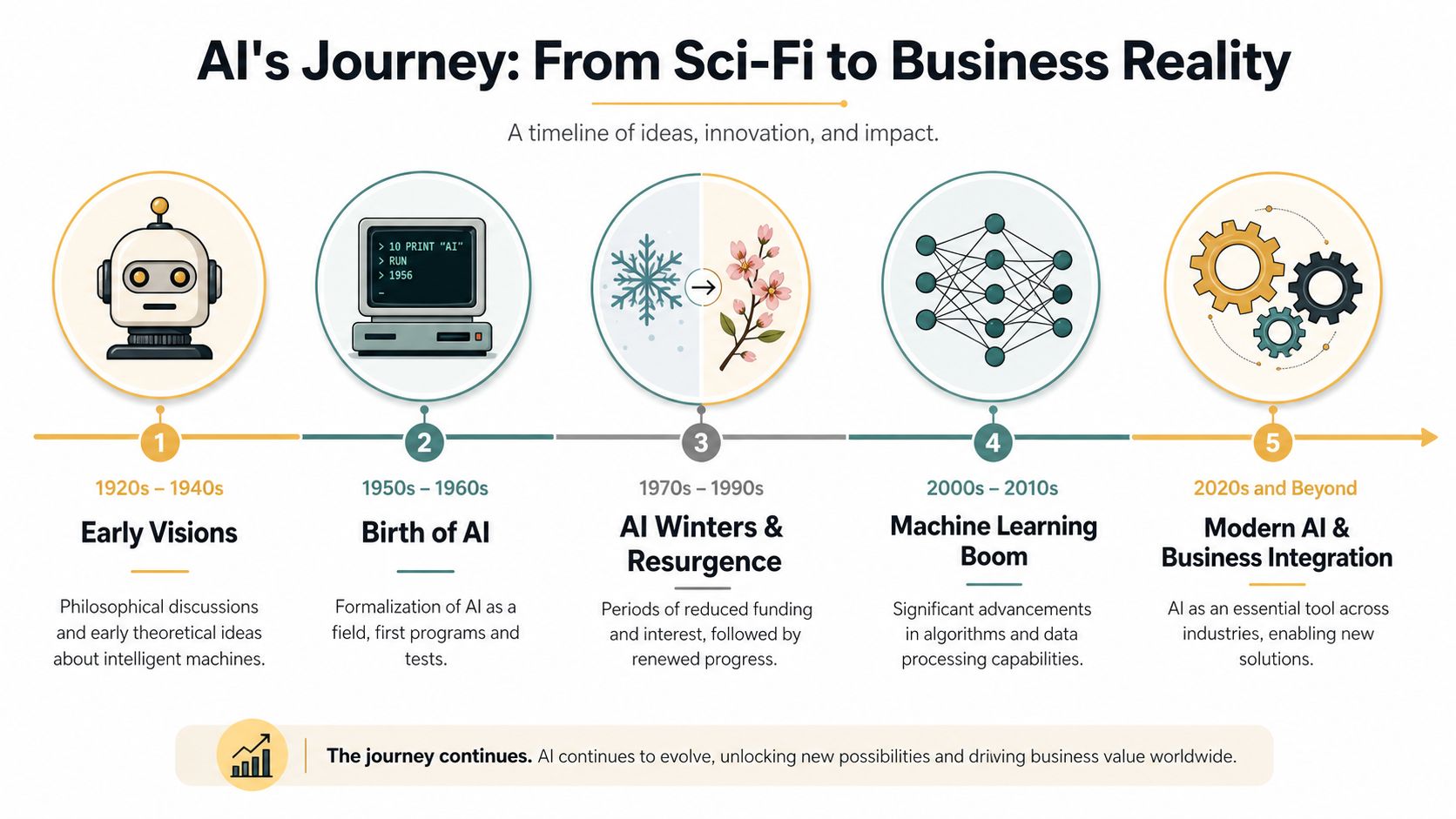
Artificial intelligence was formally founded as an academic discipline in 1956 at the Dartmouth Workshop, where the term entered the field in a structured way. After that, AI went through waves of excitement and disappointment, including periods often called AI winters, before a major turning point around 2012, when deep learning powered by GPUs began outperforming earlier techniques. That shift helped launch the modern AI era, as summarized in the history of artificial intelligence.
Why this history matters to SMBs
You don't need the full academic timeline. You do need the takeaway.
AI is not a brand-new fad that appeared last week. It's a field that spent decades maturing. Early systems were rigid and limited. Newer systems got much better because computing power improved, data became more available, and modern models learned patterns from large datasets much more effectively.
That history explains two things business owners notice today:
- Why AI tools suddenly seem more usable
- Why there's still so much noise around them
A technology can be real and useful while still being oversold. That's exactly where AI sits for many SMBs.
The business shift
Years ago, AI mostly lived in research labs or giant enterprise stacks. Now it shows up in software your team already touches: customer service platforms, CRMs, ad tools, analytics dashboards, ecommerce systems, and scheduling software.
That doesn't mean every AI feature is worth paying for. It means the category has moved from theory into normal business software. For an owner, that's the significant milestone.
The Core Components of Modern AI
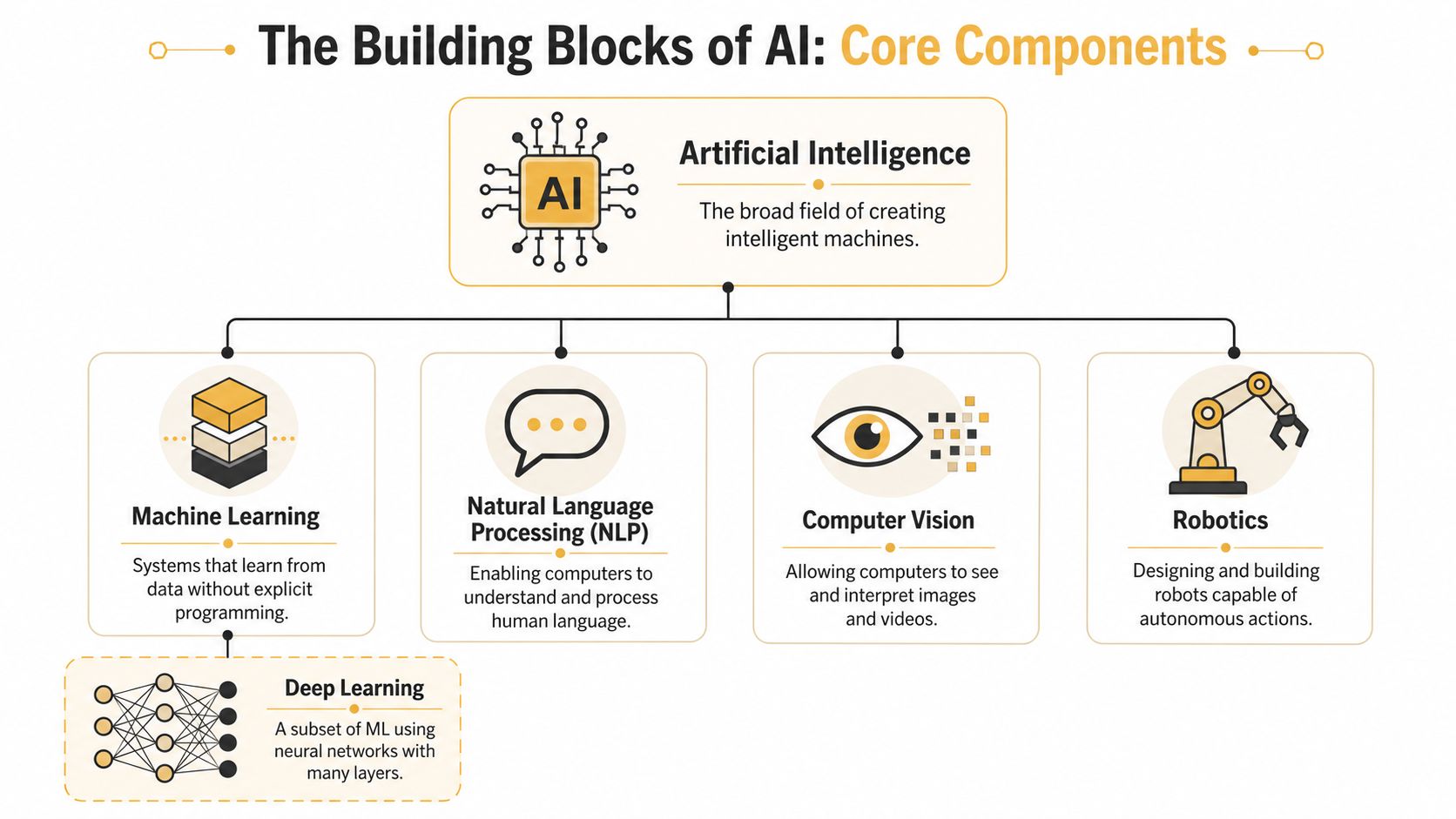
“AI” is an umbrella term. If you stop there, every tool starts sounding the same. It helps to break the category into the parts businesses use.
Machine learning
Machine learning is the part of AI that learns from data instead of following only hand-written rules.
A simple business example is demand forecasting. If you run an online store, a machine learning model can look at past sales patterns, seasonality, and product behavior to help you estimate what you may need to stock. If you run a service business, it can help spot which leads tend to turn into actual jobs.
This is often the most practical form of AI for SMBs because many business questions are really pattern questions.
Deep learning
Deep learning is a more advanced subset of machine learning. It uses layered neural networks to handle more complex pattern recognition.
You'll run into deep learning when software needs to work with messy, high-volume inputs like text, audio, or images. That's part of why modern voice tools, image tools, and generative AI systems improved so quickly in recent years.
For a business owner, the practical takeaway is simple. If a tool can interpret a product photo, summarize a long conversation, or detect unusual behavior across a large stream of activity, there's a good chance deep learning is somewhere under the hood.
Natural language processing
Natural language processing, often shortened to NLP, helps computers work with human language.
This shows up in:
- Chatbots: handling simple support questions
- Email classification: sorting inbound messages by intent
- Call summaries: turning conversations into notes and action items
- Review analysis: spotting customer sentiment and recurring complaints
- Search tools: helping staff find answers inside documents
If your team spends time reading, writing, tagging, searching, or responding to text, NLP is often the AI category that matters most.
A lot of “AI” value is really language value. If the work involves words, there's often room to automate part of it.
Computer vision
Computer vision allows software to interpret images and video.
Manufacturers use it for quality checks. Warehouses use it for item recognition. Retailers can use image-based tagging. Property managers can use it to help organize inspection photos. Healthcare and construction teams use visual systems to help sort, flag, or compare image data.
Computer vision sounds advanced, but the business question behind it is straightforward: can a camera feed or image library help your team make decisions faster?
The training, tuning, and output cycle
Modern AI systems, especially generative AI, often follow a three-phase architecture: training, tuning, and generation with evaluation. During training, algorithms ingest massive amounts of data to create a foundation model. Tuning adapts that model for a specific use case. Then the system generates outputs that are evaluated and refined. IBM's overview also notes that model performance depends directly on data volume and quality during training, which is why bad data leads to worse results in production, as explained in IBM's summary of how artificial intelligence systems work.
Why data quality matters more than demos
Demos fool people at this point.
An AI tool can look polished in a sales presentation and still perform poorly inside your business if your data is messy, incomplete, inconsistent, or disconnected across systems.
A quick way to grasp this:
| If your data is... | Your AI output is more likely to be... |
|---|---|
| Clean and relevant | Useful, consistent, easier to trust |
| Scattered across tools | Incomplete or hard to operationalize |
| Biased or outdated | Misleading, unfair, or low-confidence |
| Unstructured and unmanaged | Expensive to clean up later |
That's why smart adoption usually starts with workflow clarity and data readiness, not a shopping spree for AI tools.
AI in Action Real-World Examples for SMBs
The easiest way to understand what artificial intelligence is, is to look at it doing work you already recognize.
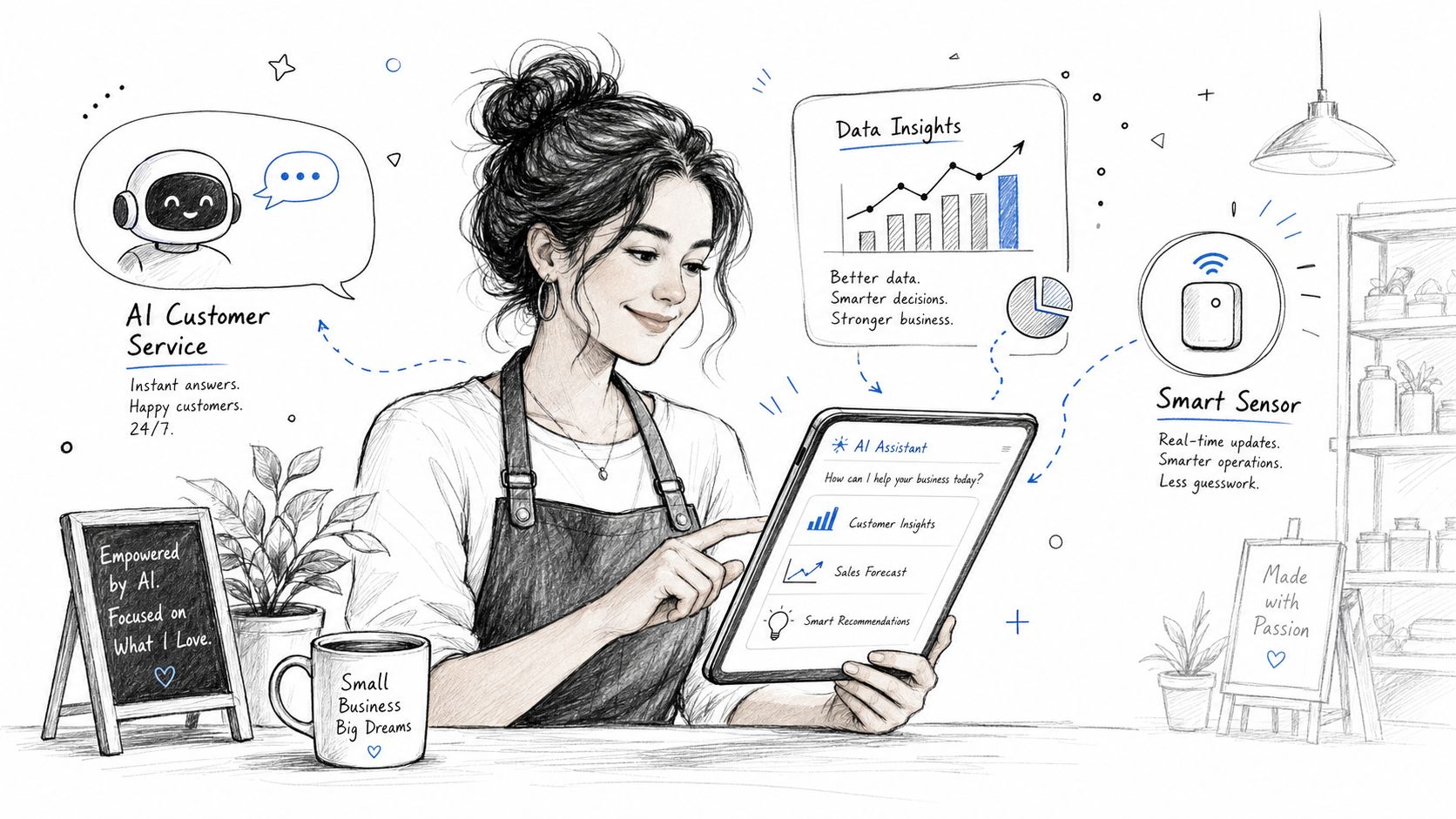
One important boundary comes first. 90% of current AI use cases are narrow AI, focused on specific jobs like fraud detection or content personalization, and businesses remain legally responsible for the outputs those systems produce, according to Quiq's discussion of common AI questions for businesses.
That matters because the right use cases are usually narrow, boring, and profitable.
Ecommerce store example
An online retailer often faces three recurring problems: too many products, uneven conversion rates, and limited staff time for merchandising.
AI can help in a few targeted ways:
- Product recommendations: suggesting related items based on browsing or purchase behavior
- Catalog support: drafting product descriptions or tags for human review
- Customer service: answering common return, shipping, and sizing questions
- Inventory signals: spotting patterns that may point to stock issues or demand shifts
None of that replaces your merchandising strategy. It helps your team spend less time on repetitive catalog and support work.
If you want more examples of where this shows up operationally, these AI automation examples for business workflows map well to the kinds of processes SMBs already have.
Digital publisher example
A publisher or content-heavy site has a different bottleneck. The challenge is usually matching the right content to the right reader, then helping the team move faster without lowering quality.
AI can support:
| Problem | AI-assisted response |
|---|---|
| Readers bounce after one article | Recommend related topics or formats |
| Editors spend time on repetitive formatting | Generate first drafts, summaries, or metadata for review |
| Audience questions pile up | Use an AI assistant to surface relevant content quickly |
| Archive content gets lost | Improve internal search and content tagging |
A publisher still needs editorial judgment. AI can help with sorting, summarizing, classifying, and personalization.
Here's a quick visual overview that shows how many of these use cases fit into everyday business operations.
Local service company example
For an Omaha HVAC company, plumbing shop, med spa, or home services brand, the pain points are usually more operational than flashy.
Think about one day at the office:
- Calls come in before staff are free.
- Dispatch changes because one job runs long.
- Technicians need better notes before arriving.
- Customers want updates without calling twice.
- The owner wants a simple view of what's booked, delayed, and profitable.
AI can help by assisting with appointment intake, message handling, route suggestions, note summarization, and internal reporting. In a local business, those gains matter because the waste usually hides in small delays, duplicated admin work, and inconsistent follow-up.
Local angle: The strongest AI wins for SMBs usually happen in scheduling, service, support, and reporting. They're less glamorous than sci-fi demos, but they improve daily operations fast.
Building the Business Case for AI Investment
The business case for AI gets easier when you separate market momentum from your actual use case.
At the market level, AI is attracting major investment and broad adoption. 77% of companies are already using or exploring AI technologies, and forecasts suggest AI could add $15.7 trillion to the global economy by 2030. The global AI market is also projected to exceed $1.8 trillion by 2030, according to the figures summarized in these AI market and adoption statistics.
Those numbers don't prove your company should buy a tool tomorrow. They do show that AI is no longer fringe.
Where ROI usually comes from
For SMBs, the return often shows up in four buckets:
- Labor efficiency: staff spend less time on repetitive tasks like sorting emails, summarizing notes, or drafting routine responses
- Faster decisions: reporting gets easier to understand and act on
- Better customer experience: people get answers faster and with more consistency
- Revenue support: recommendations, personalization, and follow-up systems can help teams convert more of the demand they already have
The strongest business case usually comes from a workflow where labor is repeated often, mistakes are common, and speed matters.
The risks are real too
AI isn't just a software purchase. It can create operational and legal exposure if it's deployed carelessly.
Common issues include:
- Poor data quality: bad inputs produce unreliable outputs
- Privacy concerns: customer or employee data needs clear handling rules
- Bias and fairness problems: especially where decisions affect people directly
- Over-automation: teams trust the tool too much and stop checking the work
- Integration headaches: the tool works in isolation but not in your actual workflow
A balanced decision looks like this:
| Good reason to adopt | Bad reason to adopt |
|---|---|
| A specific workflow is costly, repetitive, and measurable | Everyone else is talking about AI |
| Your team has the data and process discipline to support it | You hope AI will fix unclear operations |
| Human oversight will remain in place | You want software to remove accountability |
| A pilot can prove value before expansion | You plan to roll it out everywhere at once |
The owners who make smart AI investments usually act like operators, not trend chasers. They tie AI to a bottleneck, define success in advance, and keep a human in the loop where judgment matters.
Your Roadmap to AI Adoption and How We Can Help
Most SMBs don't need an “AI strategy” binder. They need a simple starting sequence that reduces risk.
Start with one business problem
Don't begin with a tool. Begin with a pain point.
It could be slow response times, bloated admin work, inconsistent reporting, or too much manual content production. A focused starting point leads to better tool choices and cleaner implementation.
Run a small pilot
Choose one workflow and test it in a controlled way. Keep the scope tight. Decide who reviews the output, what success looks like, and what happens if the system gets something wrong.
For owners who want a broader self-education resource first, the AI Academy AI business guide is a helpful overview of how business teams can approach learning and adoption.
Scale only after the workflow proves itself
Once a pilot works, document the process. Tighten the guardrails. Train the team. Then extend it to the next adjacent workflow instead of trying to transform the entire company at once.
A practical implementation plan usually includes process mapping, tool evaluation, data review, human oversight rules, and rollout support. If you want a more concrete checklist, this guide on how to implement AI in business lays out the sequence clearly. For companies that want outside help, Up North Media provides AI consulting that focuses on implementation and automation tied to business workflows.
If you want help figuring out where AI fits in your business, Up North Media can help you evaluate use cases, map the right workflow, and build a practical rollout plan around your actual operations.