
In 2024, generative AI assisted an estimated 0.5% to 3.5% of all U.S. work hours, and the Federal Reserve Bank of St. Louis estimate put the possible labor productivity gain at 0.1% to 0.9% at then-current usage levels. That represents a common gap in realizing full impact. A tool can feel fast in one task and still move the whole business very little.
AI for operational efficiency works when you separate those two levels. Task-level time saved isn't the same as company-level profit, and the distance between them is process design, checking time, and rework. I would start where the work is frequent, measurable, and forgiving of a wrong draft, then prove the workflow moved before you scale anything.
Efficiency Gains by Function at a Glance
In 2024, 90% of knowledge workers using AI said it helped them save time, according to Microsoft's 2024 Work Trend Index, based on a survey of 31,000 workers across 31 markets. That finding shows why workers keep using AI. It does not show whether those saved minutes reduce costs or increase revenue.
Time saved is an input. Profit depends on what happens next: whether the time supports more billable work, faster delivery, fewer errors, or a lower cost per transaction. If an hour sits idle or gets spent correcting AI output, the task may be faster without making the business more efficient.
How to read the table
Customer support has published figures tied to a defined workflow. For finance, operations, and HR, use the listed measures to establish a baseline before estimating gains. The table separates reported results from the measures each team can track for itself.
| Function | Typical AI task | Metric to track | Reported gain |
|---|---|---|---|
| Customer support | Suggested replies and knowledge-base links for agents | Issues resolved per hour, handle time | About 14% more issues resolved per hour; about 9% less time per chat |
| Finance | Invoice data capture, expense categorization, reconciliation drafts | Days to close, exceptions per 100 items | Set a baseline for your workflow, then measure any change |
| Operations | Demand forecasting, reorder alerts, shift scheduling | Stockouts, schedule changes, cycle time | Set a baseline for your workflow, then measure any change |
| HR | Onboarding document collection, leave-request routing, screening shortlists | Days to hire, onboarding task completion rate | Set a baseline for your workflow, then measure any change |
| Cross-functional | Drafting and summarizing internal documents | Time per document, weekly hours saved | 90% of knowledge workers said AI saved time (Microsoft 2024) |
For HR tasks such as leave routing, clean approval steps make automation easier to manage. Tips for improving operational efficiency cover practical scheduling and approval habits that support consistent workflows. Set the routing rules before automating them; a clear approval path gives the tool less room to send requests in the wrong direction.
Reading rule: A missing reported gain is a reason to measure before budgeting savings. Track the baseline and check whether the change holds without lowering quality.
Use the table to choose one function and its relevant measure. Count the time spent checking output and handling exceptions, not only the time saved on the AI-assisted task. Call the pilot a gain only when the metric improves and quality holds.
What Efficiency Means Inside a Workflow
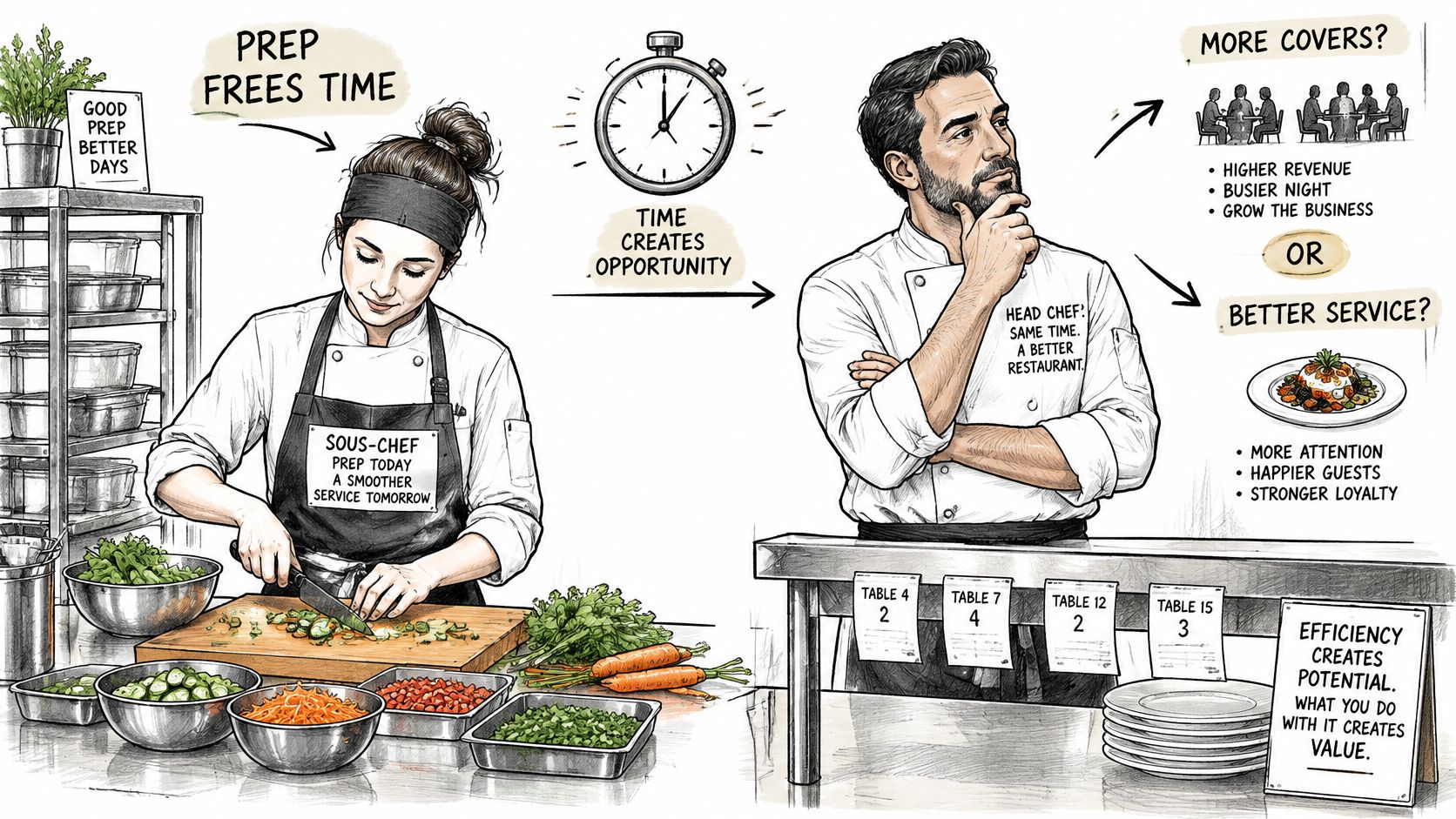
A sous-chef who preps vegetables doesn't make a restaurant more profitable on their own. The head chef has to use the freed time for more covers, better plates, or a shorter ticket time. If service stays the same, you've just moved work around the kitchen.
The prep analogy shows where time can turn into capacity if the rest of the line is ready.
Three levers, three different numbers
- Less time per task: Drafting, summarizing, and data capture shorten one step. Track minutes per item.
- Fewer errors and less rework: Better first drafts and consistent categorization cut corrections later. Track returns and exceptions.
- More capacity without more hours: The same team clears more volume. Track completed, quality-checked items per week.
Each lever can move while the others don't. Faster drafting with more corrections is not a gain. More volume with the same error rate may be.
McKinsey's 2025 State of AI survey reported that 80% of respondents said their organizations set efficiency as an objective for AI initiatives, but only 39% said AI had produced any level of enterprise-wide EBIT impact, and most of that group attributed less than 5% of organizational EBIT to AI. Cost benefits showed up more often inside single functions, particularly software engineering, manufacturing, and information technology.
That split is normal early on. Scaling a local gain means changing processes, data systems, governance, and staff practices together. A second check points the same way. In the 2025 PwC Ireland CEO Survey, 44% of business leaders reported workforce-efficiency gains from AI, while 24% reported increased profitability.
If a task gets faster but nothing else in the workflow changes, expect a local gain. Don't forecast a company-wide one.
For a small business, measure processing time, service cost, error count, and output per person first. Estimate profit only after those workflow numbers move and stay moved.
Customer Support Gains and Who Benefits Most
Say a support queue has two agents side by side. One has handled password resets and billing questions for years. The other started last month and still searches the help center mid-chat. That experience gap is where an assistant changes the day most.
The queue view below shows the before and after flow that makes the numbers easier to picture.
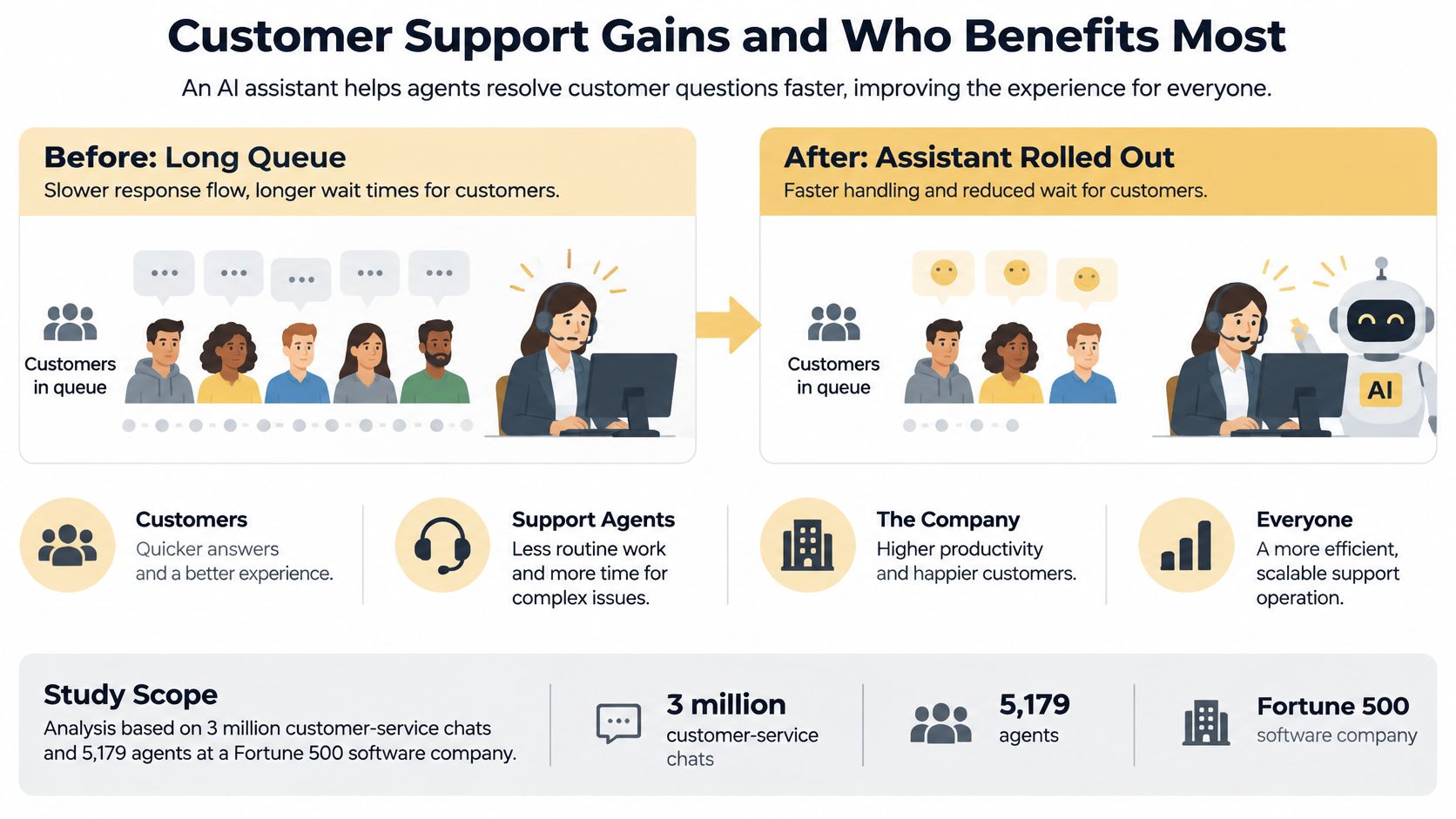
The NBER field study of generative AI in customer support analyzed approximately 3 million customer-service chats involving 5,179 agents at a Fortune 500 software company during the tool's rollout in 2020 and 2021. The assistant supplied real-time conversational suggestions and links to relevant resources, and agents decided whether to use them. Access increased customer issues resolved per hour by 13.8%.
Where the time actually came from
Agents spent about 9% less time per chat, handled approximately 14% more chats per hour, and successfully resolved about 1.3% more chats overall. The gain wasn't magic. The assistant put a usable draft and the right resource in front of the agent at the moment of need, so less time went to searching and typing from scratch.
The effect was uneven, and that's the most useful part. Less experienced and lower-performing workers gained as much as 35%, while the most experienced or highest-performing workers experienced little to no improvement and, in some cases, small declines in conversation quality. Within four months, AI-assisted agents were outperforming unaided employees with more than twice their tenure.
For a walkthrough of agent-assist versus fully automated replies, the video below is worth watching before you choose how much control to hand over.
What a small team should copy
Start with one queue of repetitive questions, not your hardest escalations. Let the tool suggest rather than send, so agents keep judgment and tone. Sample replies for quality every week, and pay special attention to senior staff, whose habits may not need the help and whose quality can slip if they lean on generic drafts.
If you're mapping that first queue, this guide on how to automate customer service in stages helps you separate suggestion, approval, and full automation. Track resolution volume, handling time, quality, and worker experience together. A single productivity number will hide exactly the trade-off you need to see.
Where Efficiency Breaks Down in Finance, Operations and HR
Say a finance team installs invoice matching. Most invoices clear in seconds, and the queue looks empty for the first time in months. At month-end close, someone finds a small share of mismatched payments posted in the background. The time saved during the month disappears in two days of unwinding entries.
That pattern repeats across functions. The tool handles the ordinary case well and fails on the edge case nobody wrote down. AI for operational efficiency breaks at approvals, messy inputs, and outputs that look finished but aren't.
Finance needs thresholds, not trust
Invoice data capture, expense categorization in tools such as QuickBooks or Xero, and reconciliation drafts are good candidates because the output is checkable. They're dangerous when the tool can post, pay, or close without a person seeing unusual items.
- Set approval thresholds: Route high amounts, new vendors, changed bank details, and duplicate invoice numbers to a named approver.
- Keep an audit trail: Log what the tool extracted, what it changed, and who approved it, so month-end review takes minutes.
- Sample the clean pile: Review a small share of auto-cleared items weekly. Errors hide where nobody looks.
If the checking load grows, some teams add human capacity for exception review before they add more automation, and one option is to hire latin american virtual assistants through LatHire for time-zone-aligned data entry and first-pass review. That only helps if the escalation rules are written first. Extra hands without clear thresholds just move the bottleneck.
Operations fails on stale inputs
Demand forecasts and reorder alerts degrade fast when source data is messy. A supplier changes lead times, a promotion distorts last month's sales, or seasonality shifts, and the forecast keeps recommending last quarter's reality with total confidence.
Check forecasts against actual results every month before you trust reorder alerts. Track stockouts and excess stock separately, because a tool can fix one by causing the other. For shift scheduling, confirm availability data and labor rules are current before the schedule goes out, not after staff start swapping shifts in a group chat.
HR decisions affect people directly
Screening shortlists, onboarding document collection, and leave-request routing save real admin time. They also shape who gets interviewed and how fairly requests are handled. The tool should narrow the list while a person makes the decision.
Review screening outcomes across candidate groups before you rely on the tool. Check whether qualified candidates are being filtered out for formatting, gaps, or nonstandard job titles. For onboarding, automate reminders and document collection freely. Keep a person responsible for confirming right-to-work documents and answering first-week questions.
Rework is the hidden tax. An output that looks finished but needs correction later costs more than the time it saved.
Ask three questions of any tool before it goes live. Where does a human approve? What happens when the input is incomplete? Who notices a wrong output, and how fast? If nobody can answer the third question with a name and a timeframe, you're not ready to launch.
Measure Gains Without Overstating Results
Managers and frontline staff often judge the same rollout differently. In a 2025 EY European AI Barometer survey of 4,942 managers and non-executive employees across nine Western European countries, 57% of managers said AI improved team productivity, compared with 35% of non-executive employees, and just 9% of employees reported a significant improvement. The same study found 56% of organizations had increased profits or reduced costs through AI, but only 24% of respondents said formal AI risk assessments were used for AI-related decisions.
Don't settle that gap with opinions. Measure the work itself, including the checking and correction the dashboard usually ignores.
Four steps before you claim a gain
- Record a pre-AI baseline: Capture cycle time, errors, rework, and cost for the exact workflow before launch.
- Track quality-adjusted throughput: Count items that pass review, not raw drafts produced.
- Log checking time: Have staff note minutes spent reviewing AI output per item, even if it's rough at first.
- Log unintended costs: Record compliance exceptions, complaints, and correction work in the same sheet as the savings.
Metrics and their watch-outs
| Metric | How to measure | Watch-out |
|---|---|---|
| Cycle time | Hours from request to completion, before and after the change | Measuring one step instead of the whole flow |
| Quality-adjusted throughput | Completed items that pass review per week | Raw output can rise while errors rise too |
| Rework rate | Share of items returned for correction | Rework often shows up in a later team, so track it there |
| Employee checking time | Minutes per item spent reviewing AI output | Missed when only tool usage is tracked |
| Compliance exceptions | Errors or policy breaches per month against the pre-AI baseline | Needs a baseline recorded before the change |
| Cost per transaction | Labor plus tool, setup and review cost divided by volume | Leaving out licence and setup costs |
Use a plain spreadsheet if that's what you have. One row per week, one column per metric, and a notes column for exceptions beats a polished dashboard nobody updates. In tools such as HubSpot, Zendesk, QuickBooks, or Monday.com, pull the timestamps you already have instead of asking staff to double-enter data.
Pair every ROI claim with a risk note. If cycle time fell but rework rose, say both. If output rose because staff now check drafts at home, that's workload transfer, not efficiency.
Honest test: Would the gain survive if you counted checking time, licence cost, and downstream corrections? If not, it isn't a gain yet.
Prepare the Process Before Automating
Automating an undocumented process makes its existing problems happen faster. The tool cannot resolve unclear ownership, inconsistent data, or exceptions known only to one person. Those weaknesses can erase task-level time savings before they show up as company-level efficiency.
Process readiness is the harder gap to close. A clear workflow gives automation consistent inputs, defined handoffs, and a way to catch errors before they spread.
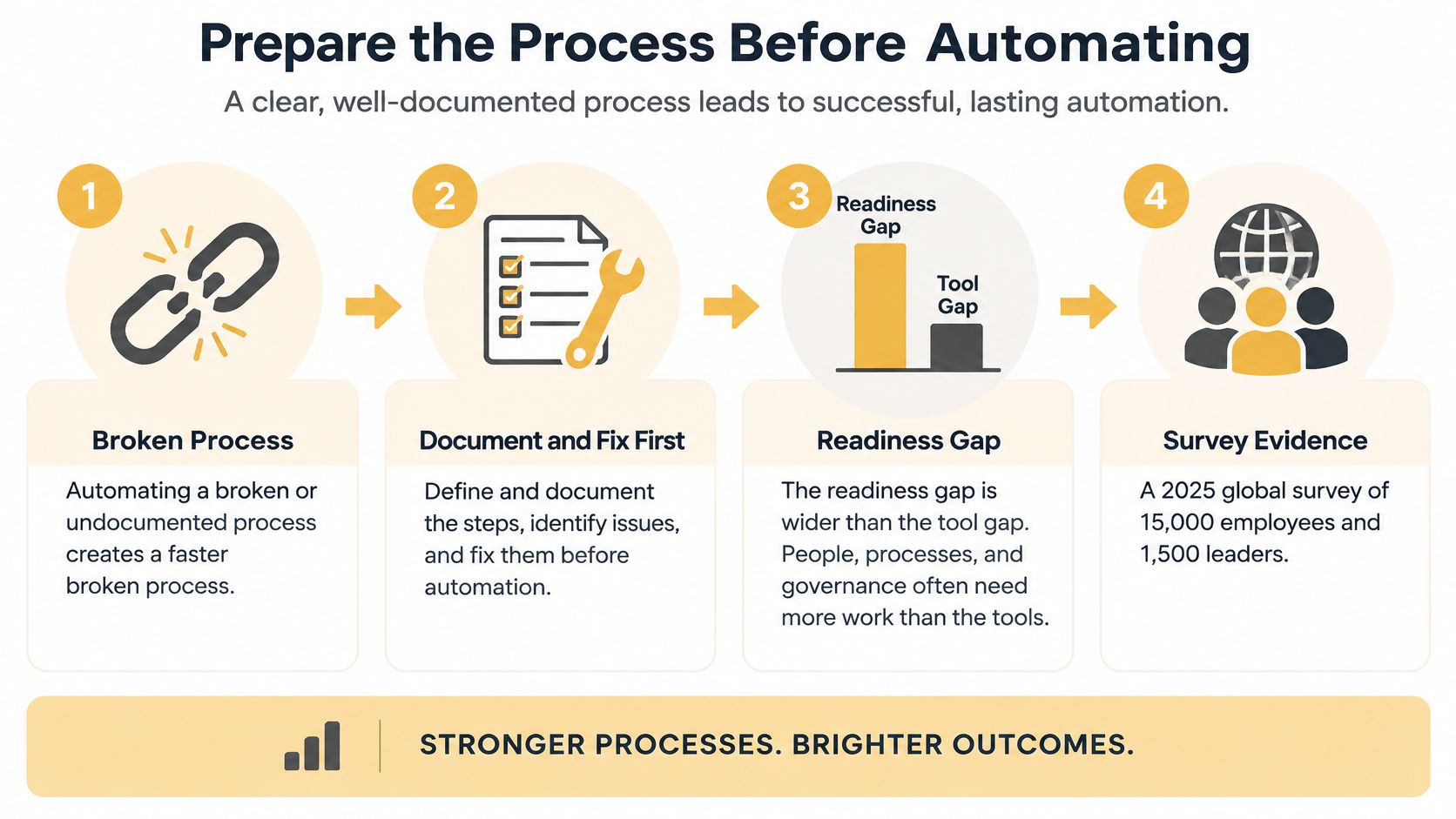
An EY 2025 global survey of 15,000 employees and 1,500 employers found that only 12% of employees received sufficient AI training. In the same survey, 37% worried that overreliance on AI could erode their skills, and 64% perceived increased workloads from pressure to perform.
Those figures point to a practical risk: automation can shorten a task without reducing the work around it. Staff may spend the time saved checking outputs, correcting errors, or handling exceptions. Prepare the process first, then measure whether the time saved reaches the broader workflow.
Six preparation steps in sequence
-
Map the workflow as it runs: Record the actual steps, owners, handoffs, and exceptions. Follow one item from start to finish with the person doing the work. The documented process may omit the unusual cases where automation is most likely to fail.
-
Standardize the data: Set consistent names, formats, and required fields for customers, products, invoices, or tickets. Decide how dates, SKUs, and vendor names should appear. If you leave cleanup until after launch, inconsistent inputs can already have produced unreliable outputs.
-
Assign a named process owner: Give one person authority to approve changes, review results, and pause the tool. Shared ownership can leave nobody responsible when quality falls.
-
Define escalation rules in numbers: Specify which outputs need human review, using an amount, risk level, or confidence threshold, and set a response time. “Review big ones” is too vague to guide staff during a busy period. A clear amount or category gives them a usable rule.
-
Train staff to supervise output: Teach people to recognize errors as well as approve routine results. Use examples such as a bad invoice match, a weak support draft, or a biased shortlist. Repeat training when staff or inputs change, rather than treating launch as the final lesson.
-
Set the review cadence and stop rule: Choose a weekly or monthly review, and define what pauses automation, such as a rise in rework or compliance exceptions. Test the stop rule. A pause process that staff have never used may not work under pressure.
A more advanced agent cannot compensate for skipped preparation. Start with a simple draft tool and a clean, well-owned process. That makes errors easier to trace and shows whether task-level savings are reducing work across the operation.
Quick-Win Automations Small Teams Can Launch First
Choose tasks that are frequent, repetitive, clearly bounded, and low risk if a draft is wrong. A daily task that takes ten minutes is a better first target than a quarterly process that takes two days. You get feedback fast, and a mistake costs a correction, not a client.
That rule also keeps motivation honest. Staff see a result in days, and you learn whether your data and review habits are ready before you touch anything sensitive.
Six practical starting points
| Quick win | Function | Setup effort | Time to first result |
|---|---|---|---|
| Drafted replies for common support questions | Customer support | Low | Days |
| Invoice data capture into accounting | Finance | Low to medium | Weeks |
| Expense receipt categorization | Finance | Low | Days |
| Meeting notes with action-item summaries | Cross-functional | Low | Days |
| Onboarding checklist with document reminders | HR | Low | Weeks |
| Reorder alerts from stock counts | Operations | Medium | Weeks |
Support drafts work well in Zendesk or Intercom when an agent approves every send. Invoice capture and receipt categorization fit naturally alongside QuickBooks or Xero, provided exceptions still route to a person. Meeting summaries from tools such as Microsoft Copilot or Otter save typing, but someone still needs to confirm owners and deadlines before actions enter your task system.
Effort is mostly about data and process clarity, not the AI itself. Reorder alerts sit at medium effort because stock counts must be trustworthy first. Onboarding reminders are easy to start, but they depend on a clean checklist of required documents and a named person chasing gaps.
There's useful overlap with hiring workflows here. HR Management 365's overview of automating hiring across the UK and EU is a helpful reference if you're automating screening or onboarding steps across jurisdictions with different compliance expectations. Keep the human decision point explicit wherever candidates are affected.
For more patterns you can adapt, these workflow automation examples for small teams show how simple triggers and approvals fit together without a full platform rebuild. Don't launch all six at once. Running six pilots means six baselines, six owners, and six chances to confuse cause and effect.
Pick the quick win whose before-state you already measure, such as handle time or invoice processing time. A comparable result beats an estimated one.
Confirm Your First Pilot Before You Scale
Scale a pilot only when the measured workflow outcome moved, quality held, and people keep using the output. Enthusiasm in week one isn't evidence. A tool people bypass by week four hasn't improved operations.
The three gates below give you a clean go or no-go check before you add volume, seats, or departments.
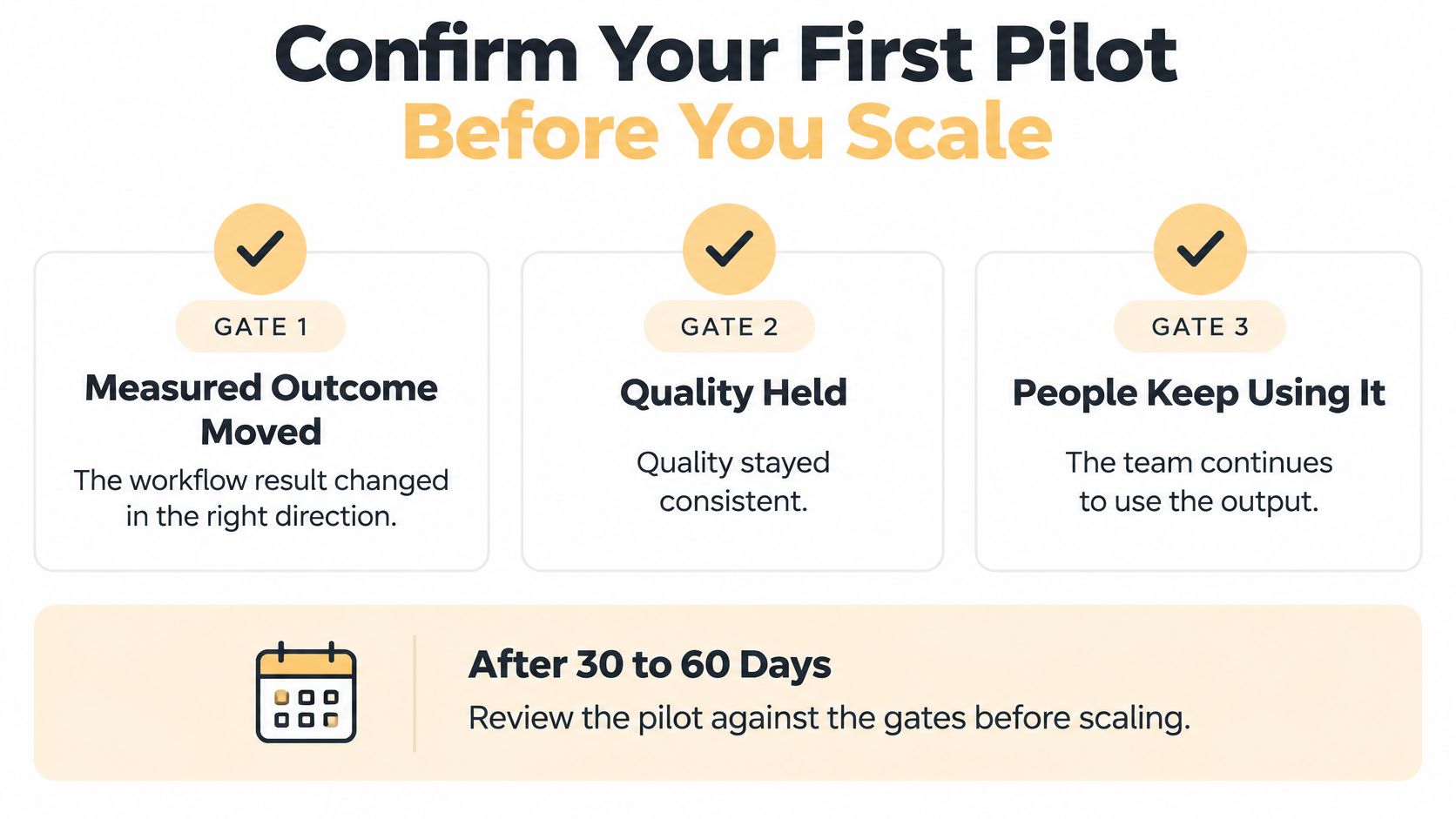
Check three gates after 30 to 60 days
- Outcome gate: Whole-flow cycle time or cost per transaction improved against the baseline, not just one step inside the process.
- Quality gate: Quality-adjusted throughput held or rose, and rework didn't shift cost to another team.
- Use gate: Employee checking time is known, acceptable, and staff still use the output without workarounds.
Confirm two operational points at the same review. A named owner is reviewing results on a fixed cadence, and the stop rule has been tested at least once. If any gate fails, fix the process before adding volume. Scaling a weak pilot multiplies the correction work.
If you want a sequenced plan for what comes after a successful first workflow, this AI implementation roadmap lays out how to expand in stages rather than rolling tools out everywhere at once. A business without spare staff to map workflows, clean data, and build the pilot can bring in an outside partner. Up North Media offers AI consulting that scopes a single workflow before any build begins, which fits this staged approach. Confirm the current offer before you commit budget.
Your next step this week is small. Choose one quick win, record its baseline, name its owner, and run it for a set period before deciding. Efficiency is real when the workflow numbers move and stay moved.
If you want help turning one measured workflow into a working AI pilot, Up North Media offers AI consulting and automation services that scope, build, and monitor custom tools for small and mid-sized businesses. Start with a single process, a clear baseline, and a review date, and visit Up North Media to discuss what that first pilot should be.