
You're answering the same customer questions every day, watching inquiries arrive after business hours, and noticing that promising leads often go cold before anyone on your team can respond. A chatbot can help, but only when it's treated as part of an operating model rather than dropped onto a website as a decorative widget.
A sound chatbot implementation strategy connects a specific business problem to the right conversation design, systems, people, and measurement. The technology matters, but ownership, escalation, knowledge maintenance, and integration usually determine whether the project creates value or becomes another tool nobody trusts.
Why Your Business Needs a Chatbot Strategy Now
Chatbots have moved well beyond scripted FAQ panels. A well-designed assistant can answer routine questions, qualify prospects, collect context before a human conversation, guide customers through self-service, and trigger actions inside business systems. The useful question isn't whether chatbots are fashionable. It's whether your team can serve customers and manage demand effectively without automating the wrong experience.
Adoption has made this decision more urgent. A 2026 survey of enterprise and SMB chatbot adoption reported that 72% of enterprises with more than 500 employees had deployed at least one AI chatbot, up from 53% in 2024. SMB adoption rose from 18% to 41% over the same period. In major markets, the competitive distinction is shifting from first deployment to execution quality.
That doesn't mean you should rush to buy a platform. It means your business needs a clear answer to four questions:
- Which problem comes first? Support volume, lead qualification, product discovery, or internal information access?
- What should the bot handle? Define the requests it can answer confidently and the requests it must transfer.
- Who owns the experience? Someone needs responsibility for content, escalation rules, analytics, and updates.
- How will success be measured? A launch without business metrics creates activity without accountability.
Practical rule: A chatbot should have a job description before it has a brand name.
The strongest projects connect AI activity to business value, rather than measuring success by conversations alone. A resource on how to connect AI strategy to business value can help leadership teams frame the investment around outcomes, responsibilities, and adoption. For customer support specifically, reviewing practical approaches to automating customer service can help you identify repeatable work that's suitable for automation.
Your strategy should also reflect your organization's capacity. A small retailer may need product guidance and order-status support. A professional services firm may need qualification and appointment routing. A larger organization may need separate assistants for customer service, sales, and internal operations. The use case changes, but the principle stays the same: start with a contained workflow, give humans a clear role, and build from evidence.
Laying the Groundwork Before You Build
The most expensive chatbot mistakes usually happen before anyone selects a platform. Teams begin with a vendor demonstration, fall in love with a feature, and then search for a business problem that fits the tool. Reverse that sequence. Start with a customer or employee friction point that already consumes time, delays revenue, or creates avoidable handoffs.
A 2020 study of 103 real-world chatbots found an approximate 51% failure rate, with weak business alignment and poor knowledge design identified as primary causes in the study of chatbot critical success factors. The lesson isn't that chatbots are unreliable by nature. It's that unclear ownership, broad scope, and neglected content can undermine a technically capable system.
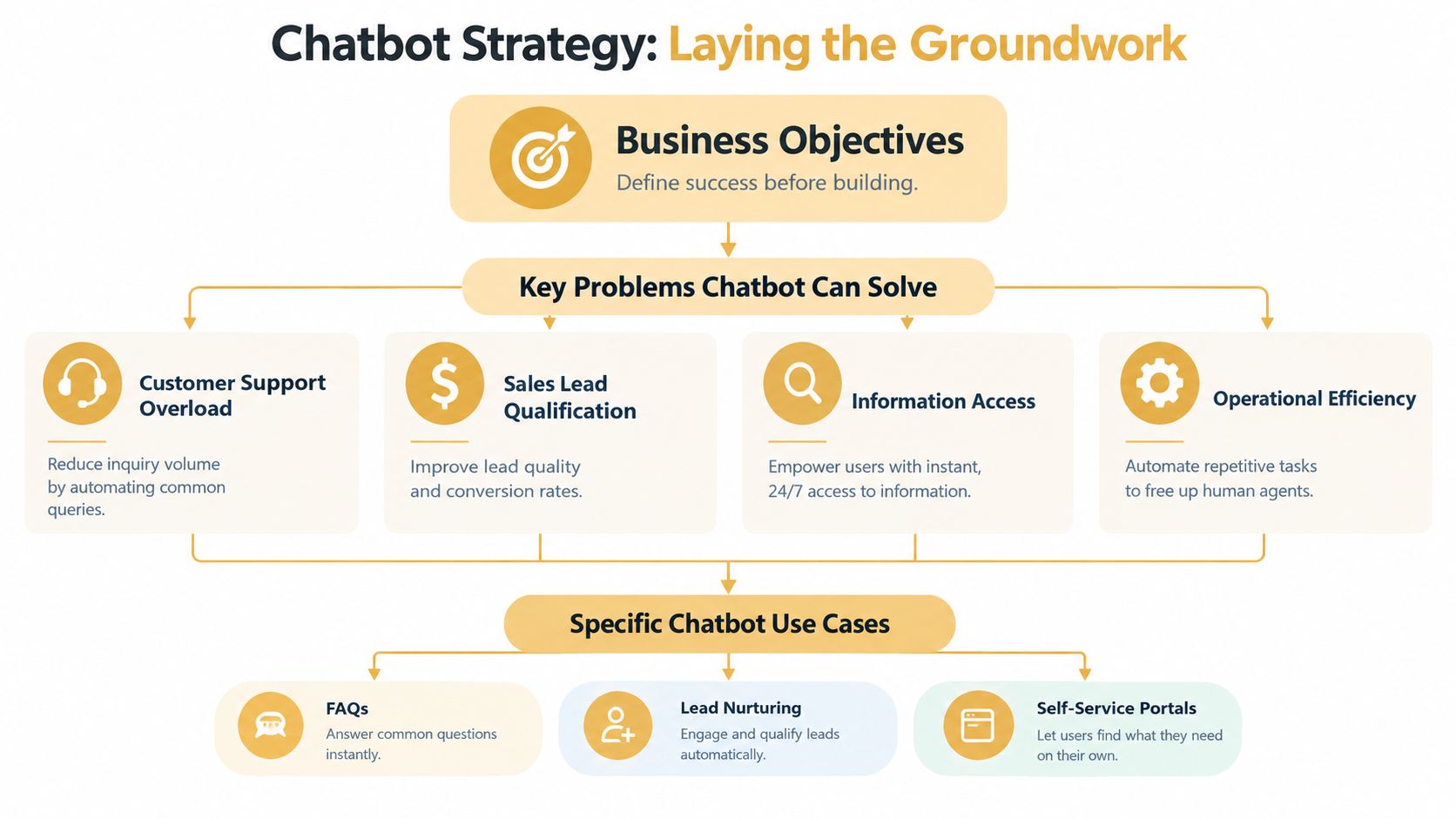
Choose one business problem
List the questions your team handles repeatedly, then separate frequency from business importance. A question may be common but harmless, or less frequent yet closely tied to lost sales. Look for a workflow where the bot can make a clear contribution without needing to understand the entire company.
Good starting points include:
- Customer support overload: Answer documented questions about policies, products, delivery, or account processes.
- Sales lead qualification: Ask qualifying questions, capture contact details, and route suitable prospects to the right person.
- Information access: Help employees or customers find approved information across a controlled knowledge base.
- Operational efficiency: Collect intake details, classify requests, or start a repeatable workflow.
Avoid combining all four in the first release. Each one requires different data, permissions, integrations, and escalation decisions. A support assistant that suddenly starts making sales promises creates confusion. A lead bot that can't pass useful context to sales creates more administrative work instead of less.
Define success before implementation
Write the objective as a business statement, not a technology statement. “Deploy an AI assistant” isn't a success criterion. “Give customers a reliable self-service path for documented order questions” is closer, but you should also specify what the team will measure and what the bot must never do.
Create a simple project brief covering:
- Primary audience: Identify the people who'll use the assistant and their reason for arriving.
- Supported intents: Document the requests the bot can handle using approved information.
- Excluded intents: State which topics require a human, such as disputes, sensitive account matters, or unusual exceptions.
- Business metric: Connect the bot to ticket volume, qualified conversations, completed tasks, or another existing objective.
- Owner: Assign responsibility for content approval, performance review, and escalation changes.
This discipline limits scope creep. It also gives your implementation team a decision filter. If a proposed feature doesn't support the chosen workflow, defer it until the initial system proves useful.
Choosing Your Tech Stack and AI Model
Technology selection becomes easier once the use case is defined. The primary choice isn't “Which chatbot is best?” It's “Which level of complexity can our team operate responsibly?” A simple platform with clear controls may outperform a complex custom system that nobody can maintain.
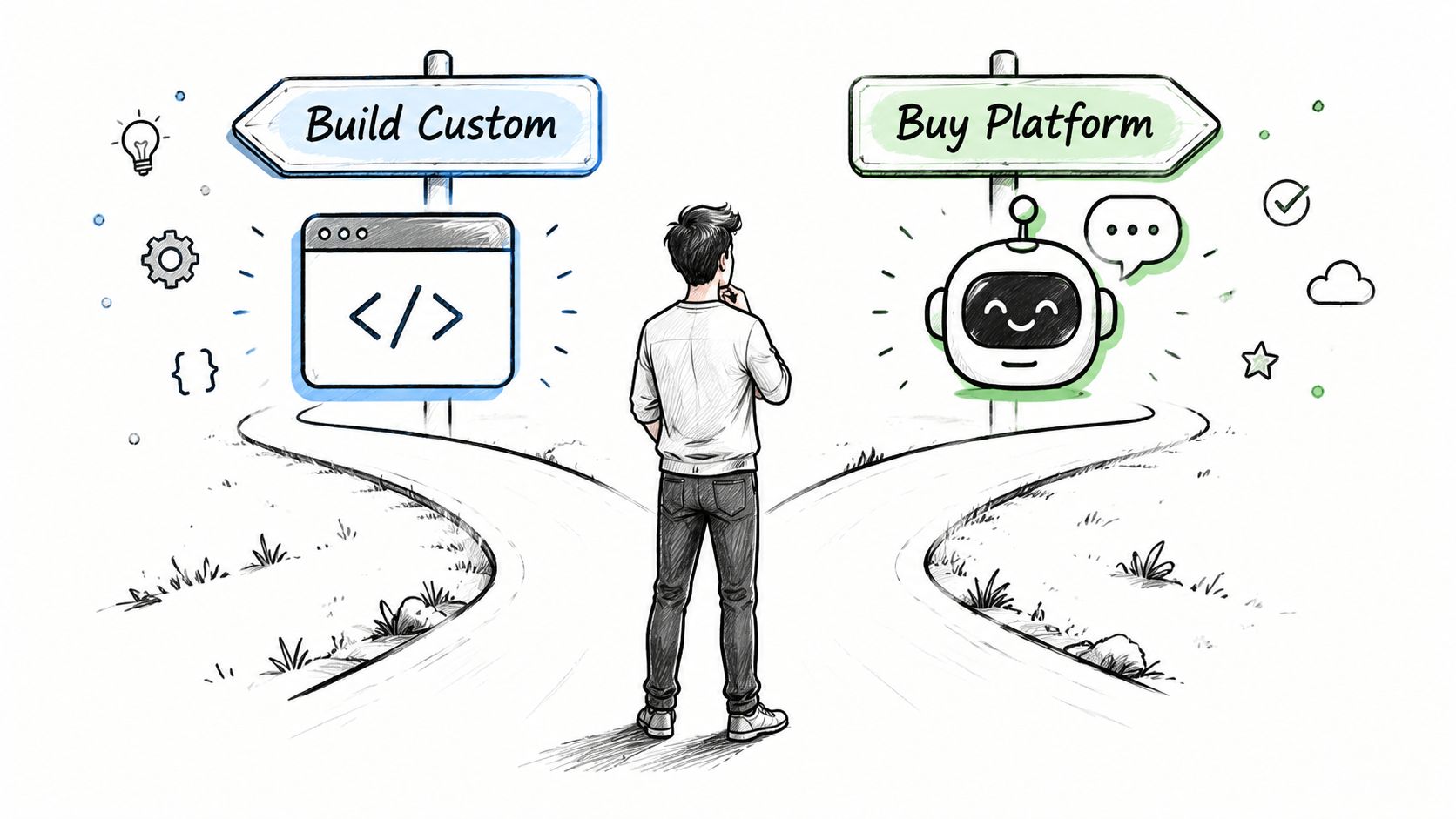
Build or buy
An off-the-shelf platform usually makes sense when you need a contained deployment, have limited engineering capacity, and want built-in conversation management, analytics, and connectors. Tools such as Intercom, Zendesk, HubSpot, and Microsoft Copilot Studio can reduce the amount of infrastructure your team must create and support.
Custom development is more appropriate when the assistant must interact with proprietary systems, apply complex permissions, support unusual workflows, or provide a highly controlled experience. A custom build can give you more flexibility, but it also creates responsibility for security, testing, observability, model changes, and failure handling.
Use these questions to make the decision:
- Timeline: Does the business need a working pilot quickly, or can the project support a longer product cycle?
- Integration depth: Does the bot need to read and write data in a CRM, commerce system, ticketing platform, or internal application?
- Technical ownership: Who will troubleshoot issues, update prompts, manage access, and review logs?
- Governance: What approvals, audit trails, privacy controls, and human review does the use case require?
- Portability: Can you export your content, conversation data, and configuration if the business changes platforms?
A platform may be cheaper to start but restrictive later. Custom software may fit the workflow better but demand more continuing investment. Evaluate the whole operating burden, not only the initial subscription or development estimate.
Rules or AI
Rule-based bots work well when customers follow predictable paths. Menu-driven support for store hours, appointment categories, shipping policies, or document requests can be clear and dependable. They're easier to test, but they struggle when users phrase the same intent in unexpected ways or combine multiple questions.
AI and large language model systems handle natural language more flexibly. They're useful when users describe problems in their own words, when the knowledge base contains substantial documentation, or when the assistant needs to summarize context before escalation. Flexibility introduces risk, so the bot needs approved sources, response boundaries, confidence handling, and a reliable fallback.
A practical implementation often combines both approaches. Use structured flows for actions that require exact information, AI retrieval for approved knowledge, and human transfer for exceptions. Understanding natural language processing in chatbot experiences helps nontechnical stakeholders ask better questions about intent recognition, context, and ambiguity.
A short technical demonstration can clarify how conversational systems behave, but don't let a polished demo replace testing against your own content and workflows.
Designing Conversations and Backend Integrations
A chatbot conversation is a service process expressed through dialogue. Users need to know what the assistant can do, what information it needs, and what happens when the request falls outside its scope. If the bot sounds friendly but cannot complete the underlying task, the tone won't save the experience.
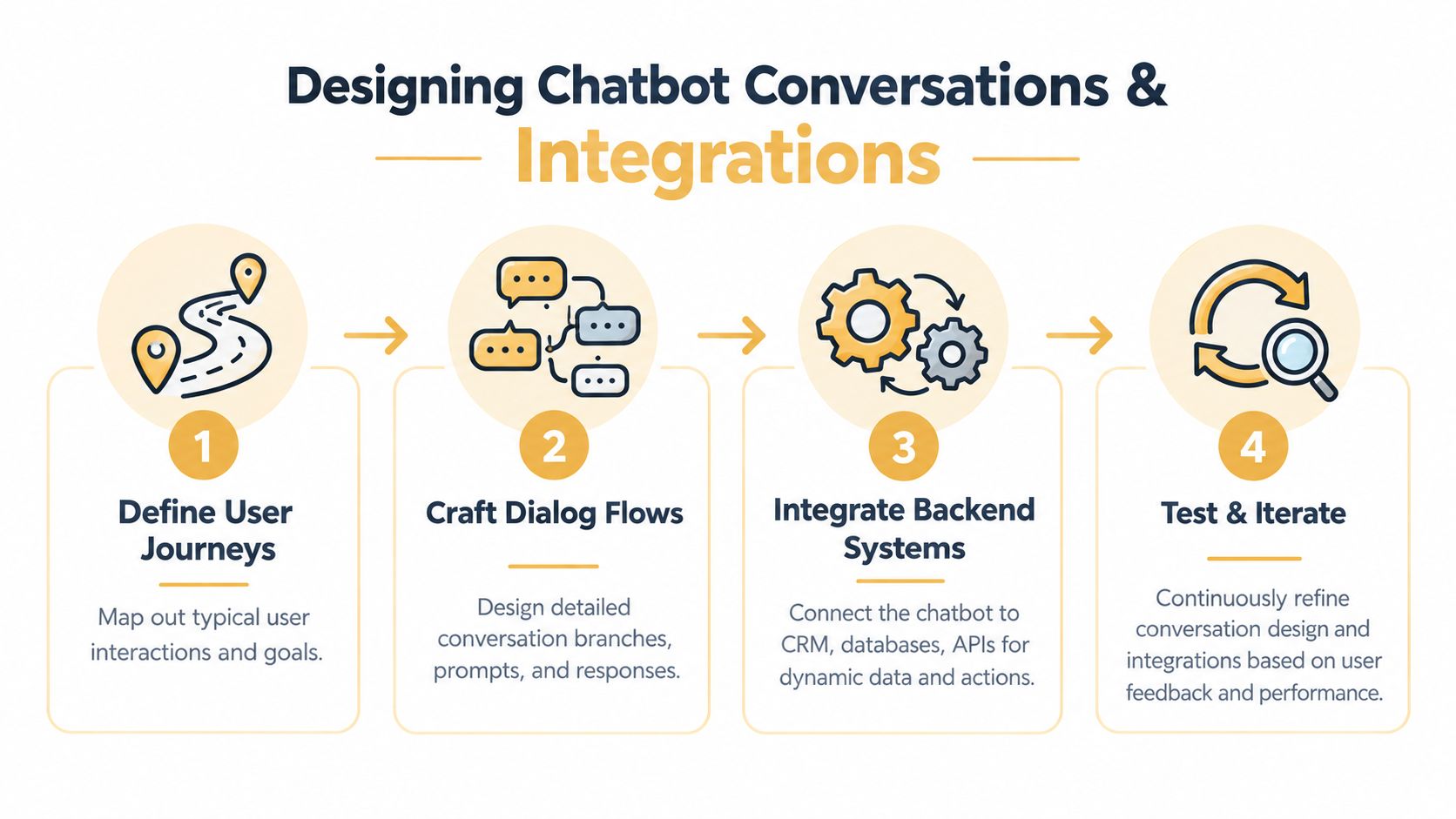
Start by mapping user journeys. For a support assistant, the journey may begin with a policy question, move to an order lookup, and end with a ticket or human transfer. For a lead assistant, the journey may involve qualification, consent to follow up, scheduling, and CRM assignment. Draw the path before writing individual messages.
Make the conversation useful
Give the assistant a clear persona, but don't confuse personality with performance. A professional services firm may prefer concise, calm language. A consumer brand may use a warmer voice. In either case, the bot should state its capabilities plainly and avoid pretending to be human.
Conversation design should account for:
- Recognition: Identify the user's likely intent without forcing them through unnecessary menus.
- Clarification: Ask one useful question when the request is ambiguous.
- Progress: Explain what the bot is doing before requesting sensitive or inconvenient information.
- Recovery: Offer alternatives when the bot can't understand or complete the request.
- Handoff: Transfer the conversation with the user's context intact.
A handoff shouldn't feel like starting over. Pass the transcript, detected intent, customer identifier, and relevant form responses to the agent or ticketing system. Tell the user why a human is needed and what information has already been captured.
Connect the systems that make answers actionable
An FAQ bot can retrieve information. A business assistant can retrieve information and complete work. Connecting the chatbot to a CRM, helpdesk, commerce platform, scheduling system, or internal database allows it to answer questions using current context and initiate the next step.
For example, a lead assistant should create or update a contact record, preserve the qualification answers, and route the conversation according to agreed criteria. A support assistant may need to check order status, create a ticket, or show approved account instructions. Each integration should have defined permissions, error handling, and ownership.
Recent guidance on chatbot implementation and avoiding common pitfalls emphasizes that value depends on system integration, knowledge updates, human handoff protocols, and measurable workflow outcomes. That's why a chatbot disconnected from your operational tools often becomes a dead-end widget.
The best conversation flow is the one that gets the user to a valid next action with the least unnecessary effort.
Document every action the assistant can take, the data it can access, and the conditions that trigger escalation. This documentation becomes essential during testing and when a new employee takes responsibility for the system.
Training Testing and Launching Your Chatbot
Training starts with information quality, not with feeding the bot as much content as possible. Gather the material your assistant is expected to use, then remove obsolete policies, duplicate instructions, contradictory answers, and undocumented exceptions. A smaller approved knowledge base is more useful than a large archive nobody has reviewed.
Useful inputs can include product documentation, support articles, policy pages, internal procedures, and representative conversation examples. Label which information is authoritative, who approves changes, and when the team should review it. If the bot can retrieve an answer, it still needs rules for what to do when the source is missing or conflicting.
Test the complete experience
Internal testing should include people who understand the business and people who don't. Subject-matter experts catch incorrect answers. Unfamiliar testers reveal confusing prompts, hidden assumptions, and language customers use.
Test at least these conditions:
- Common requests: Confirm that the highest-priority intents produce direct, useful answers.
- Unclear wording: Try misspellings, incomplete questions, synonyms, and multiple intents in one message.
- Unsupported requests: Verify that the bot declines gracefully instead of guessing.
- Integration failures: Test unavailable systems, missing records, duplicate submissions, and delayed responses.
- Escalation paths: Confirm that the handoff reaches the correct queue with adequate context.
- Sensitive information: Check that the assistant follows access rules and doesn't expose restricted data.
A controlled beta lets you observe real behavior without making the assistant responsible for every conversation immediately. Select a limited audience or workflow, review transcripts frequently, and give testers a simple way to report incorrect answers and awkward interactions.
Treat launch as a release process
Before expanding availability, create a launch checklist that names the owner, escalation destination, support hours, approved knowledge sources, analytics views, and rollback plan. Train human agents on what the bot promises and how they should handle transferred conversations. If the team isn't prepared for escalations, automation can move the bottleneck rather than remove it.
Use a staged rollout, then compare behavior against the business objective from the groundwork phase. The AI implementation roadmap offers useful context for treating deployment as a managed business change rather than a one-time software installation.
Monitoring Performance and Scaling for Growth
A chatbot's launch date is the beginning of its operating life. Customer language changes, products change, policies change, and integrations fail. Without a named owner reviewing conversations and updating the knowledge base, even a strong initial deployment will gradually lose accuracy.
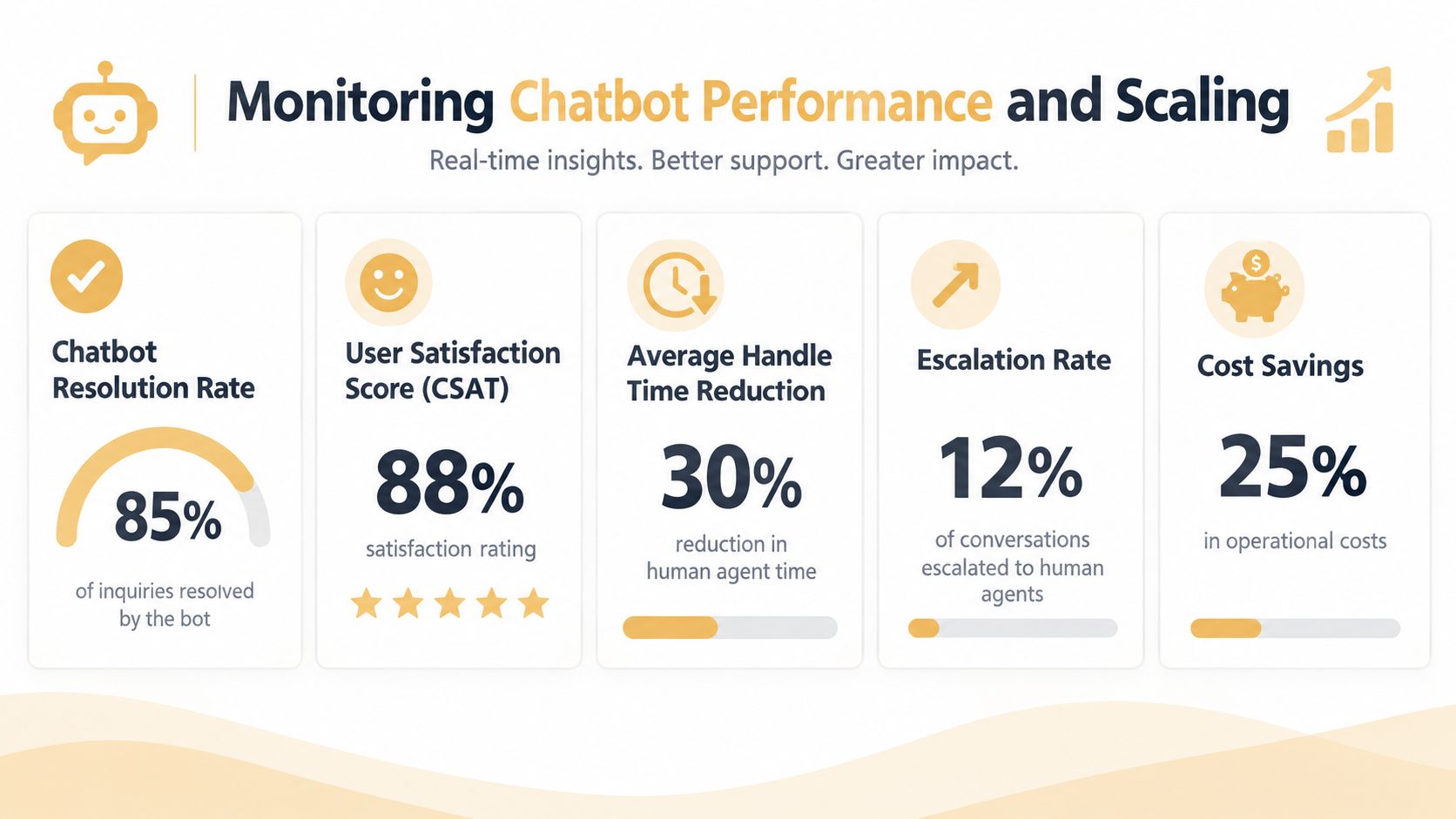
Measure outcomes that correspond to the original business problem. If the assistant was introduced to reduce repetitive support work, review containment, escalation, unresolved intents, and the quality of transferred tickets. If it was created for lead qualification, examine completed qualification flows, routing accuracy, and the usefulness of captured context. Don't celebrate conversation volume if the business result is stagnant.
Track operational health
Production-grade systems commonly monitor containment rate, escalation rate, first-response time, CSAT, and goal-completion rate. Industry guidance suggests a 60 to 80% containment target, a first response time under 5 seconds, and CSAT above 80%, as described in chatbot performance KPI guidance. These are reference points, not universal promises. Your target should reflect the complexity of the workflow and the consequences of an incorrect answer.
| KPI | What it tells you | What to investigate |
|---|---|---|
| Containment rate | Whether users complete their request without a human | Repeated intents, failed actions, and premature transfers |
| Escalation rate | Where the bot's boundaries or knowledge gaps appear | Handoff reasons and queue capacity |
| First-response time | Whether the system feels responsive | Integration latency and technical errors |
| CSAT | How users judge the interaction | Tone, accuracy, effort, and resolution quality |
| Goal completion | Whether the bot supports the intended business outcome | Abandoned flows and unnecessary questions |
Create a maintenance rhythm
Review conversation logs for unanswered questions, repeated fallback messages, incorrect retrieval, and users who rephrase the same request several times. Turn those findings into an update queue. A content owner can revise approved answers, while a technical owner checks integrations, permissions, latency, and failure alerts.
Scaling should follow demonstrated capability, not enthusiasm. Add intents when the existing workflow is stable, the support team understands escalation volume, and the business can maintain new content. Separate assistants may be more appropriate than one general-purpose bot when audiences, permissions, or objectives differ.
Organizational readiness determines how far the system can grow. Assign decision rights, budget for maintenance, train the people who manage handoffs, and review performance with the teams affected by the automation. The platform is only one component. Sustainable ownership is what turns a chatbot from a launch project into a dependable business service.
Up North Media helps businesses plan and implement AI consulting, chatbot integration, custom web applications, and automation around real customer and operational workflows. Visit Up North Media to discuss a chatbot strategy with a team that can connect the technology to measurable business goals.