
You probably already know something is off.
A customer places an order online, but your team still retypes it into accounting. Marketing captures leads, but sales doesn't see them until someone exports a CSV. Inventory says one thing in your store, your warehouse says another, and support gets pulled into the middle when customers ask why an item was available five minutes ago and backordered now.
That kind of disconnect doesn't look dramatic on a balance sheet at first. It shows up as staff time, duplicated work, avoidable mistakes, and slower decisions. Over time, those small frictions become a real growth problem.
That's where API integration services come in. They connect the software you already use so data moves automatically, consistently, and on time.
The Hidden Costs of Disconnected Systems
A disconnected business usually develops workarounds before it develops a strategy.
Someone on the team becomes “the person who knows how to pull the report.” Another person manually copies customer records from one system to another. A manager keeps a spreadsheet on the side because no single platform shows the full picture. Those habits keep operations moving, but they also hide the actual cost of fragmentation.
Where the damage shows up first
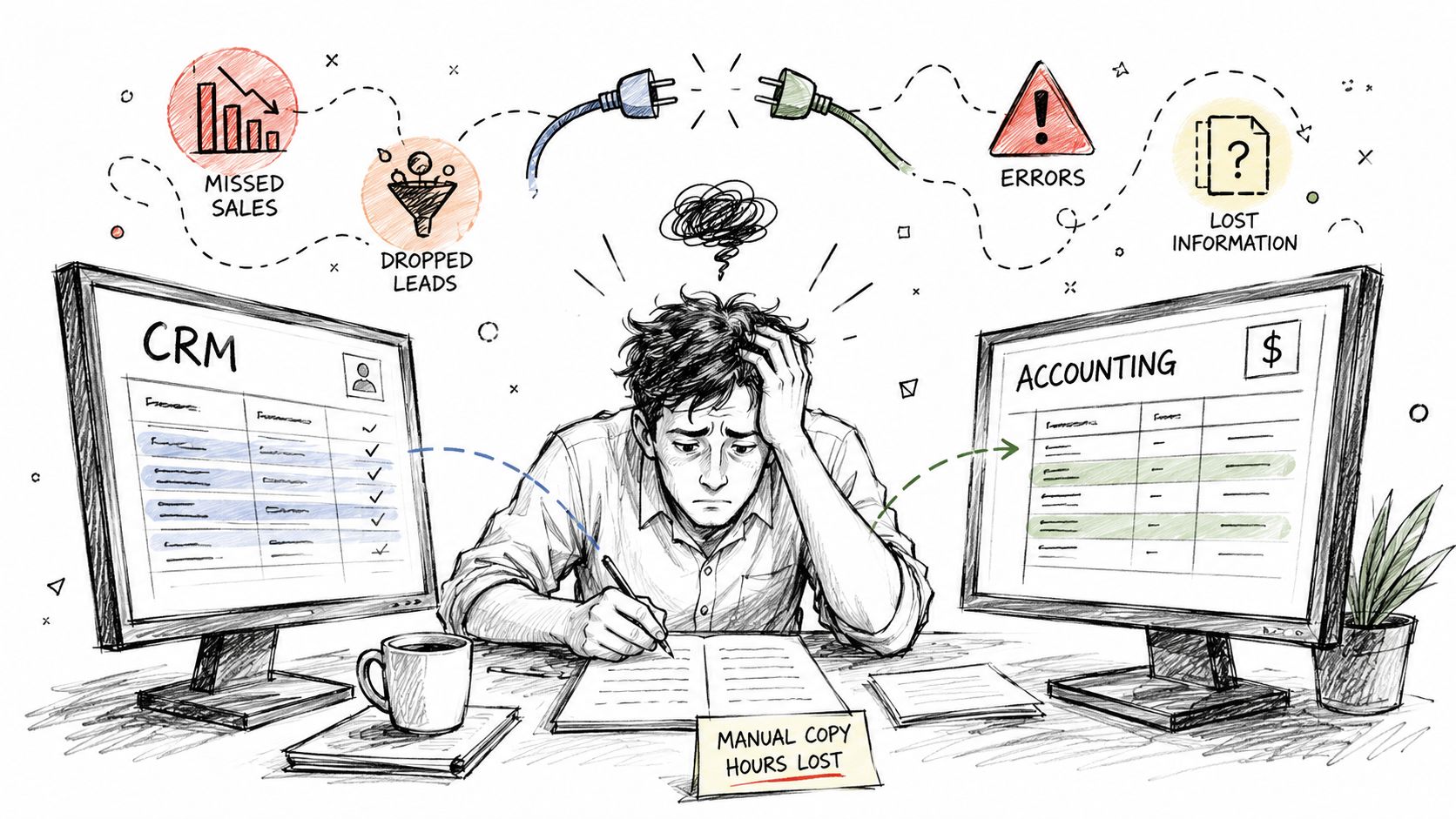
The first signs are usually operational:
- Manual re-entry: Staff enter the same customer, order, or invoice data in multiple systems.
- Missed handoffs: Leads stall between marketing and sales because systems don't sync.
- Data drift: Product, pricing, or customer data slowly stops matching across platforms.
- Slow reporting: Leaders wait on exports instead of seeing live information.
- Customer friction: Buyers get conflicting updates depending on which team they contact.
These issues are easy to dismiss as “just process problems.” In practice, they're often integration problems.
Disconnected software doesn't just waste time. It changes how people work. Teams start building their day around system limitations instead of business priorities.
Businesses aren't treating this as a niche IT concern anymore. The global API Integration Service market was valued at approximately $5.54 billion in 2026 and is projected to reach $7.68 billion by 2032, according to Research and Markets' API integration service market forecast. That growth reflects how central integration has become to normal business operations.
What changes when systems connect
A solid integration doesn't just “move data.” It removes bottlenecks.
When your CRM, accounting platform, ecommerce store, and internal tools share information automatically, your team stops chasing status updates and starts acting on current data. Orders can trigger downstream workflows. Leads can route instantly. Customer records can stay aligned without someone babysitting the process.
For a business owner, that means fewer preventable errors, faster response times, and less dependence on tribal knowledge.
What Are API Integration Services Really
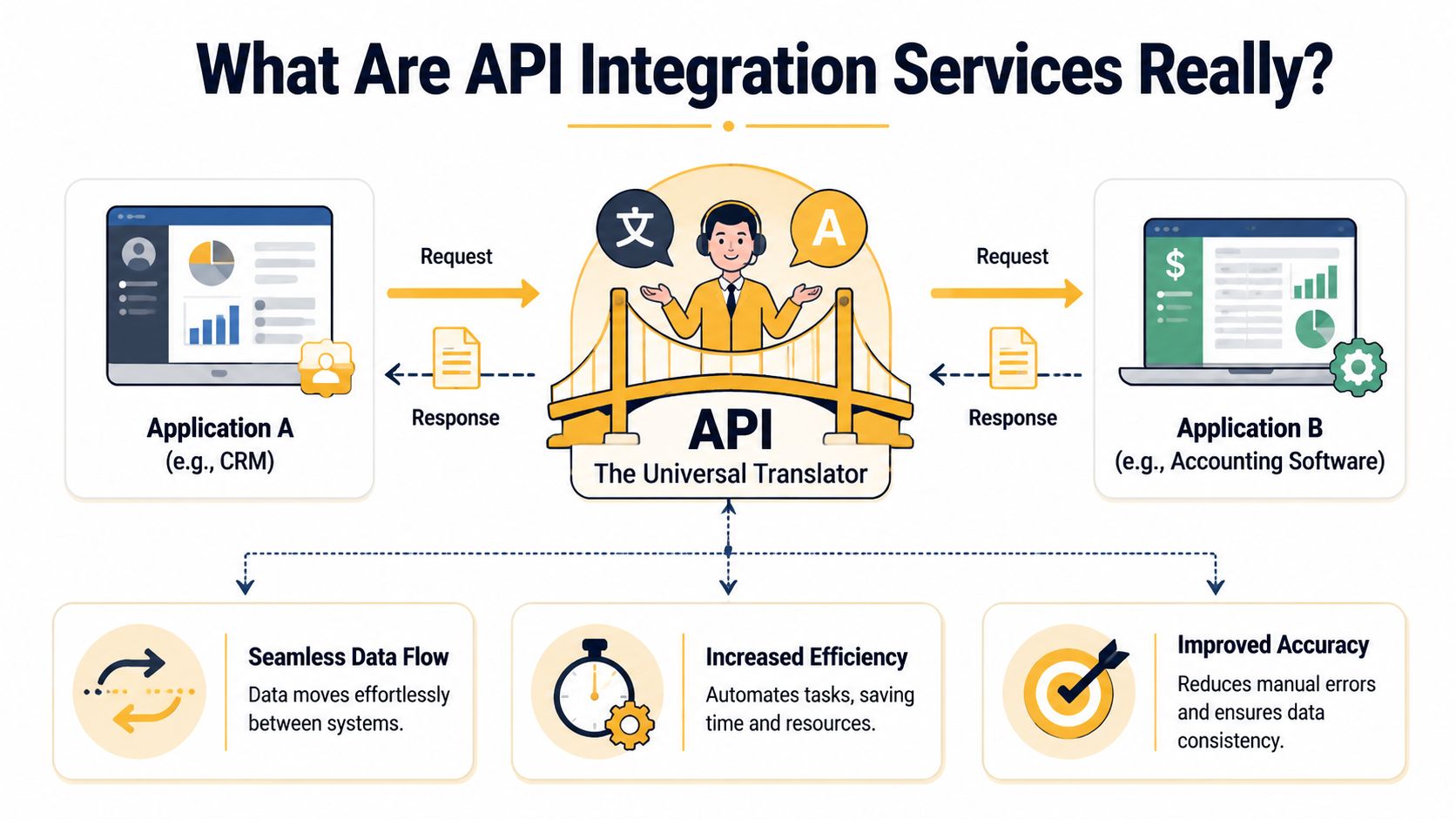
Most business owners hear “API” and assume it's something very technical. The simplest way to think about it is this: an API is a messenger that lets two software systems communicate in a structured way.
If one application wants customer data from another, it doesn't need full access to the other system's internals. It makes a request through the API and gets a defined response back.
The waiter analogy still works
Think of a restaurant.
You don't walk into the kitchen and start talking to the line cooks. You tell the waiter what you want. The waiter carries that request to the kitchen, brings the result back, and does it in a format both sides understand.
That's what an API does between applications.
A CRM asks for new orders. The ecommerce platform returns them. An accounting system asks for invoice details. The billing platform responds. Each system speaks through the API instead of needing to know how the other one is built internally.
Where the service part matters
An API by itself is just the communication method. API integration services are the professional work required to make that communication useful, reliable, and safe for your business.
That service usually includes:
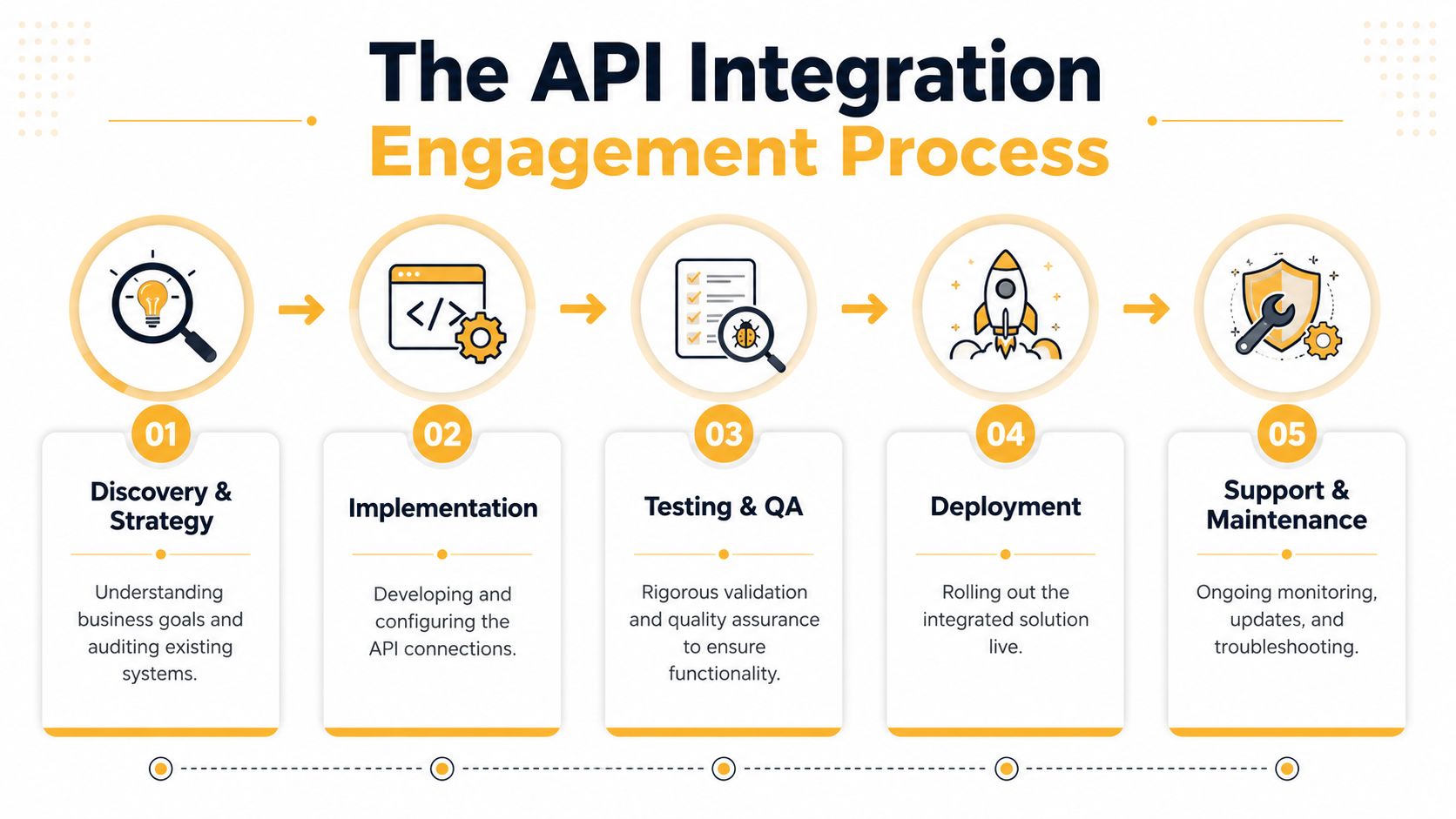
- System discovery: Reviewing your software stack, workflows, and data dependencies.
- Integration design: Deciding what should sync, when it should sync, and what system should be the source of truth.
- Build and configuration: Connecting platforms, mapping fields, handling authentication, and writing custom logic where needed.
- Testing: Verifying that data arrives correctly and edge cases don't break the workflow.
- Monitoring and support: Catching failures, vendor changes, and performance issues after launch.
A business owner usually doesn't need help understanding what an API is. They need help answering harder questions. Which records should sync in real time? What happens if a payment succeeds but the ERP update fails? Which system owns customer status? How do you avoid duplicate contacts?
Here's a quick visual if you want a non-technical overview before going deeper:
Practical rule: If the connection touches revenue, customer data, operations, or compliance, treat it as a business process design project, not just a coding task.
That's the difference between “we connected two apps” and “the workflow works.”
Exploring the Different Types of API Integrations
Not all integrations are built the same way. A vendor might recommend REST, SOAP, webhooks, middleware, or an iPaaS platform. Those terms matter, but mostly because they affect cost, speed, flexibility, and maintenance.
API integration approaches at a glance
| Type | Best For | Key Characteristic |
|---|---|---|
| REST | Modern web apps, SaaS platforms, mobile-connected systems | Flexible and widely supported |
| SOAP | Older enterprise systems, regulated environments, structured workflows | More rigid and formal |
| Webhooks | Real-time notifications like order updates or form submissions | Pushes events when something happens |
| iPaaS | Businesses connecting many cloud tools with centralized management | Platform-based orchestration |
| Middleware | Complex environments with custom logic and many internal systems | Acts as a coordination layer between systems |
REST, SOAP, and webhooks in business terms
REST is the format many modern platforms use. Shopify, Stripe, HubSpot, and countless SaaS products expose REST APIs because they're generally easier to work with and fit well with web applications. For many businesses, REST is the default choice because it supports practical, flexible integrations without heavy ceremony. If you want a deeper look at common API patterns, this comparison of GraphQL vs REST API approaches is useful context.
SOAP shows up often in larger or older enterprise systems. It's stricter. That can be a benefit when the business needs highly structured contracts and stable expectations, but it can also slow down implementation and increase complexity.
Webhooks are different. Instead of one system constantly asking, “Any updates yet?”, a webhook sends a notification when something happens, much like a doorbell. A new order comes in, a payment clears, a lead form is submitted, and the other system gets notified immediately.
Platforms versus custom work
An iPaaS platform is a managed integration hub. Tools in this category can simplify common connections and give teams one place to manage flows, credentials, retries, and logs. They're useful when a business runs many cloud apps and wants repeatable patterns.
Middleware usually fits environments with more custom requirements. It can sit between internal databases, line-of-business apps, legacy tools, and partner systems, handling translation and orchestration.
What works best depends on the environment:
- Choose REST-heavy integrations when you need modern, maintainable connections across SaaS tools.
- Expect SOAP work when older enterprise platforms are involved.
- Use webhooks when timing matters and polling would create lag.
- Consider iPaaS when your stack is broad and mostly cloud-based.
- Invest in custom middleware when your workflows are unique or your internal systems don't play nicely with off-the-shelf tools.
The wrong decision usually isn't technical. It's using a simple approach for a messy workflow, or buying a large platform for a problem that only needs a targeted custom integration.
Real World Use Cases and Business Benefits
The easiest way to understand API integration services is to look at everyday business workflows.
A retailer sells through an online store, uses QuickBooks for accounting, and tracks customer conversations in a CRM. Without integration, staff export orders, create invoices manually, update customer profiles by hand, and reconcile mistakes later. With integration, a new order can create the right accounting record, update customer history, and trigger fulfillment steps automatically.
That's not a flashy transformation. It's a quieter one. The business becomes easier to run.
Common examples that actually matter
A few patterns show up again and again:
- Ecommerce to accounting: New orders from Shopify or WooCommerce sync into QuickBooks or another finance system.
- Marketing to CRM: HubSpot form submissions create or update records in Salesforce or another sales platform.
- Payments to custom apps: A web app connects to Stripe so payment status updates trigger access, receipts, or internal notifications.
- Inventory to storefront: Product availability stays aligned between warehouse data and the website.
- Support to operations: Help desk events create action items inside project management or internal systems.
The business payoff is straightforward. Teams spend less time copying data, leaders get cleaner reporting, and customers get fewer contradictory updates.
The part many articles skip
Legacy systems change the economics of the project.
Most content on API integration services talks about elegant architectures and modern app stacks. Real businesses often run on a mix of modern tools and older ERP or CRM software that wasn't built for easy connectivity. According to Cygnet's analysis of what enterprises get wrong in API integration, legacy system adaptation often consumes 60 to 70% of total integration budgets for mid-sized enterprises relying on outdated ERP or CRM systems.
That's why some integrations look simple on the surface and become expensive underneath. The API connection itself may be manageable. The actual work involves cleaning inconsistent records, reconciling field formats, identifying the source of truth, and dealing with old business rules buried in legacy software.
If a vendor talks only about endpoints and authentication, ask how they plan to handle old data, duplicate records, and undocumented workflow exceptions. That's where many projects get stuck.
Before and after in practical terms
Before integration, a business tends to hire around the problem. People become human middleware.
After integration, a company can often scale operations more cleanly because software handles the repetitive coordination work. That same shift is why many businesses pair integrations with broader automation efforts. This collection of intelligent automation use cases shows how connected systems become the foundation for more advanced workflow improvements.
The best business benefit isn't just time savings. It's consistency. Everyone works from the same information, and the process doesn't depend on one employee remembering the workaround.
The API Integration Engagement Process
Most integration projects go better when the process is predictable. Business owners don't need to know every technical detail, but they should know what a disciplined engagement looks like and where decisions get made.
Discovery and solution design
A strong project starts with business workflow mapping, not code.
The team should review what systems are involved, what data needs to move, when it needs to move, and what happens when something fails. This is also where the source of truth gets defined. If customer data exists in four systems, someone has to decide which platform owns each field.
Architecture comes next. That includes authentication, field mapping, event triggers, retry logic, and any transformation rules needed between platforms.
Build, test, and launch
Development is the visible part, but testing is where good integrations separate themselves from brittle ones.
A professional team should test normal cases and failure cases. What if the third-party system is down? What if a required field is missing? What if the same transaction gets sent twice? In systems with customer-facing impact, performance matters too. DreamFactory notes that API integration services should maintain response times under 500ms and error rates below 1% to satisfy critical user experience SLAs, as outlined in its guide to benchmarking API protocols for microservices.
A typical rollout includes:
- Controlled deployment: Release the integration in a staging or limited-production environment first.
- Validation checks: Confirm records sync correctly across both sides.
- Fallback planning: Define what happens if part of the workflow fails after launch.
Ongoing support is part of the job
APIs aren't static.
Vendors change endpoints. Authentication methods evolve. Business rules shift. A field that was optional can become required. Without monitoring and maintenance, a working integration can drift into failure unnoticed.
Operational reality: Go-live is the start of ownership, not the end of the project.
That's why mature engagements include logging, alerting, update planning, and someone responsible for resolving issues when one system changes before the others do.
Evaluating Pricing ROI and Vendor Selection
A business owner approves an integration budget expecting a straightforward connection between two systems. Three weeks later, the actual cost shows up in places nobody priced properly. Duplicate customer records, undocumented approval rules, and a legacy ERP that stores dates in a format your newer tools do not understand.
That is why API integration pricing varies so much. You are not buying a cable between apps. You are paying for the translation layer, the exception handling, and the decisions required when old systems do not behave like modern SaaS products.
What pricing usually looks like
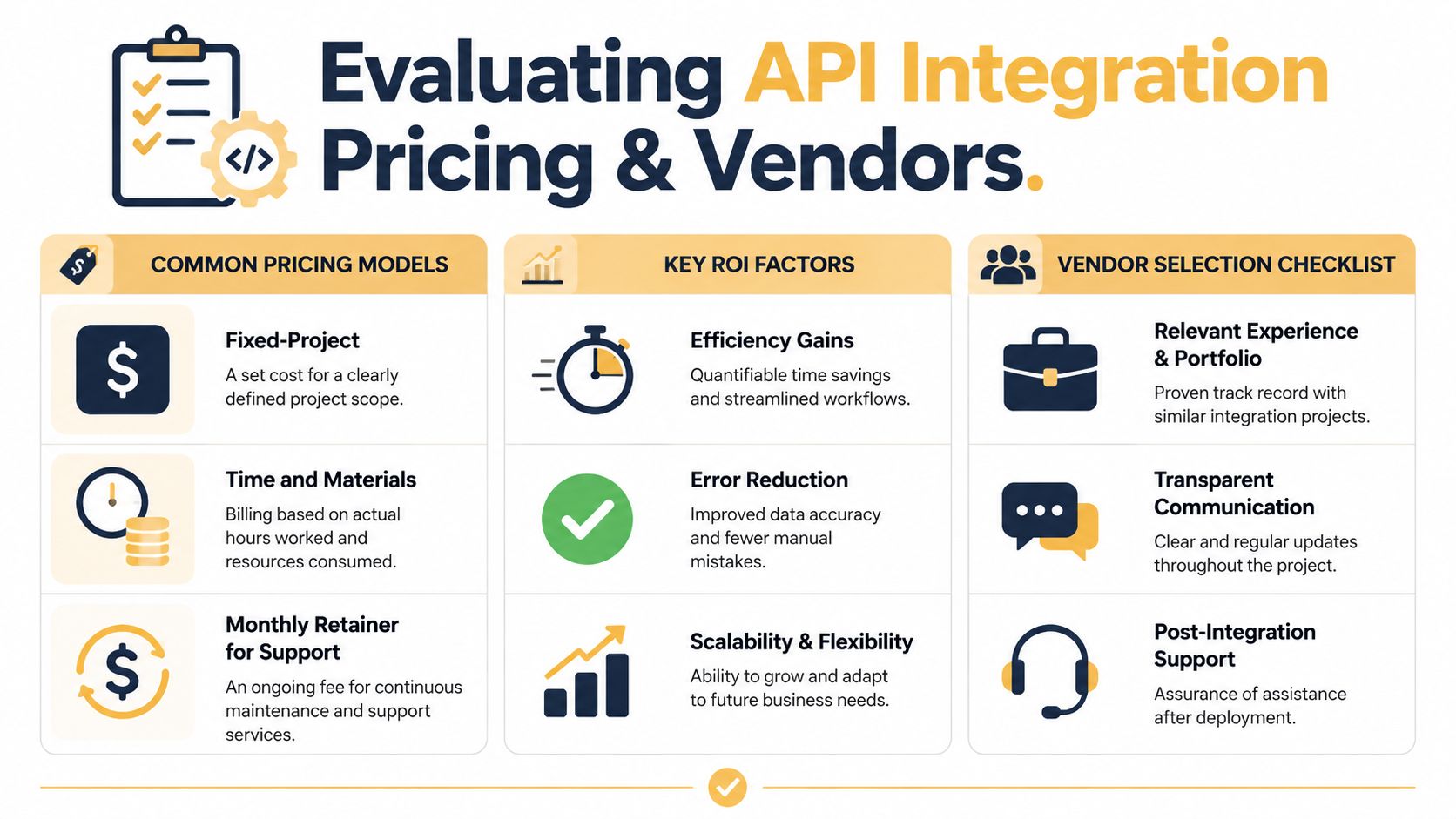
Most projects land in one of three commercial models:
- Fixed project: Works best when scope is narrow, requirements are documented, and both systems are well understood.
- Time and materials: Better for integrations with unknowns, especially older software, messy data, or business rules that only appear once discovery starts.
- Monthly retainer: Common when the integration needs monitoring, support, small improvements, and someone to respond when a vendor changes its API.
Published market coverage from Research and Markets on API integration platforms shows a wide spread in implementation cost, from smaller endpoint work in the low thousands to full integration projects that can run well beyond $15,000. In practice, I would treat any range like that as a starting point, not a quote. The primary driver is complexity.
Legacy systems are usually where budgets slip. A modern CRM may have clear documentation, predictable authentication, and clean APIs. An older ERP or warehouse system often brings custom fields, brittle exports, inconsistent records, and business logic that lives in one employee's head. The coding may be the easy part. Figuring out what the old system means is often the expensive part.
ROI should be measured in risk, speed, and error reduction
Labor savings matter, but they rarely tell the full story.
A good integration also reduces rekeying mistakes, speeds up order handling, improves reporting accuracy, and gives teams a shared version of the truth. For many businesses, the biggest return is not headcount reduction. It is fewer missed orders, fewer invoice disputes, and fewer hours spent reconciling systems that should already agree.
IBM reports that poor data quality costs organizations heavily through rework, delays, and bad decisions, a point it outlines in its discussion of the business cost of bad data. That is the practical ROI case for integration. If the project removes recurring data errors between sales, operations, and finance, the return shows up across the business, not just in one team's timesheet.
A vendor that only talks about developer hours is pricing the build. A better partner helps you estimate what broken handoffs are costing now.
How to choose a vendor without buying future problems
The strongest vendor is usually the one that asks the most uncomfortable questions early.
Ask whether they have worked with your exact systems or at least systems with similar constraints. Ask how they handle bad source data, partial failures, and change requests. Ask who owns the integration after launch. Those answers reveal more than a polished proposal.
Use this checklist before you sign:
| What to ask | Why it matters |
|---|---|
| Have you integrated these exact or similar systems before? | Familiarity cuts down on discovery risk |
| How do you handle legacy data cleanup and field mapping? | Many failures start in the data, not the API |
| What happens when one system is unavailable? | You need defined recovery behavior |
| Who monitors the integration after launch? | Problems need an owner, not just a support inbox |
| How do you scope change requests? | This keeps budget and accountability clear |
If you want a broader framework for comparing technical partners, this guide on how to choose a software development company is a useful companion.
Price still matters. Lowest bid can be the most expensive option if the vendor underestimates legacy complexity, skips discovery, or leaves you owning a fragile integration six months later. The safer choice is the team that explains trade-offs clearly, identifies hidden dependencies early, and prices the work with your business reality in mind.
Your Questions About API Integration Answered
Can't I just use Zapier or Make
Sometimes, yes.
No-code tools are useful for straightforward workflows between modern apps. If you need a form submission to create a lead, send an email, and post a Slack notification, those platforms can be the right fit. They're fast to launch and often good for light automation.
They become less reliable when the workflow includes custom logic, sensitive data, high business impact, legacy systems, or multiple failure points. That's when dedicated API integration services make more sense.
How long does a typical project take
It depends on what you're connecting and what condition the data is in.
A clean, narrowly scoped integration between modern systems can move quickly. A project involving older software, undocumented business rules, approval layers, and data cleanup takes longer. The timeline is usually driven less by coding and more by discovery, edge cases, and testing.
What maintenance is required after launch
Ongoing maintenance is normal.
Third-party APIs change. Credentials expire. New business rules get introduced. Sometimes one vendor changes behavior with little warning. Security also needs a broader view than a one-time checklist. According to ApiPilot's guide to third-party API integration challenges, 78% of enterprises now track provider dependency risk after third-party API failures caused $2.3 billion in global revenue losses in 2024.
That matters because a healthy integration isn't just one that authenticates correctly. It's one that keeps working when a dependency slows down, changes behavior, or fails unexpectedly.
If your team is dealing with disconnected systems, manual handoffs, or a legacy platform that's making every workflow harder than it should be, it helps to get an outside technical review before choosing tools or vendors.
Up North Media helps businesses design and build custom integrations, web applications, and automation workflows that fit real operational needs. If you want a practical conversation about your systems, your bottlenecks, and what an integration project would involve, reach out for a free consultation.