
You launch campaigns. Traffic goes up. Leads come in. Sales still asks the same question: “Which marketing efforts are producing revenue?”
That gap is where many small and mid-sized businesses get stuck. Google Ads shows clicks, Meta shows engagement, email shows opens, and your website analytics show sessions. None of that tells you, with confidence, which channel created a customer, which message moved them forward, or what brought them back to buy again.
That’s why crm and digital marketing have to work as one system, not two separate projects. When your CRM is connected to your marketing tools, you stop managing activity and start managing outcomes. You can trace demand from first touch to closed deal, see what content creates qualified leads, and build follow-up that matches how people buy.
Why Your Marketing Data and Sales Results Are Disconnected
Most owners don’t have a traffic problem. They have a visibility problem inside their own operation.
A typical setup looks like this. Leads fill out a website form. Someone subscribes to your email list. A prospect clicks a paid ad, browses a few pages, then calls your office a week later. Your sales team closes the deal, but the original source gets lost somewhere between the website, inbox, phone, and spreadsheet. Marketing reports “performance,” but finance sees only blended revenue.
That disconnect is an execution gap. It happens when your CRM sits on one island and your digital marketing platforms sit on another. You can see pieces of the journey, but not the full trip.
What disconnected systems actually cost you
When the systems aren’t connected, teams usually fall back on easy metrics:
- Clicks instead of customers: Ad platforms report traffic, but not downstream revenue.
- Form fills instead of fit: A lead count can rise while sales quality drops.
- Email engagement instead of pipeline: Opens and clicks matter, but only if they connect to deals and repeat purchases.
- Manual reporting instead of decisions: Staff exports data, merges files, and still can’t trust the answer.
This is why CRM investment keeps showing up as a revenue conversation, not just a software purchase. Businesses investing in CRM achieve an average ROI of $8.71 for every $1 spent, with some estimates suggesting that return has risen to $30.48 per dollar according to Kixie’s 2025 CRM market insights.
Practical rule: If your team can’t connect leads to revenue without a manual spreadsheet exercise, your reporting stack isn’t finished.
A lot of owners try to solve this by demanding better reports from their agency, ad manager, or sales team. Better reports help, but they don’t fix missing connections between systems. The fix is structural. Your CRM needs to receive source data from landing pages, email tools, ad campaigns, forms, and sales activity so each contact record carries the customer story forward.
If you need a baseline on how revenue gets credited across channels, this guide to marketing attribution models is a useful place to start.
Uniting Data for a 360-Degree Customer View
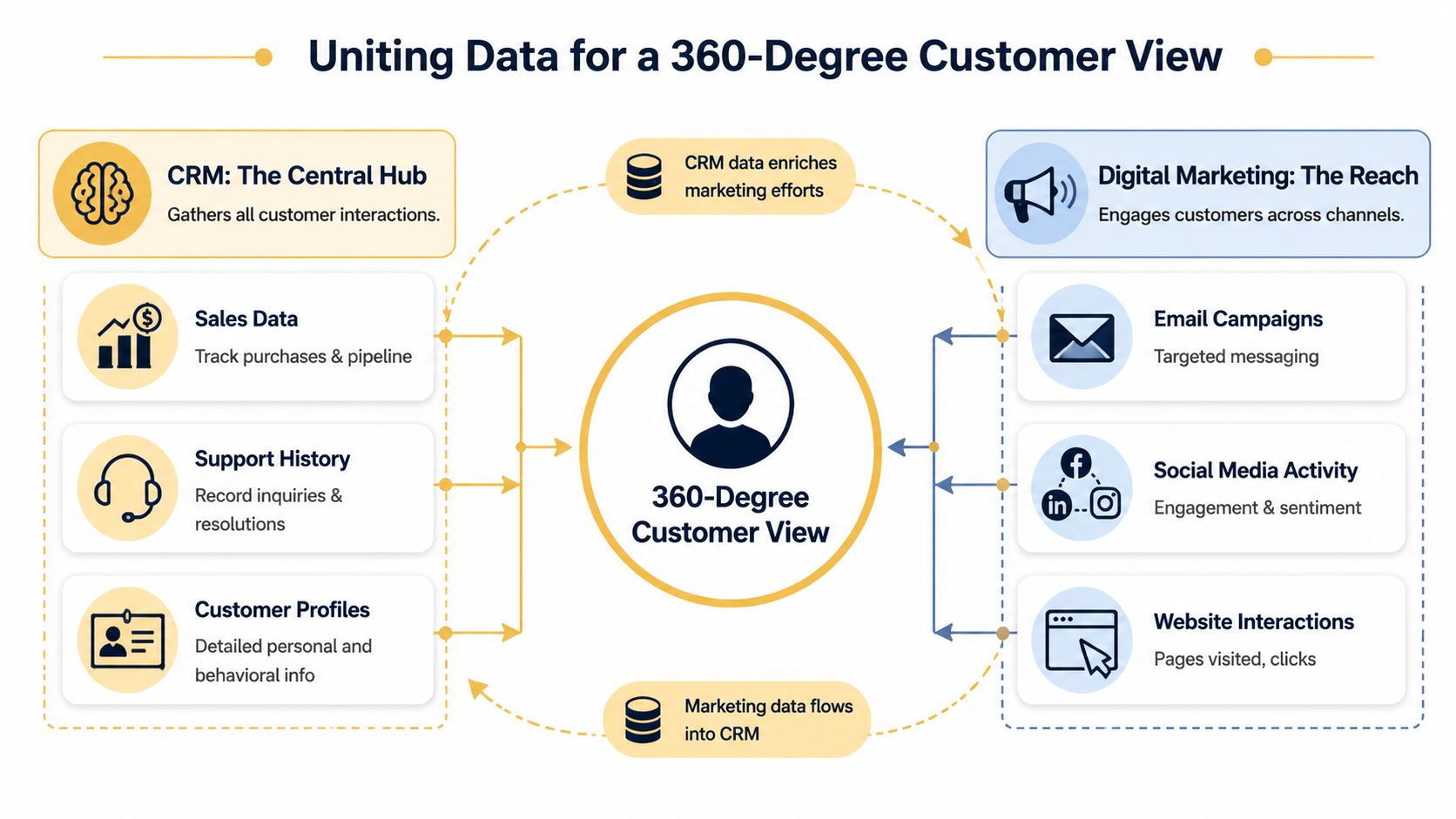
Think of your CRM as the master case file and your marketing tools as the field reports.
The CRM holds the identity layer. It knows who the customer is, what they bought, what stage they’re in, whether they’ve spoken with sales, and whether they’ve opened a support ticket. Your marketing platforms hold the behavior layer. They know what the person clicked, which campaign brought them in, what page they viewed, and whether they engaged with an email or social post.
On their own, each system tells a partial truth. Together, they produce a usable customer record.
What the combined view changes
Once you connect the systems, your team can answer better questions:
- Source quality: Which campaigns create leads that become customers, not just inquiries.
- Sales timing: Which pages, downloads, or email actions usually happen before a deal closes.
- Retention triggers: Which post-purchase messages increase repeat engagement.
- Channel coordination: Which combination of search, email, and remarketing moves a buyer.
A PrimeView analysis identifies failure to connect CRM to landing pages, email platforms, and ad managers as a top execution gap, and notes that 73% of consumers expect brands to understand their needs across channels in PrimeView’s discussion of digital marketing execution gaps.
That expectation matters because customers don’t think in channels. They don’t care that one platform tracks ads, another sends emails, and a third logs opportunities. They only see one brand. If the handoff between systems is messy, the experience feels messy.
What should flow into the CRM
The best integrations don’t dump everything into one place. They move the right data with clear purpose.
A practical setup usually includes:
- Lead source data: Original campaign, medium, landing page, and form source.
- Behavior signals: Key page views, content downloads, and email engagement.
- Commercial events: Calls booked, quotes requested, cart recovery, purchases, renewals.
- Lifecycle updates: MQL, SQL, opportunity, customer, repeat buyer, inactive contact.
That gives both sales and marketing the same operating picture. Marketing sees what becomes revenue. Sales sees what happened before the conversation started.
For teams trying to improve record quality before building heavier automation, Context.dev's CRM data insights offer a useful look at how enrichment improves contact completeness and decision-making. And if you want the analytics side of this mapped more clearly, this overview of digital marketing analytics helps frame what should be tracked versus what just creates noise.
A disconnected stack makes every team argue from partial evidence. A connected stack gives everyone the same customer record.
Key Strategies to Drive Acquisition and Retention
Connection alone doesn’t create growth. It creates the conditions for better execution.
What drives revenue is what you do with that shared data. In practice, four levers matter most: segmentation, personalization, automation, and attribution. Most underperforming setups fail because they stop at audience capture and never turn the CRM into an active decision engine.
Segmentation based on behavior
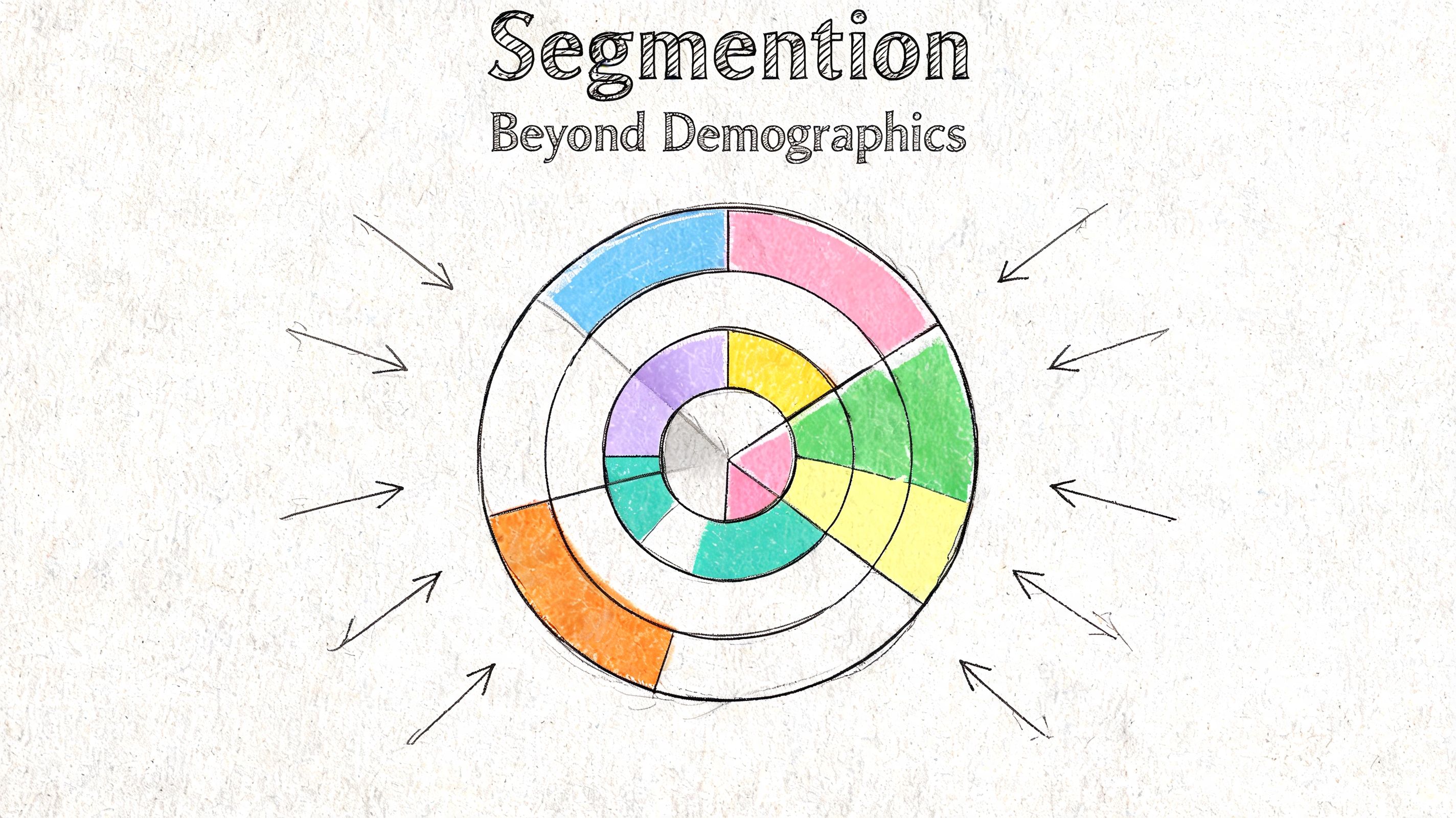
Basic segmentation uses job title, company size, or location. That’s a start, but it doesn’t tell you where intent exists.
Useful segments come from actions. A contact who visited the pricing page, returned to a product page, and opened two emails belongs in a different workflow than someone who downloaded a top-of-funnel guide and never returned. The CRM gives you the identity; the marketing stack gives you the pattern.
For local service companies, one strong segment might be “requested estimate but didn’t book.” For e-commerce, it might be “viewed product category repeatedly but didn’t purchase.” For publishers, it could be “high content engagement but no subscription start.”
A related and often ignored tactic is social listening tied back to CRM records. It can help uncover underserved segments your current personas miss, especially in local and niche markets. Destination CRM describes how social listening tools can support persona building and reveal unmet needs in its guide to identifying underserved markets.
Personalization that goes beyond first name tokens
A lot of businesses think personalization means inserting “Hi Sarah” into an email. That’s not the part that changes revenue.
What matters is message relevance. A customer who abandoned a cart should receive a different sequence from a customer who purchased recently. A lead from a high-intent service page should not get the same nurture path as someone who subscribed from a blog post. When CRM and marketing data are synced, that distinction becomes operational instead of theoretical.
Email is still one of the clearest examples. Personalization can boost open rates by 26%, and email delivers $36 for every $1 spent, according to Creed Infotech’s 2025 digital marketing statistics roundup. That doesn’t happen because software is magical. It happens because the message, timing, and audience match.
The best-performing campaigns usually feel less like broadcasting and more like a well-timed follow-up from someone paying attention.
If you sell directly to consumers, this breakdown of how brands increase sales with B2C CRM is worth reading because it shows how customer data becomes real retention and recovery workflows.
Automation that supports humans instead of replacing them
Automation works when it removes delay, not when it floods people with generic messages.
A strong first workflow is usually simple. When a lead submits a form, the CRM creates or updates the contact, applies source tags, assigns the correct lifecycle stage, and alerts the right salesperson if the lead meets your criteria. Another common win is a post-purchase sequence that branches based on product category or service type.
Good automation does three things at once:
- Routes attention: Sales sees who needs follow-up now.
- Preserves context: Source and behavior data travel with the record.
- Reduces drift: No one forgets to send the next step.
What doesn’t work is automating every possible branch before the basics are clean. Overbuilt workflows create noise, duplicate records, and internal confusion.
Attribution that reaches revenue
Attribution is where crm and digital marketing become a finance topic.
Without the CRM connection, attribution usually ends at lead creation. With the connection, you can tie the first touch, nurturing sequence, and closing action to an actual customer record and closed revenue event. That’s the difference between “our campaign generated interest” and “this campaign influenced deals that closed.”
The practical goal isn’t perfect certainty. It’s usable accountability. You want enough visibility to shift budget toward channels and campaigns that produce profitable customers, then keep improving from there.
A Practical Implementation Roadmap for SMBs
Most SMBs don’t need a huge rebuild. They need a cleaner sequence.
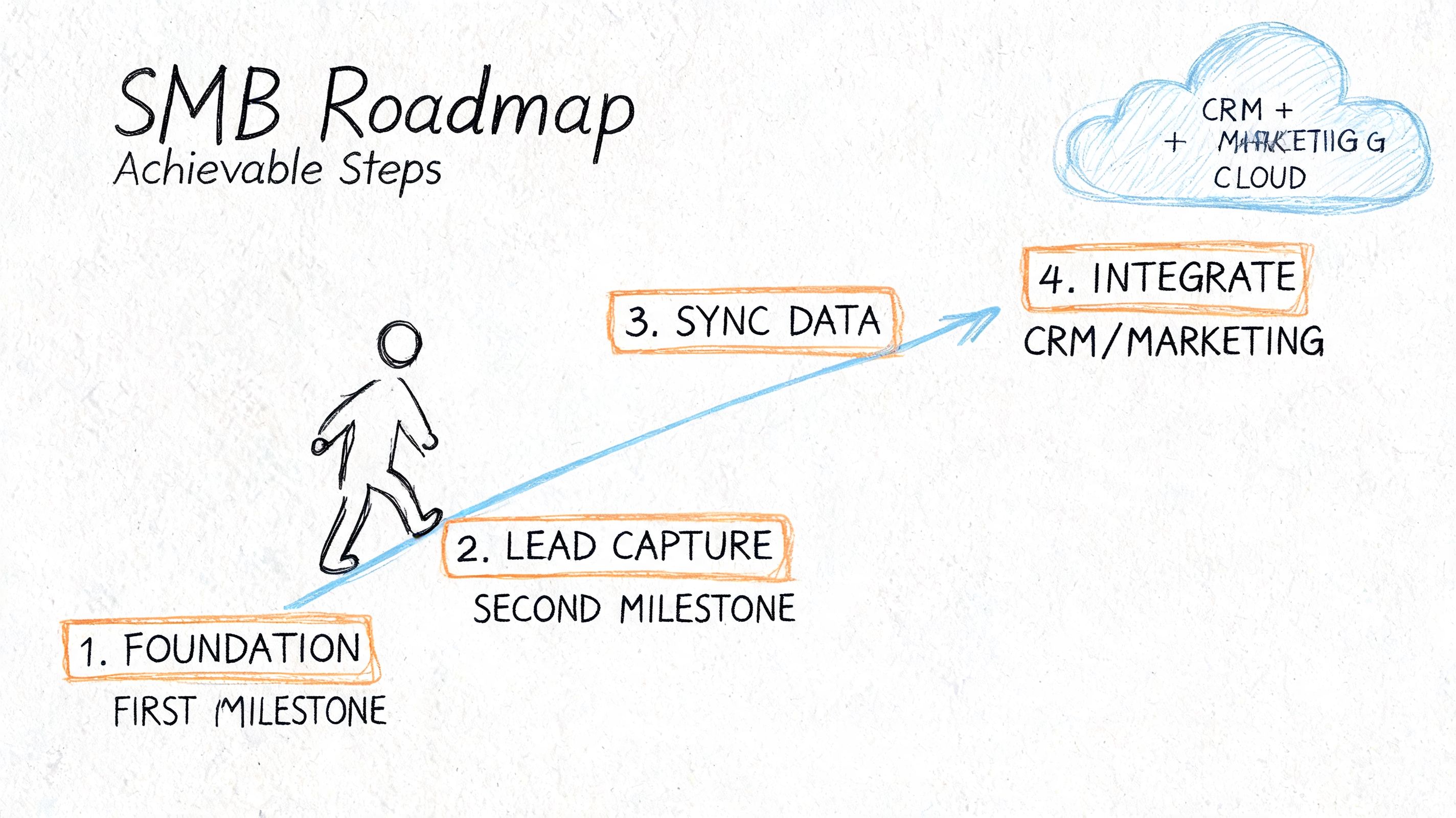
The fastest path is to start with one core journey, make the data reliable, then expand. Don’t begin with every channel, every form, and every automation idea on day one. Begin where lead capture turns into revenue.
Start with your current stack
Before buying anything, audit what you already use. List your CRM, website forms, email platform, ad platforms, scheduling tools, e-commerce platform, and call tracking or sales tools. Then answer one question for each: what customer data enters here, and where does it go next?
You’re looking for breakpoints like these:
- Form submissions that stay in email inboxes
- Ad leads that never create CRM records
- Purchases that don’t update lifecycle stage
- Sales conversations that never feed back into marketing audiences
Many modern tools can connect through native integrations or APIs. The issue usually isn’t capability. It’s that nobody defined the desired data flow clearly enough.
Map the fields before building workflows
This is the part teams skip, and it causes most downstream problems.
Decide which fields matter first. For example, if someone submits a lead form, should the CRM receive source, campaign, landing page, service interest, and sales owner? If a customer purchases, should your email tool receive product category, order status, or customer segment? Keep the first pass narrow and useful.
A solid first map often includes:
- Contact identity: Name, email, phone, company.
- Acquisition context: Source, medium, campaign, referring page.
- Intent details: Form type, product interest, service category.
- Lifecycle status: Lead, qualified lead, opportunity, customer.
If you want a practical view of how smaller teams set up these kinds of workflows without turning the process into an IT project, this guide to small business marketing automation is a strong reference point.
Build one workflow that saves time immediately
Your first workflow should solve a real operational problem.
Good examples include syncing new email subscribers into the CRM with source tags, creating CRM records from high-intent website forms, or pushing qualified leads to sales with task creation. If you run e-commerce, a strong early use case is cart recovery or post-purchase segmentation. If you run a service business, a better first move may be inquiry routing and follow-up timing.
A short walkthrough can help make this less abstract:
Test like an operator, not a developer
Submit a form. Click the email. Open the CRM record. Confirm that the source populated correctly, the contact wasn’t duplicated, the workflow triggered, and the right person was notified.
Then test failure paths. What happens if someone uses the same email twice? What if they come through a different campaign later? What if a salesperson edits the record manually?
Watch for this: The most expensive integration errors are usually boring ones. Wrong field mapping, duplicate contacts, and missing source values quietly break reporting for months.
Once one journey works cleanly, expand to the next. That sequence is much safer than trying to connect everything at once.
Measuring Success with the Right KPIs
An integrated stack should change what you measure. If it doesn’t, you’ve built plumbing without improving decisions.
Most businesses already track impressions, clicks, sessions, and email engagement. Those metrics help diagnose campaign behavior, but they don’t answer the financial questions owners care about. The better KPIs live closer to revenue and retention.
The KPIs that matter most
| KPI | What It Measures | Why It's Important |
|---|---|---|
| Customer Acquisition Cost | The cost to acquire a new customer across marketing and sales activity | Helps you judge whether growth is efficient |
| Customer Lifetime Value | The total value a customer generates over time | Helps you decide how much you can afford to spend to acquire and retain customers |
| Lead-to-Customer Conversion Rate | How many leads become paying customers | Reveals lead quality and sales process effectiveness |
| Marketing-Originated Revenue | Revenue tied to leads or customers first created by marketing efforts | Shows whether marketing is producing business outcomes, not just activity |
Why vanity metrics keep misleading teams
Vanity metrics are easy to access because platforms are designed to show them first. That doesn’t make them wrong. It makes them incomplete.
A campaign can generate strong click volume and still create weak customers. Another can produce fewer leads but much stronger close rates and retention. Without CRM linkage, those differences stay buried. Once sales outcomes are tied back to acquisition source and engagement history, weak channels become easier to spot.
This also changes team behavior. Marketing starts optimizing for lead quality and downstream revenue. Sales gets context on what happened before outreach. Owners can finally compare channels based on business contribution instead of dashboard activity.
What good KPI use looks like
Good KPI use is less about volume and more about consistency.
- Review trends, not one-off spikes: A single strong week can hide a weak quarter.
- Compare channels by outcome: Look at closed revenue and customer quality, not just front-end response.
- Use lifecycle filters: New lead metrics and customer metrics should not be blended carelessly.
- Match the KPI to the decision: Use CAC for budget allocation, CLV for retention planning, and conversion rate for process diagnosis.
When these KPIs are visible inside one connected system, budgeting gets less political. Teams stop arguing over whose dashboard is “right” and start improving the stages that are actually leaking money.
Common Pitfalls and How to Avoid Them
Most integration failures aren’t caused by software limitations. They come from weak process decisions.
The same three problems show up repeatedly: poor data quality, tools purchased without a use case, and teams that stay siloed after the systems are technically connected.
Bad data poisons good strategy
Poor data quality is one of the fastest ways to make crm and digital marketing underperform. 37% of CRM users report lost revenue due to inaccurate data, and 76% say less than half of their organization’s CRM data is accurate and complete, according to Validity’s 2025 CRM data management report.
If fields are missing, records are duplicated, or source values are inconsistent, segmentation gets weaker, automation misfires, and attribution turns into guesswork.
The fix is operational discipline:
- Set field standards: Define required fields for new leads and customers.
- Use validation rules: Stop incomplete or malformed entries before they spread.
- Merge duplicates regularly: Duplicate contacts distort both outreach and reporting.
- Audit source data: Make sure campaigns populate consistent values.
Technology without a plan creates expensive clutter
A surprising number of businesses buy more software when the underlying issue is missing workflow design. They add a CRM, then an email tool, then a reporting layer, and still can’t answer simple revenue questions.
Start with decisions, not platforms. What should happen when a prospect submits a form? What qualifies a sales handoff? What event should trigger a retention campaign? Once those answers are clear, the tech stack becomes easier to configure.
Connected tools don’t create alignment on their own. Teams still need shared definitions, ownership, and follow-through.
Sales and marketing still need one operating model
Even with clean integrations, teams can remain divided. Marketing calls a lead qualified. Sales ignores it. Sales updates opportunity stages inconsistently. Marketing keeps optimizing toward form volume because that’s what the dashboard rewards.
The solution is simple, but it takes discipline. Agree on lifecycle stages, define handoff rules, and review the same pipeline view together. If sales and marketing use different language for the same customer journey, your systems will reflect that confusion.
How Up North Media Accelerates Your Growth
Up North Media helps businesses close the execution gap between lead generation, customer data, and revenue tracking. For Omaha-area SMBs, e-commerce brands, publishers, and startups, that means building systems that don’t just attract traffic, but connect it to sales outcomes.
The agency’s custom web app development work helps businesses capture clean first-party data at the source. That matters when forms, portals, booking flows, or customer dashboards need to pass reliable data into a CRM. Better capture at the front end leads to better automation and reporting later.
Its data-driven SEO marketing services help fill the pipeline with qualified traffic tied to real intent. Instead of treating SEO as a traffic-only channel, the focus stays on what keywords, pages, and content paths create leads and customers worth pursuing.
Its AI consulting services support the next layer. Teams can use AI to improve segmentation, automate repetitive workflows, and make customer data more useful across sales and marketing operations.
This combination works well for companies that have already invested in tools but still can’t get a clean read on performance. It also helps businesses that know they need a better growth system but don’t want to overbuild it.
If your business is generating activity but not enough clarity, Up North Media can help you connect your CRM, marketing platforms, and revenue reporting into one practical growth engine.