
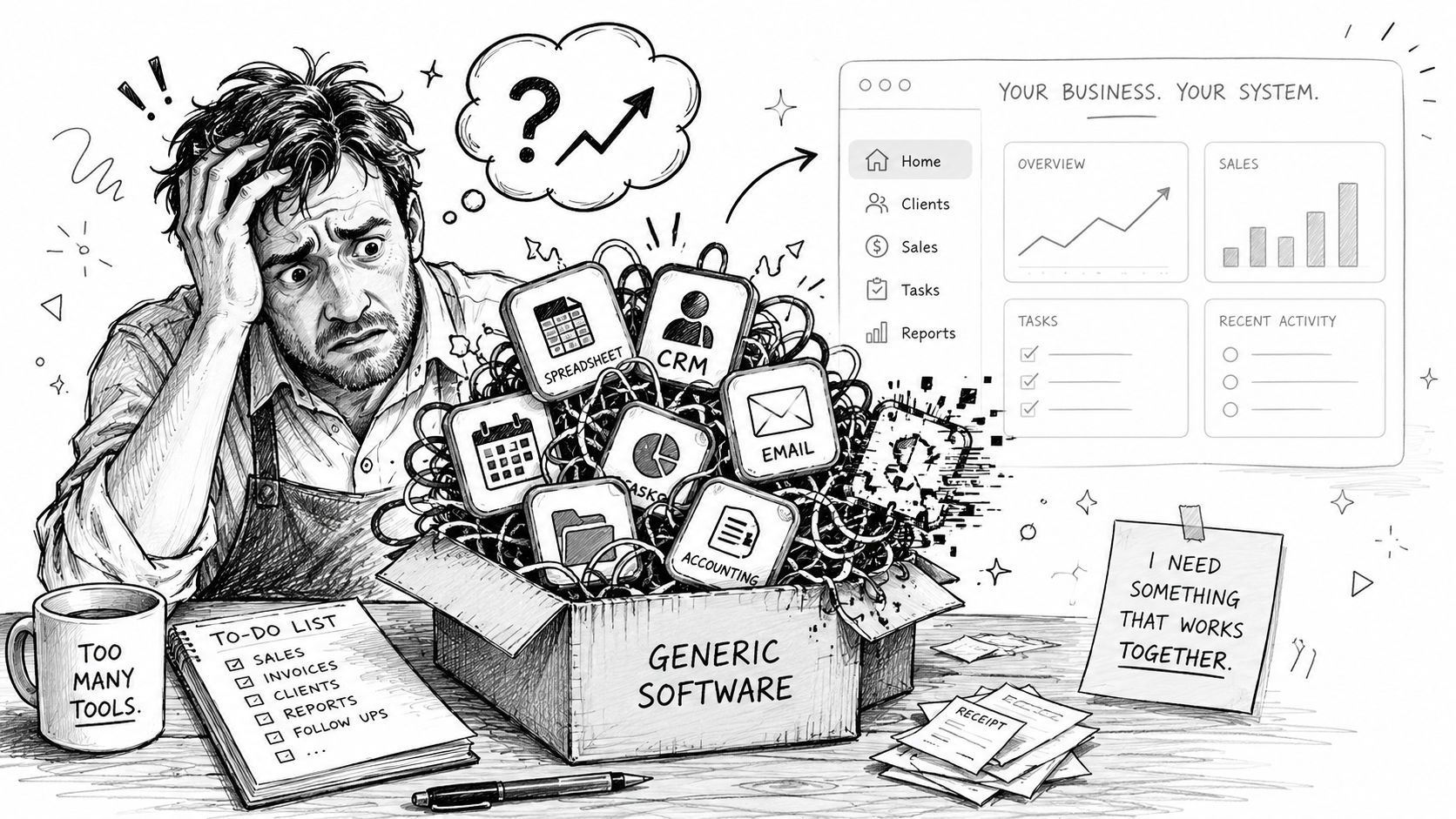
You know the moment. A spreadsheet runs payroll adjustments, QuickBooks handles invoices, a field team updates jobs by text, and someone in the office retypes the same information into a CRM that never quite matches how the business works.
For a lot of Omaha owners, that's the primary trigger for looking at custom software development for small business. It usually isn't a grand innovation project. It's frustration. Orders get missed. Staff invent workarounds. Managers can't trust reports because the data lives in five places and none of them agree.
At that point, the question isn't whether software matters. It's whether your current software still fits the way your company operates.
Is Your Business Outgrowing Its Software
A small business can run for years on off-the-shelf tools. That's normal. A local distributor might start with email, spreadsheets, a basic inventory app, and a shared calendar. A contractor might patch together estimating software, a scheduling tool, and accounting software. Early on, that's fine because speed matters more than elegance.
Then growth changes the math. More jobs, more employees, more handoffs, more customer expectations. The tools that once felt affordable start creating hidden labor.
What that looks like in practice
I've seen the pattern repeatedly with small and mid-sized companies around Omaha. The owner doesn't say, “We need a custom platform.” They say things like:
- My team enters the same customer info three times
- We can't see job status without calling someone
- Our software does most of what we need, but the last part is manual
- Reporting takes half a day every week
- One employee knows the workaround, and that's a problem
That's usually the point where custom software stops sounding like a big-company luxury and starts looking like an operational fix.
Why more businesses are making the shift
This is no longer a niche decision. North America holds USD 16.6 billion in market revenue in 2025, and the cloud deployment segment accounts for 67% of the global market share in 2025, according to GM Insights' custom software development market analysis. For a small business owner, the takeaway is simple: companies are choosing flexible, cloud-based systems because they're easier to adapt as operations change.
Off-the-shelf software works until your business becomes the exception the software wasn't designed for.
If you're weighing whether custom software is the right next step, Rite NRG's custom software guide is a useful outside perspective on when customized systems start making business sense.
Custom software development for small business isn't about building something flashy. It's about replacing friction with a system that matches how your team sells, schedules, fulfills, invoices, and reports.
Choosing Your Path Custom vs Off-the-Shelf Software
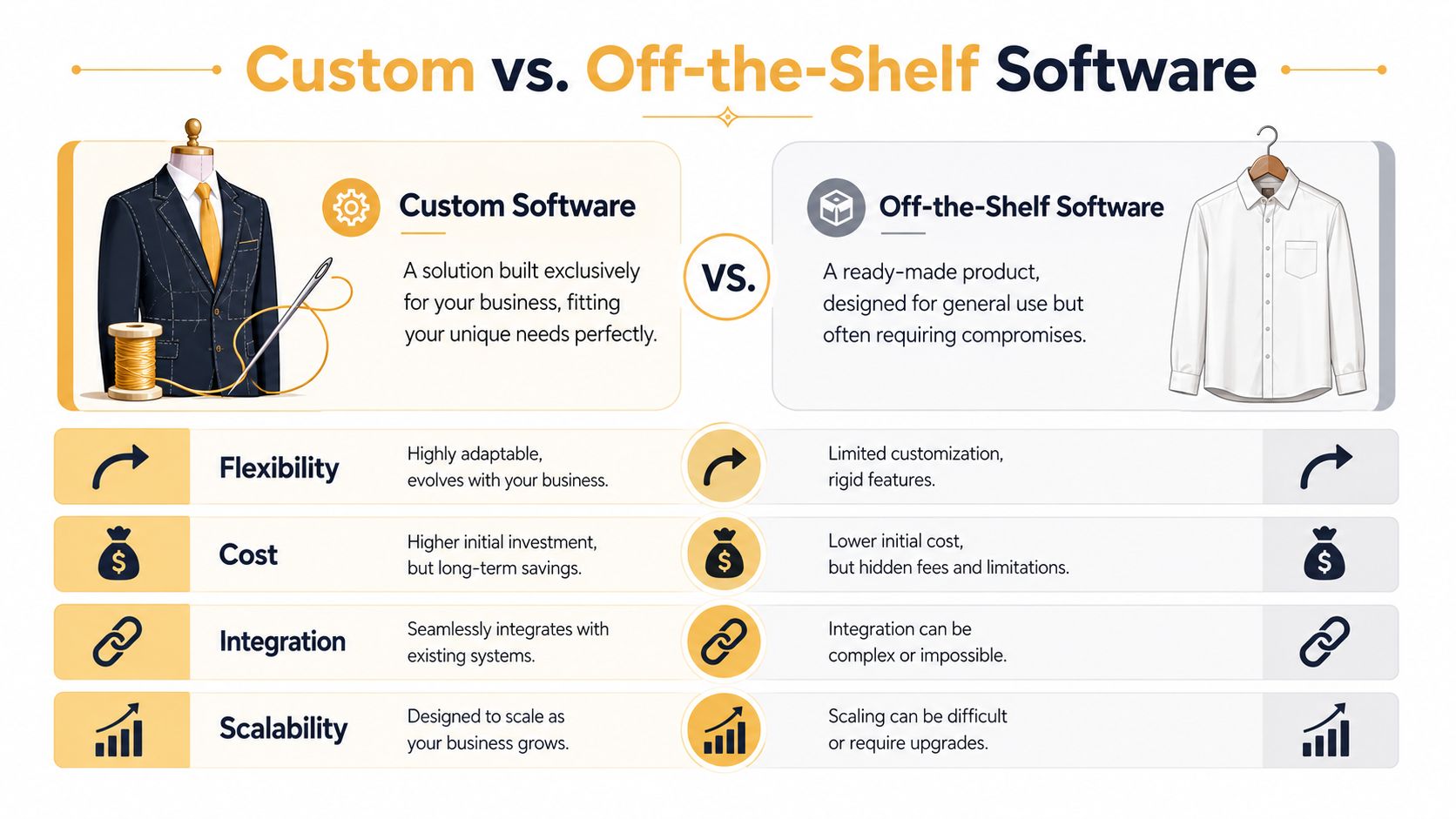
The easiest way to explain the difference is this. Off-the-shelf software is an off-the-rack suit. Custom software is a custom-made suit. The off-the-rack option is faster to buy and cheaper to start with. The custom-made option takes more work, but it fits your business instead of forcing your business to adapt.
That distinction matters more than most owners expect. The problem usually isn't that packaged software is bad. The problem is that it's built for average workflows, and most established businesses aren't average anymore.
Where off-the-shelf software still wins
Packaged tools are often the right move when your need is common and your process doesn't create much competitive advantage.
A simple example is bookkeeping. Most small businesses don't need a custom accounting system. They need dependable software with standard reports, bank feeds, and tax support. The same is often true for email marketing, payroll, or basic appointment scheduling.
Off-the-shelf software is usually a good fit when:
- Your process is standard and doesn't vary much from others in your industry
- Speed matters most because you need something live quickly
- Your budget is tight and a subscription gets the job done
- You can tolerate compromise on fields, reports, or workflow
Where custom software starts to pull ahead
Custom software becomes more valuable when your team has a unique operating model, when departments need to share data cleanly, or when manual work keeps multiplying.
According to Mind IT Systems on why custom software matters for small businesses, scalable custom software is built with personalized architecture around specific workflows. That makes it better suited for automation, process optimization, and long-term scalability than shelf software.
Here's the practical comparison.
| Factor | Custom software | Off-the-shelf software |
|---|---|---|
| Fit | Built around your workflow | Built for broad market needs |
| Setup | Takes planning and development | Usually available immediately |
| Initial cost | Higher upfront investment | Lower upfront subscription cost |
| Flexibility | Features can match how your team works | You adapt your team to the tool |
| Integration | Can be designed around your existing systems | Often depends on vendor limitations |
| Scalability | Can grow with operations and new processes | Growth may require new tools or upgrades |
| Ownership and control | More control over roadmap and changes | Vendor controls product direction |
Practical rule: If your staff keeps exporting CSV files just to make two systems talk, you probably don't have a people problem. You have a software fit problem.
The trade-off owners should evaluate honestly
Custom is not automatically better. It's better when the business gains enough value from a tighter fit.
What doesn't work is building custom software to replicate a common commodity tool. That usually burns budget without creating a significant benefit. What does work is building around the part of your operation that's specific to you. Maybe that's dispatch logic, customer approval flows, internal quoting, inventory allocation, membership rules, or a portal your staff and customers both use.
For many Omaha businesses, the smart answer isn't all custom or all packaged. It's a blend. Keep standard tools where they fit, and build custom software where process friction is costing time, margin, or customer experience.
Budgeting for Custom Software Development
When owners ask about price, they usually want one number. Software doesn't work that way. Cost depends on scope, complexity, integrations, design requirements, and who builds it.
Still, there are useful benchmarks. For small businesses, simple applications can start at around $10,000, while many SMB projects land in the $50,000 to $250,000 range to fully design and develop, according to Grand View Research on the custom software development market. The same source notes that premium domestic agencies often charge $150 to $199 per hour, while offshore partnerships often range from $25 to $49 per hour.
What actually drives the budget
Two projects can both be called “a web app” and have very different costs. These factors usually move the number:
- Business logic. A login screen is simple. Complex approvals, pricing rules, user roles, or reporting are not.
- Integrations. Connecting to QuickBooks, a CRM, shipping software, or legacy systems increases effort.
- Design depth. Internal tools can be leaner. Customer-facing platforms usually need more UX work.
- Data structure. Clean data models save pain later, but they require planning up front.
- Support needs. Launch is one cost. Ongoing updates, hosting, and maintenance are separate decisions.
Domestic team or offshore team
Often, many small businesses try to save money and accidentally increase risk.
An offshore team can lower hourly cost. That's real. But lower hourly cost doesn't guarantee lower project cost. If requirements are fuzzy, communication is slow, or quality control is weak, cheap hours get expensive fast. A local or domestic partner often costs more per hour but can reduce confusion during discovery, feedback, testing, and launch.
For businesses comparing options, 2026 mobile app build expenses gives a useful look at how agency quotes can vary by scope and vendor model. If you're estimating a browser-based product instead of a mobile app, this breakdown of web application development costs helps frame the same conversation in more practical terms.
A better way to set your first budget
Don't start by asking for a full platform estimate if you're still defining the problem. Start smaller.
Use this sequence instead:
-
List the manual pain points
Write down where staff retype data, chase approvals, or build reports by hand. -
Separate must-haves from nice-to-haves
If the project had to go live lean, what features are essential? -
Identify the systems that must connect
Accounting, CRM, inventory, payment processing, and customer portals change cost quickly. -
Decide who the first users are
Internal staff, customers, vendors, or all three.
A realistic software budget doesn't come from guessing how many screens you need. It comes from understanding what work the system will replace and what business bottleneck it will remove.
Your Development Journey from Idea to Launch
Most owners haven't bought custom software before, so the process feels opaque. It doesn't need to. A good project should feel like a sequence of business decisions, not a pile of technical jargon.
Start with the smallest version that solves a real problem
For small businesses, an MVP, or Minimum Viable Product, is usually the smartest path. According to Blackthorn Vision on custom software development for small business, the process typically starts with discovery, then UX/UI wireframing and prototyping before deployment. That incremental approach can bring simple tools down to around $10,000 and can support ROI within the first year.
That matters because many businesses don't need version 5 on day one. They need version 1 to remove one costly bottleneck.
Build the first release around the work your team repeats every day, not the edge cases that might happen twice a year.
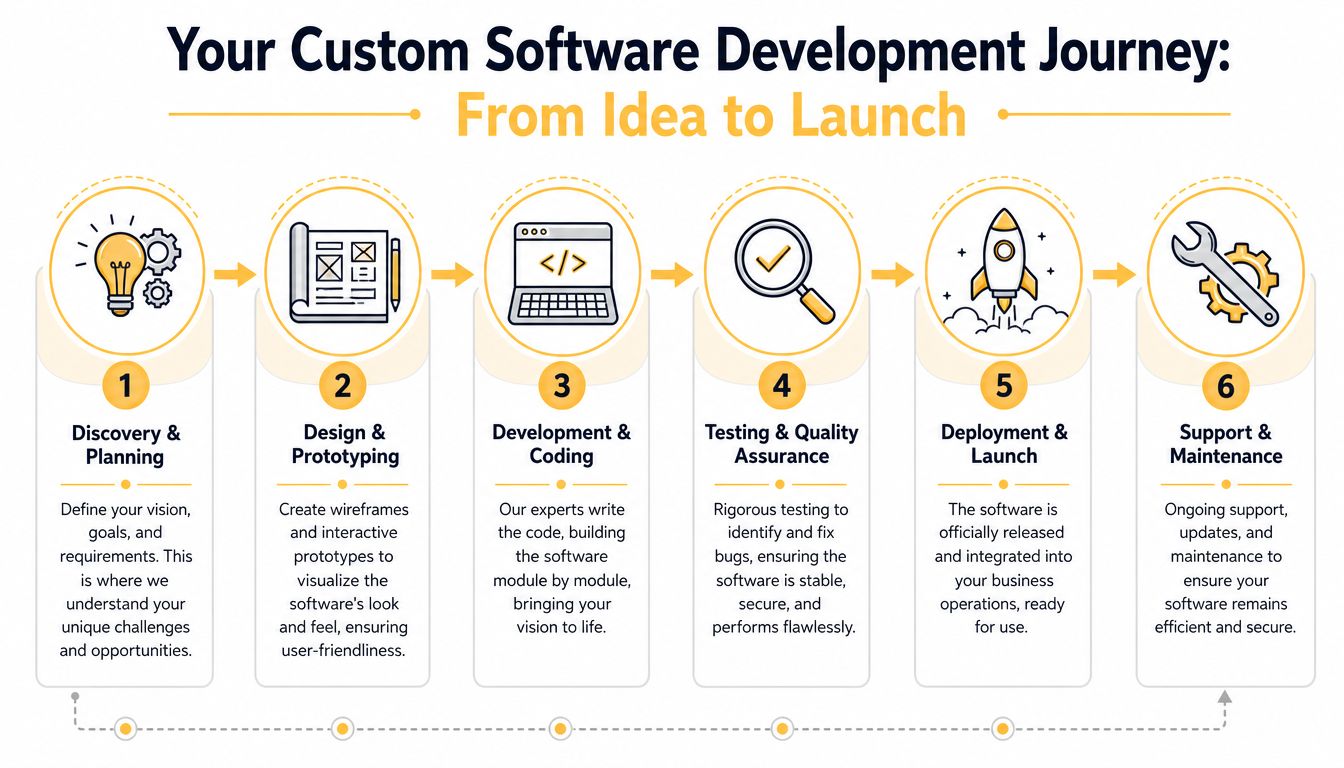
The six phases owners should expect
-
Discovery and planning
The team maps workflows, roles, pain points, and business goals. Good discovery saves money because it exposes bad assumptions before code gets written. -
Design and prototyping
Before developers build, the project should be visible. Wireframes and clickable mockups let owners react to something concrete. It's much cheaper to change a prototype than a finished app.
A more detailed breakdown of that sequence is in this guide to the custom software development process.
To see a high-level walkthrough of how teams structure planning and launch, this video is a useful primer.
-
Development
Developers build modules, connect databases, create admin controls, and integrate outside systems. This stage should happen in increments, with regular review points. -
Testing and QA
During this phase, the team catches bugs, broken workflows, permission issues, and edge cases. Testing isn't a formality. It protects the launch from turning into an emergency.
What good launch planning looks like
The cleanest launches are boring. Staff know what's changing, old data is prepared, and support is available when users hit something unexpected.
A few things help:
- User-specific training so office staff, managers, and field users only learn what applies to them
- Staged rollout if the business wants to reduce operational risk
- Clear ownership for support requests after launch
- A backlog for phase-two features that didn't make the MVP
Why iteration matters after launch
The first version teaches you what the business needs. Staff use the software in real conditions, customers behave in ways nobody predicted, and reports reveal what's still missing.
If you're building a customer-facing buying experience or automation-heavy workflow, it can also help to study adjacent product patterns. For example, Zinc's post on how to build a shopping agent is a good example of how complex user actions often get broken into practical, testable steps instead of being built all at once.
That's how custom software development for small business works when it goes well. Not as one giant reveal, but as a controlled rollout that gets more useful with each release.
Choosing the Right Development Partner in Omaha
A lot of Omaha owners start this search after a painful week. Quotes are stuck in email. Staff are retyping the same customer data into two systems. Reporting takes half a day, and nobody trusts the numbers. At that point, the question is not who can write code. The question is who can fix the operational bottleneck without creating a new one.
A good development partner treats the project like a business system, not a pile of features. They should understand how work moves from sales to service, where approvals slow down, which reports drive decisions, and what downtime would cost your team.
What to look for beyond technical skill
Technical ability matters, but it is the starting point.
The better test is whether the team can explain your process back to you in plain English. If they cannot clearly describe your quoting flow, dispatch process, billing handoff, inventory dependency, or manager approvals, they are still guessing. Guessing gets expensive fast in custom software.
A strong partner usually shows a few habits early:
- They ask operational questions first. Good discovery sounds like process mapping, exception handling, and role definitions, not a quick debate about frameworks.
- They talk through trade-offs. For example, they should tell you when an integration will save staff time and when a manual workaround makes more sense for phase one.
- They define ownership clearly. You should know who gathers requirements, who writes specifications, who manages QA, and who handles support after launch.
- They are honest about maintenance. Every custom system needs updates, bug fixes, and occasional refactoring as your business changes.
- They can work at your pace. A five-location service company, a manufacturer, and a medical practice all make decisions differently. The partner should adapt to that reality.
For a practical checklist, this guide on how to choose a software development company is a useful baseline.
Questions worth asking in the first meeting
The first call should tell you how the team thinks, not just what they have built before.
Ask questions that expose process, judgment, and risk management:
- How do you handle scope changes after discovery?
- What part of this project looks most risky based on what you know so far?
- What would you leave out of version one if the budget gets tight?
- Who turns business requirements into technical tickets and acceptance criteria?
- How do you test workflows that pass through sales, operations, accounting, and management?
- What happens if an integration is harder than expected?
- How do you price ongoing support after launch?
Those answers usually tell you more than a polished case study.
Why local context still matters
Remote teams can absolutely build good software. For some projects, that works fine. But for small and midsize businesses in Omaha, local access often reduces cost in ways owners do not see on the initial proposal.
A local partner can sit with your office manager, salesperson, and operations lead in the same room and settle open questions in an hour. That same discussion can drag across several meetings when the team lacks context or only communicates through tickets. The difference shows up in rework, delays, and change orders. It becomes part of your total cost of ownership, even if it never appears as a line item called TCO.
Local context also helps with industry fit. Omaha and the surrounding Nebraska market has a lot of service businesses, logistics operations, distributors, healthcare groups, and multi-location companies. Those businesses tend to care less about trendy features and more about scheduling, permissions, reporting, integration reliability, and whether the system holds up on a busy Monday morning.
The best partner is usually the one who helps you avoid expensive mistakes, keeps scope tied to business value, and gives you a realistic picture of what the software will cost to own after launch.
Measuring the Real ROI of Your Custom Software
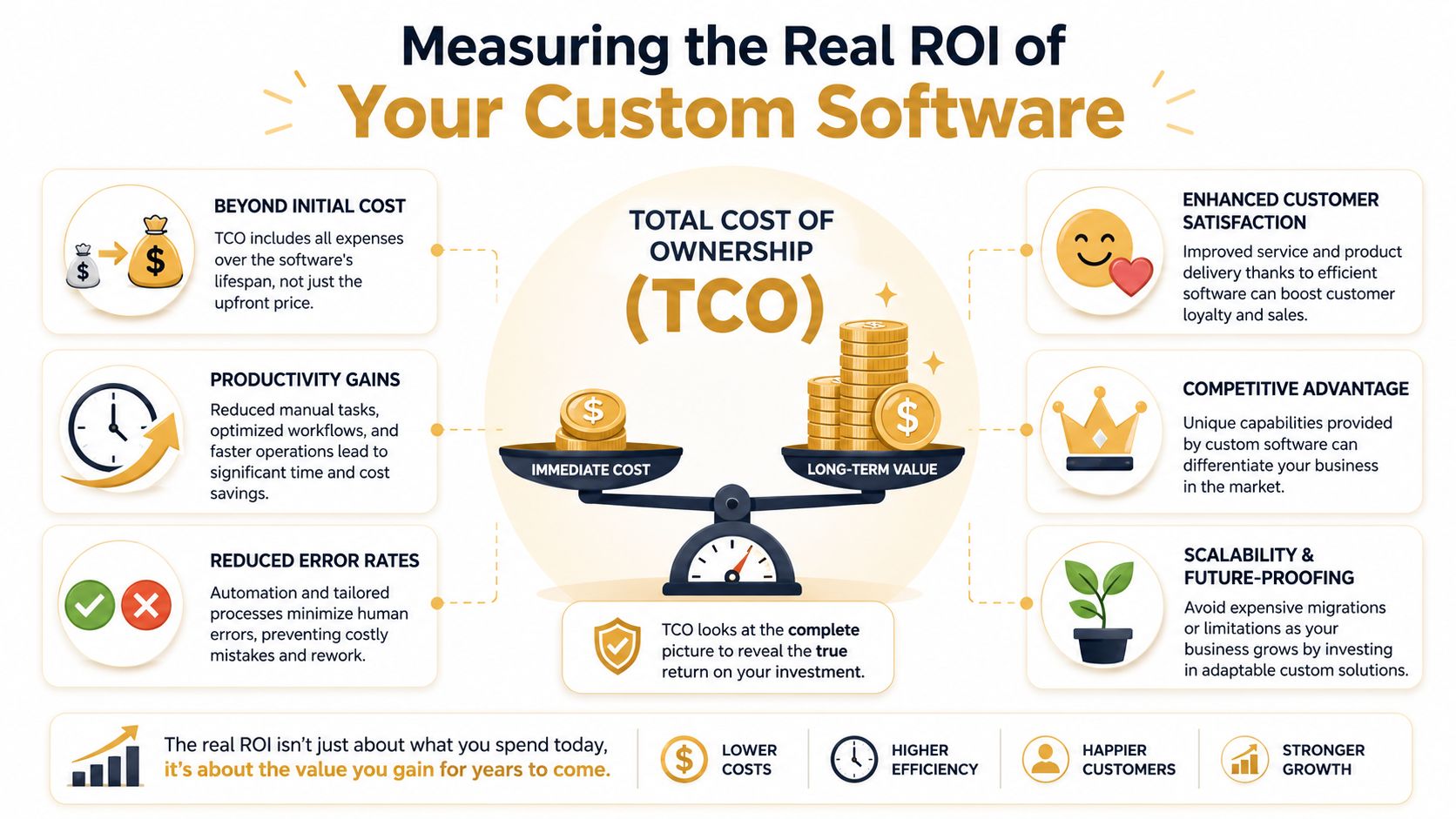
A lot of software decisions get approved or rejected on the build price alone. That's a mistake. The more useful number is total cost of ownership, or TCO.
TCO includes the visible cost of design and development, but it also includes maintenance, updates, scaling work, integration changes, training friction, and the cost of living with a system that doesn't fit well. That's where many small businesses get blindsided.
Why TCO matters more than the sticker price
Industry analysis highlighted by TechQuarter on custom software solutions for small businesses says small businesses often underestimate TCO by 40% to 60%, and 68% of small business tech buyers in the last year now demand TCO modeling in vendor proposals.
That lines up with what happens in real projects. Owners compare proposal A and proposal B, then ignore the cost of slow workflows, duplicated software subscriptions, or manual reporting that continues after launch because key pieces were never scoped.
How to think about ROI like an operator
Blackthorn Vision provides a simple ROI formula for software projects: (Net Benefits ÷ Total Costs) × 100, where net benefits can include labor savings, eliminated license fees, fewer errors, and increased revenue or conversions. You don't need perfect forecasting to use that approach. You need disciplined assumptions.
A practical ROI review should ask:
- What manual work disappears
- Which subscriptions or recurring licenses can be removed
- What errors become less likely
- What decisions get faster because data is cleaner
- Whether the system improves sales, fulfillment, or customer retention
A realistic local example without fantasy math
Take an Omaha company with a service dispatch operation. Today, office staff copy customer details from email into a scheduling system, text field crews updates, then update invoices later. That setup creates delay, duplicate entry, and billing mistakes.
A custom system might combine scheduling, technician updates, customer records, and invoice triggers in one workflow. The return doesn't come from “having an app.” It comes from fewer handoffs, cleaner records, faster invoicing, and less admin time spent patching gaps between tools.
The strongest ROI cases usually come from software that removes recurring labor, not software that simply looks modern.
What to request from a vendor before signing
Ask for a TCO view, not just a build estimate. At minimum, the proposal should address:
| Cost area | What you want clarified |
|---|---|
| Initial build | What is included in phase one |
| Integrations | Which systems are covered now and later |
| Maintenance | How updates, bug fixes, and support are handled |
| Scaling | What happens when users, locations, or workflows expand |
| Change requests | How future feature additions are priced |
When owners evaluate custom software development for small business this way, the decision gets clearer. Cheap can be expensive. Expensive can be efficient. The point is to understand the full operating impact over time.
Your Next Step Toward Business Growth
If your team is juggling spreadsheets, re-entering data, or relying on one employee who knows all the workarounds, your software isn't supporting growth anymore. It's slowing it down.
That doesn't mean you need a massive platform tomorrow. It means you should look carefully at where operations break, what work is repeated, and which process would create the biggest return if it were simplified. For many Omaha businesses, that starts with one focused build. A customer portal. A scheduling system. A quoting workflow. An internal dashboard that finally shows reliable data.
The businesses that get the most from custom software development for small business usually do three things well. They define the core problem, keep the first release tight, and choose a partner that understands business operations as well as code.
If you're at that point, the next move isn't to guess your budget or jump straight into development. It's to talk through the workflow, the bottlenecks, and the systems already in place so the scope reflects reality.
If you want a practical second opinion on whether a custom solution makes sense for your business, schedule a no-obligation conversation with Up North Media. A good first call should help you clarify the problem, identify where custom software could create real operational value, and decide whether the project belongs in an MVP, a phased rollout, or not on the roadmap at all.