
You're probably staring at a half-finished ecommerce roadmap right now, trying to decide whether to launch fast, rebuild the backend later, or spend another week arguing about Shopify, WooCommerce, headless, and custom code. That's the pressure point in ecommerce web application development. The wrong early choice doesn't just slow launch, it compounds into checkout friction, fragile integrations, and performance debt that erodes conversion.
The market context makes that decision matter. Global ecommerce reached $6.3 trillion in 2024 and was projected to rise to $6.86 trillion in 2025 and $8 trillion by 2027, with growth estimates around 7.8% CAGR (AppVerticals). In that environment, architecture, speed, payments, and maintainability aren't technical details. They're revenue decisions.
Discovery and Requirements Before You Write a Single Line of Code
Most ecommerce projects go off track before a designer opens Figma or a developer writes the first API call. The teams that stay on course treat discovery as product work, not paperwork. They define the business goal, catalog shape, traffic pattern, launch markets, and release cadence before they debate frameworks.
Start with growth assumptions, not features
If you do not define how the store is expected to grow, every architecture choice is a guess. Catalog size, seasonal traffic spikes, language support, and shipping frequency all affect the platform, the hosting model, and the integration burden. A store built for a few hundred SKUs in one market solves a different problem than a catalog that needs regional pricing, multilingual content, and frequent promotions.
The first discovery output should be a requirements brief, not a feature wishlist. It needs user flows, a draft data model, and non-functional requirements such as uptime expectations, security needs, and acceptable checkout latency. If those are not documented, scope drifts, and the team keeps rediscovering decisions that should have been settled once.
Practical rule: if a requirement can affect checkout, search, inventory, or fulfillment, it belongs in discovery, not in a late-stage “nice to have” list.
Pressure-test the integration map
Most ecommerce apps are more than storefronts. They sit between ERP, CRM, PIM, OMS, payments, shipping, and analytics systems, and each integration adds failure modes. Before you sign a development partner, get stakeholders to confirm which systems are the source of truth, which ones are read-only, and which events must sync in real time.
That is also the right time to ask whether the project is really an online store or a larger operational system. If you need B2B pricing, approvals, or contract logic later, the data model has to allow for it now. For teams building around sustainability or product traceability, DPP Grid's guide to digital product passports can help frame how product data should be structured before the store goes live.
A serious discovery package should include a documented user journey, a prioritized feature list, technical constraints, and a launch plan for what will not ship on day one. If a vendor jumps straight to implementation without those artifacts, that is a warning sign. For a leaner launch path, this guide to building a minimum viable product is useful as a calibration point, not as an excuse to skip planning.
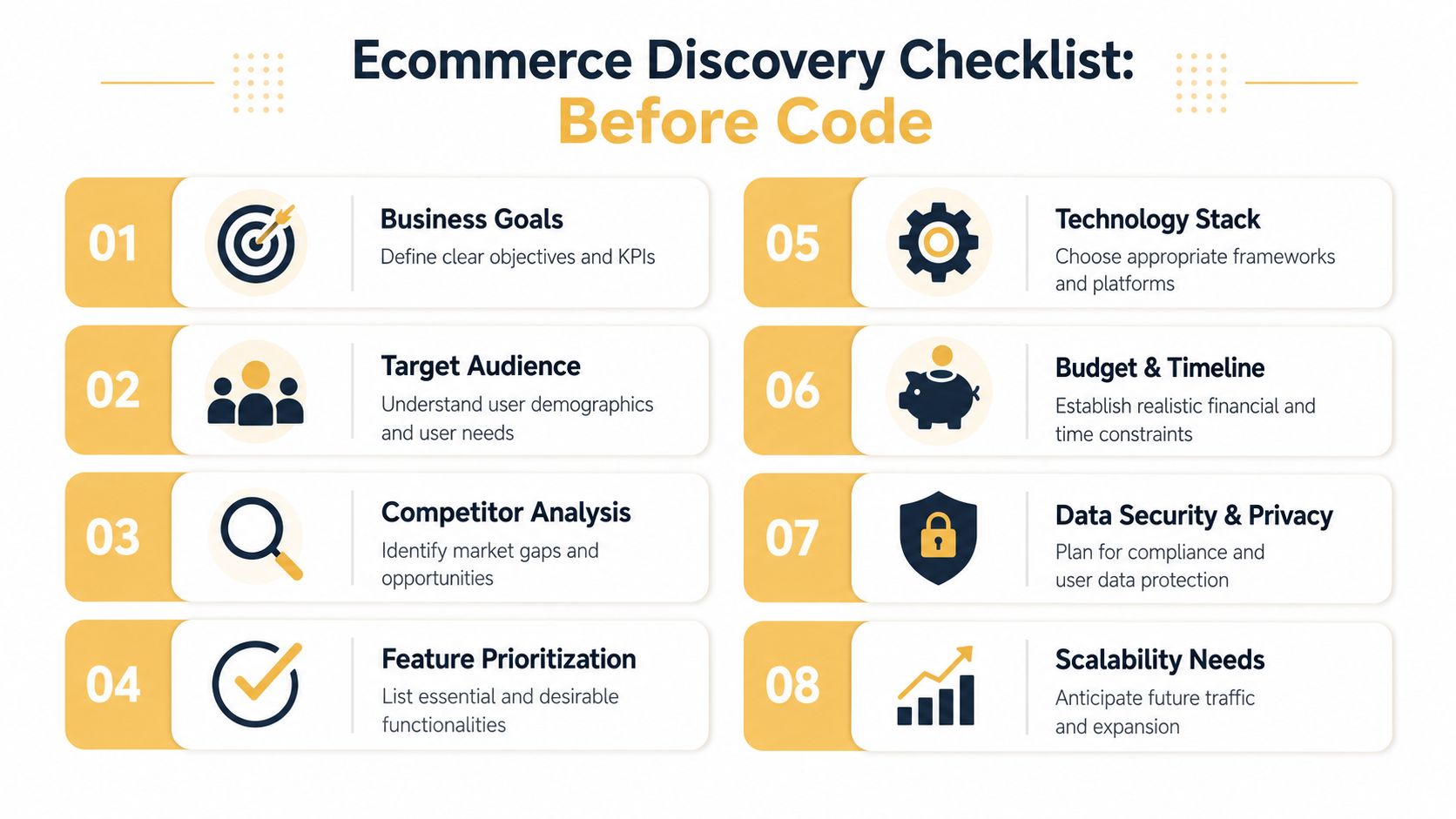
What should exist before development starts
A clean handoff usually includes:
- Business goals: Define what success looks like, revenue growth, margin protection, or operational efficiency.
- Target audience: Capture buyer type, purchase habits, and device preferences.
- Feature priority: Separate launch-critical features from phase-two ideas.
- Integration inventory: List ERP, CRM, PIM, OMS, payments, shipping, and analytics.
- Non-functional requirements: State speed, security, accessibility, and support expectations.
- Risks and dependencies: Note any external systems, content delays, or legal reviews.
If those artifacts exist, architecture decisions become clearer and cheaper. If they do not, the project is already moving on assumptions.
Choosing Between Headless Commerce and a Monolithic Stack
Architecture is the decision that changes everything else. The usual mistake is to treat headless commerce as the modern answer and monolithic systems as the outdated one. In reality, each fits a different operating model, and the wrong choice can force unnecessary complexity into a project that just needed to launch.
Headless isn't automatically better
Headless commerce splits frontend and backend, usually with a framework like Next.js or Nuxt talking to a commerce engine through APIs. That gives teams a lot of control over UX, content delivery, and omnichannel presentation. It also increases coordination work, because every customer-facing change depends on API contracts, frontend implementation, and more engineering discipline.
Monolithic stacks, including traditional WooCommerce or Magento builds, keep more of the storefront logic in one place. That can be the better choice when the team needs speed, a smaller integration footprint, and less architectural overhead. A strong monolith is often the right move for businesses that care more about launching cleanly than composing a custom stack from scratch.
For a useful overview of implementation styles and platform trade-offs, compare headless platforms before assuming the decoupled route is the default.
Compare the options by operational reality
| Dimension | Headless Commerce | Monolithic Stack |
|---|---|---|
| Launch speed | Slower, because frontend and backend work move in parallel and need tighter coordination | Faster, because storefront, checkout, and admin logic live closer together |
| Customization ceiling | High, especially for unique UX and multi-channel delivery | Solid for standard ecommerce patterns, but less flexible at the edges |
| Integration complexity | Higher, because APIs become central to everything | Lower, because more functionality is available inside the platform |
| Maintenance burden | Higher, due to more services and more moving parts | Lower to moderate, depending on plugins and custom code |
| Scaling path | Strong when the business expects ongoing product and channel expansion | Practical when the near-term goal is fast, reliable revenue generation |
The right question isn't “Which is more modern?” It's “Which stack matches the team's operating maturity?” If the business has strong engineering bandwidth and a clear need for custom customer experiences, headless can pay off. If the team needs a dependable store quickly, a monolith can be the better investment, with a migration path later.
A detailed ecommerce platform comparison is worth reviewing before locking in a stack, because switching later is always more expensive than choosing carefully now.
Decision rule: use headless when the experience is the differentiator. Use a monolith when operational speed and simplicity matter more than deep frontend control.
UX and Conversion-Focused Design Decisions
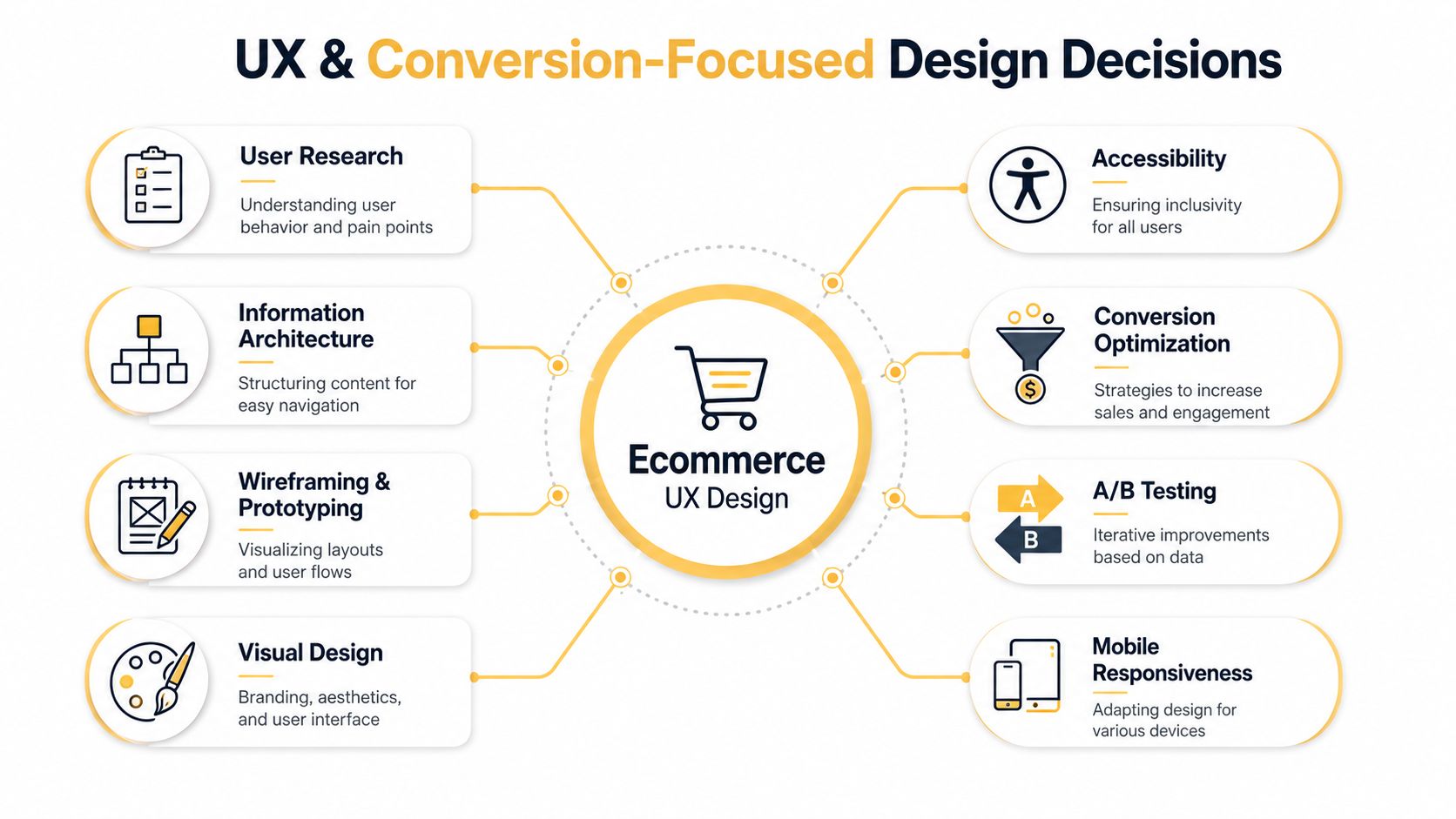
A checkout can fail even when the code is solid. If the mobile layout is awkward, product pages hide key details, or the cart flow makes people stop and think, the store loses revenue before the backend ever gets a chance to help. In ecommerce web application development, design decisions are implementation decisions because they shape how quickly a buyer can move from curiosity to payment.
Build for mobile first, not mobile later
Retail traffic now starts on phones for many stores, so the default experience has to work on a small screen first. That means thumb-friendly buttons, product cards that stay readable without zooming, and checkout forms that stay short enough to finish without friction.
The practical standard is not just whether a page loads. It is whether taps, clicks, and form interactions respond quickly enough to feel immediate. I have seen teams spend heavily on visual polish while missing the cost of slow UI feedback, and that usually shows up as abandoned carts rather than clean bug reports.
Make the checkout feel inevitable
The strongest checkout flows remove hesitation. Guest checkout, persistent carts, clear shipping costs, and fewer form fields all reduce the chance that a buyer stops before paying. Product pages should answer the basic questions early, what the item is, why it matters, and what happens after purchase.
Trust signals carry weight because buyers are deciding whether to take a risk. Reviews, security cues, returns language, and shipping transparency lower that uncertainty without adding clutter. Accessibility belongs in the same conversation, because a store that works for keyboard users, screen readers, and low-vision shoppers usually has better structure for everyone else too.
The handoff to engineering should cover states, not only screens. Designers need to specify loading states, validation errors, empty carts, out-of-stock messages, and mobile breakpoints before implementation starts, or the team will fill those gaps with generic patterns that may not match the brand or the conversion goal.
Front-end choices also affect how much speed you can buy back later. A heavy hero banner, oversized imagery, and too many client-side interactions can slow down the buying path even if the rest of the stack is well built, so teams that care about conversion usually keep the interface lean and measure it against front-end performance strategies as part of the build.
Practical rule: if a design element does not help the buyer decide, trust, or complete checkout, it probably does not deserve custom engineering time.
For handoff, designers need states, not just screens. That means loading states, validation errors, empty carts, out-of-stock messages, and mobile breakpoints all need to be specified before development starts. Otherwise, the implementation team will fill in the gaps with generic patterns that may not match the brand or the conversion goal.
A store also needs content that supports the decision instead of just filling space. Clear size guidance, shipping expectations, return terms, and product comparisons reduce support load while making the purchase feel less risky, especially for higher-consideration items. If the team is still deciding which guardrails should ship before launch, the website security best practices guide is a useful reference for the minimum checks that should not be skipped.
Payments, Security, and Performance Engineering
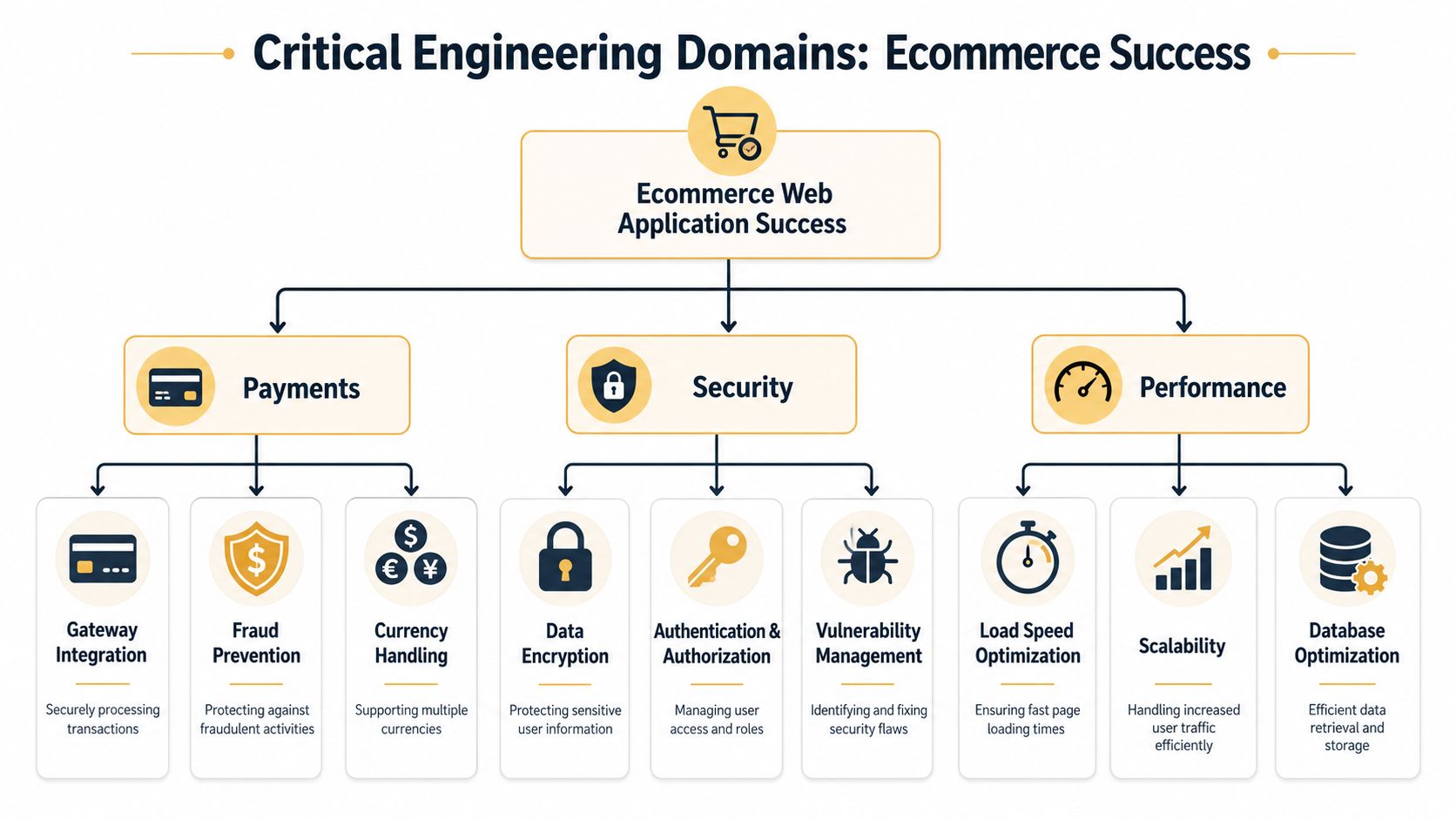
A checkout flow can look solid in staging and still fail in production for three different reasons. A payment processor rejects a region you planned to serve, a security gap exposes customer data, or the storefront slows down enough that buyers leave before the order is complete. Those failures are not separate concerns. In ecommerce, they compound into lost revenue and support noise.
Payments should lower compliance friction
Gateway selection affects fraud controls, regional coverage, and how much card data ever enters your application. Stripe, Adyen, Braintree, and regional processors each make different trade-offs, so the right choice depends on the business model, not brand familiarity. A B2C checkout with high transaction volume has different needs from a B2B order flow that may involve invoices, payment terms, or purchase orders. The practical goal is to keep sensitive payment handling outside your core application wherever possible so PCI exposure stays contained.
Security work should be explicit and boring. HTTPS everywhere, rate limiting on checkout endpoints, dependency scanning, secrets management, and webhook signature verification are baseline requirements, not optional extras. For teams that need a tighter pre-launch checklist, a practical website security best practices guide is a useful reference for the controls that should already be in place before customers ever touch the app.
Performance is a conversion feature
Industry reporting suggests that faster pages can improve conversions, while slow pages push more buyers out of checkout. The point is straightforward. If a payment step hesitates, the store is not just losing a pageview, it is losing a sale.
The work usually starts with Core Web Vitals, especially Largest Contentful Paint, First Input Delay, and Cumulative Layout Shift. Modern ecommerce builds also rely on server-side rendering, CDN delivery, responsive images, lazy loading, and caching to keep pages usable under real traffic, as noted in Crystallize. Non-blocking work, such as email delivery or background processing, should move out of the request path so the shopper never waits on it.
Front-end decisions still matter after the backend is tuned. A heavy hero, oversized media, or too much client-side interaction can slow the buying path enough to erase gains from a better infrastructure layer, so teams that care about conversion usually measure the interface against front-end performance strategies while they build.
The right habit is to test checkout and product pages under realistic conditions, not just on a developer laptop. Payment paths need real-device checks, observed error handling, and enough instrumentation to tell whether failures come from the gateway, the browser, or your own code. If that path is fragile, slow, or hard to observe, it will fail at the worst possible time.
Scaling Without Accumulating Performance Debt
The risk in ecommerce is not a slow launch, it is a store that feels fine in staging and starts losing money once traffic, catalog size, and promotions all stack up. Every slow query, every uncached response, and every expensive API hop shows up somewhere in the buying path, usually as a lower conversion rate or a support ticket that should never have existed.
Build for scale without overbuilding
The goal is not to design for traffic you have not earned yet. The goal is to keep future tuning manageable. Read-heavy catalog pages usually benefit from caching layers, while write-heavy actions like order placement need careful database handling and queueing so the storefront stays responsive under load.
Indexing deserves more attention than it usually gets. Search, filters, order history, and product lookups do different jobs, so they should not be treated like one generic database problem. Horizontal scaling helps once traffic rises, but it will not rescue inefficient queries or sloppy cache rules.
Instrument the app from day one
Real user monitoring should begin before launch, not after the first complaint from a customer or a merchandiser. Synthetic checks still matter, because they catch broken checkout paths and CDN issues before they reach the audience. Feature flags add another layer of control, since they let teams release changes in a controlled way instead of betting the storefront on a single deploy.
Practical rule: if a feature affects checkout, pricing, or inventory visibility, release it behind a flag until you have seen it work on production traffic.
MVP thinking often gets misunderstood. Shipping fast is good. Shipping fast with no observability, no cache strategy, and no rollout controls just means the debt starts on day one. The better pattern is to keep the first release small, then design the app so the next ten releases do not get harder.
If you need a local team that can balance application work with search and automation planning, Up North Media is one option in the market that combines web app development, SEO marketing, and AI consulting under one roof.
Testing, Deployment, and the Post-Launch Growth Stack
Deploying the app marks the beginning of the core engineering cycle. Ecommerce requires continuous testing because pricing logic, tax rules, shipping rules, and promotions can all disrupt revenue without any change to the visual design. The most secure teams manage deployment as a controlled process, not a single handoff.
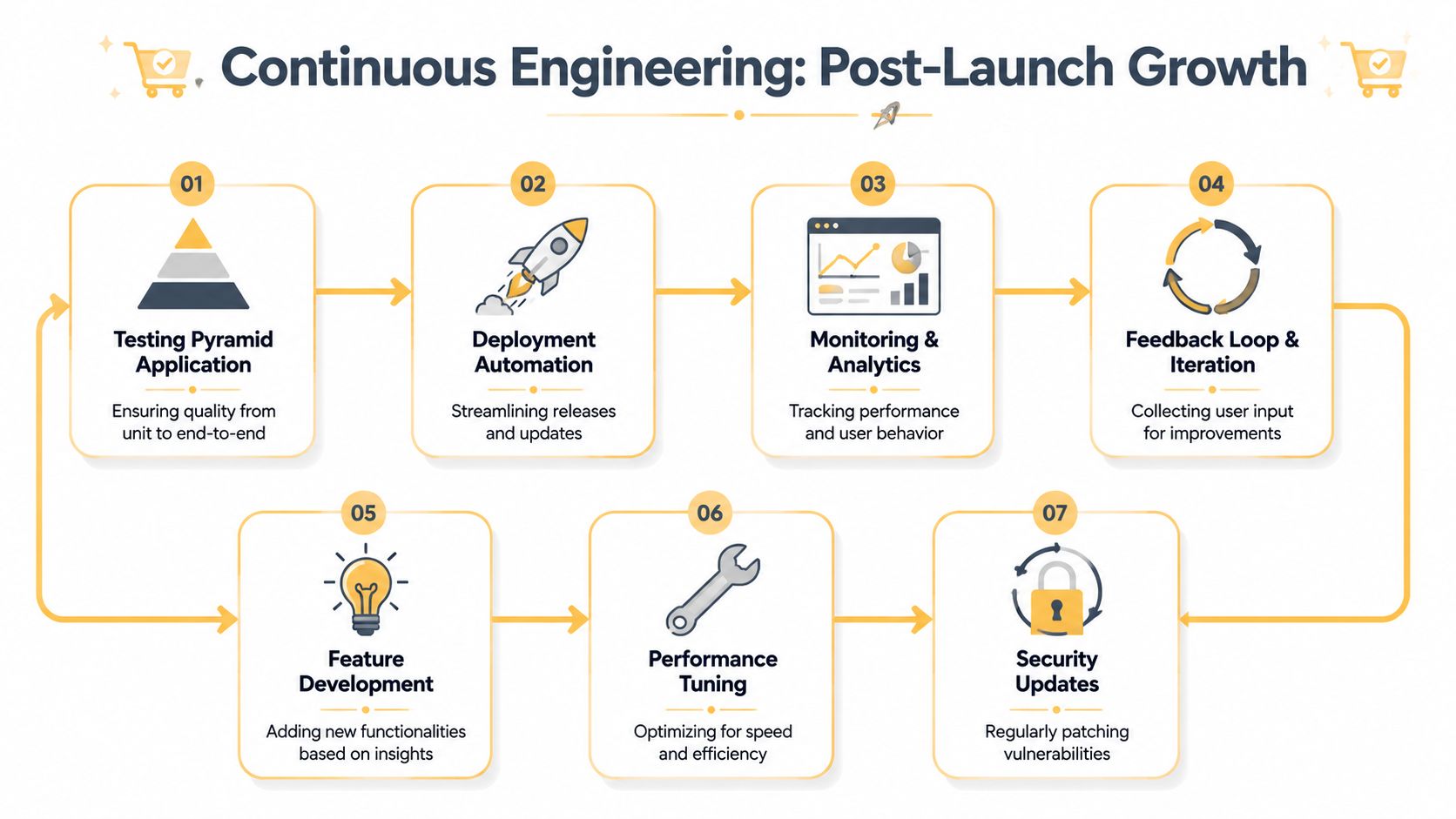
Test what can cost money
Unit tests should cover pricing, discount logic, tax calculations, and edge cases around cart totals. Integration tests need to hit checkout, payment, and fulfillment flows, because those are the paths that most often fail across systems. End-to-end tests should protect the journeys that matter most, adding to cart, signing in, checking out, and receiving an order confirmation.
Load tests belong before peak sales periods, not after. A checkout flow that works at low volume can behave very differently when multiple customers hit the same inventory and payment paths at once. If the store has any custom logic around promotions or inventory reservation, that needs the harshest testing of all.
Deploy with observability and rollback in mind
CI/CD pipelines, infrastructure as code, and environment parity reduce the chance that staging looks healthy while production falls apart. Structured logs and traces make it possible to understand where a payment or order flow failed. Rollback procedures should be documented before launch, because “we'll figure it out live” is not a plan.
The growth stack sits on top of that foundation. Analytics should show funnel drop-off clearly. SEO should use crawlable URLs, schema markup, sitemaps, and canonical tags. AI features like intelligent search, recommendations, and chat can help, but they only matter after the core store is stable and measurable.
Realistic Costs, Timelines, and Choosing the Right Partner
A store budget is usually a direct reflection of how many decisions you are making up front. A simple catalog with standard checkout can stay in a lower range, while custom UX, multiple integrations, account-based pricing, and security work push the scope higher. Timelines move the same way. Once a project needs complex approval flows, inventory rules, or B2B account structures, the calendar stretches because every dependency has to be tested against real operational behavior.
That is the part many ecommerce plans miss. The first architecture choices decide whether the build stays manageable or starts collecting performance debt that shows up later in conversion, maintenance, and launch risk.
What drives cost most is not just the storefront design. It is the number of systems you need to connect, the depth of custom logic in checkout and accounts, and whether the architecture needs to support B2C simplicity or B2B complexity. Development time also expands when teams need approval flows, account-level pricing, or advanced catalog management. The more custom the commerce rules, the more time should be reserved for validation, not just interface work.
A solid partner should show:
- Relevant ecommerce work: Ask for stores with similar checkout, catalog, or integration complexity.
- Technical references: Confirm they have handled performance, security, and deployment under real constraints.
- Support model: Know who fixes issues after launch and how quickly they respond.
- Estimation process: Transparent scoping should explain what is included and what is not.
- Integration experience: They should understand how your store connects to your existing tools.
Local support can matter when the business serves a regional market and needs tighter coordination on content, SEO, or operational workflows. The right partner will build the store and flag architecture choices that are cheap to ship now but expensive to maintain later. That difference matters more than a polished sales deck, because the true test is whether the platform can keep converting after launch without constant rework.