
A web app project usually starts long before anyone talks about features, wireframes, or code. It starts on a busy Monday when the team is chasing down order updates in spreadsheets, copying customer data between systems, and answering the same support question for the tenth time. Or it starts when an owner sees demand for online booking, client portals, subscriptions, or account-based service and realizes the current website cannot support the next stage of growth.
For an SMB, designing a web application is a business decision first. The core questions are practical ones. Which process needs to run faster? Which customer action needs fewer steps? Which part of the business should scale without adding headcount at the same pace?
That shift in thinking improves the project from the start.
A good design process ties each decision to a measurable outcome. Better conversion rates. Lower administrative overhead. Faster response times. Higher retention. New revenue opportunities in markets your current setup cannot serve well. The app matters because it changes how the business operates and how customers buy.
User expectations also keep rising. In 2024, the global app market recorded more than 115 billion downloads, a clear sign that customers across industries now expect polished digital experiences, not just from large software companies. For SMBs, that creates both pressure and opportunity. A well-designed web app can help a business capture demand, reduce manual work, and compete in ways that were once limited to larger firms.
The challenge is choosing what to build, in what order, and with what level of investment. An owner might want customer dashboards, automated notifications, reporting, and integrations on day one. In practice, each choice affects cost, timeline, maintenance, and adoption. Strong web app design brings those trade-offs into the open early so the product supports revenue, efficiency, and growth instead of becoming an expensive collection of features.
From Business Need to Web Application
A good web app begins with a business decision, not a design file.
For an SMB, that usually means one of three situations. You need to fix an inefficient process, you want to serve customers in a more scalable way, or you see a chance to create a new revenue stream. The app is just the delivery mechanism. The core asset is the system behind it.
Start with the business friction
When owners describe an app idea, they often jump straight to features. Dashboard. Login. Notifications. Admin panel. That's understandable, but it's backwards.
The stronger approach is to name the friction first:
- Operational friction: Staff lose time on repetitive work, approvals, data entry, or reporting.
- Customer friction: Buyers can't complete key actions easily, such as booking, reordering, tracking, or uploading information.
- Growth friction: Your current site or tools can't support subscriptions, account-based experiences, custom pricing, or integrations.
Once the friction is clear, the app starts to define itself.
Practical rule: If you can't describe the business problem in one plain sentence, you're not ready to design the solution.
A web app is an investment with trade-offs
Many projects drift at this stage. Teams often assume design focuses solely on screens, colors, and functionality. In practice, design also encompasses governance. Who owns the product? What gets measured? Which workflows change? What has to integrate with accounting, CRM, inventory, or fulfillment?
A simple internal operations app may create more value than a flashy customer portal if it removes bottlenecks your team deals with every day. On the other hand, a customer-facing application might justify the investment if it shortens the path from interest to purchase.
A useful way to frame the decision is to compare options before any software gets built:
| Business question | Weak approach | Strong approach |
|---|---|---|
| Why build this? | “We need something modern.” | “We need to remove a specific bottleneck or unlock a specific revenue path.” |
| Who is it for? | “Everyone.” | “A clearly defined user group with a repeatable need.” |
| What should it do first? | “Everything we can think of.” | “One high-value workflow that proves adoption.” |
| How will we judge success? | “If it launches.” | “If it improves a business metric or reduces a workflow cost.” |
What works and what doesn't
What works is a narrow first release, clear ownership, and decisions made around business outcomes. What doesn't work is trying to satisfy every stakeholder at once, piling on edge-case features, or designing around internal assumptions without user input.
The companies that get the most value from a web app treat it like an operating system for part of the business. They don't ask, “What can we build?” They ask, “What should this app make easier, faster, or more profitable?”
That question leads to better design every time.
Laying the Foundation with Strategy and Discovery
The discovery phase is where expensive mistakes are still cheap.
A lot of failed app projects don't fail because the development team couldn't code them. They fail because the business never got aligned on what problem the product was solving, who it was for, and what “done” should mean. That's why strategy and discovery deserve more attention than most clients expect.
What discovery actually includes
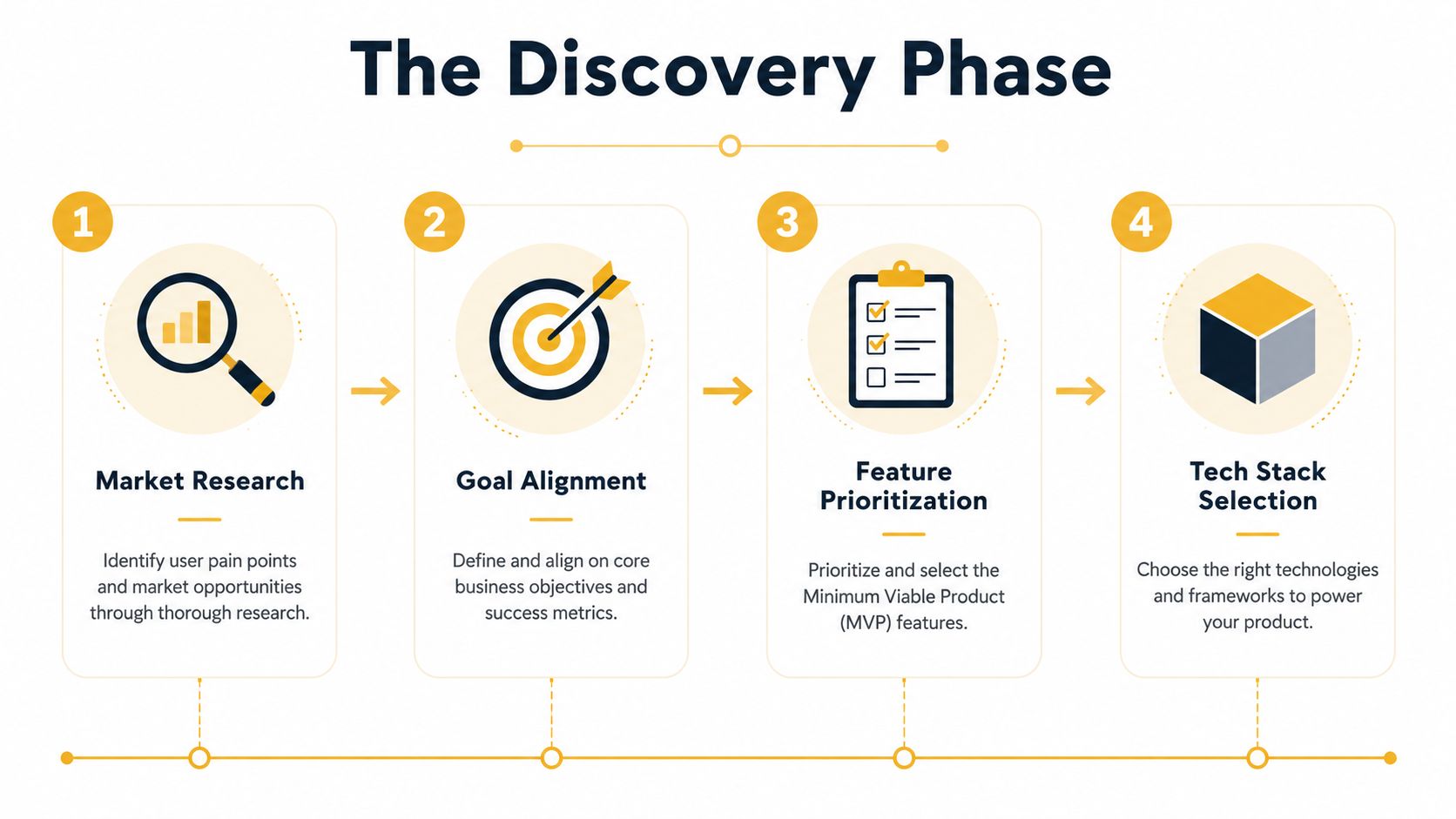
Discovery isn't a kickoff call plus a wish list. It's a structured working phase that turns assumptions into decisions.
A solid process usually covers:
-
Stakeholder interviews
Talk to leadership, operations, sales, customer service, and the people who'll use the app every day. They rarely describe the same problem in the same way. That gap matters. -
Process mapping
Document how work happens now. This exposes duplicate steps, approval bottlenecks, broken handoffs, and integration needs. -
User and business goals
Define what users need to accomplish and what the business needs to gain. Those aren't always identical, so they need to be reconciled early. -
Feature prioritization
Split features into must-have, useful later, and not now. This is the difference between an MVP and an overbuilt first release. -
Technical feasibility
Identify dependencies, data requirements, security needs, and platform constraints before a design gets locked.
If you want another practical viewpoint on the early planning side, it's worth taking time to explore RapidNative's web application insights, especially for comparing strategic choices before development starts.
Why this phase saves money
The biggest reason discovery matters is rework. Teams often think skipping strategy saves time. It usually does the opposite.
According to Netrio's breakdown of software development pitfalls, failing to conduct stakeholder interviews contributes to scope creep in up to 70% of projects, and detailed planning correlates with 30% to 50% lower budget overruns. That's not a minor process improvement. That's the difference between a controlled build and a wandering one.
Discovery should reduce ambiguity, not create paperwork. If a deliverable doesn't help a decision get made, it's probably noise.
The decisions SMBs need to make early
Most SMB app projects benefit from answering a short set of blunt questions before anyone touches visual design:
- Which workflow matters most right now?
- Who uses the app first, staff, customers, partners, or all three?
- What existing tools must it connect to?
- What data needs to be visible in the app, and to whom?
- What should stay manual for now because automation would add too much complexity?
Those answers shape scope, budget, timeline, and architecture.
Discovery outputs worth paying for
Not every deliverable is equally useful. These are the ones that tend to carry their weight:
- A requirements document with approved priorities
- User flows for the main tasks
- A scope definition for phase one
- A risk list covering technical and operational unknowns
- Early wireframes or clickable concepts for feedback
- A success framework that connects the app to business outcomes
A strong discovery phase doesn't promise certainty. It gives you enough clarity to make informed trade-offs, which is what good product design really is.
Mapping the User Journey with UX and IA
The fastest way to waste a development budget is to build an app around internal logic instead of user behavior.
Businesses know their own processes so well that they often assume users will follow the same mental model. They won't. Customers don't care how your departments are organized. Staff won't tolerate a tool that forces extra clicks just because the backend is messy. Good UX and information architecture fix that by making the app feel obvious.
Structure before screens
A lot of teams want to jump to visual design here too. Resist that urge.
UX starts with questions like these:
- What's the first thing a new user is trying to do?
- What information do they need before they'll act?
- Where are they likely to hesitate?
- What should the app remember so users don't have to repeat themselves?
- Which tasks happen often enough that speed matters more than visual flair?
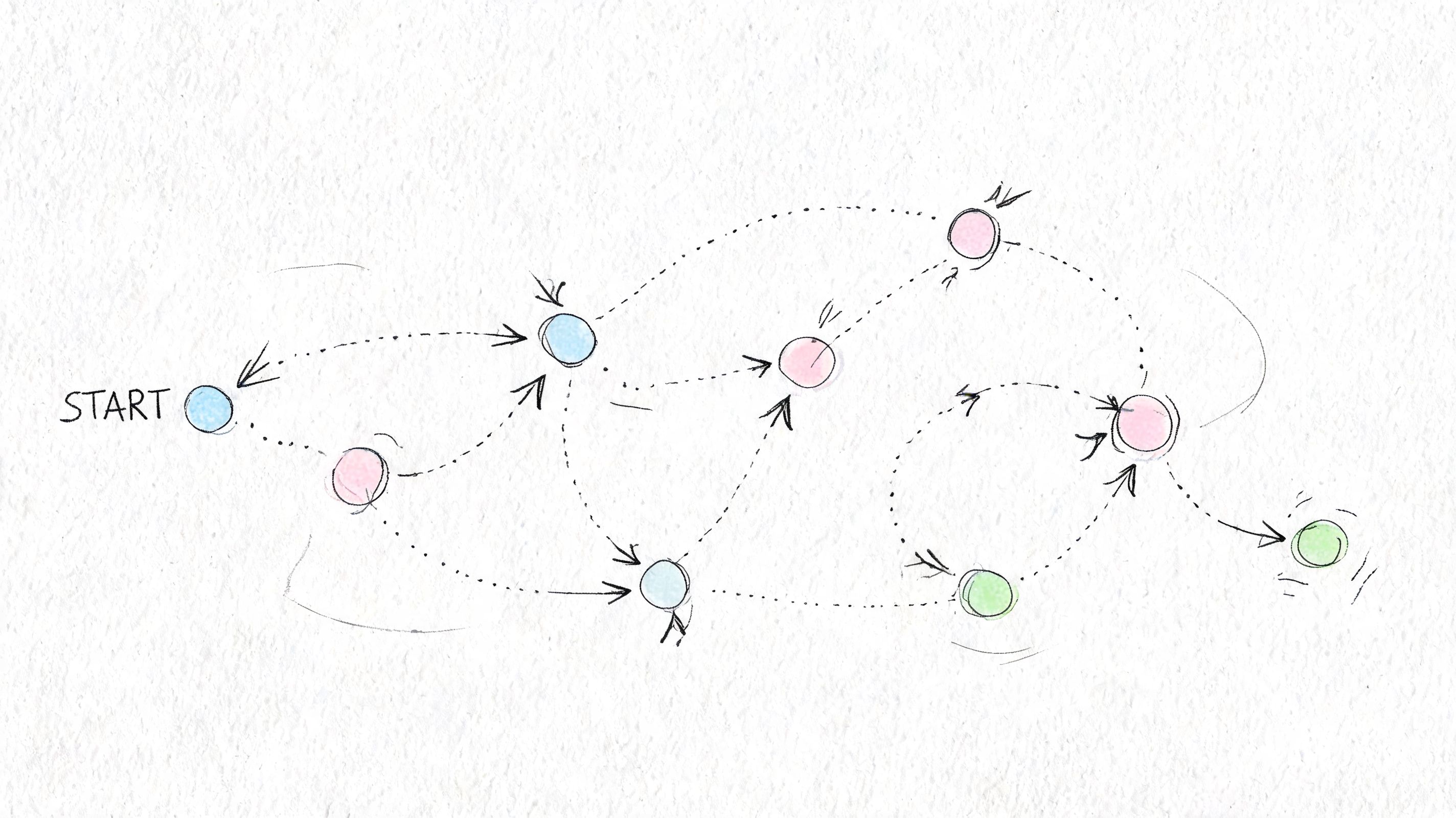
From there, you map user flows. For a service business, that might be quote request to appointment booking to payment. For an internal operations app, it might be intake to approval to status tracking. For an e-commerce tool, it might be browse to save to checkout to reorder.
The goal isn't creativity. It's clarity.
Information architecture is where confusion gets prevented
Information architecture sounds abstract, but it shows up in very practical ways. Navigation labels. Page grouping. Search behavior. Filters. Permission-based views. Dashboard hierarchy.
Bad IA makes users think too much. Good IA reduces decisions.
Here's a simple comparison:
| UX choice | What usually happens |
|---|---|
| Navigation mirrors your org chart | Users get lost because they don't think in department names |
| Pages are grouped by task | Users move faster because the structure matches intent |
| Forms ask for everything at once | Completion drops because the effort feels too high |
| Forms are staged around the workflow | Users keep moving because each step feels manageable |
Accessibility expands the market
This is one area where too many teams still think too narrowly. Accessibility isn't only a legal or compliance concern. It's a market access decision.
The W3C's accessibility guidance notes that over 1 billion people globally have disabilities, and accessible design patterns such as proper heading structure and contrast compliance correlate with stronger engagement and conversion across users. That framing matters for SMBs. Clearer navigation, better contrast, keyboard support, readable forms, and semantic structure don't just help a subset of users. They remove friction for everyone.
If a user has to fight the interface, they won't admire the design. They'll leave, call support, or abandon the task.
Make UX testable, not subjective
One of the cleanest ways to protect UX quality is to turn vague expectations into concrete checks. “The dashboard should be easy to use” isn't useful. “A logged-in customer can find an invoice and download it without contacting support” is useful.
That's why strong teams pair user flows with acceptance criteria. If you need a practical framework for that handoff, writing testable acceptance criteria is a helpful reference for translating user intent into build-ready requirements.
What good UX usually looks like in SMB projects
It tends to be less glamorous than people expect. Fewer menu items. Smarter defaults. Less form friction. Better labeling. More predictable next steps. Permission-aware dashboards. Reusable components. Search that works.
The app doesn't need to surprise users. It needs to help them finish something important without friction.
Bringing the Vision to Life with UI Design and Prototyping
Once the app's structure is clear, the work becomes visible. This is the phase where abstract decisions turn into real screens, real interactions, and real trade-offs.
The biggest mistake here is treating UI design as decoration. It isn't. UI determines what users notice first, what they trust, how fast they understand a page, and whether the product feels easy or heavy.
The design usually starts rough on purpose
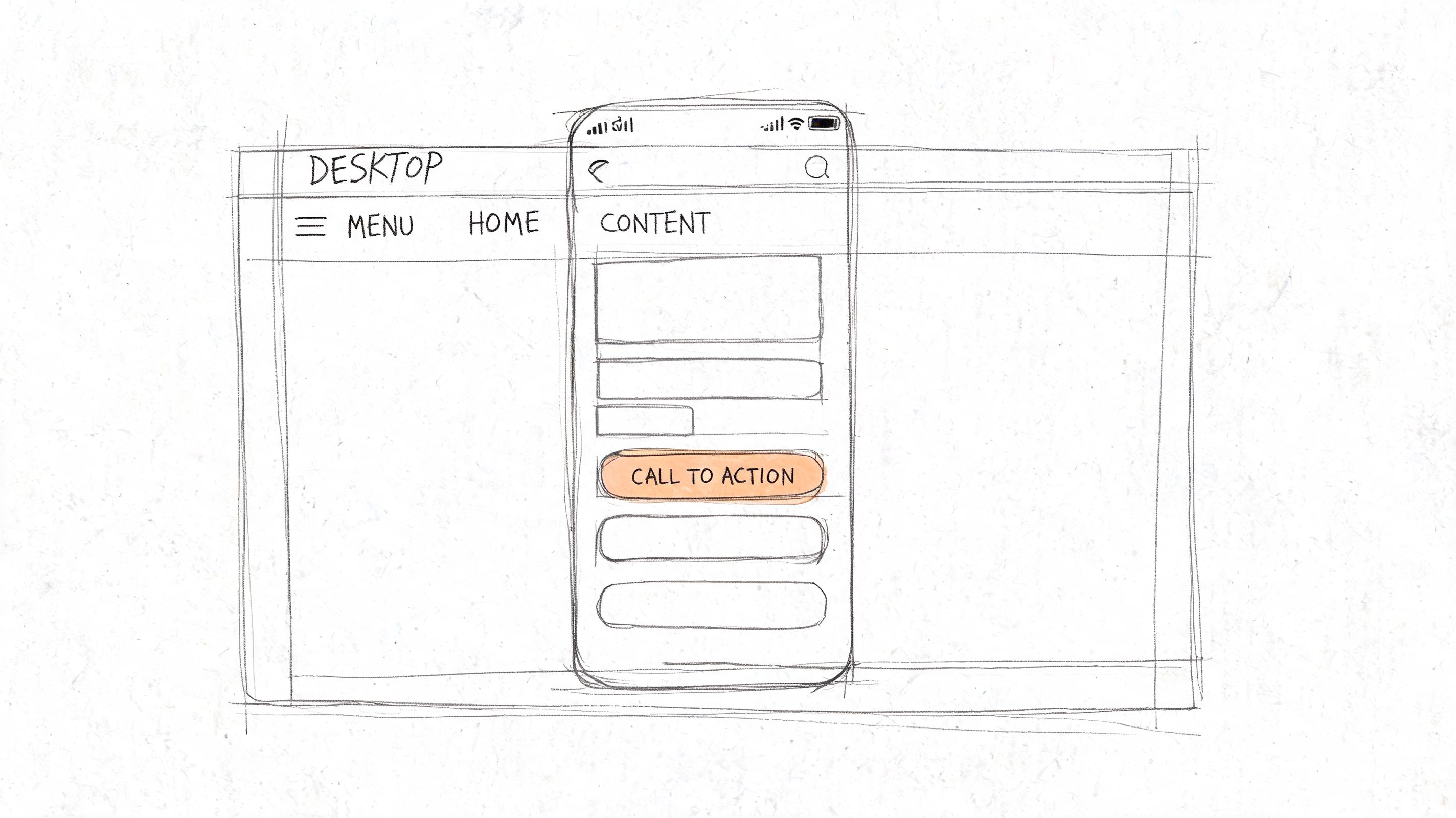
A healthy UI process begins with low-fidelity wireframes. These are simple layouts that answer structural questions before anyone debates colors or branding.
For example, a retailer building a customer account portal might start with rough blocks for order history, saved items, support access, and account settings. At this stage, the team is testing placement and hierarchy. Does the user see the main action quickly? Is the navigation overloaded? Does the dashboard support repeat tasks?
After that, the work moves into high-fidelity mockups. Typography, spacing, component styles, brand colors, icon systems, and state changes get defined during this phase. The app starts looking real.
If your team needs a useful primer on that early planning stage, this guide on how to create wireframes is a practical way to align stakeholders before design gets polished.
Good UI design accounts for performance early
Experienced teams distinguish themselves from teams that only make attractive mockups.
The WeWeb guide on responsive web app design points out that design decisions directly impact Core Web Vitals, and that using patterns like skeleton screens, smart loading, and above-the-fold prioritization early can prevent expensive retrofitting later. It also notes that every 100ms delay in page load can reduce conversions by 7%.
That changes how a smart designer works. Instead of filling a homepage with heavy media because it looks impressive in a static comp, they define what needs to appear first, what can load progressively, and where placeholders improve perceived speed.
A beautiful screen that loads slowly is doing two jobs badly. It hurts the experience and creates avoidable development work.
Prototype before you commit
Static mockups are helpful. Clickable prototypes are where decision-making gets sharper.
A prototype built in Figma or a similar tool lets a client click through real flows before development starts. That means you can review onboarding, navigation, filtering, checkout logic, dashboard behavior, and empty states while changes are still cheap.
A prototype also exposes the weak spots that polished screens can hide:
- Missing states: error messages, empty dashboards, expired sessions
- Interaction ambiguity: buttons that look equal even when one should dominate
- Mobile friction: layouts that technically shrink but don't work
- Workflow gaps: steps users need but the flow doesn't support yet
This kind of review is easier when stakeholders can see motion and sequence, not just static artboards.
A quick visual walkthrough helps non-technical teams understand what that jump from layout to interaction looks like:
What works in real projects
The UI work that holds up over time usually shares a few traits:
- Consistent components: buttons, form fields, cards, tables, and alerts behave predictably
- Clear visual hierarchy: users know what to do first
- Responsive intent: mobile layouts aren't compressed desktop screens
- Performance-aware design: content loads in an order that supports action
- Prototype-led feedback: issues show up before development invoices do
At this stage, design should make development easier, not harder. When the prototype is clear, the build has fewer surprises.
Choosing Your Toolkit with Tech Stack and Architecture
A lot of SMB app projects go sideways here. The owner approves a stack because it sounds modern, the build starts, and six months later every small change costs more than expected, hiring is hard, and one integration keeps breaking. The stack was not wrong on paper. It was wrong for the business.
The right technical foundation supports revenue, operational efficiency, and growth without forcing you into avoidable complexity. That means choosing tools based on how the application will make money, reduce manual work, support staff, and connect with the systems you already depend on.
Start with business pressure, not framework preference
Tech stack decisions should answer practical questions first.
| Decision filter | What to ask |
|---|---|
| Revenue model | Does this support the customer experience your sales process depends on, such as self-serve signup, quoting, subscriptions, or portals? |
| Operational efficiency | Will this reduce internal admin work, or create more maintenance overhead for your team? |
| Integration fit | Can it connect cleanly with your CRM, ERP, payment platform, inventory tools, or reporting systems? |
| Hiring and support | Can your agency, internal team, or future hires maintain it without specialist dependency? |
That last point matters more than many founders expect.
A stack that needs rare expertise can turn ordinary updates into expensive projects. A more common stack often gives SMBs a better return because it lowers support risk, shortens onboarding for new developers, and makes vendor transitions less painful. If you want a clearer framework for weighing those trade-offs, this guide on how to choose a tech stack for your web app is a useful reference.
Choose each layer for the job it needs to do
Most web apps still come down to three layers that need to work well together.
The front end controls the customer or staff experience. That includes dashboards, forms, account areas, search, filtering, and anything users interact with directly. A JavaScript framework such as React or Vue can make sense when the interface has a lot of state changes or personalized views. For a simpler app, a lighter approach may be faster to build and cheaper to maintain.
The back end handles business rules. User permissions, approvals, payment flows, integrations, notifications, and reporting logic usually live here. This layer should be chosen for reliability, developer availability, and fit with the work the app needs to perform, not because a language is fashionable.
The database layer often determines whether the app stays easy to extend. Poor database choices show up later as awkward reporting, slow queries, messy permissions, and expensive workarounds. If your app will rely on customer histories, order records, inventory relationships, or workflow data, the structure of the database deserves real attention. These database design best practices are worth reviewing because database decisions usually last longer than front-end trends.
Architecture should match your stage
Many SMBs do better starting with a monolith.
A well-structured monolith is easier to ship, test, host, and debug. It keeps the codebase more centralized, which helps when one team is handling product decisions, development, and support. For an SMB launching a client portal, operations dashboard, booking platform, or internal process tool, that simplicity often protects the budget.
Microservices have a place. They make more sense when separate products need to scale independently, multiple teams are deploying at the same time, or one part of the system has very different infrastructure needs from another. They also add deployment complexity, monitoring overhead, and more points of failure.
Choose the architecture your team can run consistently.
Good technical choices are usually boring
That is not a criticism. It is a sign of discipline.
The best stack for an SMB usually uses proven tools, clear documentation, strong community support, and hosting options that do not require custom heroics. It leaves room for growth, but it does not charge you upfront for growth you may never need. In practice, that often means picking technology that helps your team release features faster, integrate with existing systems cleanly, and avoid rebuilds caused by novelty.
Partner advice matters here too. Up North Media works on custom web applications, API development, SEO, and AI consulting for SMBs and growth-stage businesses. The broader point is to work with a team that can explain why a stack fits your margins, workflows, hiring reality, and expansion plans in plain business terms.
A good stack should feel stable, supportable, and cost-aware. If it fits the business, the technology stops being the story. The results become the story.
Building with Confidence Through Development and Testing
Once the strategy, UX, UI, and architecture are locked in, development should feel disciplined, not mysterious.
Clients often worry that this phase is where everything disappears into a black box. It shouldn't. A strong delivery process makes progress visible, keeps risk controlled, and catches issues before they become launch-week surprises.
How modern development should feel from the client side
Most healthy app builds run in short cycles. A team takes a small set of approved requirements, develops them, tests them, and shows working progress. That rhythm matters because it forces regular decisions instead of saving all feedback for the end.
What clients should expect to see:
- Clear sprint goals: each cycle has a defined scope
- Demo reviews: stakeholders see real functionality, not status slides
- Shared issue tracking: bugs, edge cases, and change requests are documented
- Controlled revisions: new requests are evaluated instead of casually absorbed
- Environment discipline: development, staging, and production stay separate
That structure protects the budget because it limits ambiguity.
Testing is not one task at the end
The strongest teams treat testing as a system that runs throughout the build. That includes functional testing, usability checks, device testing, integration testing, performance monitoring, and security review.
Security deserves special attention because many teams still delay it until just before launch. That's expensive. The Softjourn guidance on web app security notes that 39% of breaches target web apps, and that adopting OWASP-based controls plus automated testing early helps avoid late-stage remediation costs that can be 3x higher.
That's why mature teams push security into the CI/CD pipeline. Every meaningful code change can trigger automated checks for known issues, broken dependencies, and risky patterns before they move forward.
What belongs in the build pipeline
A dependable pipeline usually includes a mix of automated and human review:
-
Code integration checks
New code gets validated before it's merged broadly. -
Automated test suites
Core workflows are checked repeatedly so updates don't break working features. -
Security scanning
Tools such as OWASP ZAP or Snyk can help flag vulnerabilities earlier in the cycle. -
Performance testing
The team checks whether key pages and workflows stay responsive as the app grows. -
Accessibility review
Automated scans catch some issues, but manual review is still needed for keyboard behavior, hierarchy, and usability. -
Staging approval
Stakeholders review a production-like environment before launch.
Build quality into the pipeline, or you'll pay for it in support tickets, emergency fixes, and user frustration.
Development confidence comes from traceability
The best app projects don't feel calm because nothing goes wrong. They feel calm because every issue has a place to go and a process for getting resolved.
That includes linking requirements to features, features to tests, and tests to releases. When a client asks, “Was that scenario covered?” the team should be able to answer directly. When a bug appears, the team should know whether it came from logic, data, integrations, or permissions.
That level of traceability is what turns development from a stressful phase into a manageable one. It's also what makes launch feel like the next step, not a leap of faith.
Launching Growing and Optimizing Your Application
A common SMB launch scenario looks like this. The app goes live, early users sign in, a few sales or service requests come through, and everyone breathes for a day. Then the deeper questions start. Which steps convert, where do people stall, which team is still doing manual work behind the scenes, and what should get funded next?
That post-launch period determines whether the application becomes a business asset or an expensive project file. Design and development get you to release. Ongoing measurement and improvement are what turn the app into more revenue, faster internal workflows, and a stronger position in the market.
What happens right after launch
Start with operational visibility. Track errors, page speed, failed form submissions, abandoned flows, and support tickets in the same review cycle. A launch can look fine on the surface while users encounter undetected edge cases that block sales, onboarding, or service delivery.
Instrumentation matters just as much. Set up analytics around the actions tied to business outcomes, such as quote requests, account activations, repeat orders, team processing time, or renewal completion. If an SMB cannot see which workflows produce value, it cannot make good decisions about what to improve, remove, or promote.
The first month usually reveals gaps that did not show up in staging. Real users arrive with different devices, incomplete information, unusual timing, and behavior no planning session fully predicts. That is normal. What matters is having a process to catch the pattern early and respond before it turns into lost revenue or extra staff effort.
The post-launch loop that improves results
The teams that get returns from a web app tend to follow a simple operating rhythm:
- Monitor real usage: review completion rates, drop-off points, and device-level behavior
- Review support and sales feedback: check what customers ask, what staff has to explain repeatedly, and where manual intervention still happens
- Prioritize by business impact: fix blockers in revenue, retention, or delivery before adding new features
- Improve discoverability where it matters: strengthen SEO, content structure, and crawlable pages for public-facing acquisition paths
- Introduce targeted automation: add AI or workflow rules where they reduce repetitive labor, shorten response times, or improve follow-up consistency
Product decisions get clearer once this loop is running.
A feature that looked important during planning may turn out to have low adoption and little commercial value. Another workflow may prove to be the engine of the business, such as distributor reorders, appointment scheduling, or customer self-service. That is why post-launch work should be budgeted as part of the investment, not treated as leftover maintenance.
Launch gives you evidence. Use it to decide where the next dollar creates the most return.
A well-run web application keeps improving after release because the business keeps learning. That learning should shape the roadmap, whether the goal is reducing support volume, increasing conversion rate, shortening admin time, or expanding into a new customer segment.
If you're planning a custom app and want clear guidance before making expensive technical decisions, Up North Media can help map the business case, user flows, and implementation path so the project starts with the right scope and measurable goals.