
If you're running a small business, you probably already have automation. It just doesn't feel like automation. A team member copies order details from one system to another. Someone reads incoming emails and routes them by hand. Invoices sit in an inbox until the right person has time to enter them, check them, and approve them.
That work is necessary. It's also expensive, slow, and easy to mess up.
That's where intelligent process automation, or IPA, comes in. If you've been searching for what is intelligent process automation, the short answer is simple. It's a way to automate business processes that need more than rigid rules. It combines software bots with AI so the system can not only do tasks, but also read documents, understand language, spot patterns, and help make routine decisions.
For a local Omaha business owner, that matters because growth usually creates process pain before it creates process clarity. You add customers, orders, vendors, and channels. Then the back office gets noisier. IPA is about reducing that friction without hiring just to keep up with repetitive work.
Beyond Busywork The Rise of Intelligent Automation
A lot of owners hit the same wall. Sales are moving. The team is busy. But people are buried in admin work that doesn't increase revenue. They're updating records, checking PDFs, reconciling spreadsheets, and answering the same types of requests all day.
Traditional automation helps when every input looks the same. Real businesses rarely work that way. Customers email in different formats. Vendors send different invoice layouts. Internal approvals change depending on the amount, account, or client. That's why IPA has gained traction. It handles process work that sits between simple task automation and fully manual judgment.
The shift isn't small. The global Intelligent Process Automation market was valued at about $14.55 billion in 2024 and is projected to reach $44.74 billion by 2030, expanding at a 22.6% CAGR, according to Grand View Research's intelligent process automation market analysis. The same source notes that the SME segment is expected to show the highest CAGR, which is a strong signal that smaller businesses are no longer sitting this out.
Why smaller businesses are paying attention
For SMBs, the appeal isn't fancy tech. It's practical advantage.
- Accounting tasks: Matching documents, moving data between systems, and flagging exceptions
- Inventory workflows: Updating stock records and triggering follow-up actions
- Customer management: Routing inquiries and organizing records across tools
- Marketing operations: Classifying leads, updating CRMs, and supporting campaign workflows
Those jobs often get spread across a small team. IPA helps you reclaim time without turning every process into a custom software project from scratch.
IPA becomes useful when a process is repetitive, digital, and just messy enough that normal automation keeps breaking.
If you want a simple companion resource on where automation fits into daily operations, this overview on how to unlock efficiency with AI automation gives a helpful business-first lens.
For most SMBs, the main question isn't whether automation matters. It's which processes are wasting hours every week, and which ones are stable enough to automate first.
The Core Components of Intelligent Process Automation
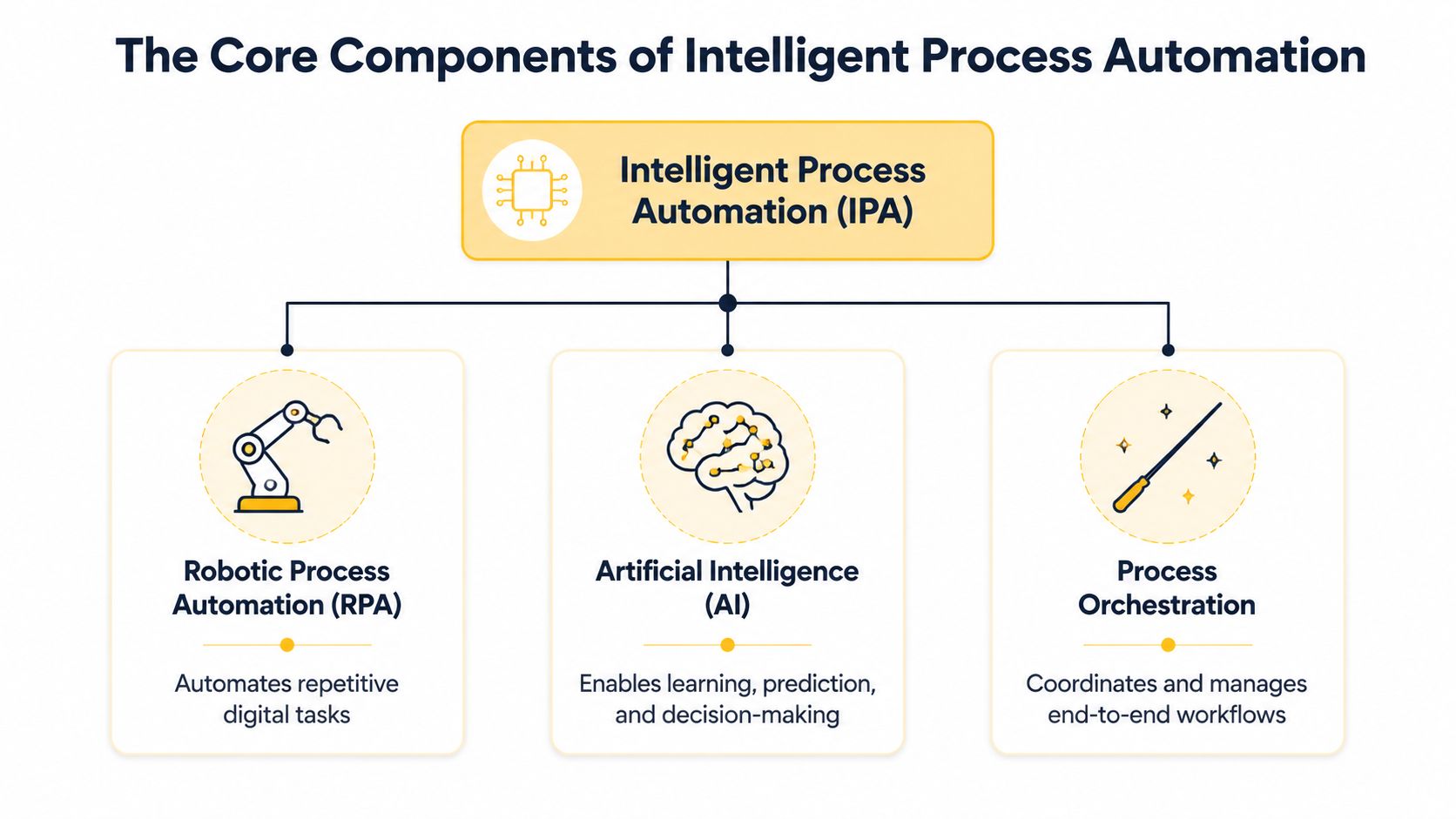
The easiest way to understand IPA is this. RPA gives automation digital hands. AI gives it a digital brain. Process orchestration gives it a manager.
When those parts work together, software can handle more of a process from start to finish instead of just one isolated step.
RPA handles the clicks and keystrokes
Robotic Process Automation, or RPA, is the part that interacts with software the way a person would. It logs in, copies data, updates fields, downloads files, sends confirmations, and moves information from one system to another.
Think of RPA as the employee who never gets tired of repetitive digital work. If you have a standard task that follows the same path every time, RPA is often the foundation.
AI handles interpretation
This allows IPA to become more capable than basic automation.
AI components let the system work with inputs that aren't neatly structured. A scanned invoice. An email from a customer. A form with missing details. Instead of stopping when the input gets messy, the automation can interpret it and decide what to do next.
Common AI pieces inside IPA include:
- Machine Learning: Finds patterns and helps classify, predict, or flag unusual cases
- Natural Language Processing: Reads and interprets human language in emails, chat, or documents
- Optical Character Recognition: Pulls text from scanned files, PDFs, and images
If your team spends hours reading invoices, contracts, forms, or emailed requests, a good primer is this guide to AI document processing, which explains how extraction and classification fit into automation.
Orchestration connects the whole process
A lot of business owners think automation means one bot doing one task. In practice, the bigger value comes from linking tasks across systems and people.
Process orchestration coordinates the workflow. It decides what happens first, what needs approval, where exceptions go, and when a human should step in. That's the difference between “a bot entered data” and “the entire intake process moved forward correctly.”
A market signal supports this integrated approach. Integrated IPA solutions that combine RPA, AI, and analytics captured about 70% of market share in 2024, and machine learning and deep learning were the dominant technology components, according to Market.us research on the intelligent process automation market.
Practical rule: If a process needs reading, routing, and decision support, not just clicking, you're usually in IPA territory.
How IPA Differs From Traditional RPA
Many people get tripped up at this point. They hear “automation” and assume IPA is just a new label for bots. It isn't.
RPA is great for predictable, rule-based work. IPA builds on RPA by adding technologies like machine learning and natural language processing, which lets it work with unstructured data and support cognitive decisions.
Here's the practical difference.
RPA vs IPA in plain terms
| Feature | Robotic Process Automation (RPA) | Intelligent Process Automation (IPA) |
|---|---|---|
| Best for | Repetitive, rule-based tasks | End-to-end processes with variation |
| Data type | Mostly structured data | Structured and unstructured data |
| Decision-making | Follows fixed rules | Interprets inputs and supports routine decisions |
| Adaptability | Limited | More flexible when inputs vary |
| Common trigger | Standard forms, tables, repeatable workflows | Emails, PDFs, mixed formats, exception-heavy workflows |
| Human involvement | Needed when something breaks the rules | Needed mainly for exceptions, approvals, or edge cases |
An invoice example makes it clear
Say your accounting team receives vendor invoices.
With RPA alone, the bot works best if every invoice arrives in the same format and the same fields always appear in the same place. It can take a value from one field and place it into your accounting system. Fast, but brittle.
With IPA, the system can read invoices that arrive as PDFs, extract text, identify vendor name, invoice total, due date, and line items, then compare that information against your purchase records. If something looks unusual, it can flag the invoice for review instead of blindly pushing it through.
That's why IPA is more useful for real-world operations. Business data is rarely perfectly tidy.
According to Blueprint's explanation of intelligent process automation, IPA can achieve 50% to 70% task automation and reduce straight-through processing time by up to 60% because it enhances RPA with ML and NLP.
A simple rule of thumb
Use RPA when the work is repetitive and standardized. Use IPA when the work is repetitive but variable.
- Choose RPA first if the task is deterministic, stable, and low judgment
- Choose IPA if people must read, interpret, categorize, or route information before acting
- Blend both when one part of the workflow is rigid and another part needs judgment support
For most SMBs, the sweet spot isn't replacing everything with AI. It's using AI where rigid automation fails most often.
The Measurable Business Benefits of Adopting IPA
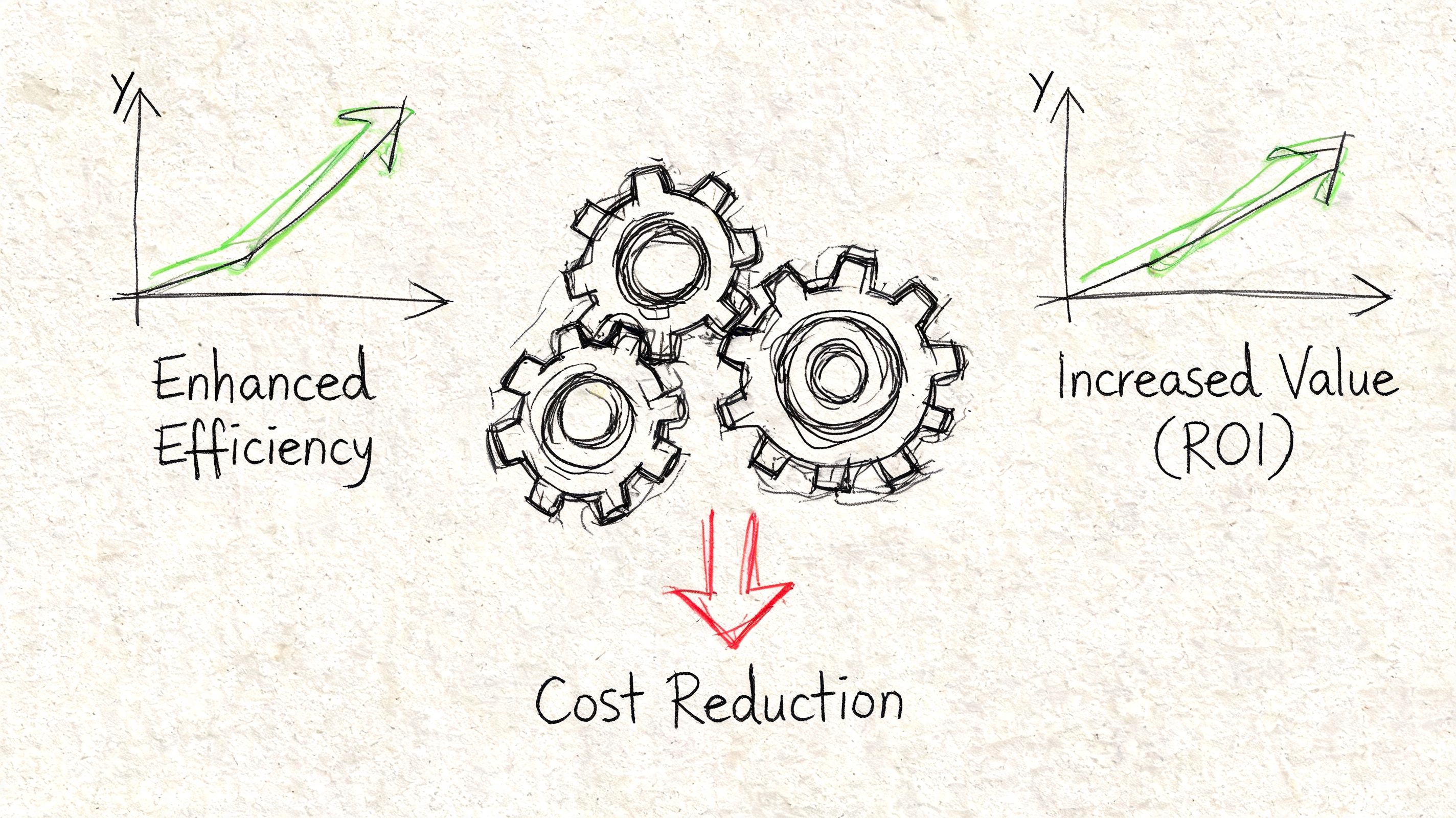
A successful IPA project focuses on improving metrics you can track. Common goals include faster processing, fewer errors, better response times, and less manual rework. If the benefit remains vague, the project usually does too.
Faster operations and cleaner handoffs
The most immediate win is speed. IPA reduces the idle time between steps. Instead of waiting for someone to open an email, download an attachment, update a record, and notify the next person, the system can move the process forward automatically.
That matters in customer-facing workflows. By integrating BPM and process mining, IPA can improve customer response times by 40% to 60%, according to Camunda's article on intelligent process automation.
Useful KPIs to track:
- Response time: How long it takes to acknowledge and route a request
- Cycle time: Total time from intake to completion
- Handoff delay: Time lost between one team or system and the next
Better accuracy in repetitive work
Manual processing creates small errors that stack up. A missed field. A wrong code. A duplicate entry. IPA reduces that risk by standardizing how information is captured, checked, and transferred.
You can measure that through:
- Error rate: Incorrect entries, mismatches, or failed validations
- Rework volume: Tasks that require a second pass
- Exception count: Cases that need manual correction
For a broader look at where those gains often show up, this article on business process automation benefits breaks down common operational improvements.
More usable insight from process data
One underrated benefit of IPA is visibility. Once a workflow is digitized and orchestrated, you can see where requests stall, where approvals pile up, and where exceptions happen repeatedly.
That helps you answer practical questions such as:
| Business question | KPI to watch |
|---|---|
| Where are requests getting stuck? | Stage-level completion time |
| Which inputs cause the most issues? | Exception type frequency |
| Which teams are overloaded? | Queue volume by workflow step |
Better output from the same team
Digital publishers offer a strong example. Camunda notes that automating content tagging via NLP can boost SEO rankings by 20% to 30% in publishing workflows when the right content operations are in place. That's not just an automation win. It's an optimization win. The team spends less time tagging and more time editing, publishing, and improving content quality.
The best ROI usually comes from removing low-value repetition so your staff can spend time on judgment, service, and growth work.
Real-World IPA Use Cases For Your Business
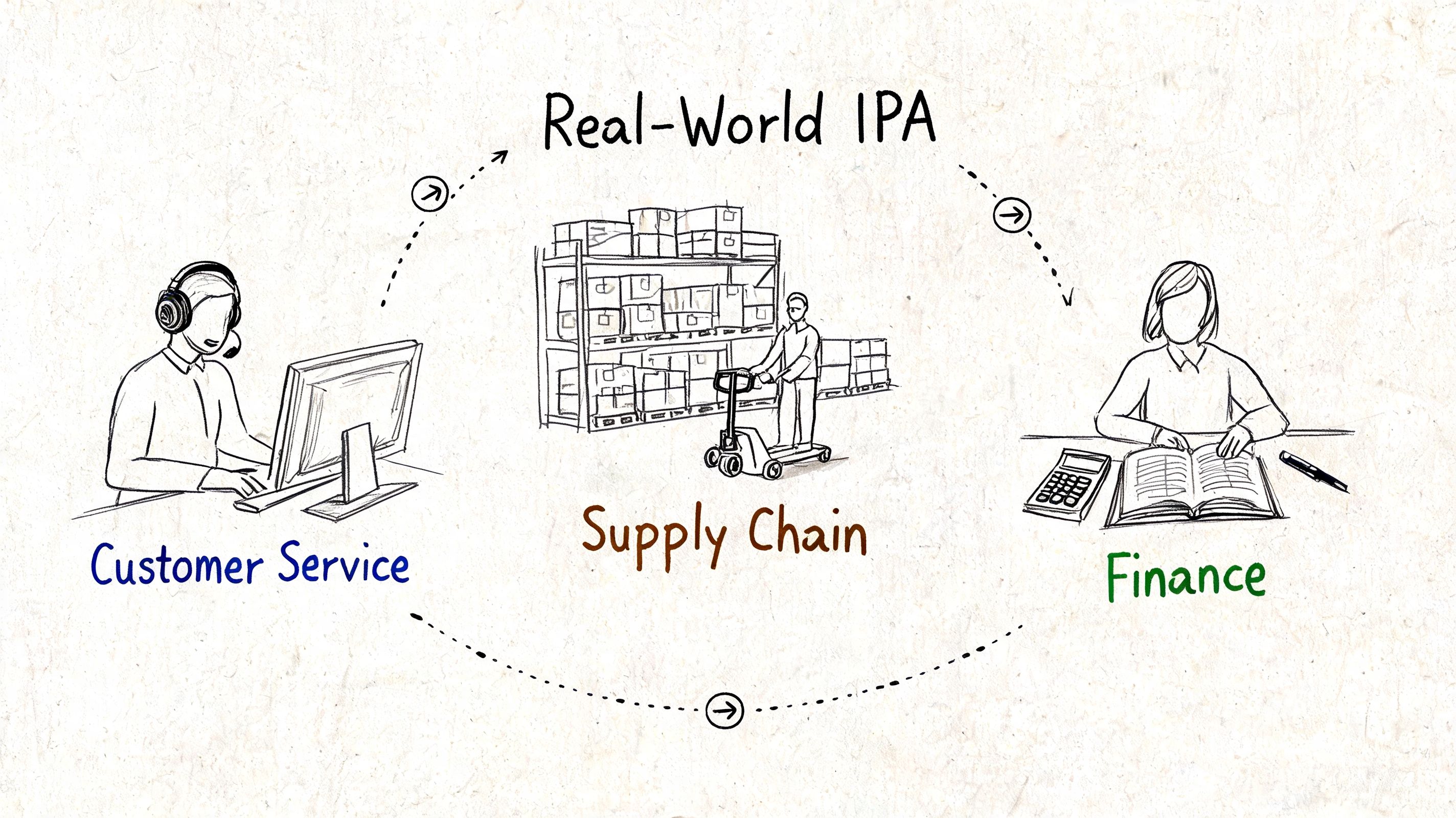
IPA starts to make sense when you see it inside ordinary business work. Not in a giant enterprise transformation deck. In the day-to-day tasks your team already handles.
E-commerce returns without the inbox chaos
A growing online store often handles returns through a messy chain of emails, labels, spreadsheets, and inventory updates. Staff read the message, find the order, check the reason, approve the return, and update multiple tools.
IPA can connect those steps. It can read the customer's message, identify the order details, classify the request, update inventory, and trigger the next action. A person only steps in when something doesn't match policy or needs judgment.
That kind of workflow is why many SMBs start with operations that already feel repetitive but error-prone. If you want more examples in that vein, this collection of intelligent automation use cases is worth reviewing.
Publishing workflows that don't depend on manual tagging
For content teams, a lot of production drag comes from classification and distribution work. An editor publishes the article, then someone has to tag it, organize it, optimize metadata, and push it into the right channels.
IPA can help classify content based on topic, intent, or format, then route it into the next publishing steps. That keeps operations moving even when output volume rises.
A short video can help make those workflow connections more concrete.
Local service firms and onboarding
Think about a local financial services office or insurance-related business. New client onboarding often means collecting forms, checking documents, entering data into a CRM, and making sure compliance steps aren't skipped.
IPA helps by reading submitted documents, pulling the right fields, routing files for review, and creating the next task automatically. The process feels more organized for staff and less fragmented for the customer.
If your team says, “We do the same thing every time, except for the weird cases,” that process is a strong automation candidate.
A practical pattern across industries
Different businesses use different tools, but the pattern is similar:
- Incoming information arrives: email, form, document, upload, or ticket
- The system interprets it: classifies content, extracts data, checks rules
- Routine actions happen automatically: updates records, triggers tasks, sends notices
- Humans handle exceptions: approvals, unusual cases, edge decisions
That's what makes IPA useful for SMBs. You don't need a giant transformation program. You need one workflow where manual effort keeps piling up.
A Practical Roadmap to IPA Implementation
Most small businesses don't fail with automation because the idea is bad. They fail because they automate the wrong process, skip process discovery, or expect software to clean up a broken workflow on its own.
That risk is real. A 2025 Gartner report indicates 70% of IPA projects in small to mid-sized businesses fail to deliver ROI within 12 months, often because of poor process discovery. The same summary notes that hybrid human-IPA models succeed 2.5 times more often, which is a strong case for keeping people in the loop where judgment matters, according to Cognizant's overview of intelligent process automation.
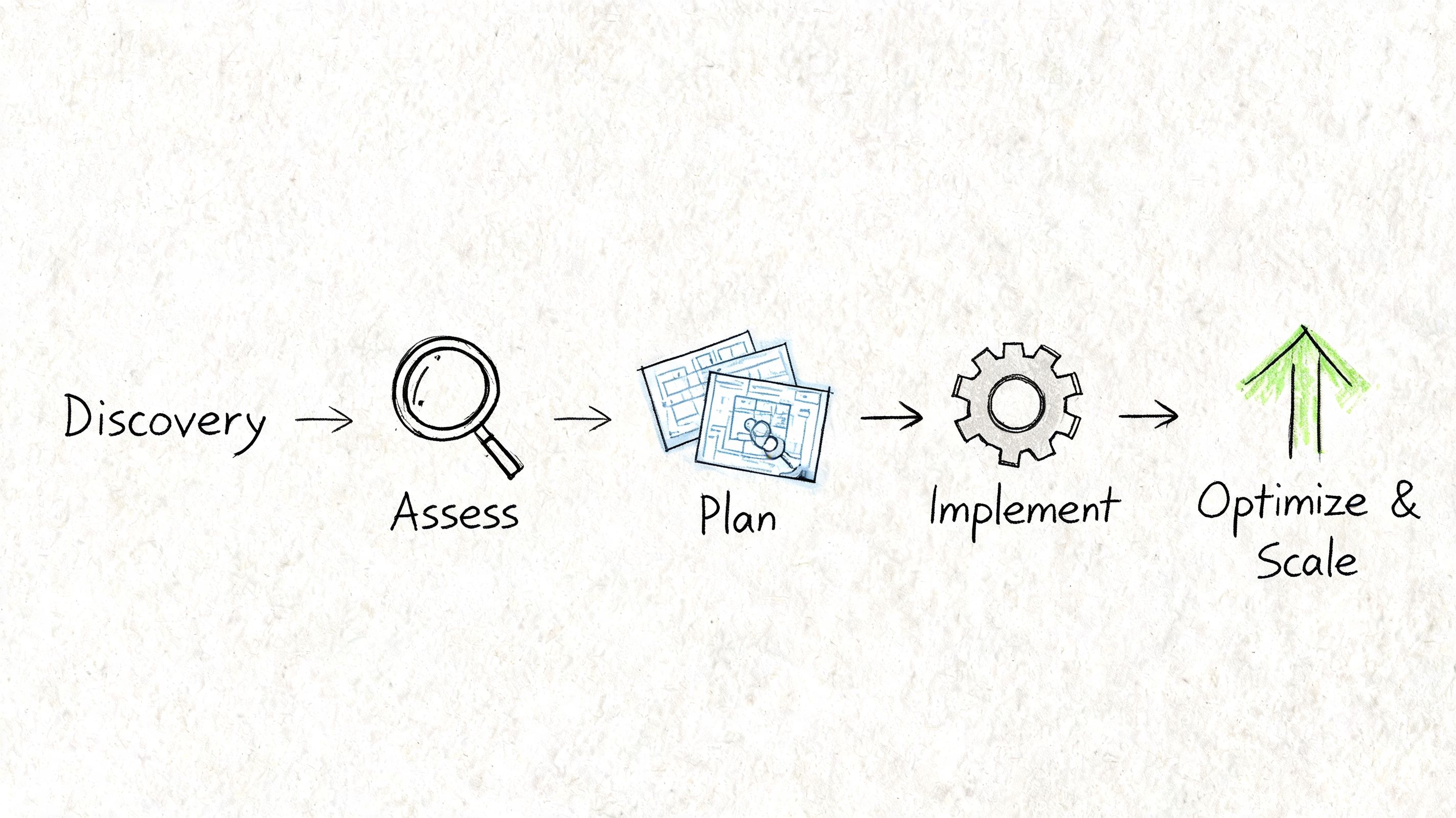
Step 1 Pick a process worth automating
Don't start with your most complex workflow. Start with a process that is:
- Repetitive: It happens often enough to matter
- Digital: The inputs already live in software, email, or documents
- Painful: Staff complain about it, or it creates delays and errors
- Measurable: You can define success before touching the tech
Examples include intake triage, invoice handling, returns processing, and onboarding paperwork.
Step 2 Map the real workflow
This is the part businesses rush past. Write down where the process starts, what systems are involved, what rules apply, and where people intervene.
Don't map the ideal process. Map the actual one.
A useful outside resource here is AmasaTech's AI adoption guide, which helps frame rollout thinking in a practical sequence instead of as a giant one-time launch.
Step 3 Run a small pilot
Pick one slice of the process and automate that first. You want a pilot that is visible enough to matter but contained enough to fix quickly.
A smart pilot usually has:
| Pilot element | What good looks like |
|---|---|
| Clear scope | One workflow, one team, one outcome |
| Human checkpoint | Staff can review exceptions or approvals |
| Baseline metrics | You know current cycle time, errors, or backlog |
| Feedback loop | Users can report where the automation gets stuck |
This is also where providers like Up North Media's guide on implementing AI in business can be useful for planning evaluation criteria, process readiness, and rollout sequencing.
Step 4 Scale what proves itself
Once the pilot works, expand carefully. Don't copy automation blindly into every department. Reuse what makes sense, then adapt it to different inputs, approvals, and systems.
Good scaling looks like this:
- Standardize what worked across templates, rules, and exception handling.
- Add orchestration so the process spans tools and people smoothly.
- Review performance regularly using the KPIs you set at the start.
- Keep humans in the loop for unusual cases, approvals, and policy-sensitive steps.
Start with a workflow that annoys your team every week, not with the one that sounds most impressive in a strategy meeting.
The businesses that get ROI from IPA usually treat it as operational design first and technology second.
How Up North Media Accelerates Your Automation Journey
For Omaha-area businesses, the hard part usually isn't hearing about IPA. It's deciding where to begin and how to avoid wasting time on the wrong workflow.
That's where a local consulting partner can help. Up North Media provides AI consulting, process evaluation, and custom web application development for businesses that need to connect tools, automate workflows, and reduce manual operations. In practical terms, that can mean assessing which processes are stable enough to automate, identifying where documents or customer requests create bottlenecks, and building the supporting systems needed to make automation usable in daily operations.
IPA rarely lives in one app, touching your CRM, inbox, internal forms, accounting tools, customer portal, and reporting. If those pieces don't connect cleanly, the automation won't hold up well in production.
A useful partner should help with three things:
- Process discovery: Finding workflows with enough repetition and enough business value to justify automation
- Implementation planning: Choosing where human review stays in place and where automation can safely take over
- Integration work: Connecting the workflow to the systems your team already uses
For SMBs, that kind of support is often more valuable than starting with a pile of software licenses and no roadmap.
Frequently Asked Questions About IPA
Is IPA too expensive for a small business
Not always. Cost depends mostly on scope, system complexity, and whether you're automating one workflow or trying to redesign half the business at once.
For an SMB, the smarter move is usually to start with a focused process that has obvious waste. If a workflow eats staff time every week, creates rework, or delays customer responses, it may justify a pilot far sooner than owners expect. What gets expensive is vague scope, weak process mapping, and trying to automate exceptions before the core workflow is stable.
Do I need an in-house AI team to use IPA
No. Most small businesses don't need a full internal AI team to get started.
What you do need is a clear process owner, clean enough data to work with, and a practical implementation plan. Many IPA projects rely on existing platforms, low-code tools, and outside guidance rather than a large internal technical team. The business knowledge usually matters more at the start than advanced model-building expertise.
The first requirement for IPA isn't a data scientist. It's a process that's repetitive enough to improve.
How long does it take to see ROI
That depends on the workflow and how well the project is scoped. A targeted pilot can show value much faster than a large, unfocused rollout because the process is easier to measure, test, and improve.
Businesses usually see progress sooner when they choose a high-friction workflow with clear metrics such as turnaround time, manual touchpoints, or error rates. If you begin with a messy process and no baseline, ROI gets hard to prove even when the automation is helping.
What types of processes should I avoid first
Avoid low-frequency processes, highly subjective decisions, and workflows that are still changing every month. Those usually create more automation friction than business value.
Better starting points involve repeatable digital work where the rules are mostly known, the pain is obvious, and exceptions can be routed to a person without disrupting the entire operation.
If you're exploring what intelligent process automation could look like in your business, Up North Media offers a practical place to start. A focused conversation around one workflow, one bottleneck, or one team is often enough to identify whether IPA is worth pursuing and what an achievable first step looks like.