
The most popular migration advice starts with choosing a better platform. That's the wrong first decision. Before you buy ecommerce platform migration services, establish whether replacing the platform will solve a commercial problem that a checkout repair, integration cleanup, or faster storefront can't.
A successful migration isn't a new homepage going live. It's a store that keeps taking orders, preserves useful customer and product data, and earns back the cost of switching. Judge the investment against staying, staging, and fully migrating, then judge the result through search visibility, checkout performance, and operating costs after launch.
What Ecommerce Platform Migration Services Cost
Planning bands for ecommerce platform migration services
| Store profile | Typical timeline | Agency cost range | Main cost driver |
|---|---|---|---|
| Small catalog, standard payments and shipping | Set after catalog and checkout audit | Quote theme, imports, payments, and redirects separately | Theme, payments, basic redirects |
| Mid-market catalog plus ERP or order system | Set by connector rebuild and reconciliation work | Price data mapping and each integration explicitly | Data mapping, tax, custom apps |
| B2B, multi-store, or heavy custom logic | Phase around business rules and release dependencies | Scope discovery before committing to a full-build price | Integrations and phased cutover |
| Headless front end, current backend kept | Set by API readiness and storefront requirements | Separate frontend build from ongoing API maintenance | API layer without a full data move |
Use these bands to identify what needs pricing, not to infer a universal agency fee. Catalog size alone won't produce a dependable quote. A compact B2B catalog with account-specific prices and approval workflows can require more engineering than a much larger catalog with standard checkout.
The useful comparison is between proposals built from the same inventory of data, business rules, integrations, and acceptance tests. Our ecommerce website development cost guide provides additional context for separating storefront development from the wider investment.
Separate the build fee from the switching cost
Ask for a commercial breakdown rather than a single migration line item:
- Discovery and mapping: Inventory, architecture decisions, field transformations, and a written scope.
- Implementation: Storefront development, imports, connectors, checkout configuration, and analytics.
- Validation: Data reconciliation, payment testing, redirect testing, and user acceptance.
- Transition: Parallel platform subscriptions, staff training, launch support, and operational handover.
- Stabilization: Defect fixes, performance tuning, and search and conversion monitoring.
Keep ongoing platform fees, app subscriptions, hosting, and support separate from implementation. Otherwise, a cheaper build can conceal a more expensive operating model.
Set contingency against named uncertainties. Undocumented pricing logic, inaccessible historical records, and an unsupported ERP connector deserve explicit allowances. A blanket buffer won't tell you which risk consumes it or who authorizes the spend.
Value the outcome without borrowing someone else's return
The 2025 Magento Commerce business-value study reported 165.3% three-year ROI and an 8.1-month payback period among surveyed organizations. Those platform-specific findings are a value frame, not a forecast for your store.
Build your own case around gross merchandise value, average order value, checkout completion, uptime, and page-response time. Record the baseline before development starts, including how each metric is calculated. Changing analytics definitions during implementation can make an apparent improvement impossible to verify.
Budget rule: Buy a defined operational outcome, not an attractive launch date.
A proposal should identify what the fee excludes, which assumptions could change the price, and how additional work gets approved. If historical orders are excluded, for example, establish where customer service will retrieve them. That's an operating decision with a cost, not a minor import setting.
When a Replatform Beats Staying Put
Stay, stage, or fully migrate
| Option | Best when | Cash and risk | What you keep |
|---|---|---|---|
| Stay and fix speed or checkout | Sales work and only performance or payments hurt | Lowest switching exposure, no URL reset | Current URLs and order history |
| Stage integrations or a new front end | Fees are tolerable but apps or UX are stuck | Intermediate investment, parallel operation during transition | Backend and most URLs |
| Full platform migration | Catalog, checkout, or app limits block revenue | Highest switching exposure and more delivery dependencies | Mapped data, with changed URLs preserved through redirects |
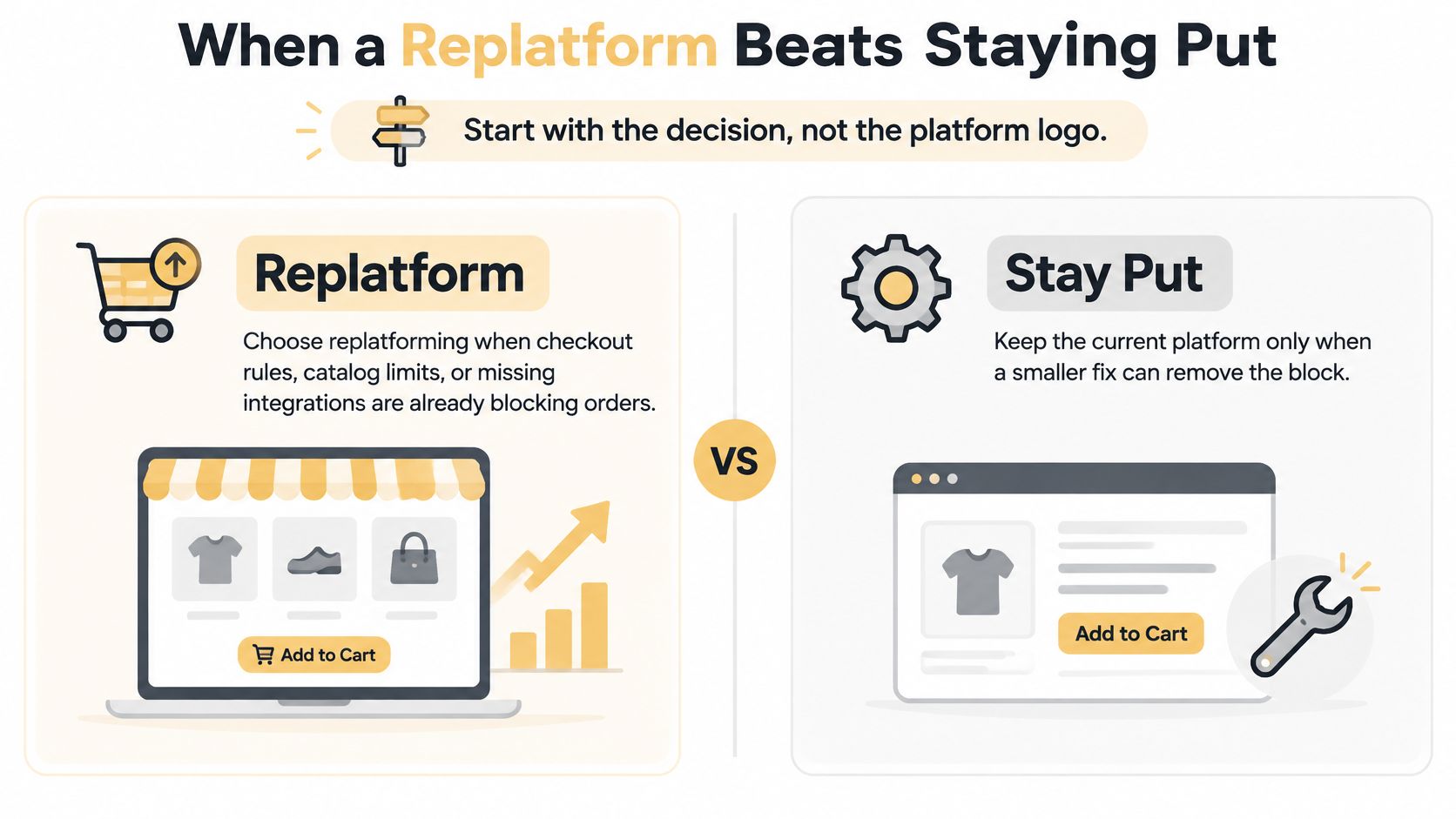
Start with the decision, not the platform logo. Choose replatforming when checkout rules, catalog limits, or missing integrations are already blocking orders. Keep the current platform only when a smaller fix can remove the block.
The comparison below summarizes that choice.
A slow theme isn't proof that the commerce engine needs replacing. Neither is an administrator's dislike of the dashboard. Identify the constraint in business terms: customers can't buy the required bundle, staff repeatedly rekey orders, or regional checkout rules can't be implemented safely.
Calculate risk-adjusted payback
Use this calculation:
Payback period = total switching investment ÷ expected incremental monthly gross profit
Total switching investment includes the agency fee, parallel subscriptions, internal staff time, retraining, data reconciliation, and expected disruption. Incremental gross profit should include operating savings and subtract any increase in recurring platform costs. Don't divide by extra revenue, because you still have to purchase, fulfill, and support those orders.
Model an expected outcome and a downside outcome. In the downside case, extend parallel operation, delay the conversion benefit, and allow for search remediation. If that scenario threatens payroll or inventory purchasing, reduce the scope before signing.
Command C's migration pitfalls guide is useful for examining data-transfer and implementation risks that a storefront-focused proposal can overlook. Put those risks into the financial model rather than treating them as technical footnotes.
Stage only when the intermediate state works
A staged approach can modernize checkout, replace a fragile connector, or introduce a new front end while retaining the transaction backend. But headless isn't automatically simpler. Your team takes responsibility for rendering, caching, API failures, and compatibility between independently deployed components.
Our ecommerce platform comparison can help frame platform fit, but shortlist products only after defining the buying and operating workflows they must support.
Use the video as an additional discussion aid while evaluating the scope of a move.
Choose go when the constraint is material and the downside is affordable. Choose stage when an independently useful release removes the immediate problem. Choose stay when the platform can support the business and the problem is implementation quality.
The Pre-Migration Audit Checklist
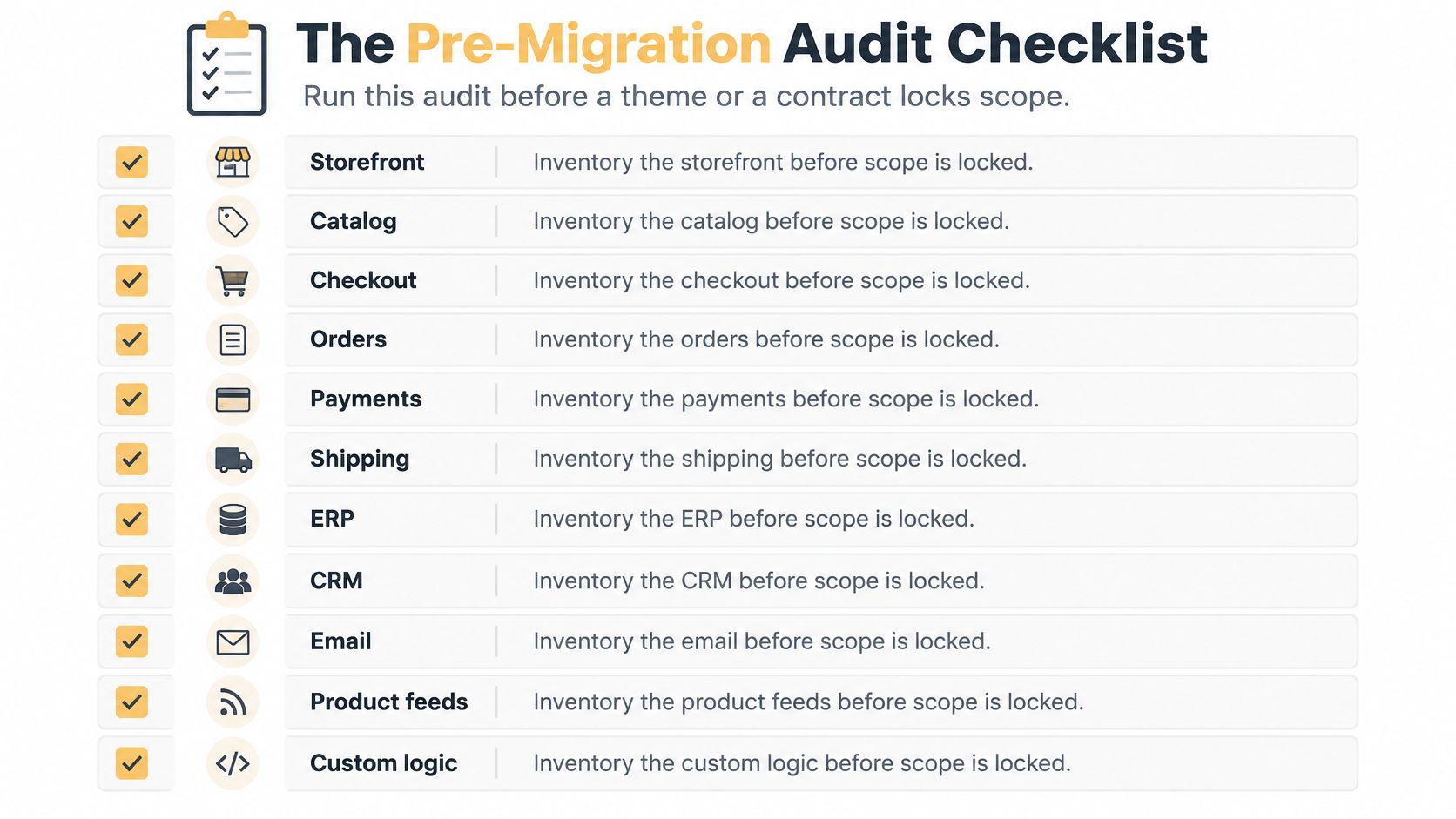
Run this audit before a theme or a contract locks scope. The output is a working inventory that the store owner, developer, SEO lead, and operations manager can all sign off.
Use the checklist to start the inventory, then add the business rules unique to your store.
Inventory what the business actually uses
- Storefront and catalog: Record templates, navigation, search, filters, variants, bundles, downloads, and custom product fields.
- Checkout and orders: Document discounts, guest purchases, account purchases, refunds, cancellations, backorders, and order-status changes.
- Payments and shipping: List gateways, wallets, payment authorizations, carrier services, rate rules, and fulfillment locations.
- Connected systems: Inventory ERP, CRM, email, product feeds, warehouse tools, and custom scripts. Record the system of record for each data type.
- Financial obligations: Identify gift cards, subscription contracts, loyalty balances, tax rules, and customer-specific pricing that must remain accurate.
Mark each item keep, rebuild, replace, or drop. Record who uses it and what happens if it stops working. An abandoned app and a connector that releases warehouse orders shouldn't receive equal attention.
Review representative product, customer, and order records. Look for duplicate SKUs, missing prices, malformed variants, inconsistent address fields, and guest orders that don't attach to customer accounts. Decide how to handle those exceptions before someone writes the import.
Capture a baseline you can reproduce
Export organic sessions, rankings, revenue by landing page, indexed URLs, conversion rate, and Core Web Vitals. Segment by device and template so a mobile product-page problem doesn't disappear inside a storewide average.
Combine a Screaming Frog crawl with Google Search Console, analytics landing pages, and available backlink records to build the legacy URL inventory. Include pages that generate orders or receive links even when navigation no longer exposes them. Our technical SEO for ecommerce guide provides context for assessing crawlability and template-level controls.
Keep historical analytics accessible. Preserve event definitions, consent behavior, reporting filters, and the distinction between an order recorded in analytics and an order accepted by the commerce backend.
Assign dependencies and exclusions
If the project also changes hosting, databases, or application infrastructure, separate that responsibility from the storefront work. Continuum Solutions' resource on how to choose a cloud migration partner is relevant when infrastructure access, recovery, and application dependencies need their own assessment.
Finish with a written scope listing what's included, excluded, and deferred. Name the go-live decision maker, the customer-service owner, and the promotion freeze date. Sequence audit, mapping, build, acceptance, rehearsal, and release around dependencies rather than an arbitrary calendar.
An audit that reveals a repairable integration problem is a reason to reduce the project, not a reason to justify the original migration budget.
How to Run the Cutover
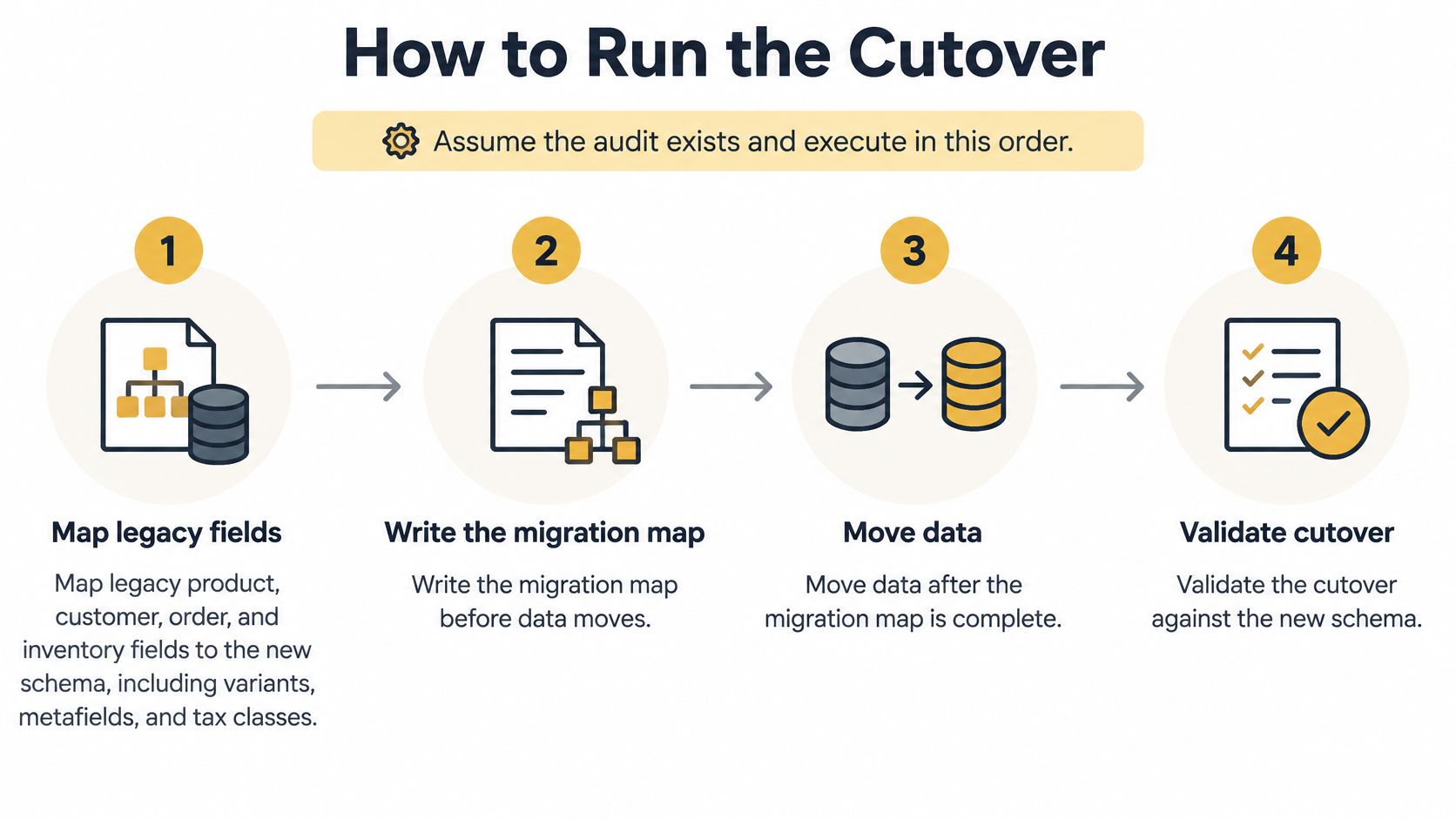
Assume the audit exists and execute in this order. Build alongside the live store, and treat each validation gate as permission to proceed, not as paperwork to complete afterward.
The sequence starts with a written migration map.
Map records before moving them
Map legacy product, customer, order, and inventory fields to the new schema, including variants, metafields, and tax classes. Record source fields, destination fields, transformations, defaults, and exceptions. Write the migration map before data moves.
Make the handling of historical records explicit. A refunded order needs more than an order total, and a discontinued variant may still be necessary for returns. Where passwords or payment credentials can't transfer through an approved mechanism, define the customer communication and recovery path.
Move data after the migration map is complete. Load production-scale records into staging so the team can test import throughput, catalog behavior, and integration limits under realistic conditions.
Protect URLs and transaction workflows
Implement direct server-side 301 or 308 redirects from legacy URLs to their most relevant replacements, consistent with Google's site-move guidance. Test destinations, loops, chains, canonical conflicts, accidental noindex directives, and robots.txt restrictions.
Don't redirect every discontinued product to the homepage. Choose a relevant replacement or handle removal deliberately. Update internal links and sitemap entries to use final destinations rather than relying on redirects inside the new store.
Rebuild checkout and prove the full order lifecycle. Staff who didn't build the storefront should test guest and account checkout, variable products, discount codes, regional tax, gift cards, refunds, and fulfillment notifications across relevant devices.
Subscriptions deserve a separate acceptance path. If you need to switch Shopify subscription apps, RecurX's migration resource is relevant to evaluating that transition. Validate renewal dates, contract status, payment authorization handling, and customer account controls instead of assuming a customer import preserves recurring billing.
Rehearse and authorize the switch
Run at least two complete dry runs, following the controlled-cutover approach described in Core dna's ecommerce migration guide. After each rehearsal, reconcile product, customer, and order counts, then investigate discrepancies at record level.
Matching totals aren't sufficient. Check variant relationships, order lines, taxes, discounts, and fulfillment status. Validate the cutover against the new schema and the business rules, not just the importer's success message.
- Release gate: Unexplained record mismatches, failed payments, or broken order routing stop the launch.
- Final synchronization: Capture customers, orders, inventory changes, and other mutable records created since the last import.
- Traffic switch: Prepare DNS timing with the responsible infrastructure owner, confirm backups and decision authority, and release during a low-volume window.
Announce the switch only after the final import passes reconciliation and the release owner gives explicit approval. The storefront being reachable isn't authorization to send customers into an unverified checkout.
Watch the Store for 180 Days
Launch-night rollback and longer-term remediation are different decisions. A store that can't reliably accept payment needs immediate intervention. A search decline needs diagnosis by URL, template, query group, and device.
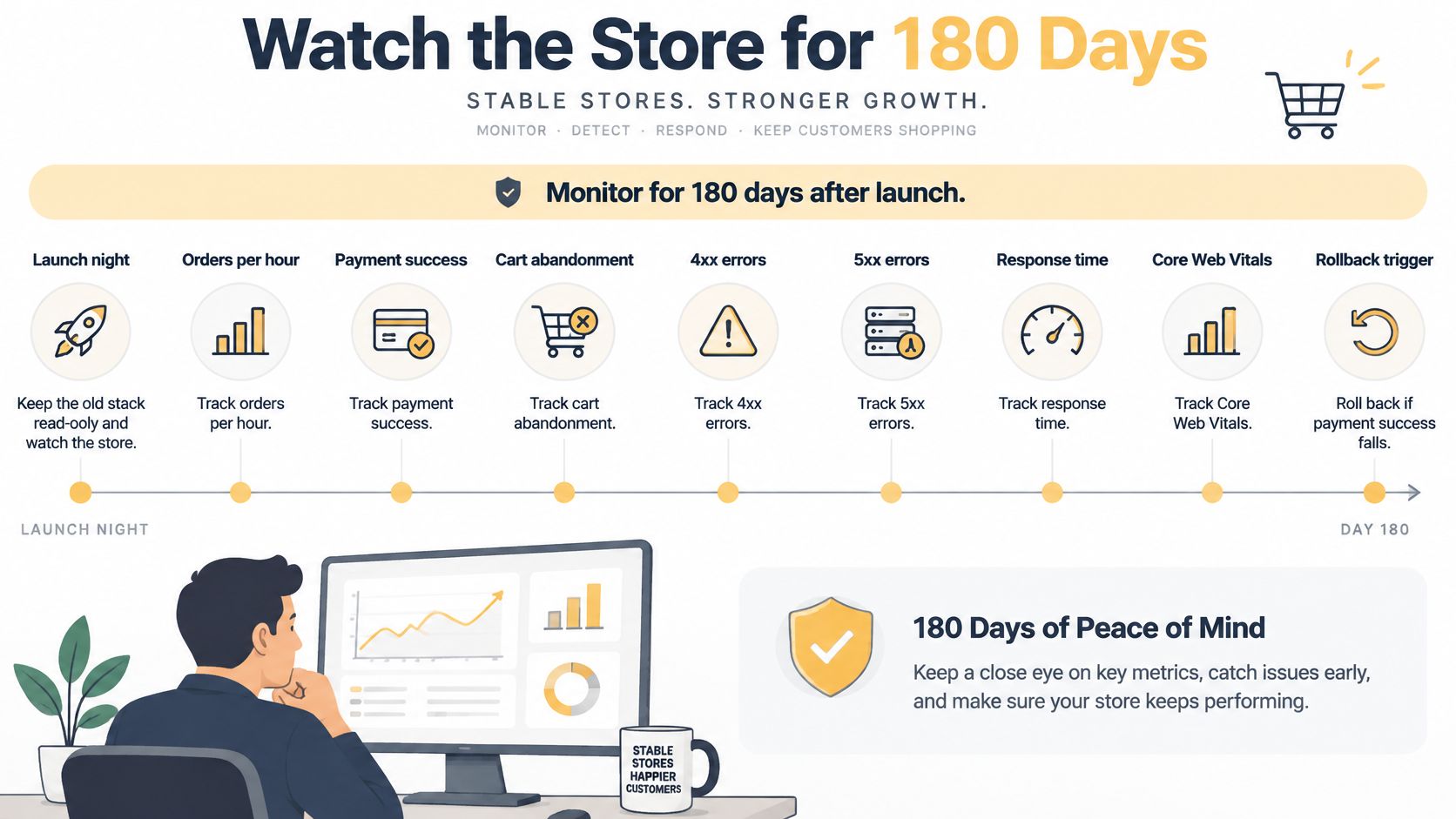
Keep the old stack read-only and watch the store. Establish how long that recovery option remains viable before platform access, integration changes, or new orders make reversal more complicated.
Use a monitoring schedule that separates urgent operational failures from slower search changes.
Make launch-night decisions executable
Name the rollback owner before release. Document traffic-reversal responsibilities, integration reconnection, the decision deadline, and how to reconcile orders accepted by the new platform if you return to the legacy store.
Track orders per hour, payment success, cart abandonment, client and server errors, response time, and Core Web Vitals. Set tolerances using rehearsal results and normal trading behavior. A single declined card isn't evidence that the gateway is broken, but repeated failures in a previously validated payment path demand investigation.
Watch metrics and triggers after launch
| Metric | Launch night | Ongoing watch | Action |
|---|---|---|---|
| Payment success | Below the approved acceptance floor | Review by gateway and device | Roll back for a confirmed release defect that breaches the agreed limit |
| Client and server error rate | Above the approved error ceiling | Review affected routes and integrations | Reverse or disable the failing release component |
| Nonbranded organic sessions | Not a launch-night decision | Sustained decline beyond normal seasonal movement | Inspect templates and internal links before increasing ad spend |
| Indexed pages and crawl errors | Confirm accessibility | Compare with the baseline regularly | Repair redirect, canonical, and indexation gaps |
| Conversion rate and cart abandonment | Watch purchase progression | Compare by device, channel, and template | Fix checkout defects and validate tracking |
Diagnose delayed losses without guessing
Compare organic landing-page sessions, rankings, indexed-page counts, revenue, crawl errors, and conversion with the captured baseline. Separate branded from nonbranded queries and category templates from product templates. Check promotions, stock availability, and seasonality before attributing every movement to migration.
A domain-migration study summarized by Solo Media Group found that 892 migrations took an average of 523 days to recover previous organic traffic. Domain moves aren't equivalent to every ecommerce replatform, but that finding is a reason not to budget for an automatically brief search interruption.
Remediation trigger: Open an incident when a commercially important template loses visibility while its replacement pages also show indexation or canonical defects.
Check structured data against visible product prices, availability, reviews, and variant information. Clean product facts help customers and discovery systems interpret the catalog, but they don't guarantee inclusion in search or AI-generated answers.
Review staff access, customer exports, payment logs, and temporary migration credentials during stabilization. Remove access that was necessary for transfer but isn't needed for ongoing operations.
Up North Media improved conversion rate, SEO, and the affiliate program for the G80 website in 2025. Those are distinct workstreams. Keep their reporting separate so an affiliate promotion doesn't conceal weak organic performance or a checkout regression.
Book a Migration Scope Call
Hire for the deliverables that protect the business, not the theme demonstration. A polished storefront preview doesn't prove that historical refunds, account pricing, recurring payments, or search landing pages will survive the move.
A useful proposal should make it possible to answer these questions without another sales presentation: What moves? What changes? Who accepts the result? Who acts when a live metric deteriorates?
Apply three hiring tests
- Data ownership: Require a field map with transformation rules, exclusions, and a reconciliation method. The deliverable should explain what happens to records that don't fit, rather than discarding them without notice.
- Release evidence: Require a rehearsal plan, acceptance criteria, a tested redirect file, and a named person authorized to stop the launch. An assurance of a smooth transition isn't a substitute for those artifacts.
- Commercial accountability: Require an owner for post-launch defects and a reporting scope covering rankings, traffic, conversions, and operational failures. Clarify which fixes are included and which require a change request.
For help evaluating an independent QA arrangement, 99tests explains how to assess software testing providers. Use that assessment to distinguish test execution from genuine release assurance. The person clicking through checkout needs reproducible test cases, realistic data, and somewhere to record failures.
Bring enough evidence to challenge the scope
Prepare your SKU count, integration inventory, current platform costs, and recent revenue and organic-session reports. Include the workflows staff handle manually and the commercial problem you want to remove. If there's a deadline, explain the business reason behind it so the team can distinguish a fixed dependency from a preferred date.
Bring examples of difficult orders rather than just your best-selling product. An account-specific discount, split shipment, partial refund, or subscription change will expose requirements that a homepage discussion won't.
Our web app development work includes custom ecommerce platforms and business tools. We also offer ecommerce SEO and conversion rate optimization, so the planning conversation can address the application, acquisition, and purchase journey together.
The scope call should leave you with a decision to investigate, not pressure to replace the platform. If the evidence supports staying or staging, a smaller project is the more defensible investment. If a full migration is justified, define the acceptance evidence before choosing the build schedule.
Up North Media offers a free 60-minute strategy call to discuss your ecommerce platform, business constraints, and options for staying, staging, or migrating. Bring your catalog details, integration list, and recent performance reports, then visit Up North Media to book a conversation about the scope and evidence your decision needs.