
Your team probably already knows video matters. The problem is that most businesses still treat YouTube like a storage shelf for webinars, demos, and event clips instead of what it really is: a search engine with a recommendation engine attached.
That mistake gets expensive fast. A solid product walkthrough with weak packaging won't get discovered. A strong brand story with no retention strategy won't keep ranking. A library of useful videos with no playlist logic won't turn into meaningful watch sessions or pipeline influence. If you're in B2B, e-commerce, local services, or publishing, that means you can spend real budget on production and still get very little business value back.
YouTube SEO best practices aren't just about metadata. They sit at the intersection of search intent, click behavior, retention, and conversion paths. That's why businesses that win on YouTube usually don't separate video from the rest of their marketing system. They tie keyword research to audience problems, thumbnails to click-through rate, descriptions to offers, and playlists to session depth.
At Up North Media, we approach YouTube the same way we approach search and content strategy for any growth channel. We look at intent first, packaging second, retention third, and then build the surrounding system that helps each video compound. That means fewer vanity uploads and more assets that keep driving visibility over time.
Below are the 10 YouTube SEO best practices that matter most if you want your channel to support traffic, leads, and long-term brand authority.
1. Optimize Video Titles with Target Keywords
A lot of business videos lose the click before the viewer even sees the first frame. The topic is buried behind brand language, internal terminology, or a headline that makes sense in a campaign deck but not in YouTube search.
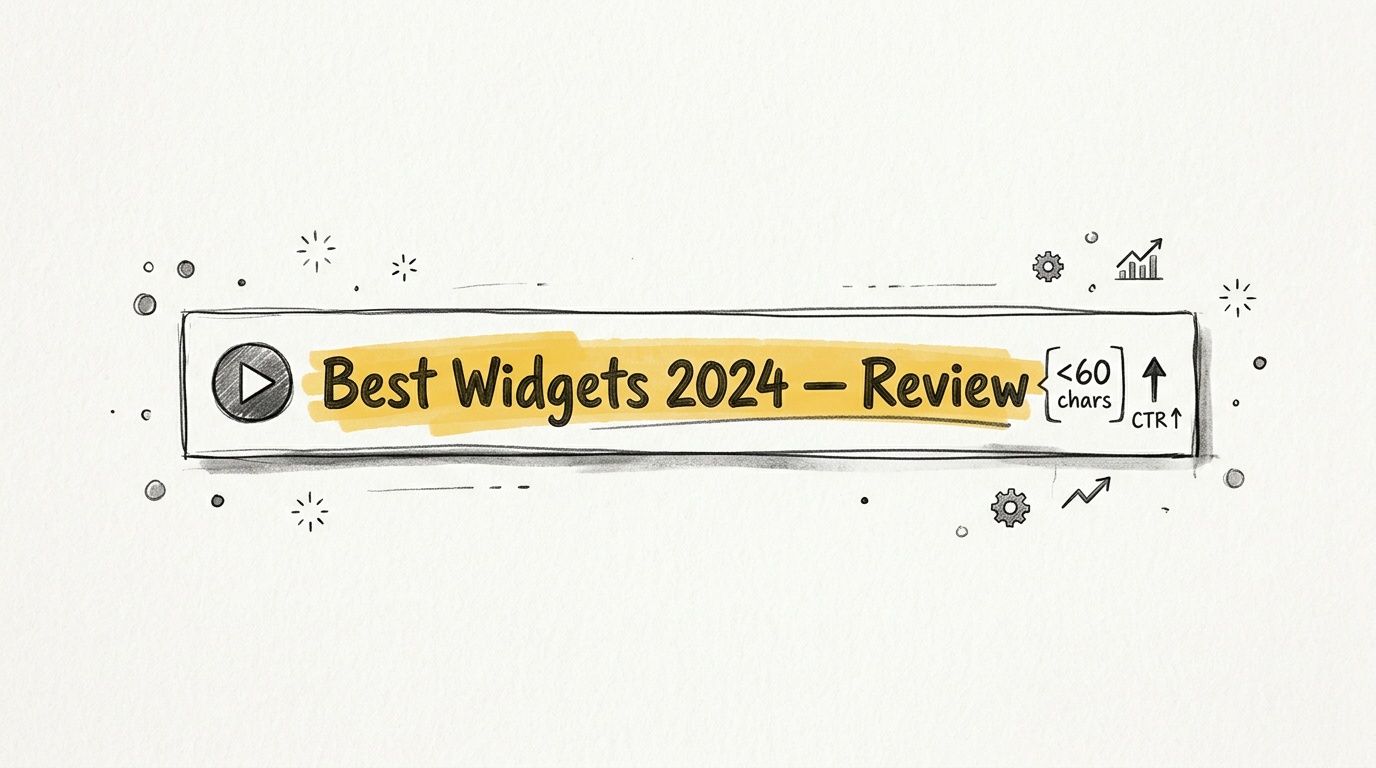
Titles need to do two jobs fast. They need to tell YouTube what the video is about, and they need to tell the right viewer why this result is relevant. That usually means putting the primary search term near the front, keeping the wording plain, and cutting filler words that add length without adding intent.
What strong titles look like
For business teams, the best titles usually mirror the language buyers use during research. A B2B SaaS company will get more qualified traffic from “CRM Migration Checklist for HubSpot” than “How We Help Teams Scale Better.” A managed IT firm will usually perform better with “SOC 2 Compliance Checklist for SaaS Teams” than a vague brand line. A local service business has the same challenge. “Roof Replacement Cost in Omaha” sets a clear expectation. “Trusted Roofing Experts Since 2008” does not.
Good titles tend to share three traits:
- They match intent: The wording reflects a problem, comparison, use case, or question the audience is already searching.
- They lead with the topic: The key phrase appears early, before the company slogan or campaign language.
- They promise a concrete outcome: The viewer can tell whether the video offers a checklist, tutorial, review, answer, or recommendation.
One quick test helps. Read the title out loud and ask whether a prospect would type that phrase into YouTube. If the answer is no, rewrite it.
There is a trade-off here. Curiosity can lift click-through rate for channels with strong audience trust, but clarity usually wins for companies that need qualified views, not just more impressions. A manufacturer, software vendor, or agency is usually better served by “How to Reduce Freight Damage in Cold Chain Shipping” than by a vague teaser that hides the subject.
For content teams publishing at scale, title creation should be part of the workflow, not an afterthought at upload. Build a shortlist of target phrases before production, align each video to one primary query, and pressure-test the title against search intent, thumbnail copy, and downstream conversion goals. If your team is also standardizing the rest of the metadata process, PostSyncer's AI description tool can help speed up the packaging step once the title direction is set.
2. Write Comprehensive, Keyword-Rich Video Descriptions
A lot of business teams publish a strong video, then waste the supporting copy with two lines of text and a generic link. That costs discoverability, but it also costs conversions. On YouTube, the description helps clarify topic, audience, and next action, which makes it part SEO asset and part conversion asset.
The practical goal is simple. Write enough detail for YouTube to classify the video accurately and for a qualified viewer to know whether the video is relevant. That usually means leading with a clear summary that includes the primary phrase naturally, then expanding on the problem, use case, and intended audience in plain language.
For a B2B case study, the description should explain what changed, who the solution was built for, and what kind of buyer should keep watching. For a SaaS product demo, spell out the workflow being shown, the team role it serves, and the page someone should visit if they want pricing, a trial, or technical details. If you're marketing for a services firm, use the description to qualify traffic early. Name the problem, the industry, and the kind of engagement you offer.
A strong description usually includes:
- A clear opening summary: State what the video covers in direct language.
- Relevant search context: Use the main keyword and close variations where they fit naturally.
- Specific business detail: Mention audience, industry, pain point, product category, or use case.
- Viewer guidance: Add timestamps for longer videos so people can jump to the right section.
- A next step: Link to the resource, demo, contact page, or offer that matches the video.
There is a trade-off here. Writing for search matters, but writing only for search usually produces stiff copy that weakens trust. Descriptions packed with repeated phrases look automated, read poorly, and rarely help a serious buyer evaluate whether your content is worth their time.
I treat the first two lines as high-value space because they do two jobs at once. They help with topic clarity, and they influence whether someone expands the description, clicks through, or bounces. For content teams managing dozens of videos across product lines, that means description writing should sit inside the production workflow, not at the very end of publishing.
If your team needs a faster first draft, PostSyncer's AI description tool can help create a usable structure. It still needs a human edit. The final version should reflect the actual offer, the primary search intent, and the language your sales team hears from prospects.
For businesses treating YouTube as a measurable marketing channel, descriptions should be standardized the same way landing pages are standardized. Use a repeatable format, review performance by video type, and keep a checklist your team can apply on every upload. That discipline matters more than hitting an arbitrary word count.
3. Leverage Video Tags and Hashtags Strategically
A content team publishes a solid product walkthrough, the title is clear, the description is in good shape, and performance still stalls. One common issue is messy metadata. Tags and hashtags will not carry a weak video, but they do help YouTube place the content in the right context, especially for niche B2B topics, product terms, and branded searches.
Use tags to clarify what the video is about. Keep them close to the topic, the buyer problem, and the language your market uses. For a video aimed at manufacturing teams evaluating ERP integration, that usually means the software name, the integration use case, the industry context, and your brand if prospects search for it directly.
Keep them specific and honest
Good tags support classification. Good hashtags support discovery without adding noise. YouTube recommends using hashtags sparingly and making sure they relate directly to the video topic, rather than stuffing in broad or misleading terms.
For business content, a small, disciplined set usually works better than a long list. A local service company might use a service category and location hashtag. A SaaS team might use the product category plus the problem being solved. An e-commerce brand might use a product-type hashtag tied to the exact item or collection featured in the video.
Tags help YouTube classify the video. They do not fix weak audience fit.
Trade-offs are important considerations. Broad tags can increase surface-level relevance, but they also make it easier to attract the wrong viewer. If your video covers Shopify conversion tracking and your metadata drifts into generic tags like business, marketing, or AI, you risk pulling in people who will not watch for long or take the next step.
For teams managing YouTube as a measurable channel, tagging should be standardized the same way campaign naming conventions are standardized. Build a short approved tag pattern by content type, review it quarterly, and keep it inside your publishing checklist. That makes execution faster and keeps metadata aligned across product marketing, demand gen, and brand teams.
If you want a simple starting point, include:
- Exact topic tags
- Product or platform names
- Industry or audience qualifiers
- One to three tightly relevant hashtags
That approach gives your team a repeatable system instead of guesswork, which is what business channels need if YouTube is expected to contribute to pipeline, not just views.
4. Create Engaging, Custom Thumbnails with High Visual Contrast
If the title explains the topic, the thumbnail sells the click. That's why some technically solid videos never get traction. The information is useful, but the packaging doesn't earn attention in a crowded feed.
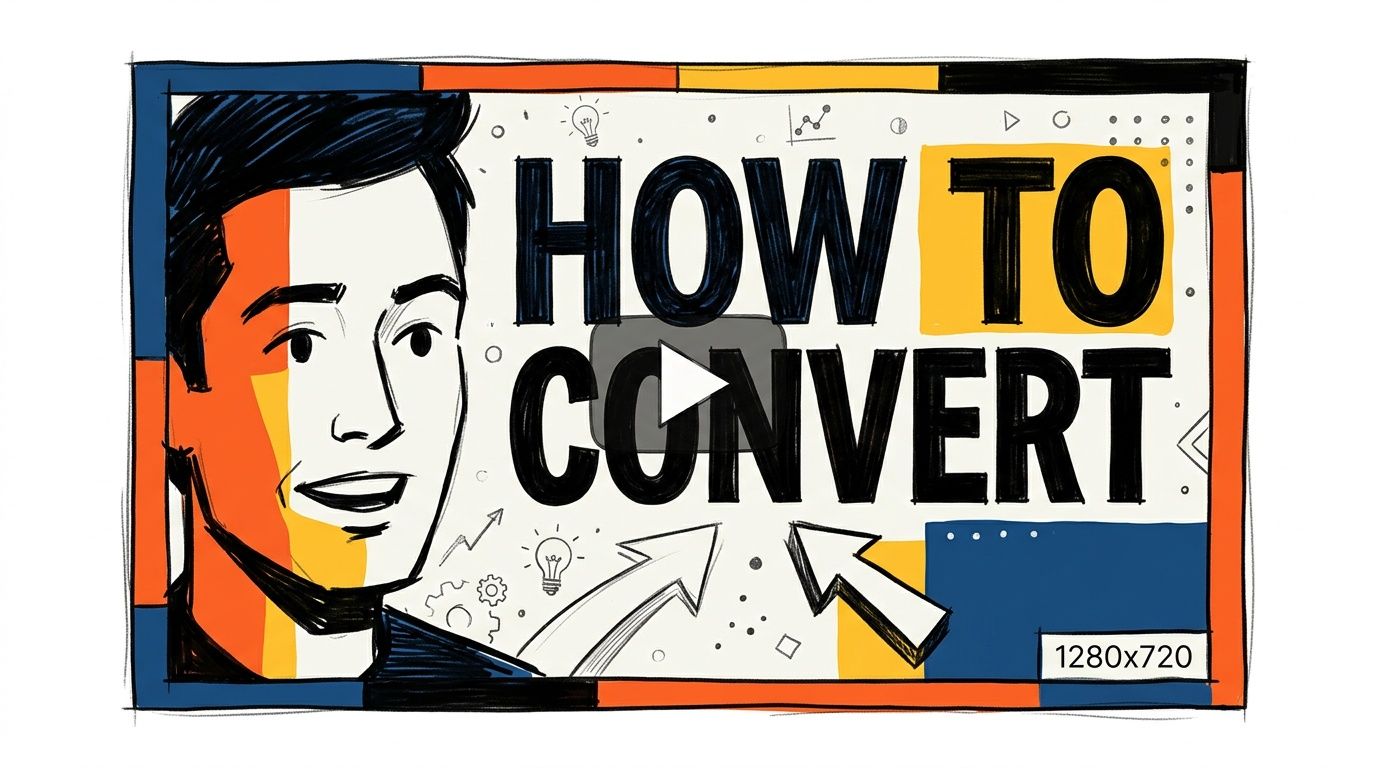
For businesses, the right thumbnail usually isn't flashy. It's clear. It uses contrast, limited words, and one obvious visual focal point. The thumbnail should answer one question fast: why should I watch this instead of the next option?
What works for business content
A B2B agency video might use a clean headshot, a short phrase like “Pipeline Audit,” and a strong brand color background. A software tutorial might feature the product UI with one highlighted element instead of a cluttered full-screen screenshot. A local service company could use a recognizable local cue plus a problem-based text overlay such as “Water Damage Warning Signs.”
For most channels, these rules hold up:
- Use fewer words: Three to five words often work better than a sentence.
- Design for mobile: If the text can't be read small, it won't perform.
- Create contrast: Light on dark or dark on light. Avoid muddy backgrounds.
- Match the promise: If the thumbnail implies a comparison or result, the video needs to deliver it.
One trade-off matters here. Strong thumbnails can increase clicks, but if they overpromise, retention drops. And retention matters more than empty clicks over time. Packaging should create curiosity, not confusion.
5. Produce Longer, High-Watch-Time Content
A content team publishes a polished five-minute video, sees a decent click-through rate, then watches performance flatten after a few days. The title did its job. The thumbnail did its job. The video itself did not hold attention long enough to earn more distribution.
That is the definitive standard on YouTube. Metadata helps a video get evaluated. Retention and watch time help it keep getting recommended.
Industry data compiled by Zupo connects YouTube visibility with engagement signals such as retention and watch time, and also notes how concentrated viewing is among top-performing videos on the platform (video SEO statistics compiled by Zupo). For business teams, that concentration matters. Weak retention usually means the video never earns enough momentum to become a reliable acquisition asset.
Longer videos can work well in B2B because buyers often need context before they trust the source. A 14-minute SaaS implementation walkthrough, a pricing model breakdown for procurement teams, or a manufacturing process explainer can outperform a short clip if each section answers a real question and moves the viewer forward.
Length is not the goal. Useful minutes are the goal.
I usually push teams to judge video length by intent, not by publishing target. If the query is "how to connect HubSpot to Salesforce," a shallow four-minute overview often underdelivers. If the query is "what is demand generation," a bloated 20-minute lecture usually wastes attention. The right format depends on how much proof, setup, and demonstration the viewer needs.
A structure that holds watch time usually includes:
- A clear opening payoff: State the problem, audience, and outcome in the first few seconds.
- Segmented delivery: Break the topic into logical sections so viewers can follow the argument.
- Specific examples: Show the workflow, numbers, screen, or decision criteria instead of talking around them.
- Tight editing: Cut repeated setup, long tangents, and anything that does not help the viewer act.
- A next step: Give viewers a logical next video, checklist, or conversion action that matches their stage.
For businesses, this is less about making "long-form content" and more about building videos that earn attention from the right audience. A revenue operations team does not need entertainment. It needs a video that answers the operational question better than the next result.
That is why high-watch-time content often feels structured, concrete, and dense with value. The best business channels respect the viewer's time while still giving enough depth to support rankings, recommendations, and downstream conversions.
6. Optimize Video Transcripts and Closed Captions
A lot of business teams publish a strong product demo, webinar clip, or customer Q and A, then leave YouTube's auto-captions untouched. That usually means the platform mislabels brand terms, product names, and technical language. For B2B channels, those errors affect both usability and how clearly the video maps to the right search intent.
Captions and transcripts give YouTube more context about what the video covers. They also make the content easier to use for viewers watching in an office, on mute, or in a shared workspace. YouTube's own support documentation explains that creators can add subtitles and captions to improve accessibility and reach across audiences.
Treat transcripts like an SEO asset, not admin work
Auto-generated captions are a draft. They are rarely accurate enough for software demos, compliance explainers, or operations content where one wrong term changes the meaning.
I usually see the biggest problems in videos with specialized vocabulary. A SaaS team mentions API endpoints, SOC 2 controls, or Salesforce fields. A manufacturing brand covers part numbers and maintenance steps. A healthcare company explains regulated workflows. If those terms are transcribed badly, the video becomes harder to understand and less useful to repurpose across search, sales enablement, and support content.
A practical workflow looks like this:
- Start with clean audio: Better input improves the first transcript pass.
- Edit the transcript manually: Correct product names, acronyms, industry terms, and punctuation.
- Check caption timing: Make sure the text matches the speaker closely enough to stay readable.
- Reuse the transcript: Turn it into article copy, gated resources, short clips, FAQ pages, or support documentation.
- Standardize the process: Add caption review to your production checklist and planning workflow. Teams that already use a content calendar for video production and publishing should assign transcript ownership there too.
This matters more than it looks. A transcript is often the easiest way to turn one YouTube video into a searchable blog post, a sales follow-up asset, and a cleaner resource page for prospects comparing vendors.
For content teams, that is the main advantage. Better captions improve accessibility, reduce friction for viewers, and give marketing teams more usable text to work with after the video goes live.
7. Develop a Consistent Upload Schedule and Series Format
Channels that publish randomly usually see random results. Consistency doesn't guarantee growth, but inconsistency almost always slows it down.
The issue isn't just frequency. It's expectation. Viewers need to understand what your channel is about and what kind of value shows up regularly. A one-off webinar, followed by a product launch clip, followed by a holiday montage, doesn't create a strong channel identity.
Build repeatable formats
Business channels do better when they turn content into recurring formats. That might be a weekly FAQ series for prospects, a monthly market breakdown for buyers, or a recurring product education playlist for customers. A managed IT provider could run a “Cyber Risk Briefing” series. A real estate firm could publish neighborhood-specific market updates. A DTC brand could rotate “how to choose,” “how to use,” and “compare before you buy” formats.
If your team struggles to keep production moving, start by building a realistic publishing cadence and documenting it in a planning system. Up North Media's guide on how to create a content calendar is a good framework for aligning topics, deadlines, ownership, and distribution.
A predictable series beats a burst of disconnected uploads.
The trade-off is simple. It's better to publish one strong video every week or every other week than to commit to a schedule your team can't maintain. Reliability builds more channel trust than short bursts followed by silence.
8. Incorporate Internal Linking and Playlist Strategies
A lot of YouTube SEO conversations stop at getting the first click. Smart channels think about the second and third click too. That's where playlists, end screens, cards, and description links start doing real work.
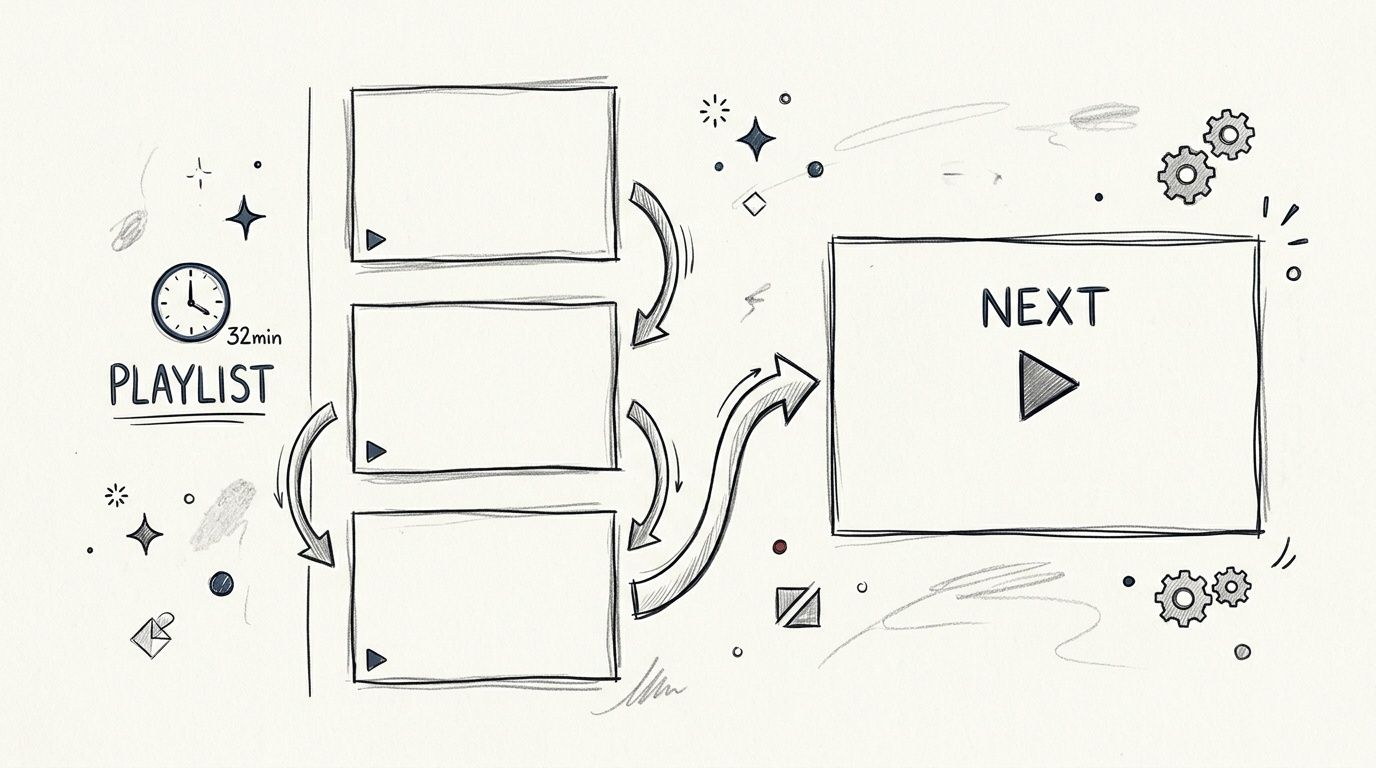
Playlist strategy matters because YouTube rewards viewing sessions, not isolated views. If one video naturally leads into the next, your content becomes easier for the platform to recommend and easier for viewers to keep consuming.
Think in journeys, not uploads
For B2B teams, playlists should map to buyer stages or recurring use cases. A consulting firm might build separate playlists for strategy, implementation, and case-based breakdowns. A local contractor might use one playlist for cost questions, one for project timelines, and one for maintenance tips. A software company might organize by role, such as admin training, executive overviews, and onboarding help.
Useful internal linking habits include:
- Linking to the next logical video: Don't send every viewer to the same generic upload.
- Using end screens intentionally: Match the next recommendation to the current topic.
- Creating themed playlists: Group videos around one clear search or business theme.
- Referencing related assets: Use descriptions to point viewers to the right page, guide, or playlist.
What doesn't work is building playlists with no sequence logic or stuffing every video into a broad category like “Marketing.” A playlist should feel like a guided path, not a junk drawer.
9. Engage with Community and Respond to Comments
Comment sections aren't just for moderation. They're one of the clearest feedback loops on the channel. They show what viewers still don't understand, what objections keep coming up, which examples resonate, and where your sales or support teams may need clearer content.
For business channels, active comment management also sends a trust signal. If a prospect asks whether your integration supports a specific workflow and your team responds clearly, that's public proof that your brand is paying attention.
Use comments as a content research channel
A B2B services firm can pull future topics directly from comment threads. An e-commerce team can spot buying objections in product review comments. A local business can answer common local questions publicly and then turn those into short videos or pinned resources.
Here are the habits that usually matter most:
- Reply early: The first day after publishing is when the conversation has the most momentum.
- Pin useful context: Put a clarifying comment, resource, or CTA at the top.
- Answer with substance: Short replies are fine, but real answers build trust.
- Feed insights back into content: If the same question appears repeatedly, make a video around it.
If your broader digital strategy needs work here too, Up North Media's article on how to improve customer engagement is useful because the same engagement principles carry across YouTube, email, and on-site content.
One caution. Don't force generic engagement bait. Asking people to “comment below” without giving them a reason creates noise, not useful interaction.
10. Implement Strong Keyword Research and SEO Strategy
Most weak YouTube channels don't have a video problem. They have a strategy problem. They publish what they want to say instead of what their market is actively trying to solve, compare, or understand.
Keyword research gives your team direction before production starts. It tells you which topics deserve a video, which formats fit the query, and how to build supporting content around the core theme.
Start with buyer intent, not volume obsession
A local accounting firm shouldn't chase generic visibility for “tax tips” if it can own highly specific searches around business structure, quarterly filings, or state-specific compliance questions. A software company doesn't need to rank for broad awareness terms if higher-intent searches around setup, migration, integrations, or alternatives are closer to revenue.
The best YouTube SEO best practices here are the same ones that work in search generally. Build clusters. Cover adjacent questions. Connect awareness content to consideration content. Package each video around one clear search intent.
For teams that need a better planning process, Up North Media's guide to keyword research for small business is a strong starting point.
One overlooked angle is the opening itself. BrightEdge highlights an issue many teams underestimate: viewers often leave early, with 33% dropping off within 30 seconds and 45% by the one-minute mark, while stronger first-15-second hooks can lift average view duration by 20% to 30% (BrightEdge on YouTube SEO and early retention). That's why keyword strategy can't stop at metadata. The topic may win the click, but the opening has to earn the watch.
The supporting data you use to evaluate social and platform trends matters too. If you're comparing platform behavior or creator ecosystems, it's worth being thoughtful about evaluating social media data sources so your research process doesn't drift into bad assumptions.
A quick visual breakdown can help your team align on the basics:
YouTube SEO: 10 Best Practices Comparison
A content team usually does not need more theory here. It needs a way to decide what to fix first, what takes real production effort, and what can move results with the current team.
Use this comparison as a working prioritization table for channel managers, in-house marketers, and B2B content teams building YouTube into a measurable acquisition program. If you want a practical next step, turn the table into an internal scoring sheet or downloadable optimization checklist for every upload.
| Strategy | Complexity 🔄 | Resource Requirements ⚡ | Expected Outcomes ⭐📊 | Ideal Use Cases 💡 |
|---|---|---|---|---|
| Optimize Video Titles with Target Keywords | Low. Simple edits and testing cycles | Minimal. Basic keyword tools and review time | Better search visibility and stronger click-through rate | Product reviews, local service videos, discovery-focused content |
| Write Detailed, Keyword-Rich Video Descriptions | Medium. Requires clear structure and purposeful copy | Moderate. Research time and writing effort | Better discoverability and clearer topical relevance for YouTube and Google | Tutorials, case studies, long-form educational videos |
| Use Video Tags and Hashtags Strategically | Low. Quick metadata updates | Minimal. Research and tag management | Modest gains in related-video visibility and impressions | Niche content, videos targeting related-video discovery |
| Create Engaging, Custom Thumbnails with High Visual Contrast | Medium. Requires design skill or repeatable templates | Moderate. Design support or production time per video | Higher click-through rate and stronger brand recognition | Competitive search results, reviews, promotional content |
| Produce Longer, High-Watch-Time Content | High. Requires stronger planning, pacing, and editing | High. Production time, scripting, and post-production | Better recommendation potential and more opportunities to qualify viewers | Courses, detailed tutorials, case study walkthroughs |
| Optimize Video Transcripts and Closed Captions | Medium. Requires caption cleanup for accuracy | Moderate. Editing time or transcription support | Better accessibility and stronger keyword coverage in indexed text | Technical tutorials, interviews, demos watched without sound |
| Develop a Consistent Upload Schedule and Series Format | Medium. Requires editorial planning and operational discipline | Moderate. Content batching and calendar management | Better subscriber return rate and stronger format recognition | Serialized content, audience-building channels, brand series |
| Incorporate Internal Linking and Playlist Strategies | Medium. Requires organized topic mapping | Low to Moderate. Playlist curation and end screen setup | More session watch time and smoother path into related videos | Skill progressions, topic clusters, onboarding funnels |
| Engage with Community and Respond to Comments | Medium. Requires ongoing moderation and response standards | Moderate. Dedicated community time or assigned staff | Stronger engagement signals, audience trust, and useful feedback | Service channels, tutorials, channels built on credibility |
| Implement Strong Keyword Research and SEO Strategy | High. Requires analysis and cross-channel planning | Moderate to High. Paid tools, research time, and SEO expertise | More scalable organic traffic and better alignment with high-intent searches | Channel strategy, content planning, high-ROI campaigns |
For businesses, the trade-off is usually straightforward. Metadata updates are faster to ship, while format, retention, and production changes usually have a larger upside but cost more time and coordination.
That matters in B2B. A SaaS company may get quick wins from rewriting titles, descriptions, and playlists across an existing webinar library. A manufacturing brand often gets better returns from building a repeatable series around product demos, buyer questions, and implementation concerns, even though that takes more planning.
The teams that execute well treat this table like an operating document, not a static summary. Score each tactic by effort, expected impact, and ownership. Then turn that into a checklist your editor, strategist, and channel manager can use before every publish.
From Best Practices to Real Results
YouTube SEO works best when you stop treating each upload like a one-off campaign. Titles, thumbnails, descriptions, captions, playlists, comments, and keyword strategy all support the same outcome. They help YouTube understand the topic, help the right viewer click, and help that viewer stay engaged long enough to signal quality.
That's the difference between a channel that collects videos and a channel that compounds value. Businesses that win here usually don't rely on one viral hit or one clever tactic. They build repeatable systems. They know which audience segments they serve, which search intents matter, which formats hold attention, and which calls to action connect content to revenue.
For B2B companies, that might mean turning sales questions into a searchable video library. For e-commerce teams, it might mean pairing product education with comparison videos, use-case walkthroughs, and post-purchase support content. For local businesses, it often means owning the service, location, and problem-based searches that prospects use before they ever fill out a form. In each case, YouTube becomes more than a brand channel. It becomes part of the acquisition and conversion system.
There are real trade-offs. You can't fix weak content with metadata alone. You can't chase clicks with misleading thumbnails and expect retention to hold. You can't publish inconsistently and expect the channel to build momentum. But if you treat YouTube as a search and audience development channel, not just a hosting platform, the gains become durable.
If you want an outside perspective on tooling and workflow, BeyondComments' YouTube SEO guide is a useful companion read. Then put the basics into action with a documented process your team can repeat.
To make implementation easier, download our free YouTube SEO Optimization Checklist and use it before every upload. If your business needs a strategic partner to connect YouTube with SEO, web development, analytics, and AI-driven growth, Up North Media can help build the system around the content, not just the content itself. For companies in Omaha and beyond, that's usually where substantial progress is made.
If you're ready to turn YouTube into a real growth channel instead of a neglected media library, Up North Media can help. We work with businesses that need sharper SEO strategy, better conversion-focused web experiences, stronger content systems, and practical AI implementation that supports growth. Reach out for a free consultation and get a plan that connects your videos to measurable business goals.