
Shortening checkout isn't automatically the best first move for a Shopify store. If mobile shoppers leave when shipping charges appear, deleting an address field won't answer their objection. If new visitors can't choose the right variant, they may never reach checkout at all.
Effective Shopify conversion rate optimization starts with a narrower question: which shoppers stop, where do they stop, and what change would remove that particular obstacle? Diagnose the segment, change the relevant part of Shopify, and judge the result on revenue per session, not a prettier page or a temporary conversion spike.
Shopify Conversion Benchmarks Worth Using
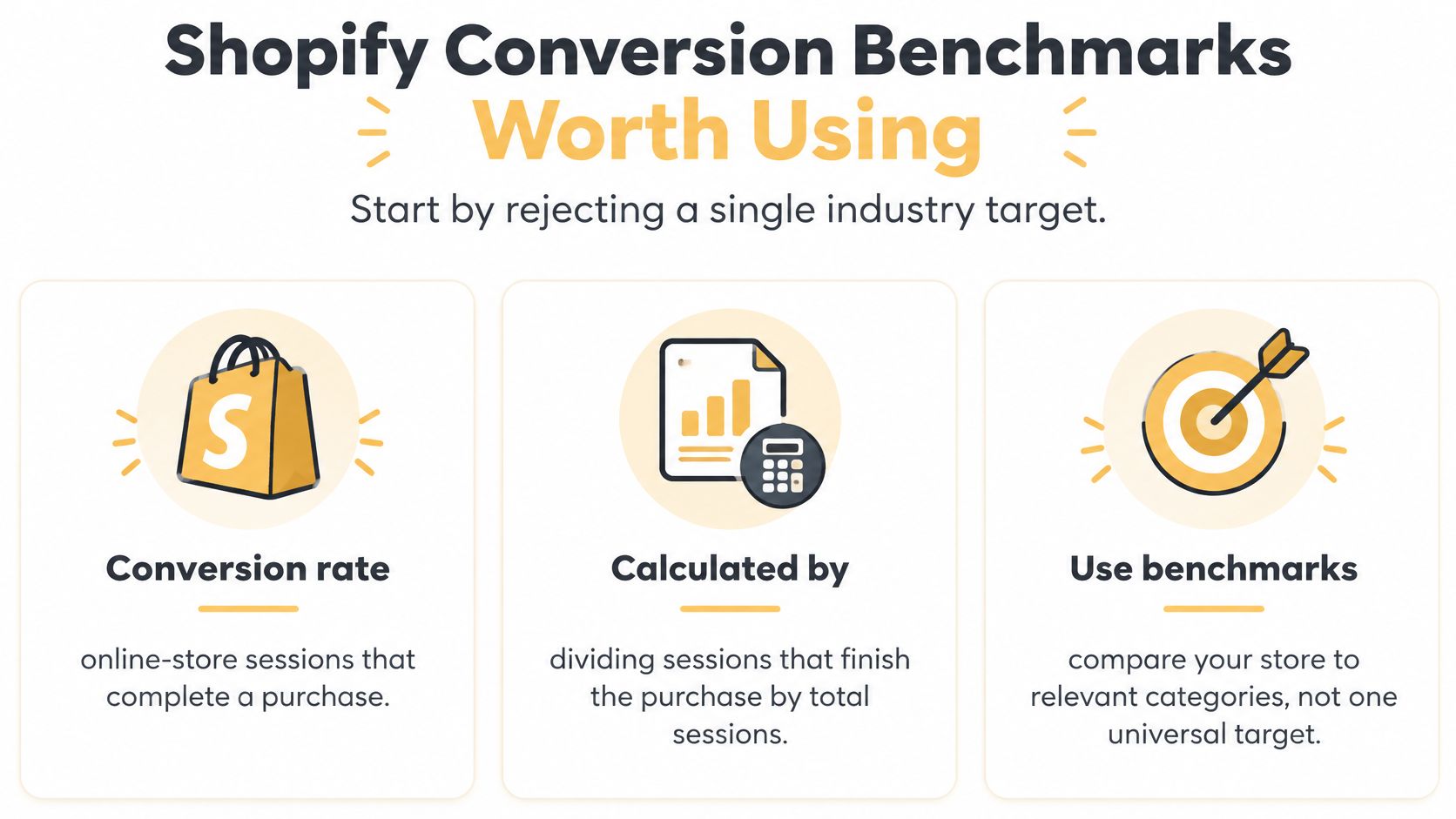
Reject a single industry target. For your working purchase-conversion metric, use online-store sessions that complete a purchase divided by total online-store sessions, expressed as a percentage. Don't substitute unique visitors, order counts, or checkout starts halfway through an evaluation.
Benchmarks provide context, but they don't identify your store's problem. A store selling replenishable products and a store selling considered purchases can attract shoppers with different intentions, even when both run on Shopify.
Shopify conversion benchmarks to look up first
| Benchmark | Figure | What it measures | Source year |
|---|---|---|---|
| Average Shopify store conversion | 1.4% | Purchases relative to Shopify store traffic in LittleData's store sample | 2024 Shopify publication of LittleData's analysis |
| Top 20% Shopify stores | Above 3.3% | Threshold for the top-performing group in that same LittleData sample | Same publication |
| Average mobile ecommerce retail | 2.89% | Mobile conversion for online retail, not Shopify-only | June 2024, reported by Shopify |
| Online cart abandonment | 70.19% | Carts that don't become orders, from Baymard research reported by Shopify | 2024 Shopify report |
| Shop Pay versus guest checkout | Up to 50% higher | Checkout conversion lift versus standard guest checkout | 2024 Shopify checkout research |
| Shopify checkout versus other platforms | 15% higher on average | Overall checkout conversion versus competing commerce platforms, studied with a Big Three consultancy | April 2023 study reported by Shopify |
The LittleData average is a sanity check, not a quota. The mobile retail figure comes from a different population, while the checkout comparisons measure the final purchase process rather than conversion across all store visits. Don't put those measures on the same performance scorecard as though they're interchangeable.
Use this visual to keep the calculation and comparison rules clear.
Build a baseline that supports a decision
Before editing a theme, export a recent trading period from Shopify Analytics that includes your normal advertising and email activity. Record sessions, purchasing sessions, revenue, and progression through the buying funnel.
Break the baseline into useful views:
- Device: Separate mobile, desktop, and tablet rather than averaging their experiences.
- Acquisition: Distinguish paid campaigns, organic search, email, and direct traffic.
- Entry point: Compare landing pages and product categories with similar buying intent.
- Purchase stage: Record product interaction, cart activity, checkout reached, and purchase.
For category context, use our guide to ecommerce conversion-rate benchmarks. For a structured inspection before changing templates, Yassine Malti's guide can help you audit your Shopify store for conversions.
A baseline should produce a specific observation, such as mobile visitors reaching checkout but failing to purchase. That's actionable. Being below a broad industry average isn't.
Which Checkout Leak to Fix First
Blindly shortening checkout assumes shoppers are leaving because they dislike typing. They may instead object to creating an account, question a required phone number, encounter an unclear validation error, or discover that their preferred payment method isn't available.
Among surveyed US shoppers, Baymard identifies account creation, checkout complexity, and required phone numbers as distinct abandonment reasons; its benchmark also rates many mobile checkouts poorly. The distinctions in Baymard's checkout UX assessment make a stronger diagnostic starting point than a generic instruction to remove fields.
Checkout leak patterns and the first test
The survey percentages below describe US abandonment reasons, while the mobile rating describes sites in Baymard's benchmark. They aren't measurements of your own customers.
| Pattern in the data | Evidence | First test | Do not start with |
|---|---|---|---|
| Shoppers refuse account creation | 18% of surveyed US abandoners | Guest checkout, with account creation optional after purchase; assess Shop Pay separately | A loyalty-app popup on the cart |
| Checkout feels long or confusing | 17% of surveyed US abandoners | Remove an unnecessary field or clarify the specific confusing step | A full theme rebuild |
| Phone number blocks completion | 14% of surveyed US abandoners | Make phone optional, or explain a genuine fulfillment requirement | Removing the address line first |
| Costs appear only at payment | Unexpected costs are a major Baymard barrier | Show a usable shipping and tax estimate in the cart | A discount code buried in the footer |
| Mobile checkout is weak | 63% of mobile sites rate mediocre or worse | Test the failing payment interaction, tap target, or error state on a real phone | Desktop-only screenshot reviews |
Treat each table entry as a candidate, not an instruction to deploy everything in the row simultaneously. If account requirements are the suspected cause, change that requirement before adding a different accelerated payment path. Otherwise, you won't know which intervention mattered.
Follow the shopper's route
Start with device, then separate new and returning shoppers where your reporting supports it. Check country next, because shipping availability, address formats, and payment options can differ. Inspect payment-method outcomes among shoppers who reached payment, rather than comparing them with visitors who never selected a method.
Then locate the failing transition: product view, add-to-cart, cart, contact details, shipping, payment, or purchase. Shopify's native reports won't necessarily expose every transition at the detail you want. Use available checkout reports, payment failures, and properly configured event tracking rather than treating missing instrumentation as zero activity.
Fix the obstacle at the failing step. A mobile payment problem doesn't justify a new homepage hero.
Say a store attracts mobile shoppers who add products confidently, enter their addresses, and leave when delivery options appear. Inspect actual shipping rates and delivery wording before touching product photography. A cart estimate may resolve uncertainty; an unavailable shipping service requires an operational fix.
Our ecommerce checkout optimization guide provides additional context for assessing that purchase path.
Finish the diagnosis with a written hypothesis: Showing an address-based shipping estimate in the cart will improve purchase completion among mobile shoppers without increasing shipping-related support requests. That gives the implementation a clear boundary.
How to Read a Shopify Test
A winning screenshot isn't a test result. Keep a change when it improves the commercial outcome for the intended shoppers without causing an unacceptable side effect. If purchase conversion improves but revenue per session falls because shoppers buy cheaper baskets, the result needs investigation.
Keep the denominator fixed throughout the comparison. Cart abandonment describes a different stage from storewide purchase conversion; Baymard's cart-abandonment reference is useful for understanding that distinction, but it shouldn't replace your store's purchasing-session metric.
Set the decision before launching
-
Write the hypothesis and primary metric. Name the affected shoppers, the obstacle, and the single change. For the shipping-estimate scenario, use revenue per session as the commercial decision metric and shipping-to-purchase progression as supporting evidence.
-
Choose a guardrail. Track something the intervention could damage, such as refund rate, shipping-related support requests, or contribution margin. Use the same revenue treatment for refunds, discounts, taxes, and shipping throughout the comparison.
-
Choose a credible comparison method. A randomized concurrent test helps separate the treatment from changing demand. If traffic is too sparse, use a carefully documented before-and-after comparison, but label the finding directional rather than causal.
Don't use a universal session threshold as permission to declare a winner. Required sample size depends on the baseline, the change you need to detect, and the uncertainty you're willing to accept. Revenue per session can be particularly noisy when occasional large orders dominate sales.
Our explanation of what A/B testing is helps distinguish a controlled comparison from publishing a change and watching the dashboard.
Read the right evidence
-
Inspect the intended segment. A desktop improvement can conceal a mobile decline in the blended total. Keep shopper classifications consistent, and don't swap new visitors for new customers, which are different groups.
-
Check the affected funnel transition and traffic mix. A payment fix should improve progress toward purchase, not merely add-to-cart activity. Review campaign launches, email sends, stock availability, and branded-search traffic before attributing a change to the variant.
-
Make the keep-or-revert decision. Read revenue per session alongside the guardrail and the expected funnel movement. If the result remains uncertain, record that uncertainty instead of forcing a success story.
Run across normal trading patterns rather than stopping after a strong weekend. Avoid repeatedly checking an ordinary fixed-horizon test and ending it as soon as a favorable result appears. Use the experiment tool's supported decision method.
Decision discipline: An inconclusive result is a reason to improve the evidence, not to install another testing app.
Maintain a simple decision log with launch date, hypothesis, change, target segment, comparison method, result, and keep or revert. Include campaign and inventory changes in the notes so the next person can interpret the result without reconstructing the month.
How to Change Theme and Checkout
Assume the selected hypothesis concerns mobile shoppers leaving when shipping costs become clear. The implementation should expose that information earlier, not redesign unrelated pages. Establish the baseline and decision log before touching the live experience.
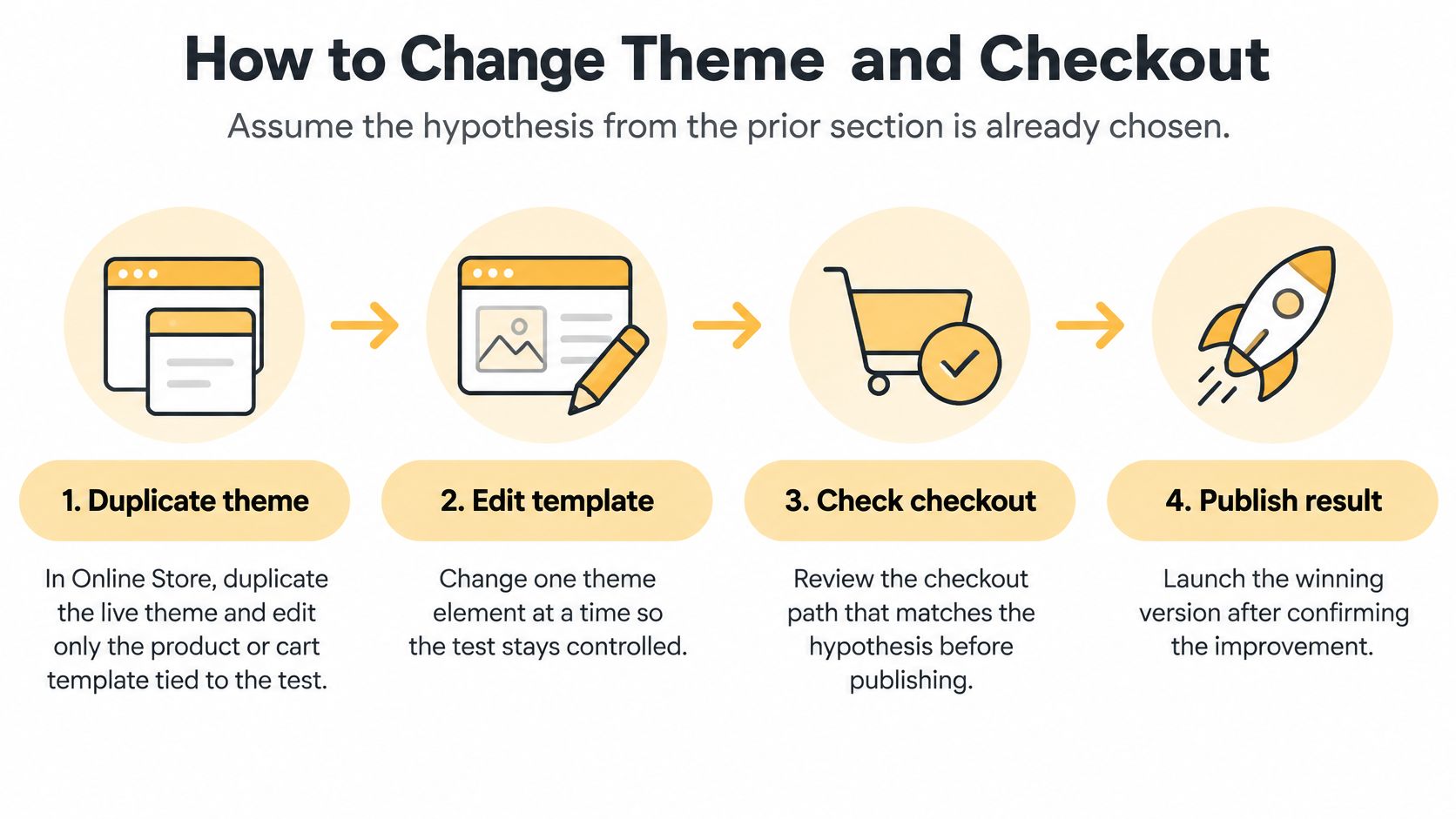
Use this workflow to separate preparation from release.
Prepare the smallest relevant change
-
Duplicate the live theme in Online Store → Themes. Give the copy a descriptive test name and preserve the original as a rollback option. A theme duplicate protects theme edits, but it doesn't isolate global payment, shipping, or checkout settings.
-
Open Customize and select the affected template. For an early shipping estimate, inspect the cart page and cart drawer before changing the product template. Confirm whether multiple products share that template, because an edit may affect more of the catalog than expected.
-
Make the buying controls usable on a narrow screen. On product-page tests, keep the price, selected variant, delivery wording, and primary purchase action easy to locate. Check long variant names, unavailable combinations, and quantity changes, not just the default product state.
-
Remove a competing element only when it belongs to the hypothesis. A promotional widget above the cart totals may bury the estimate you're testing. Don't remove reviews, chat, and recommendations together because the editor makes it easy.
A sticky add-to-cart button is useful only if shoppers already understand the product and can select a valid variant. If it obscures delivery information or overlaps a consent control, it introduces a new problem.
Configure checkout without assuming unlimited control
-
Review account and payment settings. In Settings → Checkout, inspect whether customers must sign in before purchasing. In Settings → Payments, review Shop Pay and eligible wallets against the markets you serve. Shopify's own comparison is an upper-bound claim, not a forecast for your catalog, so treat activation as a separate measurable change when payment friction is the hypothesis.
-
Expose shipping information before payment. Verify the underlying rates in Settings → Shipping and delivery, then add a cart estimate through your theme or a suitable supported integration. Label estimates clearly when the final amount requires an address, and don't imply that taxes or duties are included unless your configuration supports that statement.
-
Review required fields and validation. Make the shipping-address phone field optional where available unless fulfillment requires it. Where error wording is editable, name the problem and the correction; where Shopify controls it, test the native behavior rather than promising a custom rewrite.
Shopify Checkout isn't free-form theme HTML. Branding, extensions, and changes to the checkout experience are constrained by plan and supported capabilities. Check eligibility before paying for an app or commissioning a design that can't run on your store.
Validate before releasing
-
Preview realistic purchase journeys. Test on iOS and Android, including a logged-out shopper and a returning accelerated-checkout customer. Enter an incomplete address, trigger a validation error, change the cart quantity, and confirm the estimate updates correctly.
-
Release through the comparison method you selected. A duplicate-theme preview is for quality assurance, not a randomized experiment. Use a compatible testing mechanism for a traffic split, or publish a controlled before-and-after change with a recorded launch time and rollback plan.
For the hypothetical shipping leak, success means shoppers can make an informed delivery decision earlier. A new homepage, a different button color, and a checkout upsell don't belong in that same test.
Speed Apps and Order Value Tips
Performance work belongs near the diagnosed interaction, not in a separate contest for the highest lab score. Shopify's speed guidance says conversion tends to fall about 1.5% for every additional 32 milliseconds of slower interaction response, with smaller stores experiencing a larger relative impact, according to its site-speed comparison. That's a reason to investigate responsiveness, not a calculator for predicting your next revenue increase.
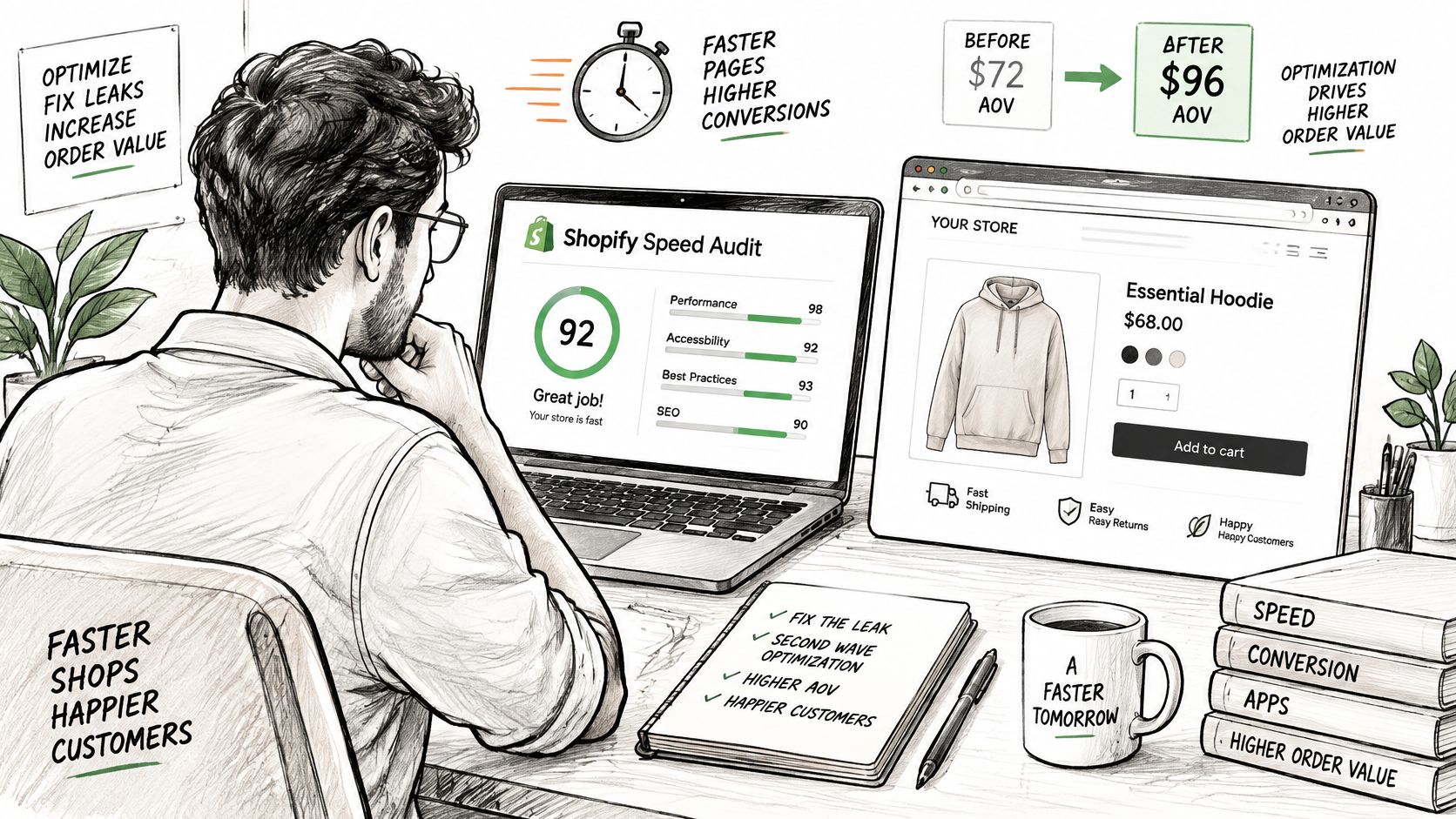
Review the actual storefront before cutting features.
Keep useful evidence and remove avoidable work
Open PageSpeed Insights and inspect mobile field data, which draws on the Chrome UX Report when enough eligible traffic exists. Distinguish page-level information from origin-level information. If field data isn't available, use lab diagnostics and real-device checks without pretending they describe every shopper.
Inventory the scripts and app blocks on the template under test. Check app embeds in the theme editor, custom tracking code, chat launchers, review carousels, and recommendation widgets. Identify what loads before the customer needs it.
- Rarely used chat: Delay loading until interaction if the integration supports it.
- Heavy review presentation: Keep the rating summary and useful review content while simplifying animation or carousel behavior.
- Variant selectors: Check responsiveness after each selection, including image and price updates.
- Retired integrations: Remove leftover theme code after uninstalling, using the app's cleanup instructions.
A slower fit guide may deserve to stay if customers need it to choose confidently. A fast page that leaves shoppers uncertain about sizing isn't an improvement.
Run a keyboard-only pass and a throttled mobile connection test. Confirm visible focus, readable errors, accessible labels, and controls that don't jump when app content loads. An Omaha retailer should not inherit an enterprise-sized script stack just because a larger competitor uses it.
Use the video as a supplementary walkthrough, then verify each proposed change against your own template.
Increase order value without obstructing purchase
Choose a relevant offer rather than stacking interruptions. A complementary accessory in the cart can help a shopper finish a purchase; an unrelated offer can make the same drawer harder to use.
Test a bundle when the products solve a shared need, with the saving visible and the contents explicit. Use quantity breaks on products customers reasonably buy in multiples. A free-shipping threshold should reflect your current basket distribution and shipping margin, not merely encourage larger orders at an unsustainable cost.
A higher average order value isn't a win if fewer shoppers buy and revenue per session falls.
Track offer attach rate, revenue per session, and margin together. Don't combine a signup popup, cart upsell, and checkout offer in the same experiment. Customers should still have an obvious route to paying for what they originally selected.
For a small store, start with Shopify Analytics, a suitable testing method, and the payment tools customers need. Add software only when you can name the gap it fills. Keep an app when it supports its intended outcome; cut or replace it when a completed test cycle gives you no defensible reason to retain its cost and complexity.
Run the Next Optimization Cycle
Use a monthly operating rhythm, not a monthly redesign. The work should leave you with a clearer explanation of shopper behavior and a store that's easier to buy from, even when a test doesn't produce a lift.
The calendar is a management tool, not a statistical guarantee. A quiet store may need longer to evaluate a change, while a broken payment interaction needs immediate repair rather than an experiment.
Give each part of the cycle a job
- Opening review: Validate the baseline, freeze metric definitions, and choose the segment with the clearest meaningful leak. Check that inventory and tracking are reliable before blaming the interface.
- Implementation window: Ship the smallest relevant change after quality assurance. Record the guardrail, release method, and circumstances that would trigger a rollback.
- Evaluation window: Read revenue per session, the affected transition, and the guardrail together. Keep, revert, or mark the result inconclusive.
- Next planning session: Select another supported hypothesis from the remaining leak patterns. Don't reopen the entire theme because one experiment failed.
If traffic can't support a readable test, focus on verified usability defects and cautiously interpreted before-and-after evidence. If your Shopify plan blocks the proposed checkout change, compare a supported cart-side solution with the cost and implications of upgrading. More apps won't remove a platform restriction.
Turn the log into a working backlog
Record unresolved questions alongside completed decisions. A shipping estimate might improve progression while revealing a separate delivery-coverage issue. Assign that operational issue to an owner instead of hiding it inside another design task.
Our Ongoing Optimization process monitors performance, tracks leads, and continuously improves a client's digital presence. That approach keeps implementation connected to business outcomes rather than treating publication as the finish line.
The next useful optimization is the one your evidence supports and your team can evaluate.
Up North Media offers conversion rate optimization and ecommerce support to help turn a diagnosed Shopify funnel problem into a focused implementation and measurement plan. Visit Up North Media to book a free consultation and discuss your baseline, your highest-priority checkout leak, and how to evaluate the first change on revenue per session.