
You publish a new page, share it on LinkedIn or X, and the preview looks terrible. The wrong image shows up. The headline is cut off. Sometimes the description is missing entirely. The page itself may be strong, but the first impression is weak, and weak previews don't earn clicks.
That problem sits right at the intersection of social media, search visibility, and brand control. When people talk about open graph seo, they're talking about a set of small technical choices that shape how your content appears when it gets shared. Those choices affect whether a post looks polished and trustworthy or careless and easy to ignore.
For Omaha businesses, publishers, ecommerce teams, and SaaS brands, this matters more than most site owners realize. A shared link is often the first brand touchpoint. It's also increasingly a machine-readable summary for platforms that need to understand a page quickly, including AI systems.
Your Missing Link in Social Media Strategy
A lot of companies already invest in content, design, and paid promotion, but they still let social platforms guess how their links should appear. That's where the breakdown starts.
You see it all the time. A blog post gets shared with a cropped logo instead of the article image. A product page pulls in boilerplate copy instead of a useful description. A service page shows an outdated title from months ago. The post doesn't look broken in a technical sense, but it looks unreliable. Users scroll past it.
Open Graph fixes that. It gives you direct control over the title, description, image, URL, and content type that social platforms read when someone shares your page.
What this controls in practice
- Your headline in the preview. Instead of letting a platform choose a title from the page, you can set the exact version that should appear.
- The image users notice first. This is usually the difference between a branded, clickable preview and a random asset from your layout.
- The expectation before the click. A good description tells users what they'll get. A bad one creates confusion and weak traffic quality.
Practical rule: If the preview doesn't make sense outside the context of your website, it isn't ready to be shared.
This isn't only about aesthetics. A strong preview acts like a compact ad unit you don't have to pay for every time it appears. Every employee share, customer share, Slack paste, LinkedIn repost, or group mention becomes more useful when the link looks intentional.
That's why open graph seo matters. It isn't a replacement for technical SEO, content strategy, or conversion work. It's the connective layer between the page you built and the way platforms present it to other people.
What Is the Open Graph Protocol
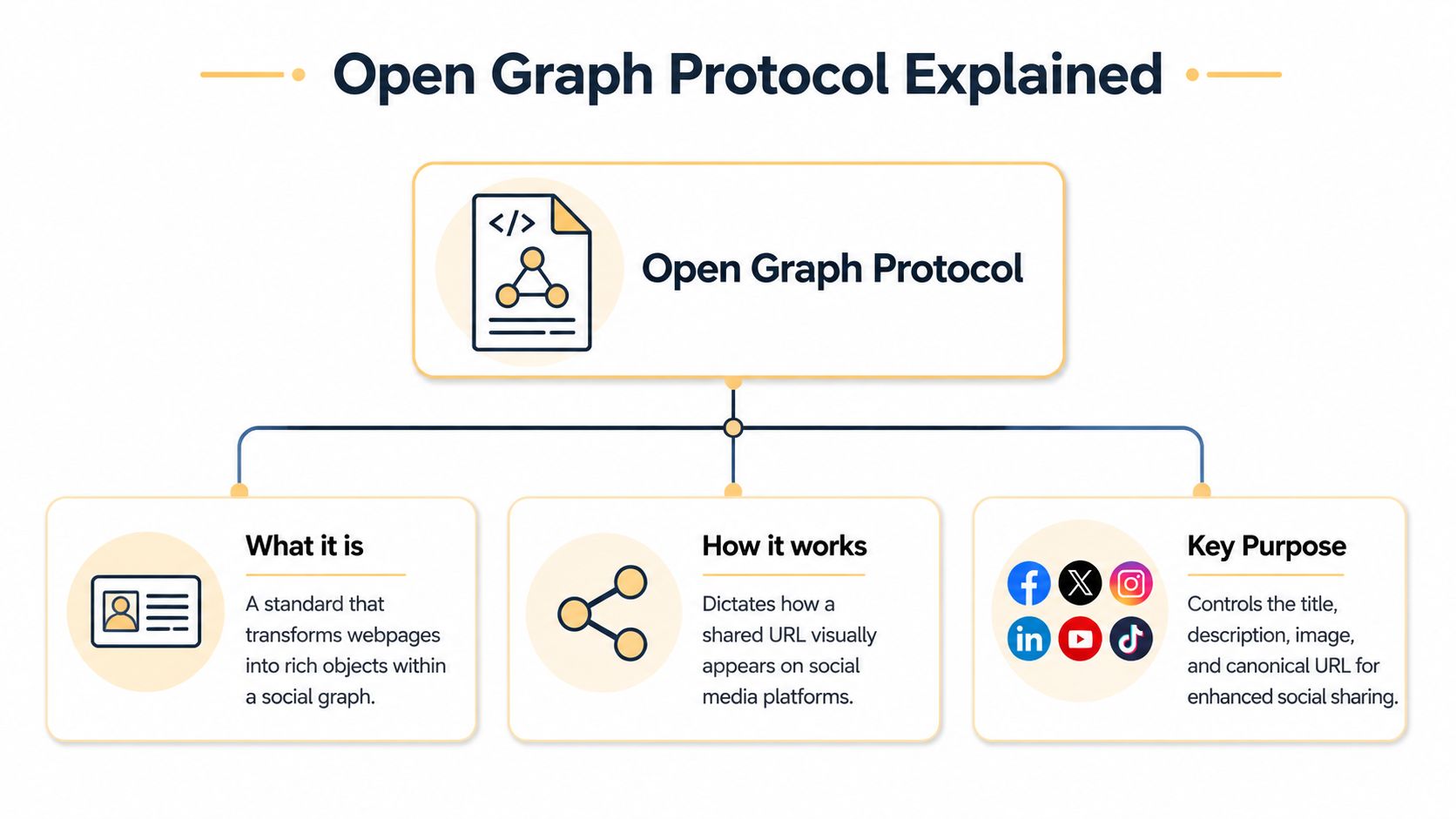
Open Graph is a metadata standard that tells platforms how to present your page when someone shares it. A crawler reads the tags in your HTML <head> and uses them to build the preview card users see in feeds, messages, and collaboration tools.
Facebook introduced the protocol in 2010. The practical point for marketers is straightforward. It turned a shared URL from a raw link into a structured content object with defined fields.
What the crawler is looking for
Most platforms start with the same core tags:
og:titlefor the preview headlineog:descriptionfor the summary textog:imagefor the preview visualog:urlfor the canonical page referenceog:typefor the kind of object being shared
If those tags are missing, each platform fills the gaps on its own. That is where preview quality breaks down. LinkedIn may pull a serviceable headline, Facebook may cache an older image, and X may need extra card markup if you want tighter control over how the post renders.
That platform nuance matters more than many guides admit. Open Graph covers the baseline across major networks, but X has historically relied on Twitter Card tags for richer presentation, and some messaging apps apply their own fallback logic. In practice, the safest setup is to treat Open Graph as the shared layer, then validate how X and other high-value channels render your pages before rollout.
The same discipline helps outside social media. AI-driven search products, chat assistants, and LLM-based discovery tools often need fast page summaries before they decide what to surface or cite. Clean metadata gives those systems better inputs. We are already seeing that pages with clear titles, descriptions, and images are easier for machines to classify and summarize accurately, which makes Open Graph part of content packaging for 2026, not just social distribution.
For teams investing in video pages, landing pages, or campaign content, Revid.ai video SEO insights make a similar point from another angle. Structured signals help platforms and machines understand what the page is about before a user ever clicks.
Open Graph is small in scope, but it affects how your content travels. Set it up once, keep it accurate, and your links stop relying on platform guesswork.
The Hidden SEO Value of Social Sharing
A prospect sees your article in Slack, LinkedIn, or X before they ever reach Google. If the preview looks credible, they click. If it looks generic, outdated, or mismatched, they move on. That decision affects more than social traffic.
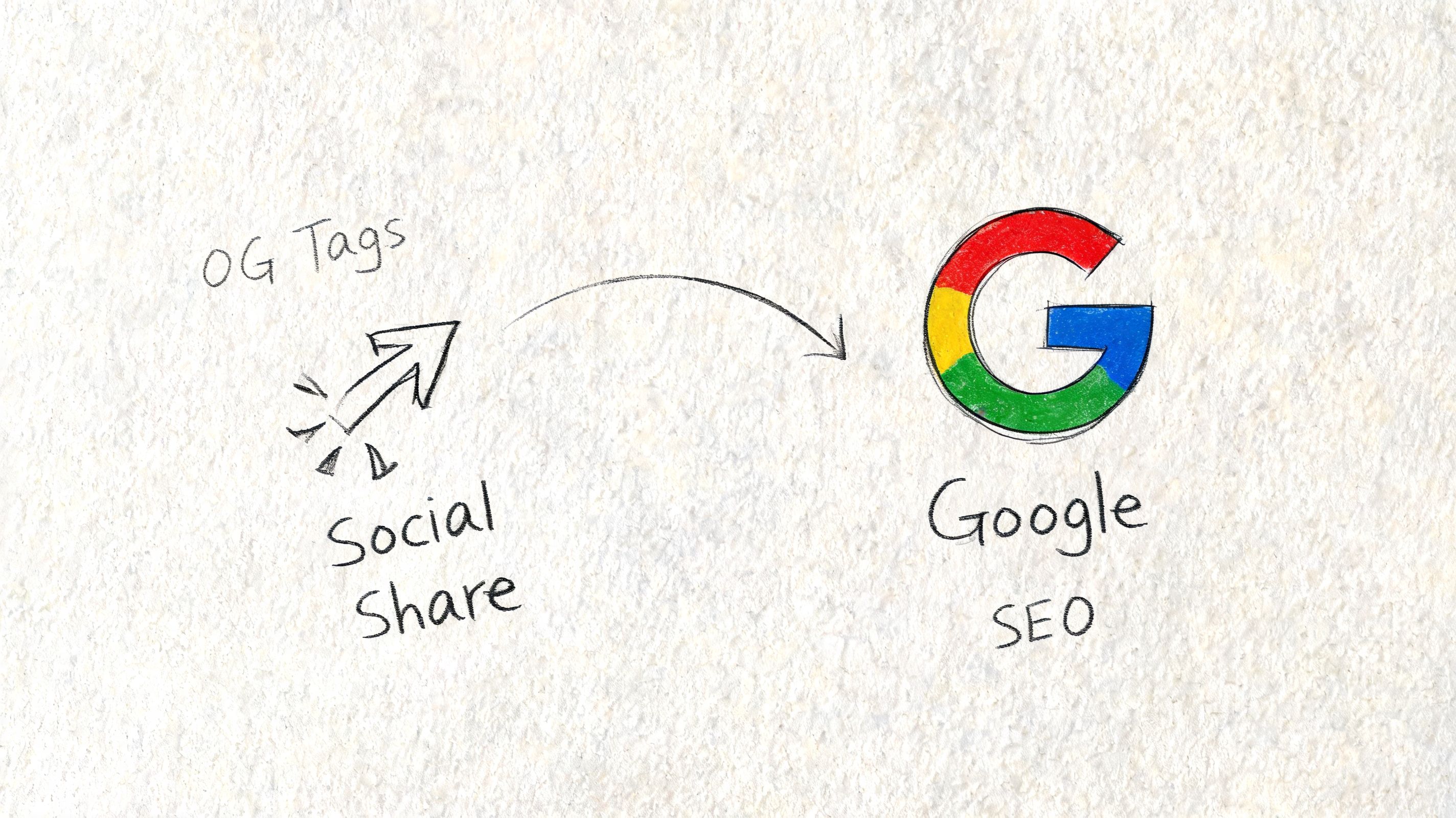
Open Graph shapes the first impression that drives referral visits, brand searches, newsletter pickups, and secondary shares. Those signals do not change rankings by themselves, but they do influence how often your content gets seen, clicked, and cited by real people. In 2026, they also affect how AI-driven discovery systems summarize and classify a page before deciding whether it is worth surfacing.
How social previews create search value
The SEO payoff is indirect, but it is real.
A strong preview gets more qualified clicks from social feeds, messaging apps, and community threads. When the headline, image, and description match the page, visitors arrive with the right expectations. That usually means better engagement, more time on page, and a higher chance that someone shares the piece with a colleague or links to it later from a newsletter, blog post, or resource page.
That matters for another reason. AI search products and LLM-based assistants often evaluate pages through metadata and page-level context before they cite or summarize them. Clean Open Graph tags help those systems identify the topic, the angle, and the best visual asset faster. They are part of content packaging now, not just social presentation.
Where the business value shows up
Open Graph is often treated like design polish. It is closer to distribution control.
- Better previews increase the odds that social impressions turn into visits from the right audience.
- Better expectation matching filters out low-intent clicks and improves traffic quality.
- Better packaging gives journalists, creators, and AI systems clearer signals about what the page covers.
- Better visuals make campaign pages easier to reshare across X, LinkedIn, WhatsApp, Slack, and sales outreach.
Image choice carries more weight than many teams expect. A cropped logo block or stock photo wastes the impression. Use a format designed for social preview dimensions, and check current social media image sizes for 2025 before publishing large campaigns.
Where teams lose value
B2B marketing teams often write a solid page, then let platforms pull whatever headline, image, or excerpt happens to be available. The result is a preview that undersells the content or attracts the wrong click.
Another common mistake is writing Open Graph copy like search metadata. Social users scan faster, and X is less forgiving when the image or title lacks a strong point of view. We often recommend a tighter headline for social than for the title tag, especially for thought leadership, webinar pages, and product launches. The page can stay precise. The preview needs to earn attention without overselling the page.
The best Open Graph preview pre-qualifies the click.
Format also matters. A feature article, a landing page, a case study, and a video page should not share the same preview logic. Teams publishing video content should align thumbnails, descriptions, and page metadata so the asset performs in both search and social. Revid.ai video SEO insights are a useful companion if you are tightening that workflow across channels.
Good Open Graph setup improves how content travels. It helps the right people click, helps platforms present the page properly, and gives AI-driven discovery tools cleaner inputs to work with. For businesses that care about traffic quality, not just raw sessions, that is real SEO value.
Core Open Graph Tags and Best Practices
Most businesses don't need dozens of tags to get results. They need the right few, implemented correctly and consistently.
The five tags that carry most of the weight are og:title, og:description, og:image, og:url, and og:type. If you're serious about open graph seo, start there before you worry about edge cases.
The essential tags that shape the preview
| Tag | Purpose | Example |
|---|---|---|
og:title | Controls the main headline shown in the preview | Mastering Open Graph SEO for 2026 |
og:description | Supplies the supporting summary text | Learn how to improve social previews, referral clicks, and AI-ready metadata. |
og:image | Defines the preview image | https://example.com/images/og-cover.jpg |
og:url | Declares the canonical page URL for the object | https://example.com/open-graph-seo-guide |
og:type | Tells platforms what kind of content this is | article |
What good implementation actually looks like
Start with og:title. This isn't always the same title you use in search results. Social users skim faster, and some platforms truncate aggressively. The safest approach is a clean, human headline that stands on its own.
For og:description, write for clarity, not keyword density. You don't need to stuff it. You need to make the click make sense. If your page is a local service page, say what the service is and who it's for. If it's a product page, surface the product value, not generic brand language.
Then there's og:image, the tag teams mishandle most often. According to the Open Graph specification summary in Yoast's functional documentation, the ideal image ratio is 1.91:1, commonly 1200x630px, with a minimum of 200x200px. That same source notes that mismatched og:type values can cause 40% preview degradation, and that X falls back to OG tags but it's not ideal, which is why native Twitter Card tags are a best practice in parallel, as outlined in Yoast's Open Graph functional specification.
Why og:type matters more than many guides admit
A lot of sites leave everything as website. That works as a fallback, but it leaves useful context on the table.
- Use
articlefor editorial pages and blog posts. - Use
productfor ecommerce detail pages. - Use
profilefor author or team pages. - Keep
websitefor general pages like homepage or high-level landing pages.
If you mark a blog post as article, platforms can use properties such as article:published_time. That gives them better context. If you mark a product page properly, you're helping platforms understand the object more accurately before rendering it.
X needs its own treatment
Many otherwise solid implementations often break down. X will often fall back to Open Graph tags, but that fallback isn't the standard you should aim for.
Use a hybrid setup:
- Keep Open Graph tags for broad platform compatibility
- Add
twitter:cardso X has native instructions - Match
twitter:titleandtwitter:imageto the intended experience on X - Check server-side rendering if your site is built as a JavaScript-heavy SPA
If your previews are inconsistent across channels, this isn't a minor technical issue. It's a distribution issue. For teams managing branded creative across platforms, this guide to social media image sizes for 2025 is useful when you're standardizing templates across social cards and ad assets.
If you only optimize for Facebook and LinkedIn, you'll miss problems that only show up when someone shares your page on X.
How to Implement Open Graph Tags
Implementation doesn't need to be complicated, but it does need to be deliberate. The exact workflow depends on your platform. WordPress gives you plugin-based control. Shopify usually handles part of it in theme files. Webflow lets you define page-level metadata with less code work.
For WordPress users, plugins are the fastest path to consistent output.
WordPress with Yoast SEO
Yoast SEO handles much of the heavy lifting, but you still need to understand its fallback logic. According to the Yoast image fallback summary, the og:image hierarchy is strict: first the user-defined Facebook image in the Yoast metabox, then the featured image, then a prominent content image, and finally a global default, as explained in this overview of Yoast Open Graph image behavior.
That hierarchy matters because it prevents a page from rendering with no useful image when the ideal asset isn't set manually.
A practical setup in WordPress looks like this:
- Enable social metadata in your SEO plugin settings.
- Set a sitewide default image for pages that don't have a good visual.
- Override the social title and image on important pages like service pages, cornerstone articles, and product collections.
- Check the featured image workflow so your editorial team doesn't leave it blank.
A basic manual example in the page <head> looks like this:
<meta property="og:title" content="Open Graph SEO Guide for 2026" />
<meta property="og:description" content="Improve social previews, referral traffic, and AI-ready metadata." />
<meta property="og:image" content="https://example.com/images/open-graph-cover.jpg" />
<meta property="og:url" content="https://example.com/open-graph-seo-guide" />
<meta property="og:type" content="article" />
Shopify and product pages
Shopify themes often include social metadata snippets already. The issue isn't usually total absence. It's that the defaults may not be ideal for your catalog structure.
Check your theme code for the social metadata snippet and confirm three things:
- Product pages pull the correct primary image
- Collection and blog templates use distinct logic
- Canonical URLs, not parameter-heavy variants, populate the share object
If you're editing the theme, make a duplicate first. One bad change in Liquid can create inconsistent previews across the store.
For product-heavy sites, image quality and consistency matter as much as the tag presence. This resource on how to optimize images for the web is useful when you're balancing file quality with reliable preview rendering.
Webflow and custom sites
Webflow makes this easier than many business owners expect. For static pages, set Open Graph fields directly in page settings. For CMS collections, map title, description, and image fields to the collection template.
Custom frameworks need more scrutiny. If your site relies heavily on client-side rendering, make sure crawlers can access the tags in the initial response. That's especially important for X and other parsers that don't reliably interpret JavaScript-generated metadata.
A short walkthrough can help if you're assigning this work internally:
The rule across all platforms is the same. Don't rely on defaults for your highest-value pages. Homepage, service pages, top blog posts, and product detail pages deserve manual review.
Testing and Debugging Your OG Tags
You can't assume the tags are working just because you added them. Social platforms cache aggressively, and they don't always refresh when your page changes.
That's why testing is part of the job, not a final checkbox.
Start with the preview the platform sees
Use platform debugging tools to inspect the URL after publishing or updating metadata. The Facebook Sharing Debugger is still one of the most useful because it shows the fetched tags and lets you request a fresh scrape.
When the preview is wrong, the cause usually falls into one of these buckets:
- Cached metadata so the platform is showing an older version
- Conflicting tags because multiple plugins or templates output overlapping OG fields
- Bad image paths where the crawler can't access the image cleanly
- Weak fallback logic that pulls an unintended asset from the page
The fixes that solve most problems
If the wrong image appears, check the HTML source first. Don't start in the CMS UI. Confirm which og:image value is being output.
If the old title remains, force a re-scrape in the platform debugger after confirming the new tag is live. If the preview doesn't appear at all, test whether the image URL resolves correctly and whether the page returns clean metadata in the initial load.
Most Open Graph bugs aren't mysterious. They're usually cache issues, duplicate tags, or bad template logic.
A simple debugging routine works well:
- View source and confirm the expected OG tags are present.
- Test the URL in a platform debugger.
- Refresh the platform cache after changes.
- Check the live preview on mobile and desktop because truncation and cropping vary.
If several pages share the same problem, stop fixing them one by one. That's a template issue, not a page issue.
Measuring Impact and Future-Proofing Your Strategy
Once Open Graph is implemented, track it like any other distribution lever. In Google Analytics, isolate referral traffic from platforms like Facebook, LinkedIn, and X, then compare landing page behavior before and after cleanup. Look at click quality, not just session volume.
For engagement analysis, it helps to pair traffic review with a channel-specific framework. This piece on optimizing D2C customer engagement analysis is useful if you're trying to connect social interactions to content performance rather than treating shares as vanity metrics.
The AI angle businesses shouldn't ignore
Traditional social previews are only part of the story now. Open Graph's role in AI discovery is still undercovered, even though LLMs and AI search engines use OGP tags to summarize pages quickly. Agency tests cited in this overview of Open Graph for AI-driven search report that sites with optimized OG tags see 15% to 20% higher citation rates in AI summaries because poor metadata can lead to exclusion from LLM knowledge graphs.
That changes the conversation. This is no longer only about making a LinkedIn post look better. It's about helping machines interpret your page accurately.
For business owners building a more disciplined reporting system, this guide to measuring digital marketing performance is a strong place to connect referral traffic, engagement quality, and downstream business metrics.
Open Graph is one of the few low-cost technical upgrades that improves brand presentation, social click performance, and AI readiness at the same time.
If you want help tightening your Open Graph setup, cleaning up broken previews, or building an SEO strategy that also accounts for AI discovery, Up North Media can help. Their team works with businesses that need stronger technical foundations, clearer reporting, and practical growth systems that connect content, search, social, and AI.